
Apple Silicon vs Intel: Why Certain Apps Don’t Run on New MacBooks | Expert Review

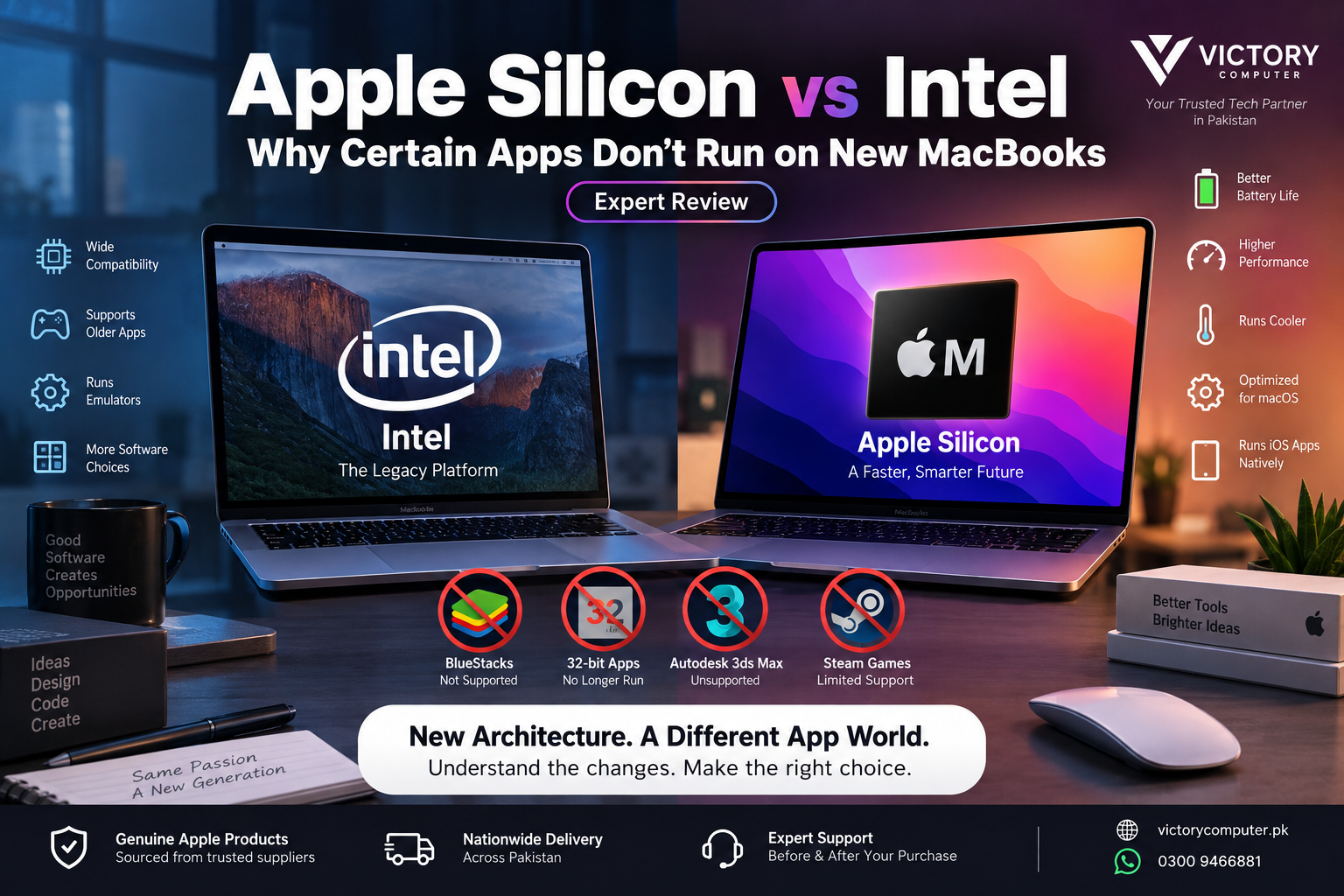
Apple Silicon vs Intel: Why Certain Apps Don’t Run on New MacBooks
Apple Silicon vs Intel compatibility problems happen because newer MacBooks use Apple’s ARM64 architecture instead of the x86-64 architecture used by Intel Macs. Many Intel applications can still run through Rosetta, but old 32-bit software, incompatible plug-ins, low-level system software, and certain virtualization tools may not work on modern Apple Silicon Macs.
Why Apple Silicon and Intel Are Different
The biggest difference is processor architecture. Intel Macs were built around the x86-64 instruction set, while Apple Silicon Macs use Apple’s ARM64 architecture. Software compiled specifically for one architecture cannot automatically execute natively on another.
Apple began transitioning the Mac from Intel processors to Apple Silicon in 2020. Modern Mac applications can be built as Universal apps, containing executable code for both Intel and Apple Silicon, or specifically for Apple Silicon.
If you want more background on Apple’s processor transition, read Victory Computer’s Apple Silicon journey from M1 to M4.
Why Do Certain Apps Not Run on Apple Silicon?
An Intel label alone does not mean an application will fail. Many 64-bit Intel Mac applications can run through Rosetta. Problems are more likely when software depends on components that cannot be translated or when the application is too old for the current version of macOS.
- 32-bit software: Modern macOS cannot run 32-bit Mac applications.
- Architecture-specific components: Old plug-ins, extensions, drivers, or libraries can make an otherwise compatible application fail.
- Virtualization: Software designed specifically to virtualize an x86-64 computer platform cannot simply rely on Rosetta to reproduce an Intel Mac.
- Abandoned software: Applications that are no longer maintained may never receive Apple Silicon-native versions.
- macOS changes: An application’s problem may come from the operating system version rather than Apple Silicon itself.
This distinction matters. A Mac app that crashes on an M-series Mac is not automatically incompatible simply because it was originally written for Intel.
How Does Rosetta Run Intel Apps on Apple Silicon?
Rosetta translates x86-64 instructions so compatible Intel-based Mac applications can execute on Apple Silicon. Apple describes the process as largely transparent to the user: when a compatible Intel-only application launches, macOS can translate its executable for the Apple Silicon processor.
Rosetta does not make every Intel application compatible. Apple specifically documents limitations involving areas such as kernel extensions and applications that virtualize x86-64 computer platforms.
There is also an important change for buyers in 2026: Apple has announced that macOS 27 will be the final macOS release offering Rosetta as a general-purpose compatibility tool for Intel Mac applications. Apple plans to retain limited functionality afterward for certain older games that depend on Intel-based frameworks.
That makes native Apple Silicon or Universal application support increasingly important when checking software you expect to use for several years.
What About Old 32-Bit Mac Apps?
32-bit compatibility is a separate issue from Apple Silicon vs Intel. Apple ended support for 32-bit applications with macOS Catalina 10.15. Apple states that macOS Mojave 10.14 was the final macOS version capable of running 32-bit Mac applications.
Rosetta does not restore support for these old 32-bit Mac applications. If an essential program is 32-bit only, the practical solution is normally to find an updated 64-bit version, replace it with a supported alternative, or retain an older compatible system for that specific workflow.
For a deeper explanation, see our 32-bit vs 64-bit Mac apps guide.
Apple Silicon vs Intel App Compatibility
| Software Type | Apple Silicon Mac | What to Know |
|---|---|---|
| Apple Silicon-native app | Excellent | Runs natively on ARM64 |
| Universal Mac app | Excellent | Contains Apple Silicon and Intel executable code |
| 64-bit Intel Mac app | Often compatible | May currently run through Rosetta |
| 32-bit Mac app | Unsupported | Modern macOS does not support 32-bit apps |
| Old Intel plug-ins/extensions | Varies | Every required component needs compatible support |
| x86-64 virtualization software | Varies | Architecture and virtualization requirements can prevent compatibility |
If a critical application is unsupported, review our workarounds for unsupported Apple Silicon apps. Some workloads may also benefit from modern virtual machines for Mac, although virtualization does not guarantee that every Intel-era application will work.
Apple Silicon Pros and Cons
Pros
- Strong performance per watt: Apple controls the processor, operating system, and many core frameworks as an integrated platform.
- Native modern software: Current Mac applications increasingly target Apple Silicon directly or ship as Universal apps.
- Unified memory architecture: Apple Silicon uses a tightly integrated memory design shared across major parts of the system.
- Long-term Mac direction: Apple Silicon is Apple’s current architecture for new Mac development.
- Efficient mobile designs: Apple Silicon is particularly well suited to thin MacBook designs where battery efficiency and thermal behavior matter.
Cons
- Legacy software problems: Some older Intel-era applications and components are incompatible.
- No 32-bit app support: Very old Mac applications cannot run on modern macOS.
- Specialized workflow risks: Old drivers, plug-ins, extensions, and virtualization requirements need individual verification.
- Rosetta is transitional: General-purpose Rosetta support is approaching its announced end, making native application support increasingly important.
Why We Recommend Apple Silicon
For most people buying a new MacBook today, Apple Silicon is the sensible platform because it is the architecture Apple is actively developing for modern Macs. However, professionals who depend on specialized legacy software should check every critical application, plug-in, driver, and peripheral before replacing an older Intel-based workflow.
Apple Silicon vs Intel: Which Is Better for Your Workflow?
Choose based on software rather than processor branding alone.
| User | Better Approach | Reason |
|---|---|---|
| Student | Apple Silicon | Modern browsers, productivity tools, communication apps, and current educational software generally fit the modern Mac platform. |
| Video or photo creator | Apple Silicon | Prefer current native versions of your creative applications and plug-ins. |
| Developer | Check toolchain first | Architecture, containers, VMs, dependencies, and deployment targets can change the decision. |
| Legacy software user | Verify before upgrading | An irreplaceable Intel-only or 32-bit application can be a migration blocker. |
| Specialized business user | Audit the complete workflow | Drivers, peripherals, plug-ins, and internal software may matter as much as the main application. |
What Should MacBook Buyers in Pakistan Check?
Before buying a MacBook for professional or academic work, make a list of the applications you cannot work without. Check each developer’s current system requirements and look specifically for Apple Silicon, ARM64, or Universal support.
Do the same for specialist plug-ins, audio interfaces, printers, development tools, external hardware, and virtualization software. Compatibility should be confirmed before purchase rather than discovered after migrating your files.
Pakistani buyers should also compare the exact model, memory, storage, warranty terms, and seller support. MacBooks do not require PTA approval; PTA device registration relates to devices using cellular networks and should not be presented as a MacBook certification.
You can browse current computers and purchasing options through Victory Computer or contact the team on WhatsApp at 0300 9466881 if you need help choosing hardware for a particular workflow.
Frequently Asked Questions
Can Apple Silicon Macs run Intel apps?
Many 64-bit Intel Mac applications can currently run through Rosetta, but compatibility is not universal. Native Apple Silicon or Universal versions are preferable for long-term compatibility.
Why won’t some Intel apps open on an M-series Mac?
The application may depend on unsupported architecture-specific code, an incompatible plug-in or extension, outdated system components, or features Rosetta cannot translate. The macOS version itself can also be the cause.
Does Rosetta run 32-bit Mac applications?
No. macOS Catalina 10.15 ended support for 32-bit Mac applications, so Rosetta does not restore 32-bit compatibility.
Is Rosetta permanent?
No. Apple announced in September 2026 that macOS 27 will be the final release with Rosetta as a general-purpose compatibility tool for Intel-based Mac applications, with limited functionality continuing afterward for certain older games.
How can I check whether a Mac app is Intel or Apple Silicon?
Select the application in Finder, choose File > Get Info, and check the Kind field. Apple identifies applications as Intel, Universal, or Apple Silicon.
Should I buy an old Intel Mac just for app compatibility?
Only when a critical workflow genuinely requires hardware or software that cannot migrate. For a new general-purpose purchase, Apple Silicon is the current Mac platform, so verifying and updating legacy software is normally the better long-term approach.

About Victory Computer Editorial Team
Victory Computer Editorial Team The Victory Computer Editorial Team publishes informative, research-based content about laptops, computers, monitors, printers, hardware, and technology trends in Pakistan. Our goal is to help readers understand product specifications, compare available options, and make informed purchasing decisions.
View all posts by Victory Computer Editorial Team
7 thoughts on “Apple Silicon vs Intel: Why Certain Apps Don’t Run on New MacBooks | Expert Review”