
Why MacBook Displays Look Great but Still Can’t Beat High-End Windows Laptops | Expert Review

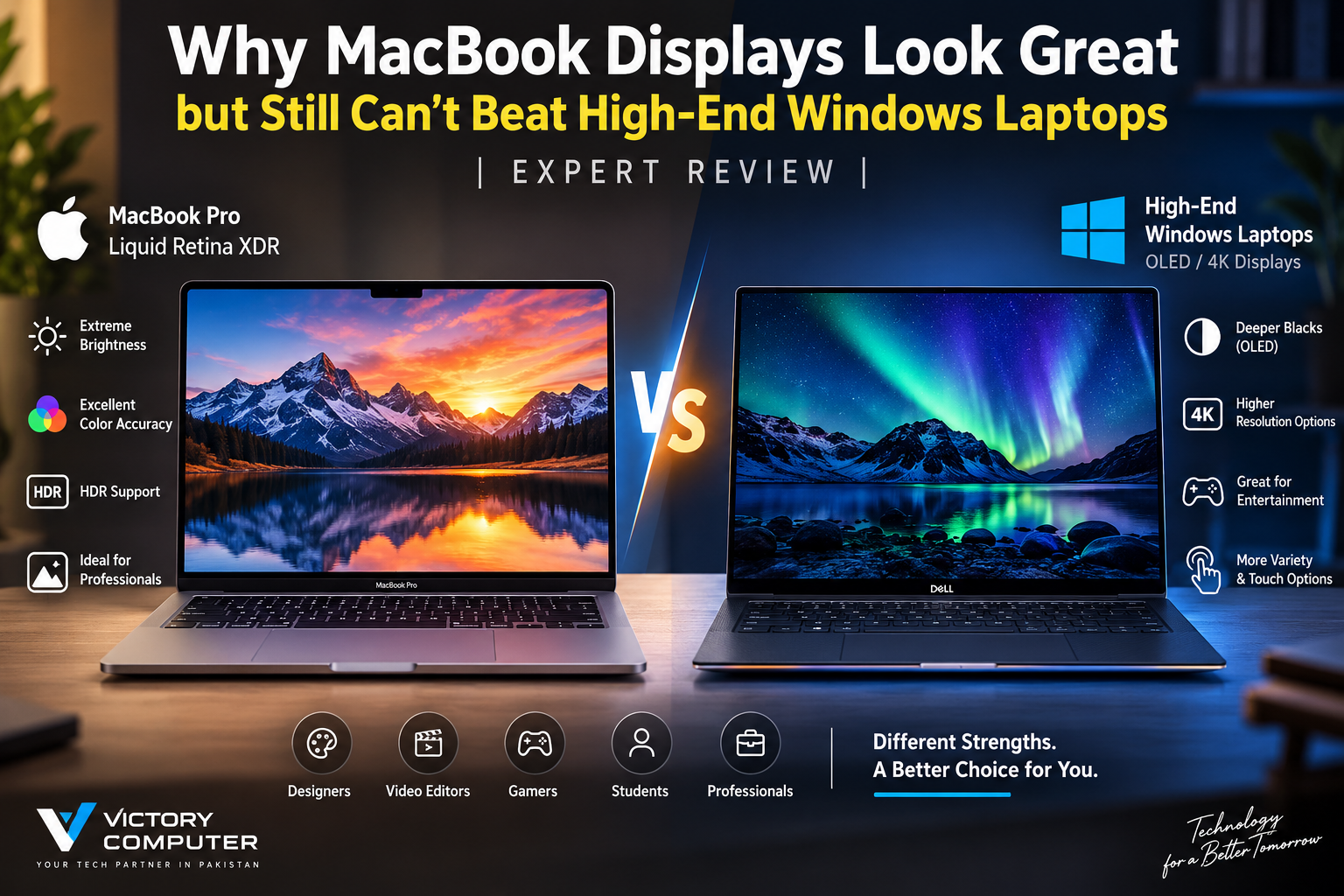
Why MacBook Displays Look Great
MacBook vs Windows display quality does not have one universal winner. MacBook Pro models offer excellent HDR brightness, color reproduction and adaptive refresh rates, while premium Windows laptops can offer OLED’s pixel-level blacks, extremely fast response times and different resolution or refresh-rate combinations. The better display depends on what you actually do with the laptop.
Why Do MacBook Displays Look So Good?
Modern MacBook Pro displays are strong because Apple combines high pixel density, wide P3 color, HDR capability and ProMotion in one tightly integrated display system. The current MacBook Pro Liquid Retina XDR display supports adaptive refresh rates up to 120Hz and Apple’s published specifications list a 1,000,000:1 contrast ratio.
Apple also specifies up to 1,000 nits sustained full-screen XDR brightness and 1,600 nits peak brightness for HDR content on current MacBook Pro models. That is a major advantage for HDR video workflows and bright highlights.
The important distinction is that Liquid Retina XDR is not OLED. Apple uses a high-performance backlighting system rather than giving every pixel its own independent light source. That difference explains why premium OLED Windows laptops can still have an advantage in absolute black levels and pixel-level contrast.
Where Can High-End Windows OLED Laptops Beat MacBook Pro?
The biggest advantage is OLED itself. Each OLED pixel can produce its own light and switch off independently. A black pixel can therefore be effectively unlit rather than relying on a backlight and local dimming system.
That makes OLED particularly attractive for movies, dark interfaces, games and other content containing bright objects against very dark backgrounds.
Premium Windows laptops also provide more display variety. Depending on the model, buyers can find OLED panels with high resolutions, touch support and refresh rates of 120Hz or considerably higher on gaming-focused machines.
For example, premium Dell XPS configurations are available with OLED panels, while HP has offered Spectre x360 configurations with 2.8K OLED displays and adaptive refresh rates up to 120Hz. Gaming-oriented Windows laptops expand the choice further.
For a deeper explanation of the technologies, read our Mini-LED vs OLED MacBook comparison.
MacBook vs Windows Display Quality: Key Differences
| Display Area | MacBook Pro Liquid Retina XDR | Premium Windows OLED |
|---|---|---|
| Black Levels | Excellent local-dimming performance | Pixel-level blacks |
| HDR Brightness | Major strength of MacBook Pro | Varies significantly by laptop |
| Refresh Rate | ProMotion up to 120Hz | Varies; 120Hz and higher options exist |
| Color | Wide P3 color and strong system integration | Excellent on quality OLED models; model dependent |
| Touchscreen | No touchscreen on current MacBook Pro | Available on many premium models |
| Panel Choice | Limited, controlled Apple configurations | OLED, IPS and other configurations depending on model |
| Best Fit | HDR and professional Apple workflows | OLED contrast, entertainment, touch and wider hardware choice |
The table also explains why saying that either platform has the “best display” is misleading. MacBook vs Windows display quality depends on the exact Windows laptop being compared and the workload being performed.
MacBook Pro Display Pros and Cons
Pros
- Excellent HDR capability: High sustained and peak HDR brightness is useful for HDR video and demanding visual work.
- ProMotion: Adaptive refresh rates up to 120Hz improve scrolling and motion compared with traditional 60Hz displays.
- Wide P3 color: Useful for photographers, video editors and designers working with color-sensitive content.
- Strong macOS integration: Apple’s control over the hardware and operating system creates a consistent display pipeline.
- High pixel density: Text, interface elements and detailed images appear sharp.
Cons
- Not OLED: Local dimming cannot reproduce pixel-level lighting in exactly the same way as OLED.
- No built-in touchscreen: Premium Windows alternatives provide more touch and convertible options.
- 120Hz ceiling: Gaming laptops can offer refresh rates considerably beyond 120Hz.
- Limited panel choice: Windows buyers have a much broader selection of display technologies and configurations.
Why We Recommend It
MacBook Pro remains an excellent display choice for photographers, editors, developers and professionals who value HDR performance, color consistency and macOS integration. Buyers primarily interested in OLED blacks, touch input or very high-refresh gaming should compare premium Windows laptops before deciding.
Windows OLED Laptop Pros and Cons
Pros
- True pixel-level blacks: Individual pixels can switch off, producing exceptional dark-scene contrast.
- Fast pixel response: OLED is particularly attractive for motion and gaming.
- More configurations: Windows laptops offer a much broader combination of resolution, refresh rate, touchscreen and screen size.
- Strong entertainment experience: Deep blacks can make films and dark visual content especially striking.
Cons
- Quality varies: “OLED” alone does not tell you brightness, calibration, refresh rate or overall panel quality.
- Potential image retention: OLED technology requires management of long-term static-image exposure.
- Battery impact: Power consumption depends heavily on content and the individual implementation.
- No universal Windows standard: Display quality varies considerably between manufacturers and models.
Why We Recommend It
A premium Windows OLED laptop makes sense for users who prioritize deep blacks, fast pixel response, media consumption, touchscreen functionality or gaming-oriented display options. Buyers doing serious HDR production should compare the exact panel specifications instead of choosing solely because the laptop says OLED.
Is MacBook Pro Better for Designers and Content Creators?
MacBook Pro is particularly compelling for creators who depend on HDR workflows and a predictable display environment. Its combination of wide P3 color, XDR brightness and macOS integration makes it well suited to professional visual work.
OLED is not automatically less accurate, however. A properly calibrated high-end Windows OLED laptop can also be suitable for professional creative work. The exact panel, calibration, software workflow and target color space matter more than the OLED label alone.
Creators should also consider reflections and their working environment. Our guide to glossy MacBook displays and color-critical work explains why ambient lighting can affect the viewing experience.
Are High-End Windows Displays Better for Gaming?
Windows laptops generally provide the stronger display ecosystem for serious gaming because buyers have far more high-refresh options. MacBook Pro’s 120Hz ProMotion display is smooth, but premium Windows gaming laptops can combine OLED panels with substantially higher refresh rates.
That does not make the MacBook Pro display poor. It means its priorities are different. Apple balances professional visual work, battery operation, HDR and general responsiveness rather than designing the MacBook display specifically for competitive gaming.
Anyone choosing primarily for gaming should read our detailed analysis of MacBook displays for gaming before comparing individual models.
What About HDR?
HDR is one of MacBook Pro’s clearest strengths. Apple’s current specifications list 1,000 nits sustained full-screen XDR brightness and 1,600 nits peak brightness for HDR content.
Windows OLED HDR performance varies by panel. OLED can provide exceptional contrast, but peak brightness and sustained full-screen brightness should be checked separately.
This is why an OLED panel should not automatically be considered superior for HDR production. Read our MacBook Pro HDR display analysis for a closer look at XDR brightness.
MacBook Pro or Windows OLED: Which Should You Buy?
Choose MacBook Pro if: HDR production, color-sensitive creative work, macOS integration and consistent display behavior are your priorities.
Choose a premium Windows OLED laptop if: true OLED blacks, touchscreen options, entertainment, faster gaming-oriented refresh rates or greater hardware choice matter more.
For buyers researching MacBook vs Windows display quality, the key lesson is simple: compare the exact laptop panels rather than the logos on their lids.
A Dell XPS OLED and a high-refresh gaming OLED laptop can have very different characteristics despite both using OLED. Likewise, MacBook Air and MacBook Pro should not be treated as having identical display capabilities.
You can also explore the latest laptop display technologies before choosing your next machine.
Buying a Premium Laptop in Pakistan
Pakistan buyers should compare more than display technology. Check the exact model number, panel configuration, processor, graphics hardware, memory, storage, warranty terms and current availability before purchasing, because manufacturers often sell the same laptop family with several different screens.
Victory Computer provides laptops and computer hardware for customers in Pakistan. Browse Victory Computer or contact the team on WhatsApp at 0300 9466881 to confirm current models, specifications and availability before ordering.
Frequently Asked Questions
Are MacBook displays better than Windows laptop displays?
Not universally. MacBook Pro excels in HDR brightness, color-focused workflows and integration, while premium Windows OLED and gaming laptops can offer pixel-level blacks, touchscreens and higher refresh-rate options.
Is OLED better than Liquid Retina XDR?
OLED is stronger for pixel-level black and contrast, while Liquid Retina XDR can be extremely strong for HDR brightness. The better technology depends on the workload.
Is MacBook Pro good for professional color work?
Yes. MacBook Pro supports wide P3 color and is designed for demanding visual workflows, although professionals should still use an appropriate color-managed workflow for their specific output requirements.
Is OLED better for watching movies?
OLED’s ability to switch individual pixels off gives it excellent black levels, which can make dark scenes and high-contrast content especially impressive.
Which laptop display is better for gaming?
Premium Windows gaming laptops generally provide more display choices, including OLED panels and refresh rates above 120Hz. MacBook Pro offers ProMotion up to 120Hz but is not primarily designed as a competitive gaming laptop.
Should I buy a MacBook or Windows OLED laptop in Pakistan?
Choose based on the exact model and your workload. MacBook Pro is compelling for HDR and macOS-based creative workflows, while Windows OLED laptops offer more choices for gaming, touch input and entertainment.

About Victory Computer Editorial Team
Victory Computer Editorial Team The Victory Computer Editorial Team publishes informative, research-based content about laptops, computers, monitors, printers, hardware, and technology trends in Pakistan. Our goal is to help readers understand product specifications, compare available options, and make informed purchasing decisions.
View all posts by Victory Computer Editorial Team
3 thoughts on “Why MacBook Displays Look Great but Still Can’t Beat High-End Windows Laptops | Expert Review”