
Mini-LED vs OLED: Did Apple Choose the Wrong Display Tech for MacBooks? | Expert Review

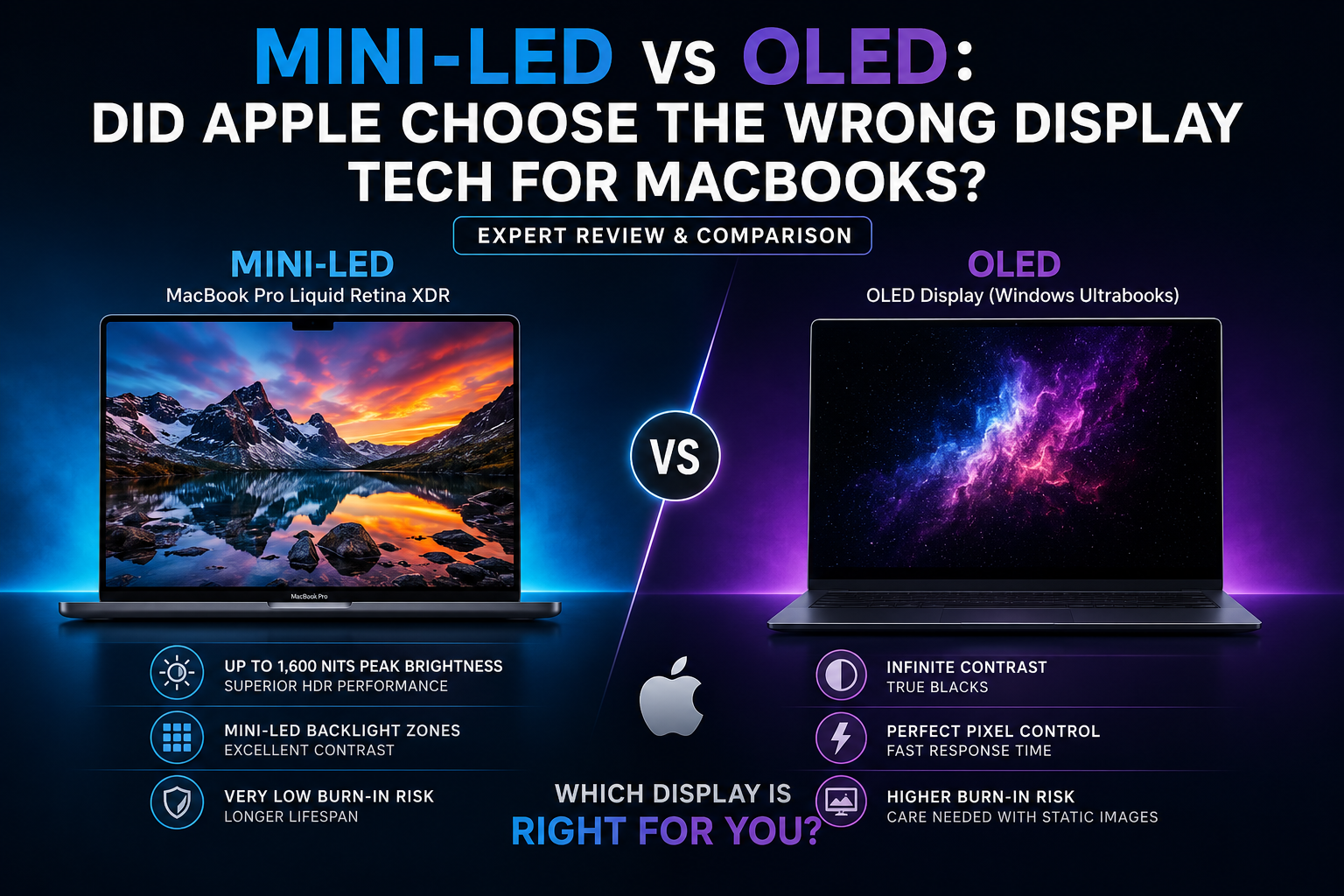
Mini-LED vs OLED
Apple did not necessarily choose the wrong display technology for the MacBook Pro. In the Mini-LED vs OLED comparison, OLED delivers superior black levels and pixel-level contrast, while Apple’s Liquid Retina XDR approach provides very high HDR brightness without the same permanent burn-in concern associated with OLED. The better choice depends mainly on how you use your laptop.
Mini-LED vs OLED: Did Apple Make the Wrong Decision?
No, Mini-LED was a logical choice for the MacBook Pro. OLED provides true blacks, excellent contrast and extremely fast pixel response, but Mini-LED offers a strong combination of high HDR brightness, excellent contrast and suitability for prolonged professional workloads.
The difference comes from how the two display technologies produce light. OLED is self-emissive, meaning individual pixels create their own light and can switch off completely. Mini-LED remains an LCD technology, but uses many small LEDs arranged into local-dimming zones behind the display.
That fundamental difference explains most of the strengths and weaknesses in the Mini-LED vs OLED debate.
What Display Does the MacBook Pro Use?
Current MacBook Pro models use Apple’s Liquid Retina XDR display rather than OLED. Apple specifies up to 1,000 nits of sustained full-screen XDR brightness and up to 1,600 nits of peak brightness for HDR content. ProMotion also supports adaptive refresh rates up to 120Hz.
These characteristics make the MacBook Pro display particularly suitable for HDR video, photo editing and other professional visual workflows.
You can review the current display specifications directly through Apple’s official MacBook Pro specifications.
Mini-LED vs OLED: Display Technology Comparison
| Feature | Mini-LED | OLED |
|---|---|---|
| Black Levels | Excellent, but not pixel-perfect | True black |
| Contrast | Very high | Exceptional pixel-level contrast |
| HDR Brightness | Can provide very high sustained brightness | Excellent, but varies significantly by panel |
| Pixel Control | Local dimming zones | Individual pixel control |
| Response Time | Fast | Extremely fast |
| Blooming | Possible | No backlight blooming |
| Burn-In Risk | No OLED-style permanent burn-in | Possible with prolonged repetitive static content |
| Professional Desktop Use | Excellent | Excellent, with OLED longevity considerations |
| Movies in Dark Rooms | Excellent | Exceptional |
Why Did Apple Choose Mini-LED for MacBook Pro?
The MacBook Pro is designed primarily as a professional computer, and that changes the priorities Apple must consider when selecting display technology.
Video editors, developers, photographers, designers, musicians and other professionals can keep the same software interface visible for hours. Applications such as Final Cut Pro, Adobe Premiere Pro, Photoshop, Xcode and professional audio software contain persistent toolbars, menus, timelines and other static elements.
OLED technology has improved substantially, but prolonged repetitive static content can still contribute to permanent image retention. Mini-LED does not have the same OLED pixel-aging mechanism.
Apple therefore gained a practical combination of:
- High HDR brightness
- Strong contrast
- Wide professional usability
- Excellent color performance
- No OLED-style permanent burn-in mechanism
For a professional laptop expected to operate for long periods with static interfaces, those characteristics make Mini-LED a reasonable engineering choice rather than an outdated compromise.
Where Is OLED Better Than Mini-LED?
OLED’s biggest advantage is individual pixel control. Every OLED pixel produces its own light. A pixel displaying black can switch off completely while the pixel beside it remains illuminated.
This produces several important visual advantages:
- True blacks
- Exceptional contrast
- No local-dimming halos
- Very fast response times
- Excellent dark-scene performance
- Precise rendering of small bright objects against dark backgrounds
OLED’s advantage becomes particularly obvious when watching movies or playing games in a dark environment.
For example, stars against a black sky can be illuminated individually. Mini-LED must illuminate a local backlight zone, which can sometimes produce a faint halo around the bright object.
Where Does Mini-LED Still Beat OLED?
Mini-LED remains particularly competitive for high sustained brightness and long professional sessions involving static interfaces.
Apple’s Liquid Retina XDR implementation demonstrates this strength. Current MacBook Pro specifications list up to 1,000 nits sustained full-screen XDR brightness and 1,600 nits peak HDR brightness.
This capability is particularly useful for HDR video production because bright portions of an image can remain highly visible while maintaining strong overall contrast.
Mini-LED also avoids OLED’s permanent burn-in mechanism. This matters for workloads involving menu bars, browser tabs, editing timelines, spreadsheets, coding environments and application controls that may remain in the same location for many hours.
That does not mean modern OLED laptops quickly develop burn-in. Actual OLED longevity depends on panel technology, brightness, usage patterns, thermal management and built-in protection systems. It remains a trade-off rather than a reason to automatically avoid OLED.
What About Mini-LED Blooming?
Blooming is one of Mini-LED’s clearest disadvantages compared with OLED.
Mini-LED controls groups of pixels through local-dimming zones rather than controlling the light output of every individual pixel. When a very bright object appears against a completely dark background, the illuminated zone may affect nearby pixels.
The result can be a faint glow or halo around the bright object.
OLED eliminates this particular problem because each pixel controls its own light output.
This gives OLED a clear visual advantage for dark-room movie watching and scenes containing very small highlights against black backgrounds.
Will Apple Move From Mini-LED to OLED MacBooks?
Apple has not moved the current MacBook Pro lineup to OLED, but industry reports have pointed toward OLED technology for a future redesigned MacBook Pro.
This distinction matters. A future OLED MacBook Pro should not be treated as an officially confirmed product specification until Apple announces the device.
An eventual transition would still make technical sense. OLED panels continue to improve in brightness, efficiency and durability, potentially reducing some of the compromises that influenced earlier professional laptop designs.
If Apple eventually introduces an OLED MacBook Pro, that would not mean choosing Mini-LED earlier was a mistake. Display technologies evolve, and the best engineering choice can change as newer panel generations solve previous limitations.
Mini-LED vs OLED: Pros and Cons
The most useful way to compare Mini-LED vs OLED is to consider the advantages and compromises of both technologies instead of declaring one display type universally superior.
Mini-LED Pros
- Excellent HDR brightness: Premium Mini-LED panels can deliver very high peak and sustained brightness.
- Strong contrast: Local dimming allows much deeper blacks than conventional LCD displays.
- Good for professional workloads: Static toolbars, timelines and application interfaces can remain visible for long sessions without OLED-style burn-in concerns.
- Strong HDR performance: High brightness makes Mini-LED particularly useful for HDR video workflows.
- No OLED pixel burn-in mechanism: The technology does not rely on self-emissive organic pixels.
Mini-LED Cons
- Blooming can occur: Bright objects against black backgrounds may produce visible halos.
- Black levels are not pixel-perfect: Local-dimming zones cannot match OLED’s individual pixel control.
- More complex backlighting: Mini-LED still requires an LCD layer and separate backlight system.
- OLED can look better in dark scenes: Movies with black backgrounds can reveal Mini-LED’s local-dimming limitations.
OLED Pros
- True blacks: Individual pixels can switch completely off.
- Exceptional contrast: Bright and dark pixels can sit directly beside each other without backlight interference.
- No blooming: OLED does not rely on local-dimming backlight zones.
- Extremely fast response: OLED pixels can change state very quickly, making the technology attractive for motion and gaming.
- Excellent entertainment experience: Movies and games with dark scenes can look particularly impressive.
OLED Cons
- Burn-in remains possible: Prolonged repetitive static elements can contribute to permanent image retention.
- Sustained brightness varies: OLED performance across large bright areas depends heavily on the specific panel and device implementation.
- Long-term static desktop use requires consideration: Users who keep the same interface visible for many hours should understand OLED’s aging characteristics.
- Not every OLED panel performs equally: Display quality depends on the actual panel, brightness management, calibration and laptop implementation.
Mini-LED vs OLED: Which Display Should You Choose?
Choose Mini-LED if HDR brightness, professional productivity and prolonged static desktop use are major priorities.
Mini-LED is particularly suitable for:
- Video editors
- Photographers
- Developers
- Professional content creators
- Users working with HDR content
- People keeping the same applications open for long sessions
Choose OLED if perfect blacks, dark-room viewing, fast pixel response and maximum pixel-level contrast matter more.
OLED is particularly attractive for:
- Movie watching
- Gaming
- Media consumption
- Users who value deep blacks
- People who frequently work with dark visual content
Neither technology should be judged by its name alone. A premium Mini-LED panel can outperform a mediocre OLED panel in important areas, while a high-quality OLED implementation can provide image characteristics Mini-LED cannot completely reproduce.
Is the MacBook Pro Liquid Retina XDR Display Still Worth It?
Yes, the Liquid Retina XDR display remains one of the MacBook Pro’s major strengths for professional users.
Its combination of high HDR brightness, strong contrast, wide color support and ProMotion makes it particularly suitable for professional creative workflows.
An OLED laptop may produce deeper blacks, but that does not automatically make it the better computer for editing, development or professional productivity.
Display resolution, color accuracy, brightness, refresh rate, processor performance, memory, battery life and software requirements should all be considered before choosing a laptop.
Buying a MacBook or Premium Laptop in Pakistan
Pakistani buyers comparing Mini-LED vs OLED should focus on the complete laptop rather than choosing a machine solely because its specifications mention OLED or Mini-LED.
For professional work, consider the processor, RAM, storage, graphics performance, display specifications, battery life and warranty alongside the display technology.
You can browse available laptops and computers in Pakistan through Victory Computer and compare current configurations before purchasing.
Readers researching other laptop technologies can also explore our laptop buying guides and technology guides for additional comparisons and buying advice.
Final Verdict: Did Apple Choose the Wrong Display Technology?
No. Apple choosing Mini-LED for the MacBook Pro was a defensible decision based on the requirements of a professional laptop.
OLED wins the pure black-level contest. Individual pixel control gives OLED true blacks, exceptional contrast, no backlight blooming and extremely fast response.
Mini-LED counters with very high HDR brightness, strong contrast and freedom from OLED’s permanent pixel burn-in mechanism. Those advantages remain particularly relevant for professional users who spend hours working with static interfaces.
The Mini-LED vs OLED debate therefore has no universal winner.
Choose OLED for perfect blacks and entertainment. Choose Mini-LED for a strong balance of HDR brightness, professional use and long-duration static workloads.
If future MacBook Pro models eventually adopt OLED, the transition will represent the evolution of display technology rather than proof that Mini-LED was the wrong choice.
Frequently Asked Questions
Is OLED better than Mini-LED for MacBooks?
OLED is better for true blacks, pixel-level contrast and extremely fast response. Mini-LED remains highly competitive for HDR brightness and prolonged professional desktop workloads.
Why did Apple choose Mini-LED instead of OLED?
Mini-LED provides high HDR brightness, excellent contrast and suitability for long sessions involving static professional interfaces without OLED’s permanent burn-in mechanism.
Does the current MacBook Pro have an OLED display?
No. Current MacBook Pro models use Apple’s Liquid Retina XDR display rather than OLED.
Can OLED laptop displays suffer from burn-in?
Yes. Modern OLED displays include protection technologies that reduce the risk, but permanent image retention remains possible after prolonged repetitive static-content exposure.
Is Mini-LED better for video editing?
Mini-LED can be an excellent choice for video editing, particularly HDR workflows that benefit from high sustained brightness and strong contrast.
Should I wait for an OLED MacBook Pro?
Wait only if OLED’s specific display advantages are important enough to delay your purchase. Buyers who need a professional laptop now should compare current MacBook Pro models based on their workload rather than relying on an unannounced future product.

About Victory Computer Editorial Team
Victory Computer Editorial Team The Victory Computer Editorial Team publishes informative, research-based content about laptops, computers, monitors, printers, hardware, and technology trends in Pakistan. Our goal is to help readers understand product specifications, compare available options, and make informed purchasing decisions.
View all posts by Victory Computer Editorial Team
5 thoughts on “Mini-LED vs OLED: Did Apple Choose the Wrong Display Tech for MacBooks? | Expert Review”