
Why Apple Still Hasn’t Brought Touchscreens to MacBook Displays | Expert Review

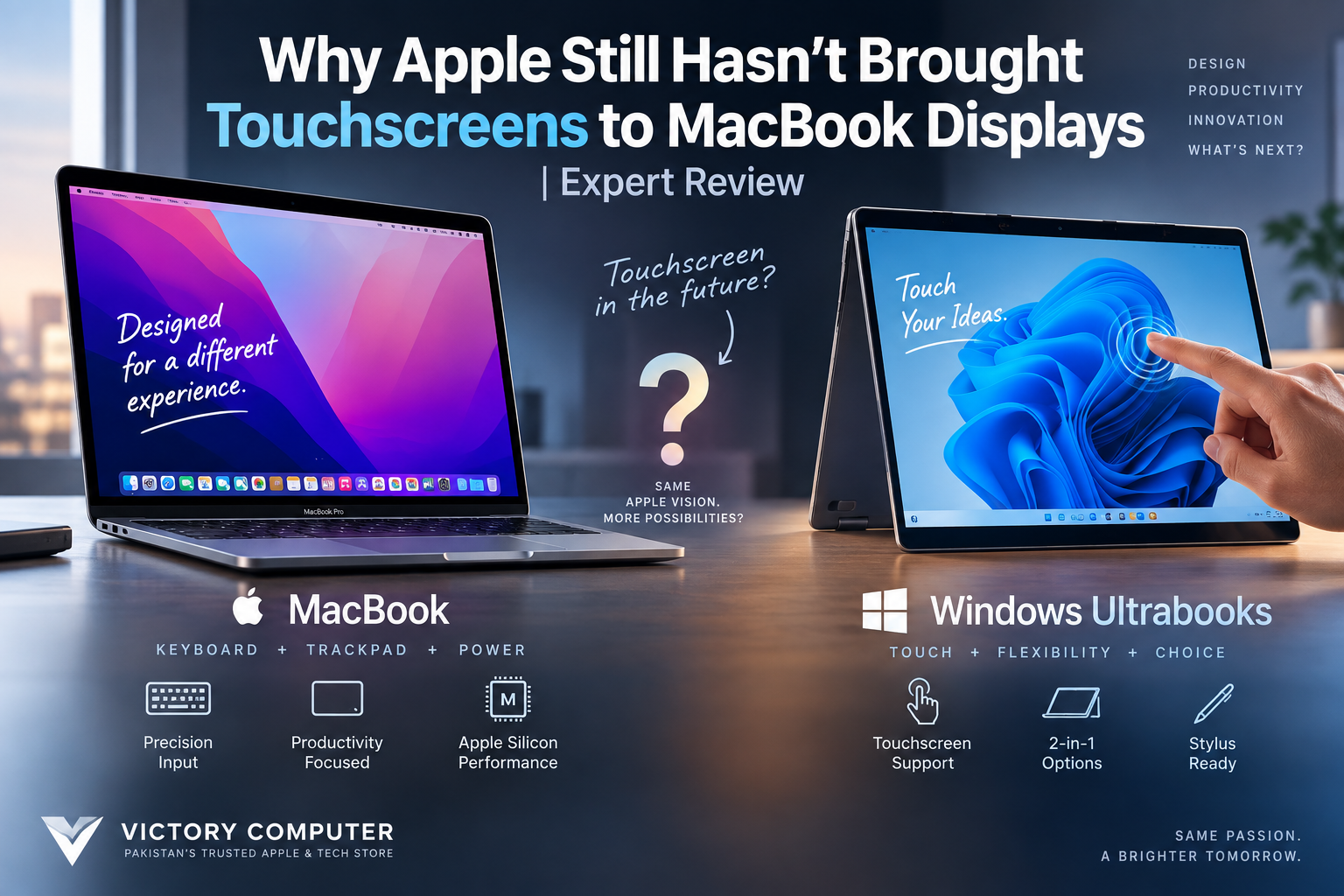
Why Apple Still Hasn’t Brought Touchscreens to MacBook Displays
Apple still does not offer a MacBook touchscreen on its current mainstream MacBook lineup because the Mac has historically been designed around a keyboard, trackpad and pointer-based desktop interface. Apple instead developed the iPad for direct touch and Apple Pencil input. However, that distinction may soon become less rigid, with credible reports pointing toward a future high-end touchscreen MacBook.
Why Don’t MacBooks Have Touchscreens?
Apple has historically treated the Mac as a precision desktop-computing platform rather than a touch-first device. macOS has therefore been built primarily around keyboard commands, trackpad gestures, mouse input and a pointer.
This approach makes sense for many professional workloads. Editing a timeline, selecting small spreadsheet cells, managing several windows or working in complex creative applications can be more precise with a trackpad or mouse than repeatedly reaching toward a laptop display.
The absence of touch also does not mean Apple has ignored display technology. Modern MacBook Pro displays emphasize resolution, HDR, colour reproduction and high refresh rates rather than direct finger input.
If display technology is your main concern, our comparison of MacBook and high-end Windows laptop displays explains where each platform has advantages.
Why Apple Separates MacBook and iPad
Apple has traditionally offered two different approaches: the Mac for desktop-style computing and the iPad for direct touch interaction.
An iPad can provide touch gestures and Apple Pencil support, while a MacBook provides a physical keyboard, large trackpad and macOS desktop environment. Apple’s Sidecar feature also allows compatible iPads to extend or mirror a Mac desktop, providing an additional display and Apple Pencil input for supported workflows.
This arrangement is particularly useful for illustrators and other creative users who want both a desktop operating system and pen-based input without making the MacBook display itself touch-sensitive.
MacBook vs Windows Ultrabook Touchscreen Experience
The biggest difference is choice. Windows manufacturers offer conventional non-touch notebooks alongside touchscreen clamshells and convertible 2-in-1 designs. MacBook buyers currently do not receive the same display-input choice.
| Feature | Current MacBooks | Touchscreen Windows Laptops |
|---|---|---|
| Direct screen touch | No | Available on selected models |
| Primary input | Keyboard + trackpad | Keyboard + trackpad + optional touch |
| Convertible designs | No | Available from multiple brands |
| Stylus support on laptop display | No | Available on selected devices |
| Touch-focused Apple alternative | iPad | Not applicable |
For a broader platform comparison, see our guide to MacBook vs Windows laptops for professionals in Pakistan.
MacBook Touchscreen Pros and Cons
A MacBook touchscreen would add another input method, but the feature would not automatically improve every Mac workflow. The real value depends on how the laptop is used.
Pros of a Touchscreen MacBook
- More direct interaction: Tapping buttons, scrolling pages and selecting on-screen elements can feel faster for simple tasks.
- Better flexibility: Users could switch between touch, trackpad, keyboard and mouse depending on the task.
- Useful for some creative workflows: Touch could make visual manipulation, photo browsing and certain design interfaces more intuitive.
- Closer competition with premium Windows laptops: Touch would remove one feature gap between MacBooks and high-end Windows notebooks.
- Potential accessibility benefits: Some users may find direct screen interaction easier than relying entirely on a pointer.
Cons of a Touchscreen MacBook
- Ergonomics: Repeatedly reaching toward a vertical laptop display can become uncomfortable during long work sessions.
- Interface challenges: Desktop interfaces contain controls designed around precise pointer input, so simply adding touch does not automatically create a good touch experience.
- Fingerprints: Frequent touching would make the display require more cleaning.
- Potential hardware trade-offs: A touch layer adds another component to the display assembly and could affect manufacturing complexity, weight or cost depending on implementation.
Why We Recommend Apple’s Current Approach for Some Users
For writing, coding, spreadsheets, office applications and traditional desktop creative software, a good keyboard and precise trackpad remain highly effective. Users who frequently draw, annotate documents or prefer direct screen interaction should compare a MacBook-plus-iPad workflow with a Windows 2-in-1 before deciding.
Our touchscreen vs non-touchscreen laptop guide covers that decision in more detail.
Is Apple Finally Making a Touchscreen MacBook?
Possibly — and this is the major development that changes the old MacBook touchscreen debate. As of September 2026, Apple’s current shipping MacBook models should not be confused with an officially announced touchscreen Mac. However, multiple reports now point toward Apple developing a high-end MacBook with direct touch input.
Recent reporting has associated touchscreen support with a redesigned high-end MacBook featuring an OLED display. The reported timing has generally centered on late 2026 or early 2027, although product names, specifications and release timing remain subject to change until Apple officially announces the hardware.
That distinction matters: a rumored touchscreen MacBook is not the same as an available touchscreen MacBook. Buyers should make current purchasing decisions based on products Apple has actually released rather than assuming an unannounced model will arrive on a particular date.
Do You Actually Need a Touchscreen Laptop?
Choose based on workflow rather than the feature checklist.
- Choose a MacBook if macOS, trackpad precision, traditional desktop applications and the Apple ecosystem matter more than direct screen input.
- Choose a touchscreen Windows laptop if tapping the display, handwriting, stylus input or convertible 2-in-1 use is central to your workflow.
- Consider a MacBook + iPad if you want macOS for desktop work but also need a separate touch and Apple Pencil device.
- Wait for Apple’s announcement if touchscreen support is essential and you specifically want a Mac rather than Windows.
A touchscreen should therefore be treated as a workflow feature rather than an automatic sign that one laptop is more advanced than another.
Buying a MacBook or Touchscreen Laptop in Pakistan
Pakistani buyers should first decide which operating system and input method fit their work. A student primarily writing assignments may gain little from paying extra for touch, while an artist who regularly uses pen input may consider touch or stylus support essential.
Victory Computer offers computers and laptops for different professional, educational and creative requirements. You can browse the computer and laptop range or visit Victory Computer for current listings and product information.
When comparing models, verify the exact configuration, display type, warranty terms, price and availability shown on the individual product page before purchasing.
Frequently Asked Questions
Does a MacBook have a touchscreen?
Current mainstream MacBooks do not use a touchscreen as their primary display input. They are designed around the keyboard, trackpad and pointer-based macOS interface.
Why doesn’t Apple make touchscreen MacBooks?
Apple has historically optimized the Mac around indirect input while positioning the iPad as its touch-first computer. That strategy may be changing as reports increasingly point toward a future touchscreen Mac.
Is Apple making a touchscreen MacBook Pro?
Credible reports indicate that Apple is developing a high-end MacBook with touchscreen support, potentially alongside an OLED display. Until Apple officially announces the product, its final specifications and release timing should be treated as unconfirmed.
Can I use an iPad as a touchscreen for my Mac?
Apple’s Sidecar feature lets compatible iPads extend or mirror a Mac desktop and supports Apple Pencil interaction in compatible workflows. It does not turn the MacBook’s built-in display into a touchscreen.
Is a touchscreen laptop better than a MacBook?
Not universally. Touchscreen laptops are better for users who value direct interaction, handwriting or convertible use, while MacBooks remain strong choices for users who prefer macOS and keyboard-and-trackpad workflows.
Should I wait for a touchscreen MacBook?
Wait only if touchscreen support is essential to your purchase. If you need a laptop now and do not depend on touch, buying decisions should be based on currently available hardware rather than an unannounced product.
Final Verdict
The lack of a MacBook touchscreen has historically been a deliberate part of Apple’s separation between Mac and iPad rather than simply a missing specification. Keyboard and trackpad input remain effective for many professional workflows, while the iPad provides Apple’s direct-touch and Apple Pencil experience.
That strategy now appears closer to changing than at any previous point. Reports of a future touchscreen MacBook make the next generation particularly interesting, but current buyers should distinguish credible reporting from officially released hardware. For now, choose a MacBook for the Mac experience and choose a touchscreen laptop when touch itself is an important part of your workflow.

About Victory Computer Editorial Team
Victory Computer Editorial Team The Victory Computer Editorial Team publishes informative, research-based content about laptops, computers, monitors, printers, hardware, and technology trends in Pakistan. Our goal is to help readers understand product specifications, compare available options, and make informed purchasing decisions.
View all posts by Victory Computer Editorial Team
One thought on “Why Apple Still Hasn’t Brought Touchscreens to MacBook Displays | Expert Review”