
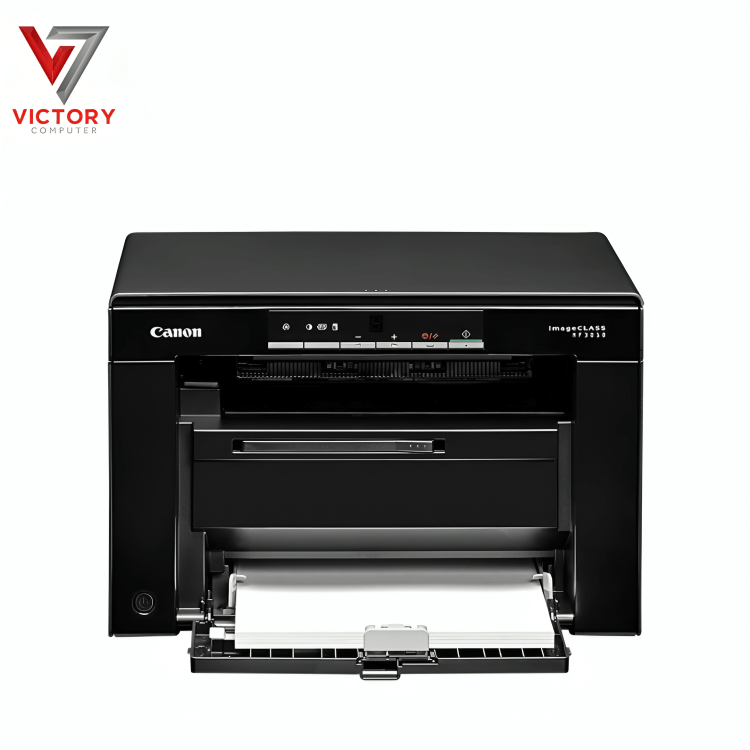


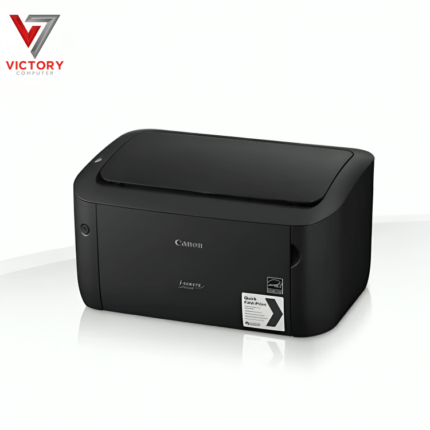

Canon MF3010 Specifications
| General Specifications | |
|---|---|
| Brand | Canon |
| Model | imageCLASS MF3010 |
| Printer Type | Monochrome Laser All-in-One |
| Functions | Print, Copy, Scan |
| Print Speed | Up to 19 pages per minute (Letter) |
| Print Resolution | Up to 1200 x 600 dpi (enhanced) |
| Processor | Canon Custom Processor |
| Memory | 64MB |
| Paper Handling | 150-sheet input tray |
| First Print Out Time | Approx. 8 seconds |
| Copy Speed | Up to 19 cpm (Letter) |
| Scanner Type | Flatbed |
| Scan Resolution | Up to 600 x 600 dpi (optical) |
| Connectivity | USB 2.0 High-Speed |
| Operating System Compatibility | Windows, macOS, Linux |
| Dimensions | 372 x 276 x 254 mm (W x D x H) |
| Weight | Approx. 8.2 kg |
| Power Consumption | Approx. 960W (operation), 1.4W (standby) |
| Toner Cartridge | Canon 925 Toner Cartridge (Up to 1,600 pages) |
| Warranty | 1-Year Local Warranty |
Canon MF3010 Printer Price in Pakistan
The Canon MF3010 delivers crisp monochrome prints using advanced laser beam technology, ensuring high-quality text and graphics. It offers a print resolution of up to 600 x 600 dpi, enhanced to 1200 x 600 dpi with Automatic Image Refinement. With a print speed of up to 18 pages per minute (ppm), this printer efficiently handles everyday printing tasks with precision and clarity.
Versatile Multifunction Capabilities: Print, Copy, and Scan
The Canon MF3010 is more than just a printer. It provides reliable copying and scanning functions suitable for home offices and small businesses. Copy speeds reach up to 18 copies per minute (cpm) at 600 x 600 dpi. The integrated CIS (Contact Image Sensor) allows optical scanning at 600 x 600 dpi, with driver-enhanced resolutions up to 9600 dpi. Color scanning at 24-bit depth ensures documents and photos are digitized with vibrant accuracy.
User-Friendly Paper Handling and Capacity
Equipped with a 150-sheet paper cassette and a 100-sheet face-down output tray, the Canon MF3010 supports smooth and reliable paper handling. It accommodates paper weights from 60 to 163 g/m² and various media sizes including A4, Letter, Legal, and custom formats, making it ideal for printing letters, reports, envelopes, and more.
Fast Warm-Up and First Print Out Time
The MF3010 warms up in approximately 10 seconds and delivers the first print in around 7.8 seconds, minimizing downtime and boosting productivity for small office environments.
Connectivity and Compatibility
The Canon MF3010 connects via USB 2.0 Hi-Speed for stable and fast data transfer. It is compatible with a wide range of operating systems, including Windows XP through Windows 8, macOS, and Linux. Its plug-and-play setup makes installation hassle-free for users of all skill levels.
Compact Design with Durable Build
With dimensions of 372 x 276 x 254 mm and weighing between 7.6 and 8.2 kg, the MF3010 fits comfortably into limited spaces. Its robust construction ensures reliability and long-lasting performance for daily printing, copying, and scanning tasks.
Energy Efficient with Environmentally Friendly Features
The Canon MF3010 consumes minimal power, with a sleep mode reducing energy usage to just 1.4 watts. Toner saver mode and compliance with energy-saving standards help reduce operational costs and environmental impact.
Recommended Usage and Monthly Volume
Ideal for small offices and home users, the Canon MF3010 supports a recommended monthly print volume of 250 to 1,000 pages and a maximum duty cycle of up to 8,000 pages, making it capable of handling routine printing demands effortlessly.
Why Choose Canon MF3010?
The Canon MF3010 is a compact, reliable monochrome laser all-in-one printer. It combines printing, copying, and scanning with high efficiency and sharp output. Its fast print speeds, versatile paper handling, and simple USB connectivity make it perfect for home offices and small businesses seeking a dependable, cost-effective solution.
FAQs about Canon MF3010
Q1: What is the print speed of Canon MF3010?
The Canon MF3010 prints up to 18 pages per minute (ppm) in monochrome.
Q2: Can the MF3010 scan in color?
Yes, it supports 24-bit color scanning with driver-enhanced resolutions up to 9600 dpi.
Q3: What is the paper capacity of Canon MF3010?
It includes a 150-sheet input cassette and a 100-sheet output tray, supporting various media sizes.
Q4: Is the MF3010 energy-efficient?
Yes, it features low power consumption with sleep mode at 1.4 watts and toner saver mode for cost-effective printing.
Q5: Which operating systems are compatible?
The printer works with Windows XP through Windows 8, macOS, and Linux, offering plug-and-play installation.





 Due to fluctuation in dollar/dirham rates, prices are not stable kindly confirm the price before placing the order.
Reviews
There are no reviews yet.