
How to Backup Your Laptop Data in Pakistan

How to Backup Your Laptop Data in Pakistan
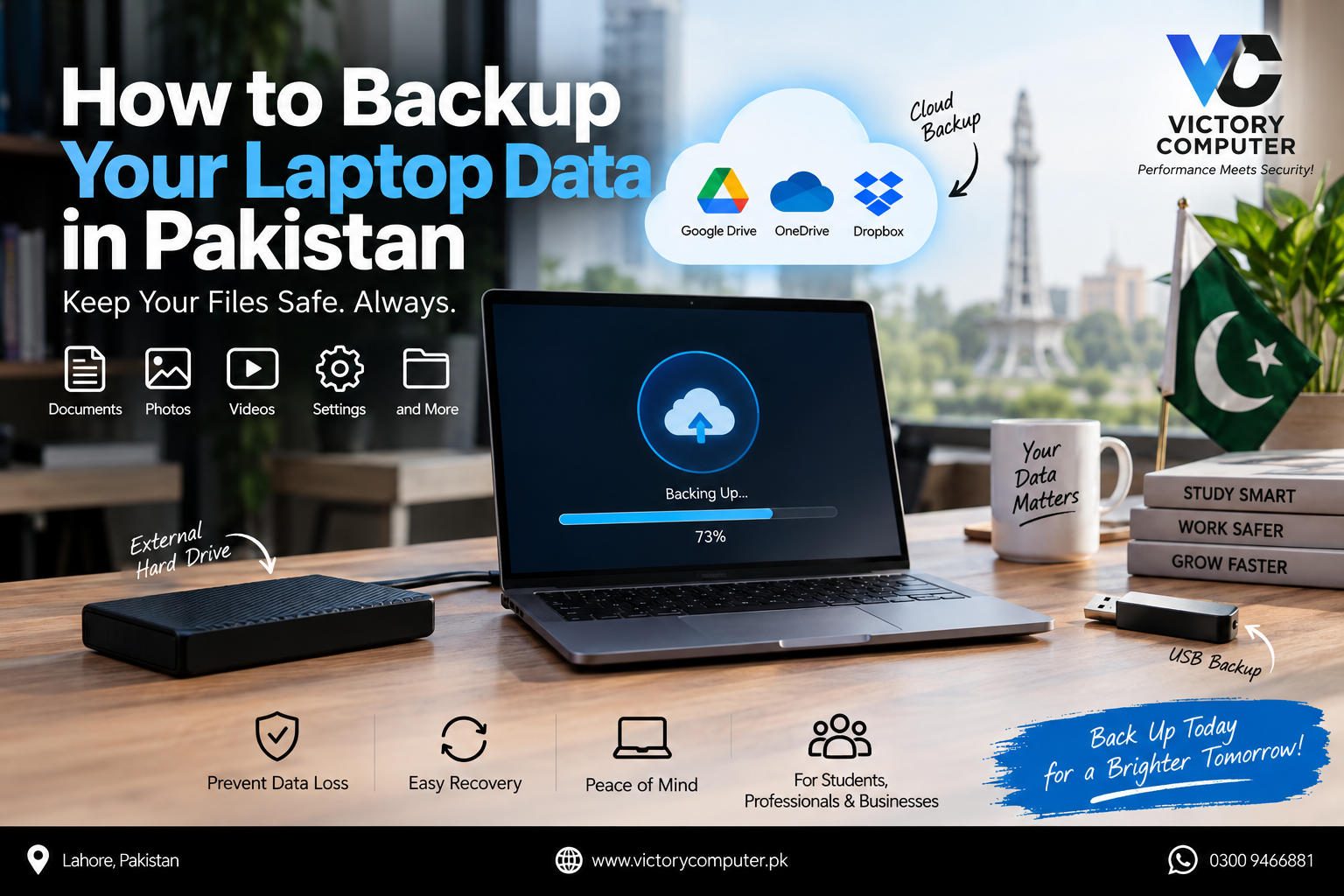
The safest way to backup your laptop data in Pakistan is to keep at least two backup copies: one on an external drive and one off-site or in the cloud. This protects files against hardware failure, accidental deletion, malware, theft, and physical damage. For important data, a simple 3-2-1 backup plan is stronger than relying on one USB drive or one cloud account.
Why Should You Backup Your Laptop Data?
A backup is a separate copy of files that can be restored if the originals are lost, corrupted, deleted, or encrypted by malware. A copy stored only on the laptop’s internal SSD is not enough because one device failure can affect both Windows or macOS and your files.
If you need to backup your laptop data in Pakistan, plan for both local and off-site protection. An external drive is useful when internet access is limited, while cloud storage protects a copy away from the laptop.
Best Ways to Backup Your Laptop Data in Pakistan
| Method | Best For | Main Advantage | Main Trade-off |
|---|---|---|---|
| Cloud storage | Documents and active work | Off-site access and automation | Needs internet and available storage |
| External HDD | Large archives | High capacity for the cost | Mechanical and easier to damage |
| External SSD | Frequent or large backups | Fast and portable | Higher cost per GB |
| USB flash drive | Small extra copies | Simple and portable | Easy to lose and weak as the only backup |
| NAS | Offices and multiple computers | Centralized automatic storage | Higher setup cost |
For a direct comparison, read Victory Computer’s guide to cloud storage vs external hard drives. For faster local storage, see our guide to external SSDs for fast backup in Pakistan.
Use the 3-2-1 Backup Rule for Important Files
A practical 3-2-1 plan means keeping three copies of important data, using two different storage media, and keeping one copy off-site. The U.S. Cybersecurity and Infrastructure Security Agency also recommends maintaining offline backups because ransomware may attempt to encrypt or delete backups that remain continuously accessible.
For a personal laptop, keep the working files on the computer, a second copy on an external HDD or SSD, and a third copy in cloud storage. Disconnect the local backup drive after the backup when practical. This is one of the safer ways to backup your laptop data in Pakistan without depending on one storage device.
How to Backup a Windows 11 or Windows 10 Laptop
Windows users can combine Microsoft Windows Backup with an external-drive copy. Microsoft says Windows Backup can protect selected user folders through OneDrive and preserve certain settings and preferences. A free Microsoft account currently includes 5 GB of cloud storage, so large photo or video libraries may require additional storage or an external drive.
- Open Start and search for Windows Backup.
- Sign in with the Microsoft account you use for OneDrive.
- Select the Desktop, Documents, Pictures, Videos, or Music folders you want protected.
- Connect an external drive and use File History or trusted backup software for a second copy.
- Open several files from the backup destination to confirm that the files are readable.
Microsoft explains Windows Backup and File History in its official documentation. Using a cloud copy and an external copy makes it easier to backup your laptop data in Pakistan even if one backup method becomes unavailable.
How to Backup a MacBook
Mac users can use Time Machine with an external storage device. Apple describes Time Machine as the built-in Mac backup system for automatically saving copies of data to external storage.
Connect an external drive, open Time Machine settings, select the backup disk, and allow the first backup to finish. Keep the drive in a safe place when it is not connected. Important working folders can also be copied to a trusted cloud service for an independent off-site copy.
You can review Apple’s current Mac backup and Time Machine guidance before configuring a new backup drive.
Cloud Backup: Google Drive and OneDrive
A standard Google Account currently includes up to 15 GB of storage shared across Google Drive, Gmail, and Google Photos. A free Microsoft account currently includes 5 GB of cloud storage used by OneDrive and related Microsoft storage.
Cloud sync should not be your only protection. Synced changes can include file changes or deletions, so keep an independent local copy. To backup your laptop data in Pakistan safely, use cloud storage together with an external drive instead of treating synchronization alone as a complete backup strategy.
Pros and Cons of Laptop Backup Methods
Cloud Storage
Pros: Off-site protection, access from multiple devices, automatic synchronization options, and easy sharing.
Cons: Internet dependent, limited free storage, possible recurring costs, and cloud account security must be managed properly.
External HDD
Pros: Large capacity, relatively low cost per GB, no monthly storage fee, and works without internet access.
Cons: Slower than an SSD, vulnerable to physical shock and mechanical failure, and can be lost or stolen.
External SSD
Pros: Fast transfer speeds, compact size, no moving parts, and convenient for frequent backups.
Cons: Usually higher cost per GB than an HDD and still vulnerable to loss, theft, or data corruption.
USB Flash Drive
Pros: Portable, simple, and useful for keeping a small additional copy of selected files.
Cons: Easy to misplace, capacity may be limited, and it should not be your only long-term backup.
Why We Recommend a Hybrid Backup Setup
For most users, the best balance is cloud storage plus an external HDD or SSD. The cloud provides an off-site copy, while the external drive gives fast recovery without depending on internet speed. If you want to backup your laptop data in Pakistan with fewer single points of failure, use both rather than choosing only one method.
Before finishing, verify that at least one important file can be restored from each backup location. That simple test is part of a reliable plan to backup your laptop data in Pakistan, because a backup is useful only when recovery actually works.
Recommended Backup Plan in Pakistan
Students can keep assignments and documents in cloud storage and create a weekly external-drive copy. Freelancers handling active client projects should consider daily backups or backups after major work sessions. Businesses should use scheduled backups, encryption for sensitive information, controlled access, and periodic restore tests.
If you need larger offline capacity, compare storage options in Victory Computer’s 1TB external hard drive guide.
How Often Should You Backup Your Laptop?
Your backup schedule should depend on how much recent work you could afford to lose. If losing one working day would create a serious problem, make daily backups. Weekly backups may be sufficient for personal files that change only occasionally.
Before a major Windows or macOS update, laptop repair, SSD replacement, system reset, or operating-system reinstall, create a fresh backup and verify that the important folders are present. A backup that has never been checked should not be treated as fully reliable.
Backup Security Tips
- Encrypt drives or folders containing sensitive documents.
- Use strong passwords and multi-factor authentication for cloud accounts.
- Keep at least one backup physically separate from the laptop.
- Disconnect offline backup drives after the backup when practical.
- Test a small restore regularly instead of assuming the backup worked.
Following these precautions makes it safer to backup your laptop data in Pakistan without leaving every copy exposed to the same problem.
Frequently Asked Questions
What is the safest way to backup your laptop data in Pakistan?
Use an external-drive backup plus an off-site or cloud copy. For important files, follow a 3-2-1 approach and periodically confirm that files can be restored.
How much free cloud storage do Google Drive and OneDrive provide?
A standard Google Account currently includes up to 15 GB shared across Google Drive, Gmail, and Google Photos. A free Microsoft account currently includes 5 GB of cloud storage.
Is an external SSD better than an external HDD for backups?
An SSD is faster and more resistant to physical shock because it has no moving parts. An HDD normally provides more capacity for the money, making it useful for larger archives.
Is cloud sync the same as a backup?
No. Synchronization keeps files aligned between locations, meaning changes or deletions may also propagate. A safer backup strategy maintains an independent recoverable copy.
Should I backup before a Windows update or laptop repair?
Yes. Create and verify a fresh backup before major system changes, laptop repairs, storage replacement, system resets, or operating-system reinstallation.
Where can I get backup storage in Pakistan?
You can browse laptops, storage devices, and computer accessories through the Victory Computer shop or visit Victory Computer. For current availability and compatibility, contact Victory Computer on WhatsApp at 0300 9466881.

About Victory Computer Editorial Team
Victory Computer Editorial Team The Victory Computer Editorial Team publishes informative, research-based content about laptops, computers, monitors, printers, hardware, and technology trends in Pakistan. Our goal is to help readers understand product specifications, compare available options, and make informed purchasing decisions.
View all posts by Victory Computer Editorial Team
One thought on “How to Backup Your Laptop Data in Pakistan”