
Cloud Storage vs External Hard Drives – Which Is Better?

Cloud Storage vs External Hard Drives – Which Is Better?
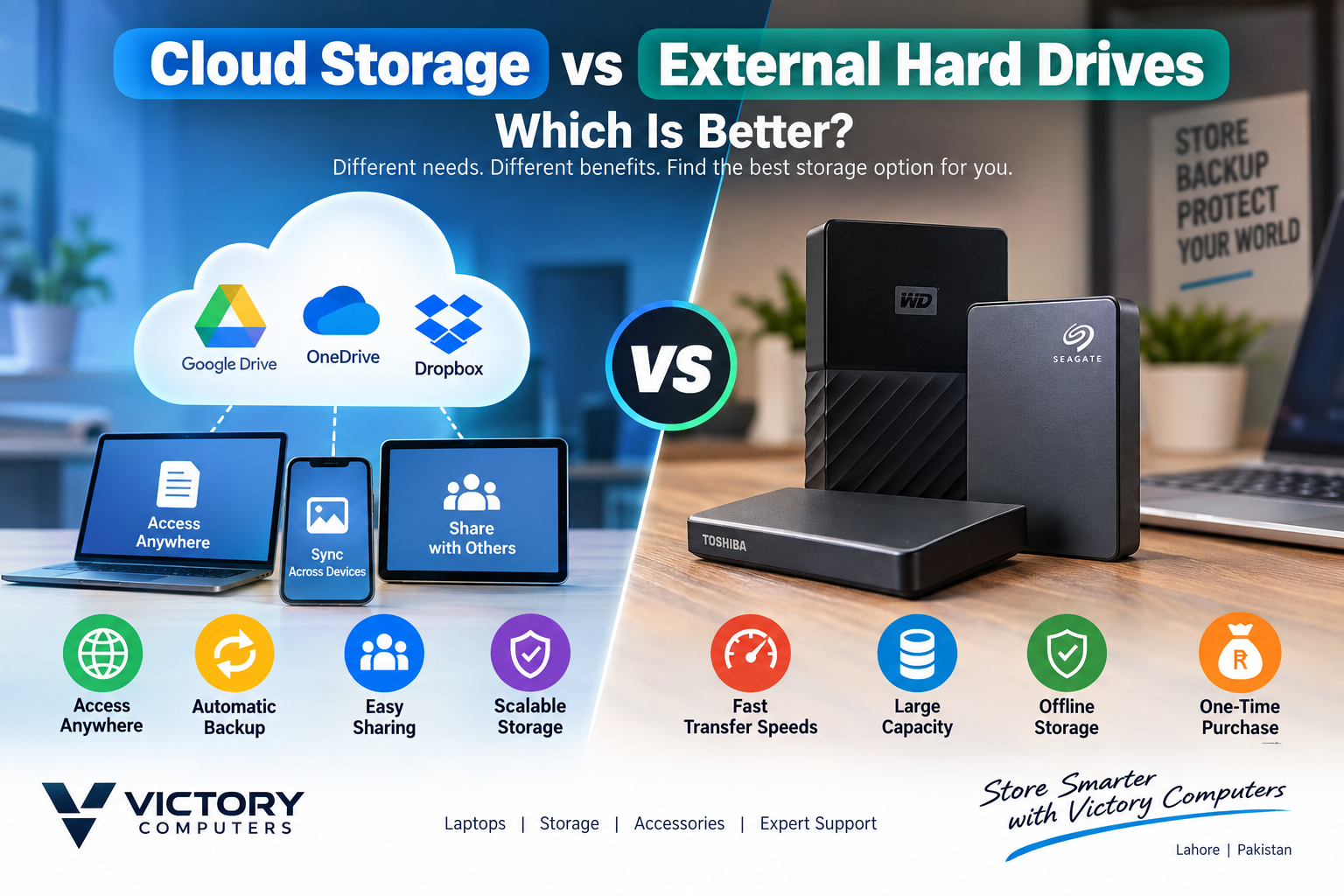
Cloud Storage vs External Hard Drives is not a choice with one winner for everyone. Cloud storage is better for anywhere access, automatic syncing and collaboration, while an external hard drive is better for large offline files, fast local transfers and a one-time hardware purchase. For important data, using both is usually the strongest backup approach.
Cloud Storage vs External Hard Drives: Quick Comparison
The main difference is location: cloud storage keeps files on remote provider infrastructure and makes them available through an account and internet connection, while an external hard drive keeps data on a physical device you control. The practical choice depends on file size, internet access, collaboration needs, budget and backup habits.
| Factor | Cloud Storage | External Hard Drive |
|---|---|---|
| Cost model | Often recurring for larger storage plans | One-time hardware purchase |
| Capacity | Can be upgraded by changing the plan | Fixed to the drive capacity |
| Access | Available across supported devices with account access | Available when the drive is physically connected |
| Transfer speed | Depends heavily on internet upload/download speed | Local transfers can be faster, depending on the drive and interface |
| Collaboration | Strong sharing, permissions and multi-device workflows | Limited unless files are copied or the drive is shared physically |
| Automation | Sync and folder-backup features are commonly available | Backup is manual unless software is configured |
| Main risk | Account compromise, sync mistakes or service/account access problems | Loss, theft, physical damage, drive failure or malware while connected |
When Is Cloud Storage the Better Choice?
In the Cloud Storage vs External Hard Drives decision, cloud storage is the better fit when files must be available on multiple devices or shared with other people. Services such as Google Drive and Microsoft OneDrive support file sharing and permission controls, while OneDrive can also keep selected files available offline after they have been synced.
Cloud storage works especially well for students, office teams, freelancers and small businesses handling documents, presentations, spreadsheets and project files that change frequently. Automatic synchronization reduces the need to remember to copy every updated file to another device.
Cloud storage is also useful when a laptop is lost, stolen or damaged because the remote copy is not physically stored inside that laptop. However, synchronization should not be confused with a complete backup strategy. A deletion or unwanted change can sometimes propagate through synced folders, so version history, recovery options and separate backups still matter.
When Is an External Hard Drive the Better Choice?
For Cloud Storage vs External Hard Drives, an external hard drive is usually better for very large local collections such as video projects, RAW photos, archived business files, game installers and full-computer backup sets. The drive works without internet access and avoids waiting for a large upload before the data is stored.
For Pakistani users with inconsistent connectivity, limited upload speed or very large files, local storage can be more practical for routine backups. A physical drive also gives the owner direct control over where the copy is stored.
If transfer speed matters more than maximum capacity per rupee, consider an external SSD rather than a mechanical hard drive. Victory Computer’s guide to external SSDs for fast storage explains that option in more detail. For backup-focused SSD choices, see the guide to external SSDs for fast backup in Pakistan.
Pros and Cons of Cloud Storage vs External Hard Drives
Cloud Storage Pros
- Access files from multiple supported devices and locations.
- Useful sharing and collaboration controls for teams and clients.
- Automatic syncing can protect frequently changing work from a single-device failure.
- Storage capacity can usually be increased without buying new hardware.
- No separate physical drive to carry or connect.
Cloud Storage Cons
- Large plans can create an ongoing subscription cost.
- Uploading and downloading large projects depends on internet speed and availability.
- Account security becomes part of the storage-security model.
- Syncing mistakes can affect copies across multiple devices if recovery features are not used correctly.
Why We Recommend Cloud Storage
Choose cloud storage if your priority is mobility, collaboration and automatic synchronization. It is especially useful for documents and active projects that must be available on a laptop, phone and office computer. Users with huge media libraries or unreliable internet should keep a local backup as well.
External Hard Drive Pros
- One purchase provides a fixed amount of local storage.
- Works without internet access.
- Good for large media libraries, archives and full-system backup copies.
- Direct local transfers can be faster than cloud uploads, depending on hardware and connection speed.
- A disconnected drive can provide an offline copy that is separated from the computer and cloud account.
External Hard Drive Cons
- A single drive can fail, so it should not be the only copy of important data.
- Portable drives can be lost, stolen or physically damaged.
- Remote access and collaboration are limited.
- Backups can become outdated if the user forgets to connect the drive and run them.
Why We Recommend an External Hard Drive
Choose an external hard drive for large offline backups, archives and files that would take too long to upload regularly. If you are comparing capacity-focused options, Victory Computer’s 1TB external hard drive guide is a useful next step. Keep critical files on more than one device rather than treating one portable drive as the entire backup plan.
Which Is Safer for Backup: Cloud Storage or an External Hard Drive?
Security is one of the most important parts of Cloud Storage vs External Hard Drives, and neither option is automatically safer in every situation. Major cloud platforms use security controls such as encryption, account authentication and access permissions, but users still need strong passwords, multi-factor authentication where available and careful sharing settings. Google states that files uploaded to Drive are encrypted in transit and at rest.
An external drive keeps data under physical control, but that does not remove risk. The drive can fail, be stolen or become infected or encrypted by malware while connected. For critical backups, keeping an offline copy is valuable. CISA recommends maintaining offline, encrypted backups of critical data and testing whether those backups can actually be restored.
For critical data, Cloud Storage vs External Hard Drives should not be treated as an either-or decision. The strongest practical approach is not cloud or external storage alone. Keep the working copy on your computer, a separate local backup on an external drive, and another copy away from the computer, such as reputable cloud storage. This reduces the chance that one hardware failure, theft, ransomware incident or account problem destroys every copy at once.
Cloud Storage vs External Hard Drives for Users in Pakistan
For many Pakistani users, the deciding factor is how much data must move through the internet. Students and office users working mainly with documents can benefit greatly from cloud storage because sharing and multi-device access are convenient. Photographers, editors and businesses moving hundreds of gigabytes may prefer external storage for primary backups because local copies do not depend on lengthy uploads.
For Cloud Storage vs External Hard Drives in Pakistan, a hybrid setup is often the most practical. Use cloud storage for current documents and files that need remote access, then use an external HDD or SSD for larger backup sets and archives. This keeps day-to-day work convenient while maintaining a separate physical copy.
Which One Should You Choose?
For Cloud Storage vs External Hard Drives, choose cloud storage if you need remote access, automatic sync and easy collaboration. Choose an external hard drive if you need large offline capacity, direct local transfers and no recurring storage subscription for that device. For irreplaceable files, choose both rather than relying on only one copy.
If you are building a broader laptop or storage setup, visit Victory Computer for computers, accessories and buying guidance in Pakistan. Before buying any drive, confirm the required capacity, connector type, device compatibility and current warranty terms for the exact model.
Frequently Asked Questions
Is cloud storage better than an external hard drive?
In Cloud Storage vs External Hard Drives, cloud storage is better for remote access, sharing and synchronization. An external hard drive is better for large offline backups and local file transfers. The better option depends on how you work.
Which option is cheaper in the long run?
An external hard drive is purchased once, while larger cloud-storage plans commonly use recurring billing. The cheaper choice depends on required capacity, replacement cycles and how long you need the storage.
What is better for students in Pakistan?
Cloud storage is usually convenient for assignments, notes and group projects because files can be opened and shared across devices. Keeping a second copy of important coursework on a laptop or external drive is still sensible.
What is better for photographers and video editors?
External HDDs or SSDs are often more practical for large photo and video libraries because local transfers avoid repeated large uploads. Cloud storage can still be useful for selected project files, client delivery and off-site backup.
Can an external hard drive replace cloud backup?
It can provide a strong local backup, but one drive should not be the only copy of important data. A lost, damaged or failed drive can remove that backup in one event.
Should I use both cloud storage and an external drive?
For important data, Cloud Storage vs External Hard Drives is strongest when both are used together. A local external drive provides fast offline recovery, while a cloud copy adds separation from physical problems affecting your computer and local backup.

About Victory Computer Editorial Team
Victory Computer Editorial Team The Victory Computer Editorial Team publishes informative, research-based content about laptops, computers, monitors, printers, hardware, and technology trends in Pakistan. Our goal is to help readers understand product specifications, compare available options, and make informed purchasing decisions.
View all posts by Victory Computer Editorial Team
One thought on “Cloud Storage vs External Hard Drives – Which Is Better?”