
Best Laptops for Video Editing in Pakistan

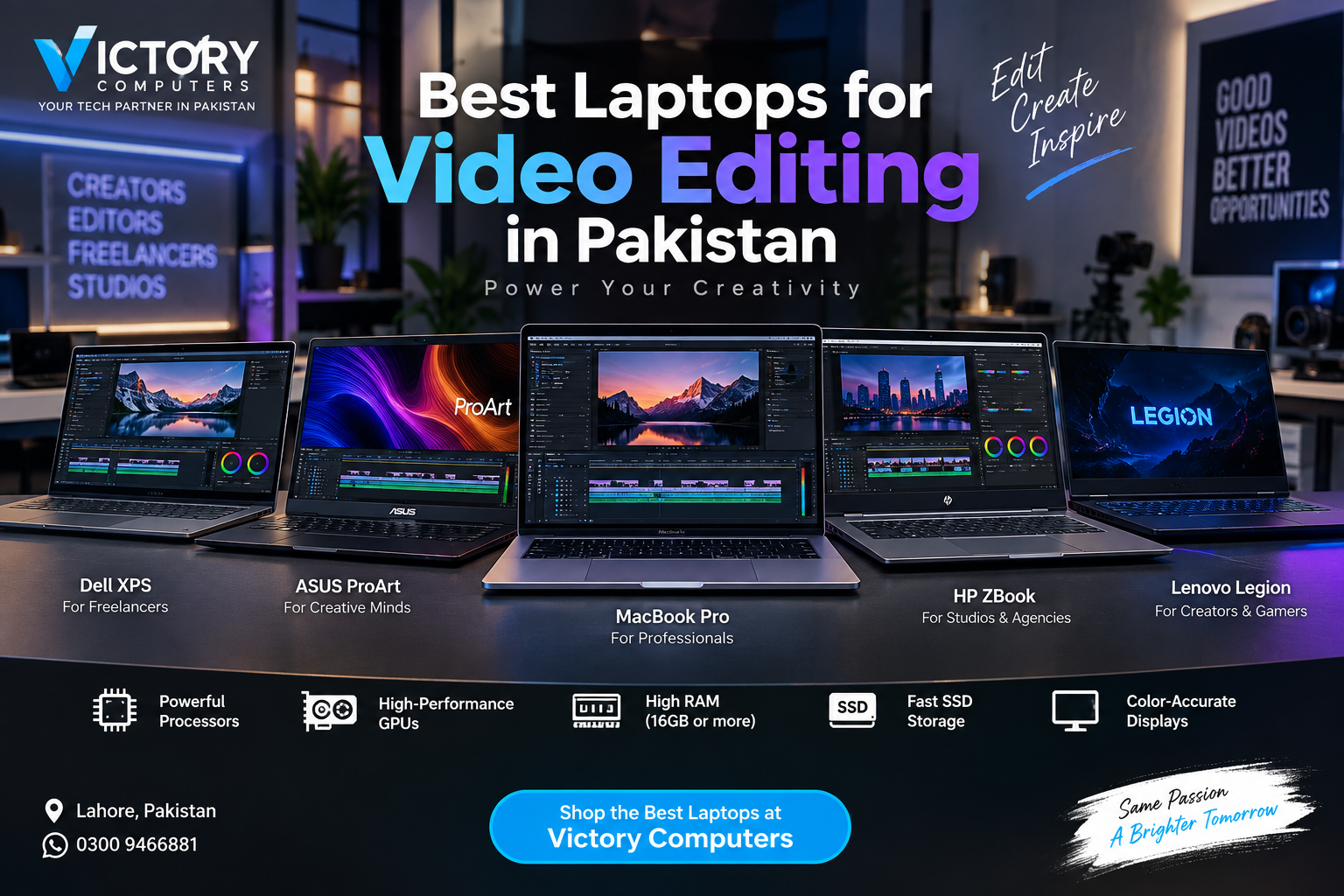
Best Laptops for Video Editing
The best laptops for video editing in Pakistan combine a fast modern processor, enough RAM, GPU acceleration, SSD storage and a color-accurate display. For professional editors, a MacBook Pro or dedicated Windows creator workstation is usually the strongest choice, while RTX gaming laptops can provide excellent performance at a more practical budget.
What Makes a Good Video Editing Laptop?
A good video editing laptop needs balanced performance rather than one impressive specification. The processor handles decoding, timeline calculations and many editing tasks, while the GPU accelerates effects, rendering, image processing and supported AI features. RAM becomes increasingly important with high-resolution footage, complex timelines and multiple applications running together.
For serious 4K video editing, 32GB RAM is a sensible target on Windows. Adobe currently recommends 32GB or more for 4K-and-higher Premiere workflows and 8GB of GPU memory in its recommended Windows configuration. A fast internal SSD is also recommended for applications and cache, with additional high-speed storage useful for media.
The display matters just as much for editors working on color-sensitive projects. Resolution, color gamut, brightness, contrast and panel quality should therefore be considered alongside CPU and GPU performance.
Best Laptops for Video Editing in Pakistan
1. Apple MacBook Pro – Best for Professional Editors
Apple’s current MacBook Pro family is one of the strongest options for editors who prioritize Final Cut Pro, portability, battery efficiency and a high-quality built-in display. Current models offer Apple M5-series configurations and dedicated media engines for hardware-accelerated H.264, HEVC, ProRes and ProRes RAW workflows.
The Liquid Retina XDR display also makes the MacBook Pro particularly attractive for HDR and color-sensitive work. Current 14-inch and 16-inch configurations offer M5, M5 Pro and M5 Max options depending on model and configuration.
Pros
- Dedicated hardware acceleration for major professional video formats
- Excellent Liquid Retina XDR display
- Strong performance while remaining portable
- Excellent option for Final Cut Pro users
- High-memory M5 Pro and M5 Max configurations available for demanding workflows
Cons
- Premium configurations can become expensive
- Memory and internal storage are not user-upgradeable after purchase
- Some Windows-only applications, plugins or workflows may require alternatives
Why We Recommend It
Choose a MacBook Pro if video production is a major part of your work and you value display quality, efficient media processing and portability. Editors working primarily in Apple’s ecosystem should also compare Apple silicon options for creator workloads before deciding how much performance they actually need.
2. ASUS ProArt Series – Best Windows Creator Laptop
ASUS ProArt laptops are designed around creative workloads rather than gaming alone. Depending on the exact model and configuration, the series combines high-performance processors, discrete NVIDIA graphics and creator-oriented displays, making it a strong Windows option for Premiere Pro, After Effects, Photoshop and DaVinci Resolve workflows.
Pros
- Creator-focused design and display options
- Discrete NVIDIA GPU configurations available
- Well suited to Adobe and Windows-based creative workflows
- Good choice for editors who also work with graphics or 3D applications
Cons
- High-end configurations can be expensive
- Exact display and GPU specifications vary significantly by model
- Availability of particular configurations can vary in Pakistan
Why We Recommend It
Choose an ASUS ProArt when you want a Windows laptop built specifically around creative work. Always compare the exact CPU, GPU, RAM and display configuration rather than buying based on the ProArt name alone.
3. HP ZBook Studio – Best Mobile Workstation Option
The HP ZBook Studio is aimed at professionals who need workstation-style performance in a mobile form factor. Available display choices include HP DreamColor options, with HP listing 100% DCI-P3 coverage and up to a 120Hz refresh rate on supported configurations.
This makes the ZBook particularly relevant to editors, designers and studio professionals who need strong Windows application compatibility and a display suited to visual work.
Pros
- Professional workstation positioning
- DreamColor display options designed for color-sensitive work
- Suitable for mixed editing, design and professional workloads
- Strong choice for Windows-based studios and agencies
Cons
- Workstation configurations can cost considerably more than mainstream laptops
- Exact GPU and display options depend on configuration
- May be unnecessary for basic YouTube or 1080p editing
Why We Recommend It
The ZBook Studio makes the most sense for professional users whose workflow extends beyond ordinary video editing into design, visualization or other workstation tasks. Casual editors can usually get better value from a mainstream creator or gaming laptop.
4. Lenovo Legion Series – Best Performance Alternative
A powerful gaming laptop can also be an excellent editing machine. Lenovo Legion models with modern high-performance processors, NVIDIA RTX graphics, sufficient RAM and fast SSD storage can handle demanding Premiere Pro and DaVinci Resolve projects while also providing strong gaming performance.
The key is choosing the correct configuration. Editors should prioritize RAM, GPU VRAM, display quality and storage instead of buying solely on the basis of gaming performance. You can compare current Lenovo Legion gaming laptops when looking for suitable configurations.
Pros
- Strong CPU and GPU performance
- RTX GPU options suit GPU-accelerated editing workloads
- Often offers more performance per rupee than premium creator workstations
- Useful for users who need one machine for gaming and editing
Cons
- Usually heavier than thin creator laptops
- Battery life can be lower under demanding workloads
- Display color quality varies between configurations
Why We Recommend It
Lenovo Legion is a practical choice for freelancers, YouTubers and editors who also game. Buyers who want more alternatives can browse gaming laptops in Pakistan, but should check display quality carefully before choosing a model for professional color work.
5. RTX Gaming Laptops – Best Value for Freelancers
Editors do not necessarily need a laptop marketed specifically for creators. Gaming laptops equipped with modern NVIDIA RTX graphics can provide strong acceleration for effects, rendering, encoding and other GPU-assisted Premiere tasks.
Adobe recommends 8GB GPU memory for its recommended Windows Premiere configuration. That makes GPU VRAM an important consideration for buyers working with demanding 4K projects, effects and high-resolution media.
Pros
- Wide selection across different budgets
- Strong GPU acceleration
- Often upgradeable RAM and SSD storage depending on model
- Good balance for editing, 3D work and gaming
Cons
- Not every gaming display is suitable for color-critical editing
- High-performance models can be heavy and noisy under load
- Battery life is generally less of a priority than performance
Why We Recommend It
An RTX gaming laptop is one of the most practical choices for Pakistani freelancers who need strong editing performance without moving into expensive mobile-workstation territory. Check the exact GPU, VRAM, RAM capacity, SSD upgrade options and display before purchasing.
Quick Comparison – Best Video Editing Laptops
| Option | Best For | Main Advantage | Main Trade-off |
|---|---|---|---|
| MacBook Pro | Professional editors | Media engines and excellent display | Premium pricing and no post-purchase RAM upgrades |
| ASUS ProArt | Windows creators | Creator-focused hardware | High-end models can be costly |
| HP ZBook Studio | Studios and agencies | Workstation features and display options | Overkill for basic editing |
| Lenovo Legion | Editors and gamers | Strong CPU/GPU performance | Heavier design |
| RTX Gaming Laptop | Freelancers and YouTubers | Performance and configuration choice | Display quality varies |
How Much RAM and GPU Power Do You Need for Video Editing?
For 1080p editing, 16GB RAM can be workable, while 32GB or more is a better target for serious 4K editing on Windows. More memory becomes useful when working with long timelines, high-resolution footage, After Effects, multicam projects or several creative applications simultaneously.
GPU requirements depend on the software and project. Premiere uses GPU acceleration for tasks including playback, rendering, effects, image processing, encoding and supported AI features. For professional Windows workflows, a modern discrete GPU with sufficient VRAM is therefore a worthwhile investment.
Storage also affects the editing experience. Choose an SSD rather than relying on a hard drive for active projects, applications and cache. A 1TB SSD is a more comfortable starting point for creators who regularly store large project files, although external high-speed storage can supplement the internal drive.
MacBook vs Windows: Which Is Better for Video Editing?
Choose MacBook Pro for Final Cut Pro, efficient Apple silicon media processing and an excellent built-in display. Choose Windows if you want broader hardware choice, RTX GPU options and potentially easier RAM or SSD upgrades on supported models.
Neither platform is automatically better for every editor. Premiere Pro users can work effectively on both. DaVinci Resolve users should pay particular attention to GPU capability, memory and the complexity of their projects.
Buying a Video Editing Laptop in Pakistan
Pakistani buyers should compare the exact configuration, not just the laptop series. Two laptops carrying the same family name may have different processors, GPUs, RAM capacities, displays and storage.
Before buying, confirm the exact model or SKU, RAM capacity and upgradeability, SSD capacity, GPU and VRAM, display specifications, warranty terms and operating system. This is particularly important for imported configurations where specifications can vary by region.
If professional editing is only part of your office workload, comparing business laptops in Pakistan may also help. For GPU-heavy editing, creator work or gaming, a dedicated performance laptop is generally the more appropriate category.
Which Video Editing Laptop Should You Buy?
For professional editing, the MacBook Pro is one of the strongest overall choices. For Windows creators, ASUS ProArt and HP ZBook Studio offer creator- and workstation-focused alternatives. Lenovo Legion and other well-configured RTX gaming laptops are often better suited to buyers who want strong performance while controlling cost.
For 4K work, prioritize sufficient RAM, GPU capability, fast SSD storage and display quality rather than buying based on processor branding alone.
Browse current laptop options from Victory Computer and confirm the exact configuration, warranty and current price before purchasing. Victory Computer serves customers in Pakistan and can be contacted on WhatsApp at 0300 9466881.
Frequently Asked Questions
Which laptop is best for 4K video editing in Pakistan?
A MacBook Pro, high-spec creator laptop or modern RTX-equipped Windows laptop can all be suitable. For Windows Premiere workflows, 32GB or more RAM and adequate GPU VRAM are sensible targets for serious 4K work.
Is 16GB RAM enough for video editing?
16GB can handle lighter HD editing and some moderate projects. For professional 4K editing, complex timelines and multitasking, 32GB or more is preferable on Windows.
Do I need an RTX GPU for video editing?
An RTX GPU is not mandatory, but a capable GPU can significantly help GPU-accelerated effects, rendering, encoding and other supported editing tasks. GPU capability becomes more important as project complexity increases.
Are gaming laptops good for video editing?
Yes. Gaming laptops often have the CPU and GPU performance needed for video editing, but editors should check display color quality, RAM, storage and GPU VRAM rather than judging the laptop only by gaming specifications.
Is MacBook Pro better than a gaming laptop for editing?
MacBook Pro is especially attractive for Final Cut Pro, portability and its high-quality built-in display. A Windows gaming laptop can offer better hardware flexibility, RTX graphics and upgrade options depending on the model.
Should I buy a 512GB or 1TB SSD for video editing?
512GB can work with external storage, but 1TB is more comfortable for active video projects, applications, cache and media. High-resolution footage can consume storage quickly.

About Victory Computer Editorial Team
Victory Computer Editorial Team The Victory Computer Editorial Team publishes informative, research-based content about laptops, computers, monitors, printers, hardware, and technology trends in Pakistan. Our goal is to help readers understand product specifications, compare available options, and make informed purchasing decisions.
View all posts by Victory Computer Editorial Team
6 thoughts on “Best Laptops for Video Editing in Pakistan”