
Creative ways to use MacBook Air for blogging, video editing, and podcasting on the go | Expert Review

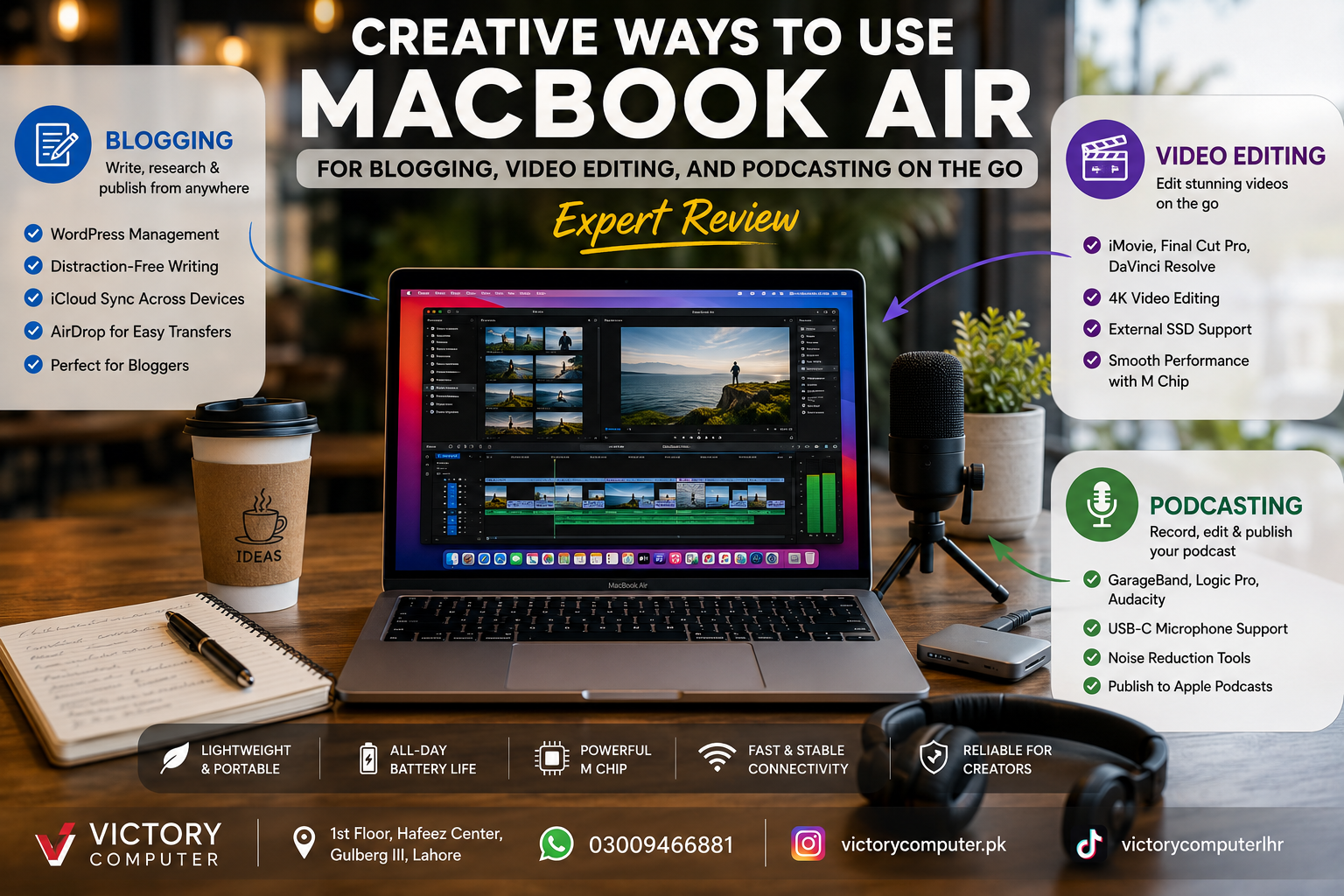
Creative Ways to Use MacBook Air for Blogging, Video Editing
MacBook Air for content creators makes particular sense for people who value portability and want one computer for writing, editing videos, recording podcasts, managing websites, and publishing content. Apple silicon also makes demanding creative applications practical on a thin laptop, although sustained professional workloads can still justify moving to a MacBook Pro.
Why MacBook Air Works Well for Mobile Content Creation
The MacBook Air fits mobile creative work because it combines a thin design with the performance needed for common writing, multimedia, and publishing tasks. A blogger can move from WordPress to photo editing, while a video creator can organise footage and edit projects without carrying a large workstation.
The key is choosing the MacBook according to the workload rather than assuming every creator needs the most expensive configuration. Writers and podcasters generally have lighter requirements than creators regularly working with complex video timelines, effects, large media libraries, or demanding exports.
Creators comparing different Apple silicon generations can also read Victory Computer's M4 vs M3 for creators guide for a more focused comparison.
Blogging on the Go with MacBook Air
MacBook Air for blogging is one of its most straightforward use cases. Writers can research a subject, prepare a draft, edit images, manage WordPress, communicate with clients, and publish from the same machine.
A practical mobile blogging workflow can include:
- Writing and editing drafts in Pages, a CMS editor, or another writing application.
- Managing WordPress through a web browser.
- Using separate browser profiles or windows for research and publishing.
- Transferring photos and videos from an iPhone or other devices before publication.
- Preparing featured images and social graphics before uploading a post.
- Keeping important project files organised locally or through cloud storage.
A useful technique is to create a repeatable folder structure for every article: research, draft, original images, edited images, and published assets. This reduces time spent searching for files when managing several articles at once.
Video Editing on MacBook Air
MacBook Air video editing can cover much more than basic trimming. Apple provides Final Cut Pro for Mac, and the application is optimized for Apple silicon. Apple's current requirements list 8GB of memory as the minimum and recommend 16GB, which is useful context when choosing a Mac for editing.
For mobile editors, a good workflow is to keep the current project on fast storage and archive completed footage separately. Large video libraries can consume internal storage quickly, so an external SSD can be particularly useful for creators working with substantial footage.
Useful editing applications include:
- iMovie: useful for straightforward edits and beginners.
- Final Cut Pro: designed for more advanced editing and media organisation.
- DaVinci Resolve: another option for editing, colour work, and post-production.
Apple's current Final Cut Pro also includes tools for media organisation, audio editing, colour work, captions, and Apple-silicon-dependent intelligent features.
Creators shopping across platforms rather than exclusively considering a Mac can also compare the best laptops for video editing in Pakistan.
Podcasting with MacBook Air
MacBook Air for podcasting works particularly well because audio production normally demands less sustained computing power than complex professional video production. A MacBook Air can serve as the centre of a portable recording setup with a microphone, headphones, and suitable recording software.
Apple provides GarageBand for Mac with audio recording support, while creators requiring more advanced production tools can consider Logic Pro or other professional digital audio applications.
A compact podcast kit could include:
- MacBook Air
- USB or USB-C microphone
- Closed-back headphones
- Compact microphone stand
- External SSD for episode archives
- GarageBand, Logic Pro, or another audio editor
Recording environment matters as much as computing performance. A good microphone placed correctly in a quiet room can improve a podcast more noticeably than buying a faster laptop while continuing to record in a noisy or reflective environment.
7 Creative Ways to Build a Portable MacBook Air Studio
1. Turn Your Phone and MacBook Air into a Mobile Content Workflow
Capture photos, short videos, interview material, and ideas while away from your desk, then move the assets to the MacBook Air for editing and publication.
2. Create Videos While Travelling
Instead of waiting to return to a desktop workstation, organise footage, create rough cuts, prepare captions, and complete lighter projects while travelling.
3. Record Remote Podcast Interviews
A MacBook Air, compact microphone, headphones, and recording platform can create a highly portable interview setup without requiring a permanent studio.
4. Run Your Entire Blog from One Laptop
Research, writing, SEO work, WordPress management, graphics preparation, email, analytics, and publishing can all be managed from the same machine.
5. Repurpose One Recording into Multiple Formats
Record a podcast or video once, then convert the material into short videos, written posts, social clips, quotes, thumbnails, and other supporting content.
6. Use an External SSD as a Portable Media Library
Keeping large video and audio libraries on suitable external storage can preserve internal storage for applications, active projects, and everyday files.
7. Create a Desk Setup Without Losing Portability
At home or in an office, connect the MacBook Air to a suitable monitor and accessories. When travel is required, disconnect the laptop and continue working with the same project files.
Pros and Cons of MacBook Air for Content Creators
| Pros | Cons |
|---|---|
| Portable design suits travelling creators | Less suited than higher-performance MacBook Pro configurations to long, sustained professional workloads |
| Apple silicon supports modern creative applications | Internal storage can fill quickly with large video libraries |
| Strong fit for writing, podcasting and everyday content production | Port selection may require adapters or hubs depending on the creator's equipment |
| Can handle blogging, audio and video workflows on one machine | Creators with demanding workflows may benefit from more memory and storage |
| Works well with other Apple devices and services | Heavy professional video workloads may be better matched to MacBook Pro |
Why We Recommend It
MacBook Air is a strong choice for bloggers, podcasters, freelancers, students, social-media creators, and video editors whose priority is combining creative capability with portability. Creators regularly handling demanding effects, complex professional timelines, very large projects, or sustained rendering should compare it carefully with a MacBook Pro before buying.
MacBook Air vs MacBook Pro for Creators
The choice depends mainly on workload. MacBook Air is generally the more logical portable option for blogging, podcast editing, web publishing, social content, and many everyday video projects. MacBook Pro becomes more relevant as sustained processing demands, project complexity, display requirements, connectivity needs, and professional workloads increase.
| Creator Type | Better Starting Point | Reason |
|---|---|---|
| Blogger / writer | MacBook Air | Writing and web publishing do not normally require Pro-class sustained performance. |
| Podcaster | MacBook Air | Portable audio workflows are generally well suited to MacBook Air. |
| Social media creator | MacBook Air | Good balance for writing, graphics, short-form editing, and publishing. |
| Regular video editor | Depends on workload | Project resolution, effects, media complexity, and export frequency matter. |
| Heavy professional editor | Consider MacBook Pro | Sustained demanding workflows can justify a higher-performance system. |
For a deeper hardware comparison, see the MacBook Air vs MacBook Pro comparison.
Buying a MacBook Air for Content Creation in Pakistan
For creators in Pakistan, configuration should come before appearance or colour. Think about the applications you use, typical project size, storage requirements, external equipment, and how long you intend to keep the machine.
Video editors should pay particular attention to memory and storage because large media projects can increase both requirements quickly. Bloggers and podcasters may be able to prioritize portability and storage differently because their typical workloads are lighter.
Before purchasing, compare available MacBook Air configurations, warranty terms, current pricing, and the exact model being offered rather than assuming every MacBook Air configuration is identical.
You can browse computers and current options through Victory Computer in Lahore, Pakistan. For additional purchasing guidance, see the existing guide to buying a MacBook Air in Pakistan.
Frequently Asked Questions
Is MacBook Air good for blogging?
Yes. Blogging is a relatively light workload, and MacBook Air can comfortably handle writing, browser-based research, WordPress management, image preparation, and publishing.
Can MacBook Air handle video editing?
Yes. Current creative applications including Final Cut Pro support Apple silicon Macs. The appropriate MacBook configuration depends on the complexity and size of the video projects.
Is MacBook Air good for podcasting?
Yes. A MacBook Air can handle recording and audio editing with applications such as GarageBand and can be paired with USB microphones, headphones, and other podcast equipment.
Should a video editor buy MacBook Air or MacBook Pro?
MacBook Air can suit lighter and moderate mobile editing workflows. A creator doing sustained, demanding professional editing should also evaluate MacBook Pro based on workload rather than choosing solely on portability.
How much storage should a content creator choose?
Storage requirements depend heavily on the type of content. Video footage consumes space much faster than articles or audio projects, so video creators should plan both internal and external storage before buying.
Where can I buy a MacBook Air in Pakistan?
Victory Computer offers computers and Apple products in Pakistan. Check the current product listing, exact configuration, pricing, availability, and applicable warranty information before ordering.
Final Recommendation
MacBook Air for content creators is particularly compelling when mobility is a major priority. Bloggers, podcasters, students, freelancers, and many video creators can use one lightweight computer for capturing ideas, writing, editing, managing media, and publishing.
The main limitation appears when a workflow becomes consistently demanding. If your work involves long professional edits, complex effects, large timelines, or other sustained workloads, compare MacBook Pro before making the final decision. For mobile blogging, podcasting, everyday video production, and mixed creator workflows, MacBook Air remains a practical option.

About Victory Computer Editorial Team
Victory Computer Editorial Team The Victory Computer Editorial Team publishes informative, research-based content about laptops, computers, monitors, printers, hardware, and technology trends in Pakistan. Our goal is to help readers understand product specifications, compare available options, and make informed purchasing decisions.
View all posts by Victory Computer Editorial Team