
Exploring the rise of MacBook Pro in enterprise adoption and AI-ready hardware | Expert Review

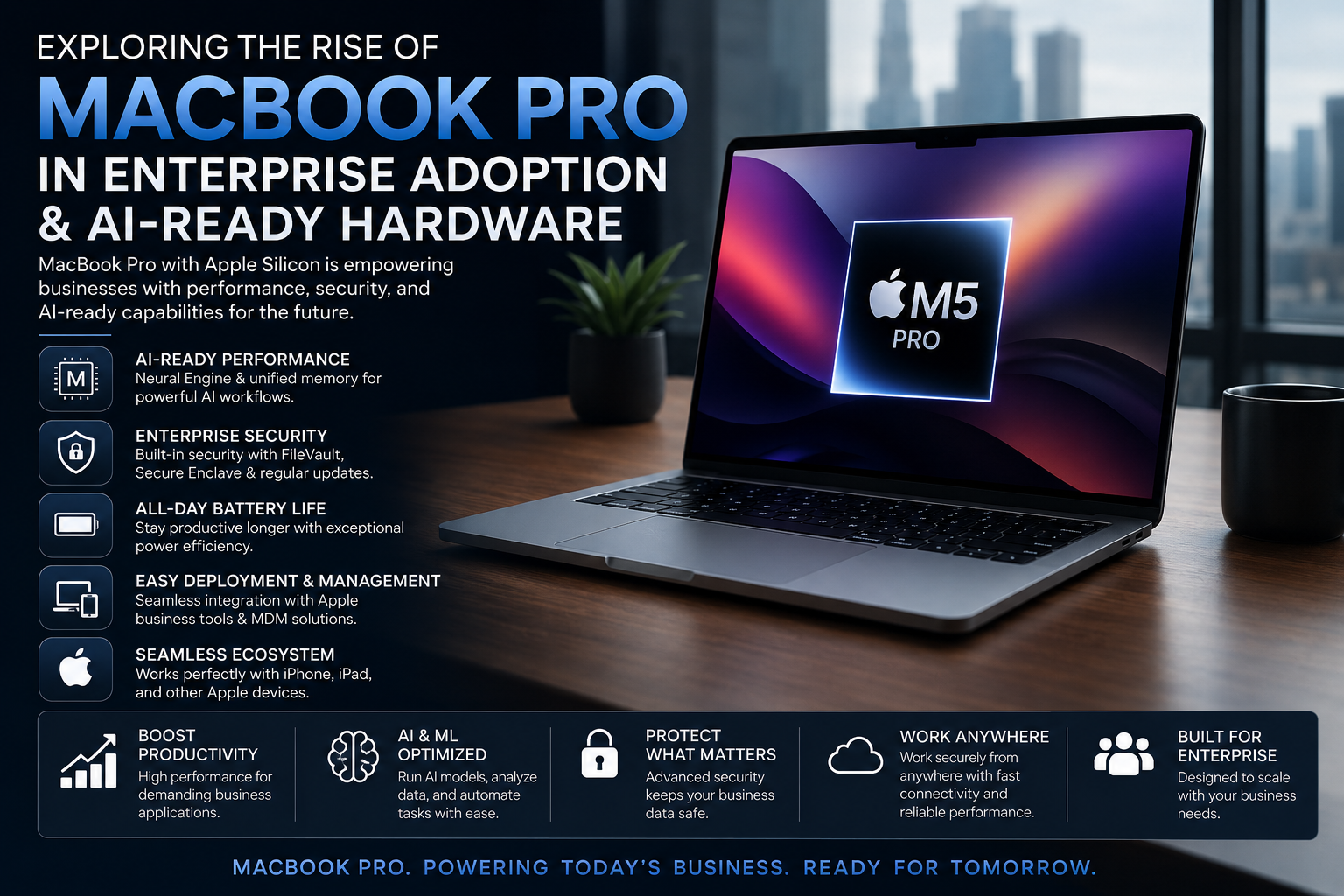
Exploring the rise of MacBook Pro in enterprise adoption and AI-ready hardware
MacBook Pro enterprise adoption is increasingly relevant for organizations that need strong performance, centralized device management, built-in security and capable on-device AI hardware. Current MacBook Pro models combine Apple silicon, unified memory, Neural Engine technology and enterprise management frameworks, although software compatibility, purchase cost and upgrade limitations still require careful evaluation.
Why MacBook Pro Enterprise Adoption Is Growing
MacBook Pro is no longer relevant only to designers, video editors and other creative professionals. Modern Mac hardware can fit into managed corporate environments that depend on cloud applications, identity providers, mobile device management and secure remote access.
Apple provides enterprise frameworks for device enrollment, application deployment, security configuration and identity integration. Mac can also work with common business platforms including Microsoft 365 and Google Workspace.
The other major factor is AI. Current MacBook Pro hardware provides dedicated AI acceleration alongside high-bandwidth unified memory, allowing certain AI workloads to run locally rather than depending entirely on remote servers.
7 Reasons Enterprises Consider MacBook Pro
- Apple silicon performance: CPU, GPU, media engines, unified memory and AI acceleration are integrated into a single system architecture.
- On-device AI capability: Current MacBook Pro hardware includes a Neural Engine and dedicated Neural Accelerators for supported machine-learning and AI workloads.
- Centralized management: Organizations can use Apple’s management frameworks and compatible MDM services to configure and control company devices.
- Zero-touch deployment: Automated Device Enrollment can reduce the need for IT teams to manually prepare every company-owned Mac before employees receive it.
- Built-in security: FileVault, Secure Enclave, Gatekeeper, XProtect and hardware-backed security provide multiple layers of protection.
- Strong mobile performance: MacBook Pro combines sustained professional performance with battery-focused Apple silicon architecture, making it useful for mobile teams and executives.
- Enterprise software integration: Mac supports major productivity, cloud, identity and collaboration environments used by modern organizations.
AI-Ready MacBook Pro Hardware
AI capability is becoming an important part of the MacBook Pro enterprise adoption discussion. Apple’s current MacBook Pro generation uses M5-series silicon, while M5 Pro and M5 Max extend AI performance with Neural Accelerators integrated into GPU cores alongside a 16-core Neural Engine.
Apple’s current specifications list M5 Pro with memory bandwidth up to 307GB/s, while higher-end M5 Max configurations can reach substantially higher bandwidth and support up to 128GB of unified memory. Those characteristics are particularly relevant to workloads where large models or datasets need fast access to shared memory.
Apple says M5 Pro and M5 Max can support workflows including local LLM processing, AI image generation, data analysis and model development. Actual performance still depends heavily on the model, framework, memory requirement and software optimization.
For readers interested in the underlying architecture, Victory Computer’s guide explaining why Apple Silicon matters provides additional context.
Where AI-ready MacBook Pro hardware can help
- Local LLM experimentation and inference
- Software development with AI-assisted tools
- Machine-learning development and testing
- Data analysis and research
- AI-assisted image, audio and video workflows
- Business automation
- On-device AI applications where privacy or latency matters
MacBook Pro should not automatically be treated as the best platform for every AI project. Organizations dependent on CUDA-specific software, NVIDIA GPU infrastructure or very large training workloads need to evaluate compatibility before standardizing on Mac.
Enterprise Security Advantages of MacBook Pro
Security is one of the strongest practical arguments for Mac in a managed organization because Apple integrates hardware and operating-system security rather than treating endpoint protection as a single software feature.
1. FileVault encryption
FileVault provides full-volume encryption on Mac. In managed deployments, organizations can configure and manage FileVault through device-management infrastructure.
2. Secure Enclave
Apple silicon includes the Secure Enclave for protecting sensitive security information such as cryptographic keys separately from the main processor environment.
3. Gatekeeper and app notarization
Gatekeeper helps control which software can run on a Mac and works with Apple’s app notarization system to reduce exposure to untrusted software.
4. Built-in malware protection
macOS includes XProtect, Apple’s built-in technology for identifying and blocking known malware.
5. Identity and authentication
Enterprise deployments can integrate Mac with identity infrastructure, including supported single sign-on configurations and identity providers.
MacBook Pro Enterprise Deployment and IT Management
Enterprise hardware must be manageable at scale. Apple provides deployment frameworks covering enrollment, configuration, applications, identities, security policies and software updates.
Automated Device Enrollment is particularly important for larger organizations. A company-owned Mac can be assigned to an organization’s management environment and enrolled during initial setup, reducing the need for an IT technician to physically configure each computer.
Organizations can use management infrastructure to handle tasks such as:
- Deploying applications
- Applying security configurations
- Managing software updates
- Configuring Wi-Fi and VPN settings
- Integrating corporate identity systems
- Managing company-owned devices remotely
- Separating organizational and personal information in supported deployment models
Apple’s current Apple Platform Deployment documentation provides detailed guidance for IT teams planning managed deployments.
Where MacBook Pro Fits Best in Business
MacBook Pro makes the strongest business case where employees actually need its performance rather than simply requiring a basic office computer.
| Business Role | Why MacBook Pro Can Fit | Main Consideration |
|---|---|---|
| Software Developers | Strong CPU performance, Unix-based development environment and local AI capability | Check Windows-only and architecture-specific tools |
| AI Professionals | Unified memory and dedicated AI acceleration | CUDA-dependent workflows may require NVIDIA infrastructure |
| Video & Creative Teams | Dedicated media engines and high-performance GPU options | Higher configurations increase acquisition cost |
| Executives | Portable performance, security and battery efficiency | MacBook Air may be sufficient for lighter workloads |
| Data Professionals | High unified-memory configurations and strong processing performance | Verify specialist software compatibility |
| IT-Managed Teams | MDM, automated enrollment and security controls | IT staff need a defined Mac management strategy |
MacBook Pro Pros and Cons for Enterprise
Pros
- Strong performance per watt: Apple silicon is designed to combine professional performance with efficient mobile operation.
- AI-ready architecture: Neural Engine, Neural Accelerators and unified memory support a growing range of local AI workflows.
- Enterprise security: FileVault, Secure Enclave, Gatekeeper, XProtect and management controls provide layered protection.
- Centralized deployment: Organizations can automate enrollment and manage large Mac fleets through supported management services.
- High-memory configurations: High-end MacBook Pro configurations provide large unified-memory pools useful for demanding professional and AI workloads.
Cons
- Higher upfront cost: MacBook Pro can be expensive, particularly with higher memory and storage configurations.
- No conventional RAM or SSD upgrades: Memory and internal storage configuration should be planned carefully at purchase because they are not designed for normal post-purchase component upgrades.
- Software compatibility must be checked: Some specialized enterprise, engineering or legacy Windows applications may require alternatives, virtualization or different hardware.
- Not ideal for every AI stack: Organizations heavily dependent on NVIDIA CUDA software may still need NVIDIA-based workstations, servers or cloud infrastructure.
Why We Recommend MacBook Pro for Selected Enterprise Workloads
MacBook Pro is worth considering for developers, executives, researchers, AI professionals, creative departments and other employees who can use its processing capability, battery efficiency and security architecture. It becomes particularly attractive when an organization wants powerful mobile hardware that can also handle selected AI workloads locally.
MacBook Pro is less compelling when employees mainly use browsers, email and basic office applications, or when the organization depends heavily on Windows-only or NVIDIA CUDA-specific software. In those cases, a less expensive Mac or a managed Windows business laptop may provide better value.
If your organization is deciding between platforms, see the MacBook vs Windows laptop comparison for professionals in Pakistan.
Buying MacBook Pro for Business in Pakistan
Pakistani businesses should focus on the exact model, memory, storage, warranty terms and seller documentation rather than relying only on the words “MacBook Pro.” AI developers and technical professionals may require substantially more unified memory than ordinary office users.
Before purchasing multiple systems, confirm:
- Exact MacBook Pro model and chip
- Unified memory capacity
- SSD capacity
- Required ports and external-display support
- Compatibility with company applications
- Warranty terms applicable to the specific unit
- Device-management and deployment requirements
- Total deployment cost rather than hardware price alone
Buyers considering older hardware can also read Victory Computer’s used MacBook Pro buying guide for Pakistan and the guide to MacBook warranty considerations in Pakistan.
For current computer options and purchasing assistance, visit Victory Computer or contact the Lahore team on WhatsApp at 0300 9466881.
Frequently Asked Questions
Is MacBook Pro good for enterprise use?
Yes, for organizations whose applications and workflows support macOS. MacBook Pro combines professional hardware with device management, encryption, identity integration and enterprise deployment capabilities.
Is MacBook Pro good for AI professionals?
MacBook Pro can be very capable for local AI inference, development, experimentation and supported machine-learning workflows. CUDA-dependent or extremely large training workloads may still require NVIDIA-based or cloud infrastructure.
What makes the latest MacBook Pro AI-ready?
Current M5-series MacBook Pro hardware combines Apple silicon CPUs and GPUs with a Neural Engine, while M5 Pro and M5 Max add Neural Accelerators to the GPU architecture and support high-bandwidth unified memory.
Can a company centrally manage MacBook Pro devices?
Yes. Apple provides device-management frameworks and Automated Device Enrollment for supported corporate deployments, allowing IT teams to configure and manage company-owned Macs remotely.
Is MacBook Pro better than Windows laptops for enterprise?
Neither platform is universally better. MacBook Pro is strong for macOS-compatible development, creative, mobile and selected AI workflows, while Windows systems may be preferable for Windows-specific enterprise applications and NVIDIA CUDA-dependent workloads.
Which MacBook Pro should a business buy for AI work?
The correct configuration depends heavily on model size, workload and memory requirements. Businesses should prioritize sufficient unified memory and confirm that their AI framework supports Apple silicon before purchasing systems at scale.

About Victory Computer Editorial Team
Victory Computer Editorial Team The Victory Computer Editorial Team publishes informative, research-based content about laptops, computers, monitors, printers, hardware, and technology trends in Pakistan. Our goal is to help readers understand product specifications, compare available options, and make informed purchasing decisions.
View all posts by Victory Computer Editorial Team