
Battery Life Test: M4 vs M3 MacBooks Compared | Expert Guide

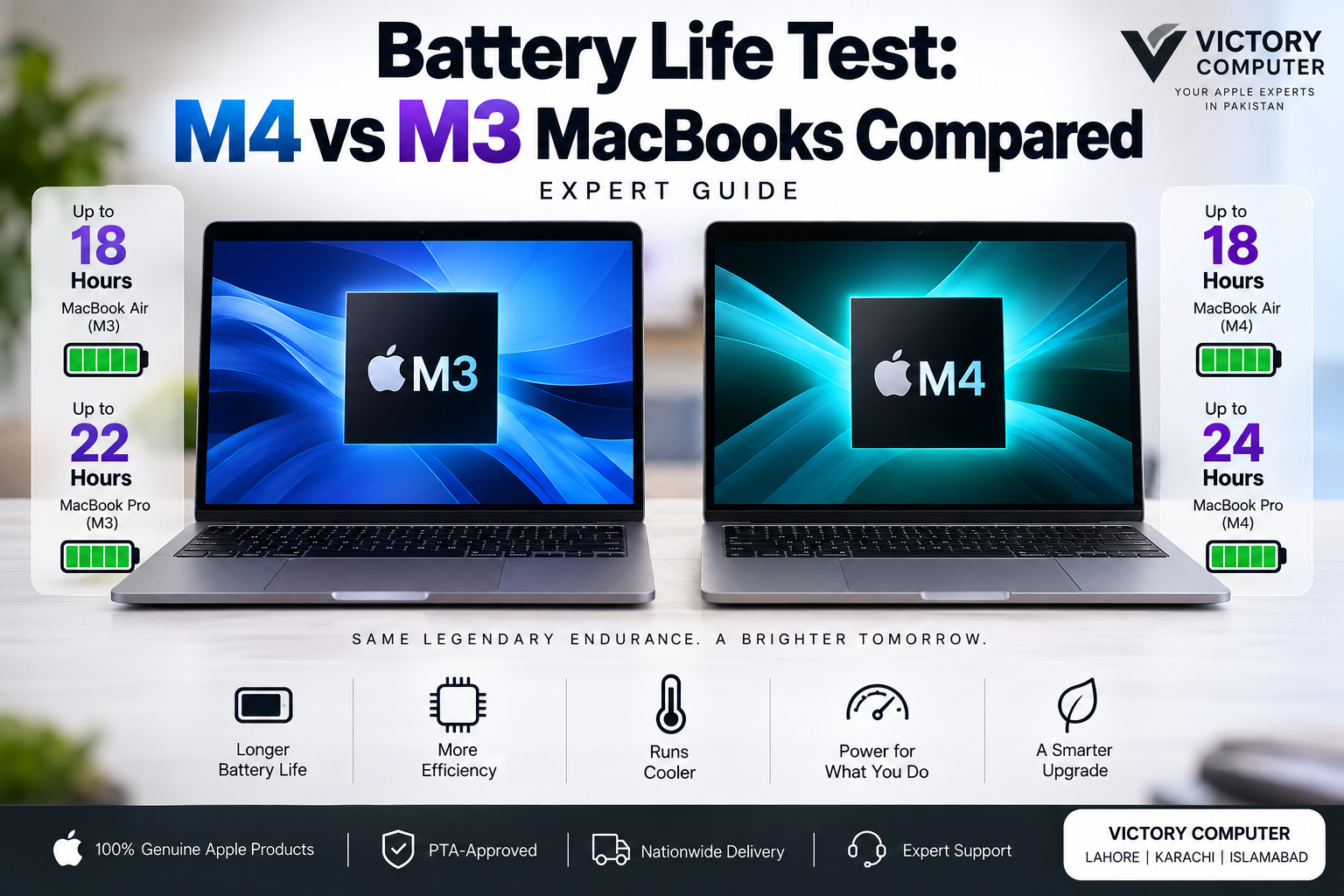
Battery Life Test: M4 vs M3 MacBooks Compared
M4 vs M3 MacBook battery life is not as simple as saying the newer chip automatically lasts several hours longer. Apple’s published figures show almost no headline battery-life difference between M3 and M4 MacBook Air models, while the base 14-inch MacBook Pro received a more noticeable improvement with M4.
For buyers, that distinction matters. An M3 MacBook can still offer excellent all-day endurance, so battery life alone may not justify replacing a good M3 machine with an M4 model.
M4 vs M3 MacBook Battery Life: Quick Answer
MacBook Air: Apple rates both the M3 and M4 generations at up to 18 hours of battery life. The M4 therefore does not deliver a major advertised runtime increase over M3 Air.
14-inch MacBook Pro: the base M3 model was rated for up to 22 hours of movie playback and up to 15 hours of wireless web use. The base M4 model increases Apple’s figures to up to 24 hours of video streaming and up to 16 hours of wireless web use.
The practical conclusion is straightforward: M4’s battery advantage depends on the MacBook model you compare.
M4 vs M3 MacBook Battery Life Comparison
| MacBook | M3 | M4 | Main Difference |
|---|---|---|---|
| MacBook Air | Up to 18 hours | Up to 18 hours | No increase in headline rating |
| 13-inch Air Wireless Web | Up to 15 hours | Up to 15 hours | Same Apple rating |
| 14-inch Base MacBook Pro Video | Up to 22 hours | Up to 24 hours | M4 rated up to 2 hours higher |
| 14-inch Base MacBook Pro Wireless Web | Up to 15 hours | Up to 16 hours | M4 rated up to 1 hour higher |
These are manufacturer ratings rather than a claim that every user will achieve these exact runtimes. Screen brightness, applications, background processes, network activity, external devices, battery condition and workload can all change actual battery life.
MacBook Air M4 vs M3 Battery Life
This is where the comparison becomes particularly useful. The M4 chip is newer, but the M4 MacBook Air is still officially rated for up to 18 hours of video streaming and up to 15 hours of wireless web use. M3 MacBook Air was also promoted with up to 18 hours of battery life.
That means an M3 Air owner should not upgrade to M4 solely because they expect dramatically longer battery runtime. M4 brings other improvements, but the headline endurance of the Air remains similar.
If you are comparing the two generations for more than battery life, read our M4 vs M3 chip comparison for a broader look at their differences.
MacBook Pro M4 vs M3 Battery Life
The base 14-inch MacBook Pro tells a different story. Apple’s M3 specification lists up to 22 hours of movie playback and up to 15 hours of wireless web browsing. The base M4 version is rated at up to 24 hours of video streaming and 16 hours of wireless web use.
That does not mean every M4 Pro user receives exactly two additional hours. Apple’s published tests involve defined configurations and testing conditions, and actual results depend heavily on workload.
Still, the M4 generation has a clearer endurance advantage in this particular MacBook Pro comparison than it does in MacBook Air.
Why Doesn’t Every M4 MacBook Last Much Longer?
Battery endurance depends on the complete laptop, not only its processor. Battery capacity, display, brightness, cooling system, workload and power management all influence runtime.
A more efficient processor can also use its performance gains in different ways. Manufacturers can prioritize additional speed while maintaining similar battery life instead of using every efficiency improvement to extend runtime.
This is why comparing only “M4 versus M3” can be misleading. You should compare the specific MacBook Air or MacBook Pro models you are considering.
For a wider explanation of how Apple’s processors have changed, see our guide to the Apple Silicon journey from M1 to M4.
What Affects MacBook Battery Life in Daily Use?
Your actual M4 vs M3 MacBook battery life can differ considerably from published maximum figures. Video editing, software development, gaming and other sustained workloads consume substantially more energy than document editing or light browsing.
Display brightness can also make a noticeable difference. Keeping the screen at maximum brightness for long periods requires more power than the controlled brightness levels used during standardized testing.
Browser tabs, video calls, cloud synchronization, external displays and background applications can further reduce endurance. Battery health also matters when comparing a new M4 MacBook with an older M3 machine that has already accumulated many charge cycles.
Creators should therefore judge battery life alongside sustained performance. Our M4 vs M3 guide for creators covers that decision in more detail.
M4 MacBook Pros and Cons
Pros
- Base 14-inch MacBook Pro receives higher official battery ratings than its M3 predecessor.
- Newer Apple Silicon architecture provides stronger overall performance alongside excellent efficiency.
- M4 MacBook Air maintains long battery endurance despite its increased processing capability.
- Good choice for buyers upgrading from significantly older Intel or early Apple Silicon Macs.
Cons
- M4 MacBook Air does not improve the headline 18-hour battery rating over M3 Air.
- Battery gains alone may be too small to justify replacing a healthy M3 MacBook.
- Actual runtime can be much lower during sustained CPU/GPU-intensive workloads.
M3 MacBook Pros and Cons
Pros
- MacBook Air M3 still carries an excellent up-to-18-hour battery rating.
- Strong option for users who do not need the additional performance and features of M4.
- Existing M3 owners retain highly competitive battery endurance.
- Can make more financial sense when an M3 configuration is available at a meaningfully lower price.
Cons
- Base 14-inch M3 MacBook Pro has lower official endurance figures than the base M4 version.
- Older generation offers less performance headroom than M4 for demanding future workloads.
- Buying an older model requires closer attention to configuration, condition, warranty and price.
Why We Recommend Choosing by Model, Not Chip Alone
Choose an M4 MacBook if you are buying new and its improved performance, newer platform and — on applicable MacBook Pro models — better battery endurance justify the price difference.
Choose an M3 MacBook if it is available at a worthwhile saving and already meets your performance requirements. MacBook Air M3 remains particularly compelling because its official maximum battery rating is the same 18 hours quoted for M4 Air.
Existing M3 owners should generally look beyond battery life before upgrading. Performance, memory requirements, external-display support, ports and workload should carry more weight in the decision.
For a more complete purchase decision, see whether to buy M3 or choose M4. Buyers specifically considering the older generation can also review our guide to MacBooks with the M3 chip.
Which Is Better for Students and Office Work?
For students, office users and freelancers primarily working in browsers, documents, spreadsheets and communication apps, both generations provide strong endurance. An M3 MacBook Air can therefore remain a sensible choice if the price is substantially lower.
M4 becomes more attractive for buyers who also need greater processing performance or want to keep the machine for several years. The buying decision should consider the complete configuration rather than treating battery life as the only deciding factor.
Which Is Better for Creators?
Creators need a different comparison. Rendering, exporting video, compiling large projects and other sustained tasks can drain a battery much faster than light web use, regardless of Apple’s maximum figures.
For these workloads, M4’s higher performance may allow certain tasks to finish faster, but battery endurance will still vary according to application, project complexity, screen brightness and configuration.
If your work is demanding, prioritize the correct MacBook Pro configuration, memory and storage before making a decision based on a one- or two-hour maximum battery-rating difference.
Buying M3 or M4 MacBooks in Pakistan
Pakistani buyers should compare more than the chip generation. Check the exact model number, memory, SSD capacity, keyboard configuration, warranty terms, condition and current selling price before purchasing.
Victory Computer serves customers from Lahore and provides MacBook options for buyers across Pakistan. You can visit Victory Computer to check currently listed Apple products and contact the store for current pricing and availability.
WhatsApp: 0300 9466881
Location: Lahore, Pakistan
Frequently Asked Questions
Does M4 have better battery life than M3?
It depends on the MacBook. M4 and M3 MacBook Air both carry up-to-18-hour headline ratings, while the base 14-inch M4 MacBook Pro is rated higher than the base M3 version.
How long does the M4 MacBook Air battery last?
Apple rates the M4 MacBook Air for up to 18 hours of video streaming and up to 15 hours of wireless web use. Actual runtime varies by configuration and usage.
Is M4 MacBook Air battery life better than M3?
Not according to Apple’s headline maximum rating. Both generations are rated for up to 18 hours, so battery life alone is not a strong reason for an M3 Air owner to upgrade.
Is the M4 MacBook Pro better for battery life?
The base 14-inch M4 MacBook Pro is rated for up to 24 hours of video streaming and 16 hours of wireless web use, compared with up to 22 hours of movie playback and 15 hours of wireless web on the base M3 model.
Should I upgrade from M3 to M4 just for battery life?
For most M3 MacBook Air owners, probably not. Consider upgrading if M4’s performance and other improvements also benefit your workload rather than making the decision on battery life alone.
Where can I buy an M3 or M4 MacBook in Pakistan?
You can check current MacBook listings through Victory Computer in Lahore. Confirm the exact configuration, current price, stock status and warranty terms before ordering.

About Victory Computer Editorial Team
Victory Computer Editorial Team The Victory Computer Editorial Team publishes informative, research-based content about laptops, computers, monitors, printers, hardware, and technology trends in Pakistan. Our goal is to help readers understand product specifications, compare available options, and make informed purchasing decisions.
View all posts by Victory Computer Editorial Team
7 thoughts on “Battery Life Test: M4 vs M3 MacBooks Compared | Expert Guide”