
Should You Wait for M4 MacBook or Buy M3 Now?

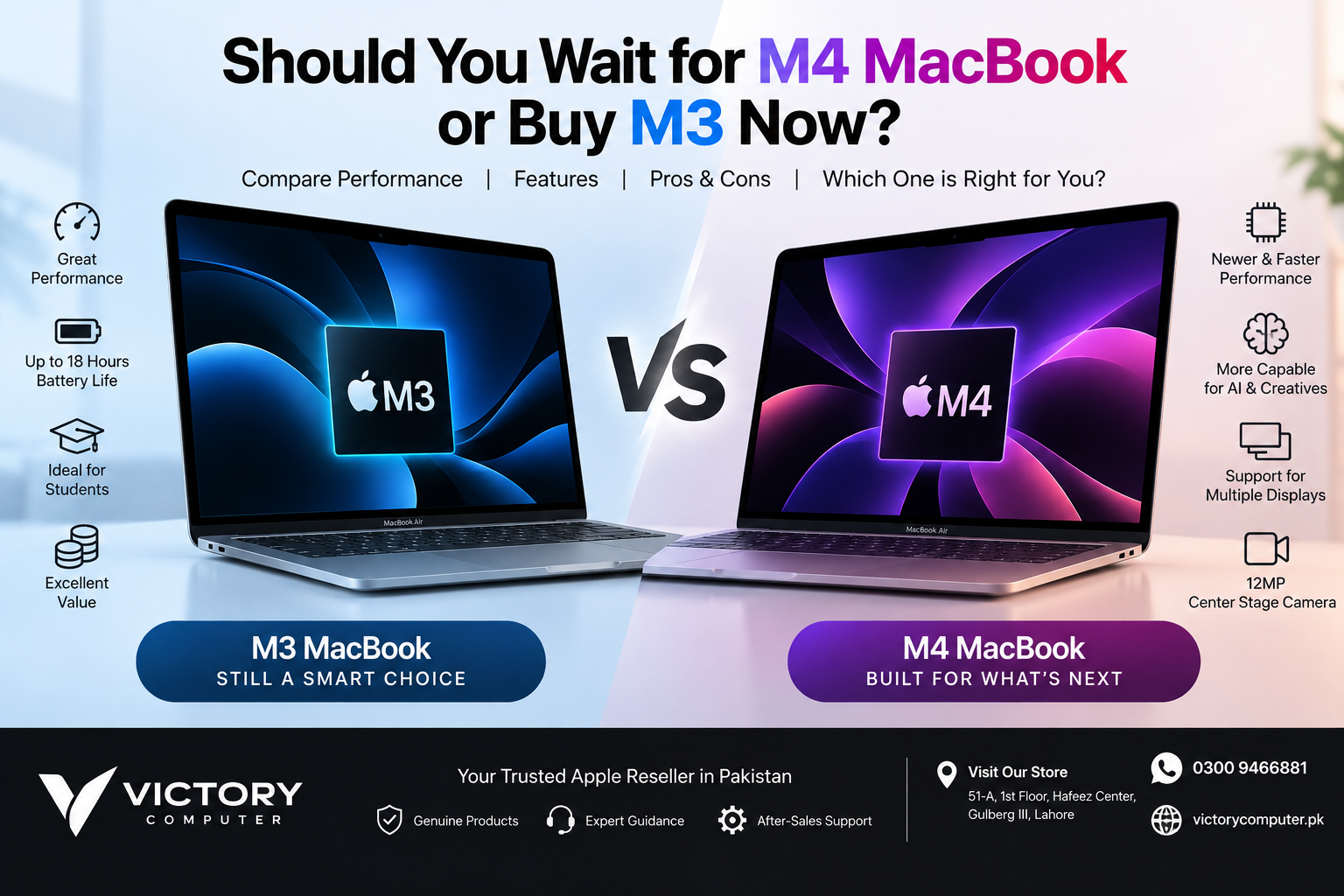
Should You Wait for M4 MacBook or Buy M3 Now?
Should you wait for M4 MacBook or buy M3 now? The answer has changed since this question first became popular. Apple released the M4 MacBook Air in March 2025, so buyers no longer need to wait for M4. Instead, the practical choice is whether a discounted M3 MacBook offers better value than an M4 model.
For students, office users, freelancers, programmers, and everyday buyers, an M3 MacBook can still make excellent sense at the right price. Buyers handling heavier creative workloads, multitasking, AI-assisted applications, or simply wanting the newer generation should generally lean toward M4.
M3 vs M4 MacBook: Quick Comparison
| Feature | M3 MacBook | M4 MacBook |
|---|---|---|
| Best For | Students, office work, everyday productivity | Creators, developers, heavier workloads |
| CPU Performance | Fast for mainstream and professional use | Newer architecture with stronger CPU performance |
| Graphics | Hardware-accelerated ray tracing and Dynamic Caching | Improved GPU performance and graphics capabilities |
| AI Workloads | Apple Intelligence compatible | More capable Neural Engine for AI workloads |
| MacBook Air Battery Rating | Up to 18 hours | Up to 18 hours |
| Value | Potentially better when heavily discounted | Better choice when the price difference is small |
Why Buying an M3 MacBook Can Still Make Sense
The arrival of M4 did not suddenly make M3 slow. An M3 MacBook Air remains capable of web browsing, Microsoft Office, university assignments, programming, photo editing, business applications, video calls, and general multitasking.
For many buyers, the deciding factor should therefore be price rather than generation alone. If an M3 configuration with sufficient unified memory and storage is available at a meaningful discount compared with an equivalent M4 machine, it can offer excellent practical value.
M3 also introduced important graphics technologies to the Mac, including hardware-accelerated ray tracing and Dynamic Caching. That makes it much more than a basic productivity platform.
M3 MacBook Pros and Cons
Pros
- Strong performance for everyday productivity, study and office workloads.
- Excellent efficiency and up to 18 hours of rated battery life on MacBook Air.
- Hardware-accelerated ray tracing and Dynamic Caching support.
- Supports Apple Intelligence on compatible software.
- Can offer excellent value when available at a substantial discount.
Cons
- Older generation than M4 and M5.
- M4 provides stronger performance for demanding workloads.
- Buying M3 makes less sense if its price is very close to an equivalent M4 configuration.
Why We Recommend M3
Choose M3 when value is the priority and your workload consists mainly of studying, office productivity, browsing, coding, content consumption, and moderate creative work. The key is getting a meaningful price advantage rather than buying M3 simply because it is cheaper by a small amount.
Why Choose an M4 MacBook Instead?
M4 is the stronger choice for buyers who expect more demanding workloads. The newer chip provides improved CPU performance and a more capable Neural Engine, making it better suited to heavier multitasking, development, creative applications, and increasingly AI-assisted workflows.
The M4 MacBook Air also introduced several improvements beyond the processor. It supports up to 32GB of unified memory, includes a 12MP Center Stage camera, and can drive up to two external 6K displays while its built-in display remains active.
Apple rates the M4 MacBook Air for up to 18 hours of battery life, so buyers should not choose M4 based on exaggerated claims that it automatically adds several hours over M3. The more meaningful reasons to upgrade are performance, memory options, camera improvements, and external-display flexibility.
M4 MacBook Pros and Cons
Pros
- Faster and newer Apple Silicon generation than M3.
- Better suited to demanding creative and professional workloads.
- More capable Neural Engine for AI-related processing.
- M4 MacBook Air supports up to 32GB unified memory.
- 12MP Center Stage camera on M4 MacBook Air.
- Support for two external 6K displays alongside the built-in display on MacBook Air.
Cons
- Usually costs more than discounted M3 inventory.
- Performance gains may be unnecessary for basic browsing, study and office work.
- M5 MacBook Air is now available, so M4 itself is no longer the newest MacBook Air generation.
Why We Recommend M4
M4 is the better choice when the price difference from M3 is reasonable or when your workload benefits from additional processing capability. Creators, developers, professionals and buyers planning to keep their MacBook for several years have stronger reasons to choose M4 over a similarly configured M3.
Should Students Buy M3 or M4?
Most students do not need to upgrade generations simply for maximum benchmark performance. An M3 MacBook Air remains more than capable for research, presentations, online classes, spreadsheets, programming, writing, and general university work.
M4 becomes more attractive for students working with video production, software development, 3D applications, larger creative projects, or demanding multitasking. Always compare RAM, storage and price as well as the processor generation.
Should Creators Choose M4 Over M3?
Creators have a stronger reason to choose M4. Video editing, image processing, development and other computational workloads can benefit from newer CPU, GPU and Neural Engine capabilities.
However, chip names alone do not tell the whole story. An M3 Pro or M3 Max system can still be more appropriate for some professional workloads than a base M4 machine. Buyers comparing higher-end configurations can read our M4 vs M3 guide for creators for a workload-focused comparison.
M4 vs M3: What About Battery Life?
Battery life should not be reduced to a simple claim that M4 always lasts several hours longer. Apple rated both the M3 and M4 generations of MacBook Air for up to 18 hours, while actual runtime depends on applications, display brightness, network activity, workload and configuration.
For a closer look at this topic, see our M4 vs M3 MacBook battery life comparison.
Is M4 Worth Paying More Than M3?
Yes, if the price gap is relatively small. In that situation, M4 generally gives you the better long-term purchase because you receive a newer processor generation and additional capabilities.
If an M3 MacBook is substantially cheaper, however, paying extra for M4 may provide little practical benefit to a student or everyday user. Compare equivalent RAM and SSD configurations before deciding. A cheaper laptop with insufficient storage or memory may not be the better deal.
You can also read our detailed Apple M4 vs M3 chip comparison to understand the architectural differences in more detail.
Buying M3 or M4 MacBook in Pakistan
Pakistani buyers should compare the complete configuration rather than focusing only on the chip. Check the exact MacBook model, screen size, unified memory, SSD capacity, keyboard configuration, warranty terms, condition and current selling price before purchasing.
Prices can change with inventory and market conditions, so this guide does not quote an unverified current PKR price. You can browse available Apple laptops through Victory Computer or contact the store to confirm current M3 and M4 availability and pricing.
Victory Computer serves customers from Lahore and provides nationwide delivery options. For purchase guidance, customers can contact Victory Computer on WhatsApp at 0300 9466881 or visit 51-A, 1st Floor, Hafeez Center, Gulberg III, Lahore.
Final Verdict: Should You Wait for M4 MacBook or Buy M3 Now?
You should no longer wait for M4 because M4 MacBooks have already been released. If you are choosing between remaining M3 inventory and an M4 MacBook today, buy M3 when the discount is substantial and your workload is moderate. Choose M4 when the price difference is reasonable and you want stronger performance, newer features, or more headroom for demanding work.
There is also a newer factor to consider: Apple introduced the M5 MacBook Air in 2026. That means buyers shopping today should compare M3 vs M4 vs current-generation options rather than treating M4 as an upcoming release.
Frequently Asked Questions
Should I wait for the M4 MacBook or buy M3 now?
There is no longer a need to wait because M4 MacBooks are already available. Buy M3 if it offers a substantial discount; otherwise, M4 is generally the better generation to choose.
Is the M3 MacBook still worth buying?
Yes. M3 remains capable for students, office users, programmers, freelancers and many creative workloads, particularly when available at an attractive price.
Is M4 significantly better than M3?
M4 provides meaningful CPU and AI-processing improvements, but the real benefit depends on your workload. Basic productivity users may notice less difference than creators or developers.
Does M4 MacBook Air have better battery life than M3?
Apple rates both M3 and M4 MacBook Air models for up to 18 hours of battery life. Real-world battery life varies with workload, brightness, applications and configuration.
Should I buy M3 or M4 for video editing?
M4 is generally the stronger choice for demanding creative work, but the exact configuration matters. An M3 Pro or M3 Max should not be treated as equivalent to a base M3 when comparing professional workloads.
Where can I buy a MacBook in Pakistan?
Victory Computer offers Apple MacBook options in Pakistan, with its Lahore location at 51-A, 1st Floor, Hafeez Center, Gulberg III. Confirm the exact model, price, stock and warranty before ordering.

About Victory Computer Editorial Team
Victory Computer Editorial Team The Victory Computer Editorial Team publishes informative, research-based content about laptops, computers, monitors, printers, hardware, and technology trends in Pakistan. Our goal is to help readers understand product specifications, compare available options, and make informed purchasing decisions.
View all posts by Victory Computer Editorial Team