
Best MacBooks with M3 Chip in 2025 (Performance Breakdown)

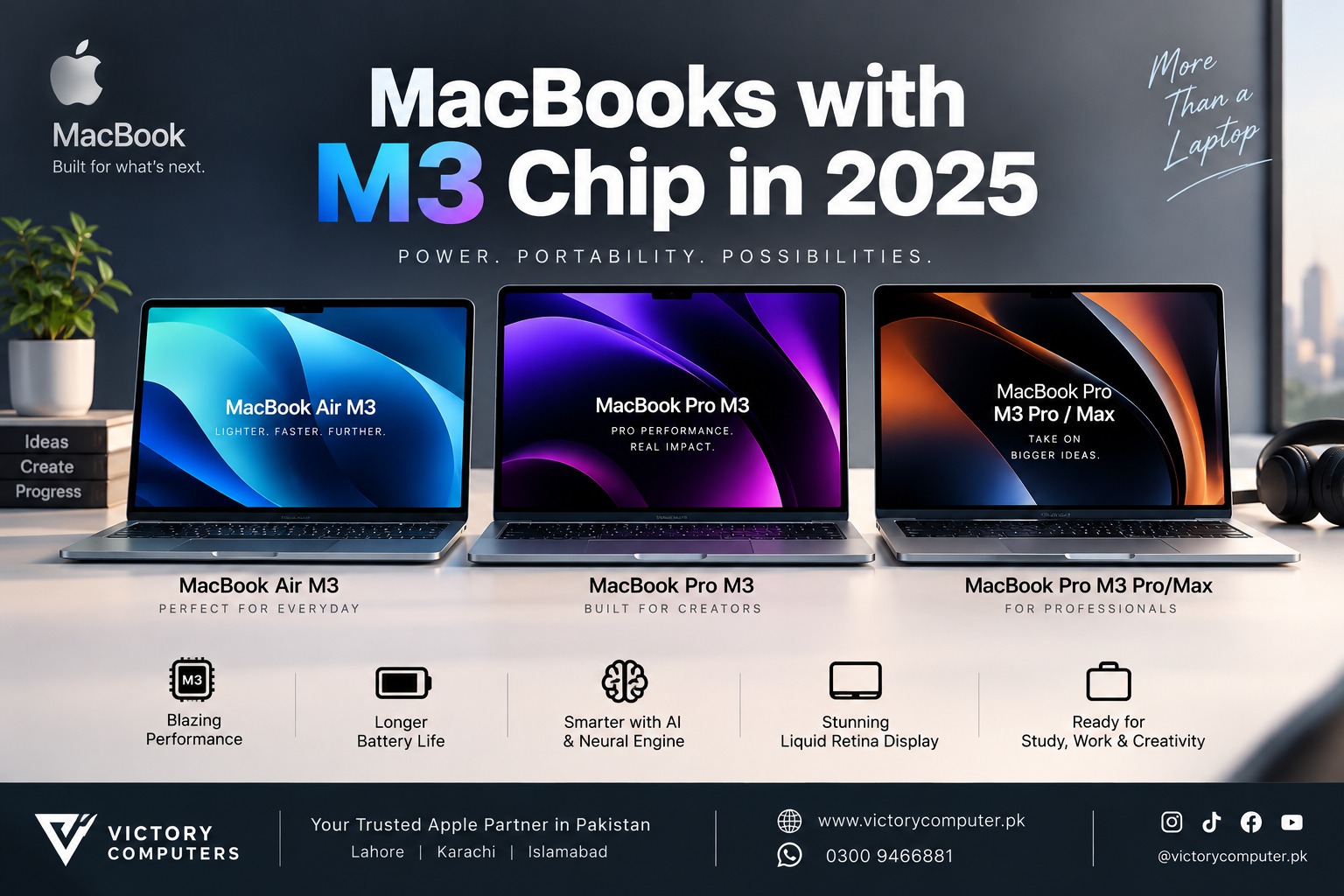
MacBooks with M3 Chip in 2025
MacBooks with M3 Chip in 2025 can still be excellent choices if you find the right configuration at a worthwhile price. The MacBook Air M3 remains particularly attractive for students and mobile professionals, while M3 Pro and M3 Max MacBook Pro models offer considerably more capability for demanding creative and technical workloads.
Which M3 MacBooks Are Available?
The main M3-generation choices are the 13-inch and 15-inch MacBook Air M3, the 14-inch MacBook Pro with standard M3, and 14-inch or 16-inch MacBook Pro configurations using M3 Pro or M3 Max.
The 13-inch MacBook Air M3 uses an 8-core CPU and offers 8-core or 10-core GPU configurations, while the 15-inch model uses an 8-core CPU and 10-core GPU. Both feature a 16-core Neural Engine, hardware-accelerated ray tracing and a fanless design.
The MacBook Pro line is designed for users who need more sustained performance and a more advanced display. The 14-inch standard M3 model features a Liquid Retina XDR display with ProMotion up to 120Hz, while M3 Pro and M3 Max configurations scale much further for professional workloads.
M3 MacBook Performance Breakdown
| Model | Main Advantage | Best For | Main Trade-off |
|---|---|---|---|
| MacBook Air M3 13-inch | Compact, light and fanless | Students, office work and travel | No active cooling |
| MacBook Air M3 15-inch | Larger display with Air portability | Productivity and everyday creative work | Larger footprint than 13-inch Air |
| MacBook Pro 14-inch M3 | XDR display and active cooling | Programming and creative workflows | Heavier and generally costlier than Air |
| MacBook Pro M3 Pro | More CPU/GPU capability and memory bandwidth | Developers, editors and professional creators | Higher purchase cost |
| MacBook Pro M3 Max | Highest performance ceiling in the M3 family | 3D, demanding video and advanced professional work | Overkill for ordinary productivity |
Apple’s M3 generation introduced Dynamic Caching along with hardware-accelerated mesh shading and ray tracing. These GPU changes make M3 particularly relevant to graphics-heavy applications compared with older Apple Silicon generations.
MacBook Air M3 Pros and Cons
The MacBook Air M3 is the easiest M3 MacBook to recommend for users who prioritize portability, quiet operation and everyday performance.
Pros
- Thin and lightweight design.
- Fanless operation means no fan noise.
- Strong performance for study, office applications, coding and everyday creative work.
- Apple rates the M3 Air for up to 18 hours of movie playback.
- Available with 13.6-inch and 15.3-inch Liquid Retina displays.
Cons
- Fanless cooling is less suitable for long, sustained heavy workloads than an actively cooled MacBook Pro.
- Only two Thunderbolt/USB 4 ports.
- The display is limited to 60Hz rather than the ProMotion technology found on MacBook Pro.
Why We Recommend It
Choose the MacBook Air M3 for university, office work, freelancing, web development and portable everyday computing. Users regularly rendering complex video, 3D projects or other sustained workloads should consider a MacBook Pro instead.
MacBook Pro M3 Pros and Cons
The 14-inch MacBook Pro M3 is better suited to users who appreciate the M3 chip but need a higher-end display, more connectivity and active thermal management.
Pros
- 14.2-inch Liquid Retina XDR display.
- ProMotion adaptive refresh rates up to 120Hz.
- Active cooling for sustained workloads.
- HDMI, SDXC, MagSafe and Thunderbolt connectivity.
- Apple rated the model for up to 22 hours of movie playback.
Cons
- Less portable than MacBook Air.
- Standard M3 configurations have a much lower performance ceiling than M3 Pro or M3 Max models.
- Value depends heavily on the price difference versus newer MacBook generations.
Why We Recommend It
The standard M3 MacBook Pro makes sense for programmers, photographers, musicians and creators who specifically value the Pro display, ports and cooling system. If raw professional performance is the priority, an M3 Pro configuration is the more appropriate step up.
M3 Pro and M3 Max MacBook Pro: Pros and Cons
M3 Pro and M3 Max MacBook Pro models are designed for substantially heavier workloads than MacBook Air. M3 Pro configurations offer more CPU and GPU resources, while M3 Max configurations scale as high as a 40-core GPU and up to 128GB unified memory on supported configurations.
Pros
- Much higher performance ceiling than standard M3.
- Higher unified-memory capacities for demanding professional projects.
- Excellent Liquid Retina XDR displays with ProMotion.
- Strong media engines for professional video workflows.
- Available in 14-inch and 16-inch MacBook Pro designs.
Cons
- High-end configurations can be expensive.
- More performance than most students and general office users require.
- 16-inch models are considerably less portable than a MacBook Air.
Why We Recommend It
M3 Pro is the balanced professional choice for software development, video editing and demanding multitasking. M3 Max is better reserved for workloads that can genuinely use its additional GPU performance and memory capacity, including advanced 3D work, large creative projects and specialist professional applications.
M3 vs M4: Should You Still Buy M3?
An M3 MacBook makes the most sense when its price is meaningfully lower than a comparable newer model. Apple introduced the M4 MacBook Air in March 2025 with 16GB starting unified memory, an upgraded 12MP Center Stage camera and support for two external displays alongside the built-in screen.
That means buyers should not automatically choose M3 simply because it is discounted. Compare the exact memory, storage, screen size and condition against the newer alternative. For another perspective, see our M4 vs M3 MacBook battery comparison.
Choose M3 when the discount is substantial and the configuration meets your workload. Choose a newer generation when the price gap is small or you want newer features and a longer remaining product lifecycle.
Which M3 MacBook Should You Buy?
For most students and general users, the MacBook Air M3 provides the best balance within the M3 generation. The 13-inch model prioritizes portability, while the 15-inch Air gives users more screen space without moving to the heavier Pro chassis.
- Students: MacBook Air M3 13-inch.
- Office and remote work: MacBook Air M3 13-inch or 15-inch.
- Programmers: MacBook Air M3 for moderate development; M3 Pro MacBook Pro for demanding projects.
- Photographers and creators: MacBook Pro M3 or M3 Pro.
- Professional video and 3D workloads: M3 Pro or M3 Max, depending on project requirements.
You can also explore more laptop buying guides before deciding between different laptop categories and configurations.
Buying an M3 MacBook in Pakistan
Pakistani buyers should compare the exact model, RAM, SSD capacity, keyboard layout, warranty terms and physical condition before purchasing an M3 MacBook. The price advantage matters because newer MacBook generations are now available, so an older M3 configuration should offer enough savings to justify choosing it.
For more local information, read our MacBook Air M3 price guide. Buyers considering pre-owned hardware can also review our used MacBook Pro buying guide.
Current MacBook availability and pricing can change, so verify the exact configuration before ordering. You can browse Victory Computer or contact the store on WhatsApp at 0300 9466881 for current product information.
Frequently Asked Questions
Is the M3 MacBook still worth buying in 2025?
Yes, provided the price is attractive compared with a newer equivalent. M3 remains capable for productivity, coding, creative applications and general professional use.
Which M3 MacBook is best for students?
The 13-inch MacBook Air M3 is generally the most practical choice because it combines portability, silent operation and strong everyday performance.
Is MacBook Air M3 good for video editing?
Yes, MacBook Air M3 can handle many video-editing workflows. For frequent long renders or more demanding professional projects, an actively cooled M3 Pro MacBook Pro is a better fit.
Is M3 Pro better than standard M3?
M3 Pro provides additional CPU/GPU capability and greater memory bandwidth, making it more appropriate for demanding development, creative and professional workloads.
Does the M3 MacBook still support current macOS versions?
Yes. Apple’s compatibility documentation includes the 2024 M3 MacBook Air and 2023 M3-generation MacBook Pro among Macs compatible with macOS Tahoe 26.
Should I buy an M3 or M4 MacBook?
Choose M3 when the price saving is substantial and the configuration meets your needs. If similarly configured M3 and M4 models are close in price, the newer model will usually be the more sensible long-term purchase.

About Victory Computer Editorial Team
Victory Computer Editorial Team The Victory Computer Editorial Team publishes informative, research-based content about laptops, computers, monitors, printers, hardware, and technology trends in Pakistan. Our goal is to help readers understand product specifications, compare available options, and make informed purchasing decisions.
View all posts by Victory Computer Editorial Team