
Why You Can’t Run Nox Player on MacBooks – Is Apple Blocking Competition?

Why You Can’t Run Nox Player on MacBooks
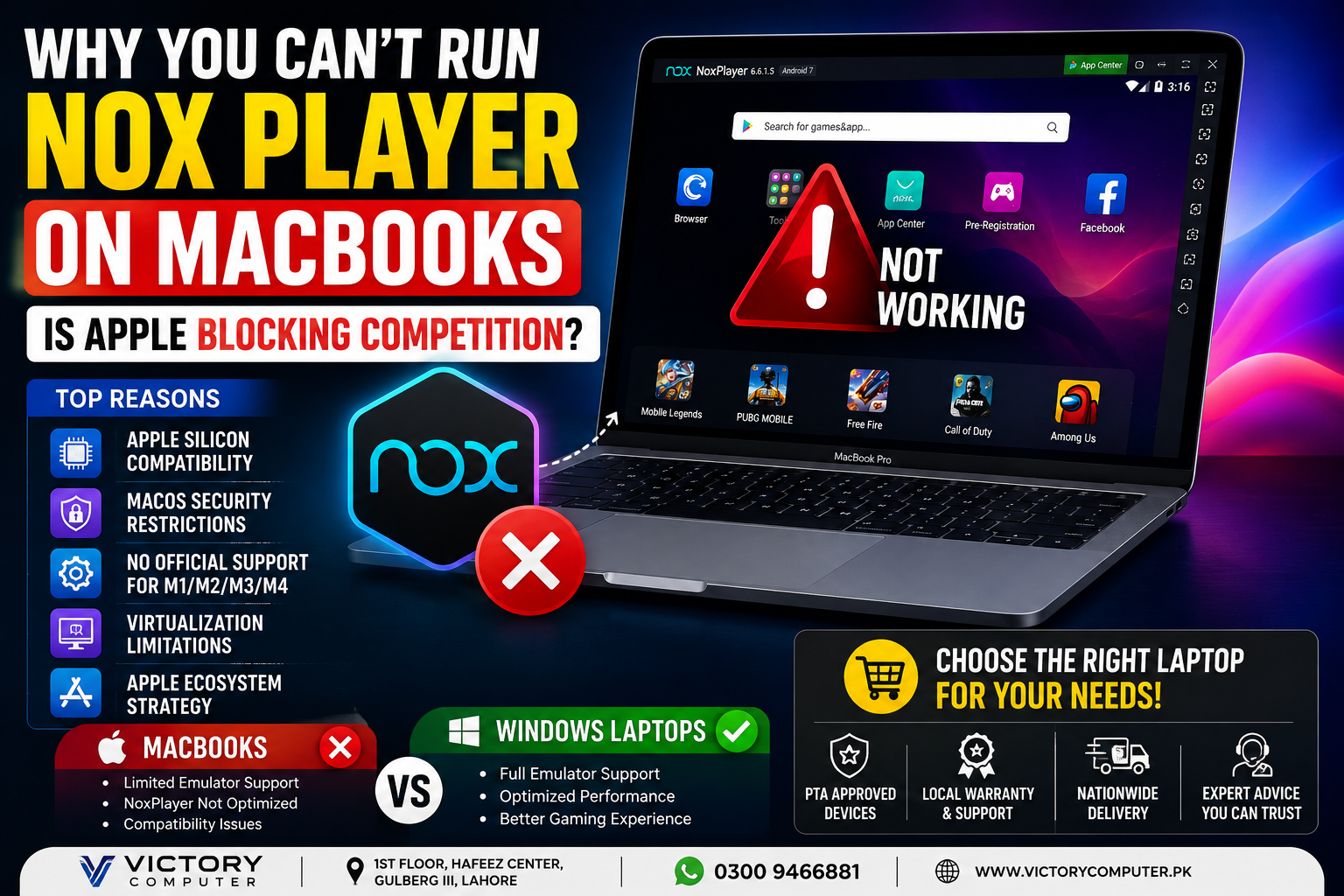
Nox Player on MacBooks is problematic mainly because the older Mac version of NoxPlayer was not built for Apple’s modern Apple Silicon architecture. NoxPlayer’s own support documentation states that its Mac software does not support the Apple M1 chip. That points to a technical compatibility problem rather than proof that Apple deliberately blocked NoxPlayer to eliminate Android competition.
Why Nox Player on MacBooks Doesn’t Work Properly
The biggest problem with Nox Player on MacBooks is compatibility between the emulator’s older virtualization technology and modern Mac hardware. NoxPlayer’s official support documentation specifically states that its Mac version does not support Apple’s M1 chip.
This matters because Apple moved the Mac from Intel x86 processors to its own ARM-based Apple Silicon architecture. Software that depends heavily on virtualization, drivers or low-level system components may require substantial development work to operate correctly after such an architecture change.
This problem is not unique to NoxPlayer. The transition from Intel Macs to Apple Silicon affected numerous applications and utilities. Our guide to Apple Silicon architecture and compatibility explains why the processor transition matters even to users who normally work with Windows software.
Is Apple Actually Blocking NoxPlayer Competition?
There is no clear evidence that Apple specifically blocks NoxPlayer because it competes with Apple’s ecosystem. That claim goes further than the available technical evidence supports.
Apple does impose strict security requirements on macOS applications. Gatekeeper checks downloaded software, while code signing and notarization help macOS determine whether software comes from an identified developer and whether known security problems exist.
However, Apple also provides developers with official virtualization technologies. Apple’s Virtualization framework allows developers to build virtual machines on both Apple Silicon and Intel Macs. Apple also provides a Hypervisor framework for virtualization software.
Therefore, describing the NoxPlayer problem simply as “Apple blocking competition” is misleading. The stronger explanation is that NoxPlayer’s Mac implementation has not kept pace with the architecture and virtualization requirements of modern Apple Silicon Macs.
5 Reasons NoxPlayer Has Problems on Mac
1. Apple Silicon Changed the Processor Architecture
Modern MacBooks use Apple-designed ARM-based processors instead of the Intel x86 processors used by older Macs. Emulator software built around the older architecture cannot automatically assume that the same virtualization components will continue working.
2. NoxPlayer’s Mac Version Does Not Officially Support M1
NoxPlayer’s own Mac troubleshooting documentation explicitly notes that its Mac version does not support the Apple M1 chip. Because later Apple Silicon Macs continue using Apple’s ARM-based architecture, users should not assume that an old Intel-oriented NoxPlayer release will work correctly on a newer MacBook.
3. NoxPlayer’s Mac Development Has Lagged Behind Windows
NoxPlayer’s published Mac release history prominently documents releases from the Intel-Mac era, including versions designed around macOS Catalina, Big Sur and Monterey. That makes the Windows version a more straightforward option for users who specifically depend on NoxPlayer.
4. macOS Has Strong Security Controls
macOS uses Gatekeeper and related security technologies to control how downloaded applications and low-level software components operate. Apple does allow users to open software from outside the Mac App Store, including software from identified developers, so the system is not limited exclusively to App Store applications.
5. Android Emulation Requires More Than Running a Normal App
An Android emulator has to reproduce an environment in which another operating system and its applications can operate. That makes emulator compatibility more complicated than installing a standard productivity application.
If another important application does not support your Mac, see our guide to workarounds for unsupported apps on Apple Silicon Macs.
NoxPlayer on Intel Mac vs Apple Silicon Mac
The distinction between an older Intel Mac and a modern Apple Silicon Mac is critical when researching NoxPlayer compatibility.
| Platform | NoxPlayer Situation | Main Issue |
|---|---|---|
| Older Intel Mac | Legacy Mac versions were released | Compatibility depends heavily on macOS version |
| Apple Silicon Mac | Official Nox documentation states M1 is unsupported | Architecture and virtualization compatibility |
| Windows PC | Primary practical platform for NoxPlayer | Requires suitable hardware and virtualization configuration |
Mac users researching other Android emulators may encounter similar compatibility questions. For example, our guide to BlueStacks not working on macOS covers another common emulator problem.
Pros and Cons of Using a MacBook If You Need Android Apps
Pros
- Strong everyday performance: Apple Silicon MacBooks provide efficient performance for productivity, development and creative applications.
- Excellent battery efficiency: MacBooks are attractive for students and professionals who frequently work away from a charger.
- Strong Apple ecosystem integration: A Mac works particularly well for users who already use an iPhone or other Apple devices.
- Modern virtualization tools: Apple provides official virtualization frameworks for developers, even though individual Android emulators still need compatible implementations.
Cons
- NoxPlayer compatibility: Users should not buy a modern MacBook expecting the legacy Mac version of NoxPlayer to work normally.
- Fewer Android emulator choices: Windows remains the safer platform when Android emulation is a primary requirement.
- Architecture compatibility: Older Intel-oriented utilities may require updates or alternatives on Apple Silicon.
- Gaming software compatibility: Some Windows-focused games, launchers and utilities remain easier to use on Windows.
Why We Recommend It
A MacBook still makes sense for students, developers, office users and creative professionals whose main applications support macOS. However, someone buying a laptop specifically to run Nox Player on MacBooks should reconsider the platform. If Android emulation and Windows gaming are major requirements, a Windows laptop is usually the more practical choice.
MacBook vs Windows Laptop for Android Emulation
Windows is the better choice if Android emulation is one of your main laptop requirements. MacBooks can be excellent computers, but choosing hardware should be based on the software you actually need.
| Requirement | MacBook | Windows Laptop |
|---|---|---|
| NoxPlayer | Poor choice on Apple Silicon | Better supported |
| Android emulator selection | More limited | Broader |
| macOS productivity | Excellent | Not applicable |
| Windows gaming | Limited compatibility | Strong compatibility |
| Apple ecosystem | Excellent | Limited |
This does not make Windows universally better than macOS. It simply makes Windows better suited to this particular workload. Our detailed MacBook vs Windows laptop comparison explains the wider differences for professional users.
What Should Pakistani Buyers Choose?
Buy according to your software requirements rather than the laptop brand alone. A student using web applications, Microsoft Office, programming tools and creative software may be perfectly comfortable with a MacBook. A gamer who depends on NoxPlayer, Windows games or Windows-only utilities will usually have fewer compatibility problems with a Windows machine.
For Android gaming in particular, buyers can compare current gaming laptops in Pakistan. A Windows gaming laptop can provide broader emulator support while also offering dedicated GPU options for conventional PC gaming.
If you still prefer macOS, check every mission-critical application for Apple Silicon support before purchasing the laptop. Do not assume that software that worked on an old Intel Mac will automatically work on a modern Apple Silicon model.
You can browse computers and related technology through Victory Computer or contact the team at 0300 9466881 if you need help choosing between Mac and Windows for a particular workload.
Frequently Asked Questions
Why doesn’t NoxPlayer work on Apple Silicon MacBooks?
NoxPlayer’s official Mac support documentation states that the software does not support Apple’s M1 chip. The underlying issue is primarily compatibility with Apple’s newer processor architecture and virtualization environment.
Is Apple deliberately blocking NoxPlayer?
There is no clear evidence that Apple specifically blocks NoxPlayer to eliminate competition. Apple restricts certain software behavior for security reasons but also provides official virtualization frameworks to third-party developers.
Can NoxPlayer run on an Intel Mac?
NoxPlayer released Mac versions for Intel-era versions of macOS, including Catalina, Big Sur and Monterey. Compatibility depends on the exact Mac and macOS version, and these legacy releases should not be treated as evidence of modern Apple Silicon support.
Are Windows laptops better for NoxPlayer?
Yes, if NoxPlayer is a major requirement, Windows is the safer choice because NoxPlayer’s Windows ecosystem is better aligned with the software’s current use case.
Should I avoid a MacBook because NoxPlayer doesn’t work?
No. Avoid a MacBook only if NoxPlayer or another incompatible application is essential to your workflow. For macOS-compatible productivity, development and creative software, a MacBook can still be an excellent choice.
What should I check before buying a MacBook in Pakistan?
Check Apple Silicon compatibility for every application that is essential to your work, study or gaming. Also verify the exact model, warranty terms and seller policies before purchasing.

About Victory Computer Editorial Team
Victory Computer Editorial Team The Victory Computer Editorial Team publishes informative, research-based content about laptops, computers, monitors, printers, hardware, and technology trends in Pakistan. Our goal is to help readers understand product specifications, compare available options, and make informed purchasing decisions.
View all posts by Victory Computer Editorial Team
One thought on “Why You Can’t Run Nox Player on MacBooks – Is Apple Blocking Competition?”