
MacBook Pro vs Studio Display: Are Apple Screens Just Luxury Items? | Expert Review

MacBook Pro vs Studio Display
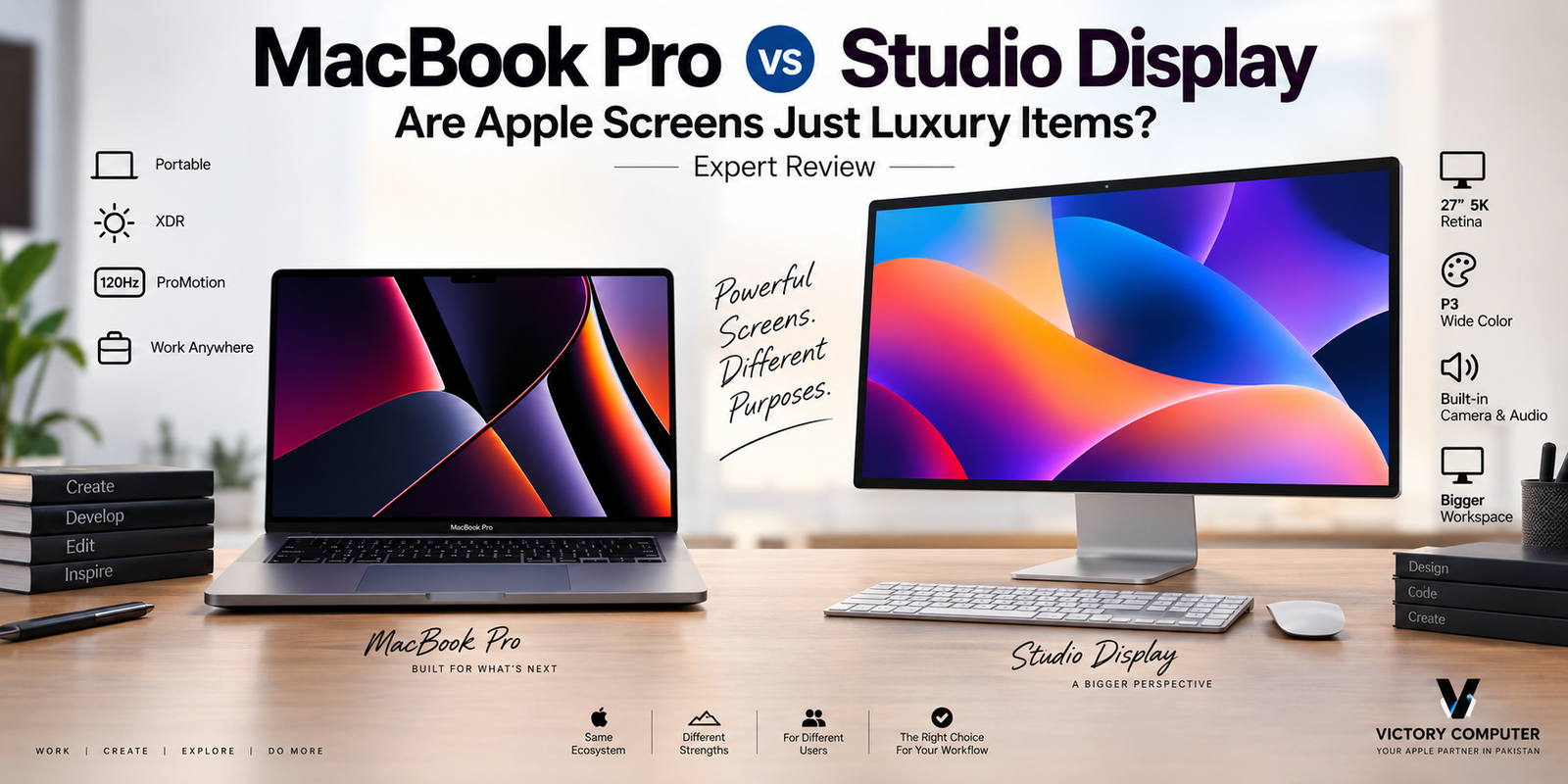
MacBook Pro vs Studio Display is less about choosing the “better” screen and more about choosing the right working environment. MacBook Pro provides a high-end HDR display with ProMotion up to 120Hz, while Studio Display gives desktop users a much larger 27-inch 5K workspace. For many buyers, Studio Display is optional rather than essential.
MacBook Pro vs Studio Display: Quick Comparison
The biggest difference is straightforward: MacBook Pro prioritizes HDR performance, high refresh rate and portability, while Studio Display prioritizes screen size and desktop workspace.
| Feature | MacBook Pro | Studio Display |
|---|---|---|
| Display | Liquid Retina XDR | 5K Retina |
| Size | 14.2 or 16.2 inches | 27 inches |
| Refresh Rate | ProMotion up to 120Hz | 60Hz |
| HDR | XDR support | Not an XDR display |
| Wide Color | P3 | P3 |
| True Tone | Yes | Yes |
| Best For | Portable professional work | Large desktop workspace |
Apple’s current MacBook Pro specifications list Liquid Retina XDR, a 1,000,000:1 contrast ratio, up to 1,600 nits peak XDR brightness and ProMotion adaptive refresh rates up to 120Hz. Studio Display provides a 27-inch 5120-by-2880 5K Retina panel with 600 nits brightness and a 60Hz refresh rate.
Why the MacBook Pro Display Is So Good
The MacBook Pro display is arguably the more technically ambitious screen of the two. Liquid Retina XDR is designed to deliver high contrast and strong HDR performance while remaining part of a portable computer.
ProMotion is another major advantage. The adaptive refresh rate can reach 120Hz, making scrolling, animation and supported high-frame-rate content appear smoother than on a conventional 60Hz screen. You can read our detailed discussion of the MacBook Pro ProMotion display for a closer look at its practical benefits.
The MacBook Pro therefore does not require an external Apple monitor simply to obtain a premium viewing experience. For users who spend most of their time working directly on the laptop, the built-in screen may already be enough.
What Does Studio Display Add?
Studio Display mainly adds space, not a straightforward upgrade over every aspect of the MacBook Pro screen. Its 27-inch 5K Retina panel gives editors, designers, developers and office users considerably more physical workspace.
The 5120-by-2880 resolution produces a dense desktop canvas, while P3 wide color and True Tone maintain familiar Apple display characteristics. Studio Display also incorporates a camera, speaker system, microphones and Thunderbolt/USB-C connectivity, making it more than a bare monitor.
The major compromise is refresh rate. The current Studio Display operates at 60Hz, whereas MacBook Pro supports ProMotion up to 120Hz.
That distinction matters because resolution alone does not determine display quality. Our guide explaining why Apple doesn’t use 4K branding on MacBooks explores why pixel density, viewing distance, scaling, brightness and panel technology also matter.
MacBook Pro vs Studio Display: Pros and Cons
MacBook Pro Display Pros
- ProMotion up to 120Hz: noticeably smoother motion and scrolling than a 60Hz desktop display.
- Excellent HDR capability: Liquid Retina XDR is particularly valuable for HDR video and other high-dynamic-range content.
- Portable: professional display quality travels with the computer.
- No additional monitor required: many users can work comfortably without purchasing another premium screen.
- High pixel density: text, UI elements and detailed imagery appear exceptionally sharp.
MacBook Pro Display Cons
- Limited physical workspace: even the 16-inch model cannot match a 27-inch monitor for desktop space.
- Less comfortable for long multi-window workflows: large timelines, code windows and design tools can feel cramped.
- Ergonomics: extended desk use may benefit from an external monitor positioned independently from the keyboard.
Apple Studio Display Pros
- Large 27-inch workspace: better suited to multi-window desktop workflows.
- 5K resolution: 5120-by-2880 resolution provides excellent detail and useful workspace at macOS-friendly scaling.
- Strong Apple integration: camera, speakers, microphones and connectivity are integrated into one display.
- P3 and True Tone: useful for users who want consistent Apple display characteristics across their setup.
- Reference modes: useful modes are available for photography, design, video and web-oriented workflows.
Apple Studio Display Cons
- 60Hz refresh rate: it lacks the 120Hz ProMotion experience available on MacBook Pro.
- No XDR HDR performance: Studio Display should not be confused with Apple’s higher-end XDR display technology.
- Premium positioning: buyers primarily needing additional screen space may find less expensive third-party monitors more practical.
- Desktop only: its main benefit disappears whenever you leave your workstation.
Why We Recommend It
Choose MacBook Pro alone if portability, HDR performance and 120Hz ProMotion matter more than screen size. Add Studio Display when a larger permanent workspace materially improves your editing, development, photography or office workflow. Buyers mainly looking for more screen space should also compare quality third-party monitors before paying for Apple’s integrated desktop experience.
MacBook Pro vs Studio Display for Creative Work
For HDR-oriented work, the MacBook Pro has a major advantage because its Liquid Retina XDR display can reproduce a much wider brightness range than Studio Display. Apple’s specifications list up to 1,600 nits peak XDR brightness for HDR content on current MacBook Pro models.
Studio Display becomes attractive when workspace size matters more. A video editor can display a larger timeline, a photographer can work with a larger image preview, and a designer can keep more tools visible without constantly rearranging windows.
For professionals, the most useful configuration may therefore be MacBook Pro plus an external monitor rather than treating the two displays as direct substitutes.
Which Is Better for Productivity?
Studio Display is generally more useful for a fixed desktop productivity setup. The 27-inch screen gives developers, spreadsheet users, researchers and editors more room to keep multiple windows visible.
MacBook Pro wins whenever work moves between the office, university, meetings, home and travel. Its built-in display provides professional-grade characteristics without tying the user to a desk.
Developers can particularly benefit from an external display because an IDE, browser, terminal and documentation can remain visible simultaneously. The benefit comes primarily from screen area and ergonomics, not because Studio Display universally produces a better image than MacBook Pro.
Are Apple Screens Just Luxury Items?
Apple screens are premium products, but calling them purely luxury items oversimplifies the comparison. MacBook Pro’s Liquid Retina XDR panel provides measurable advantages including high HDR brightness and adaptive refresh rates up to 120Hz. Studio Display offers measurable advantages through its 27-inch 5K workspace, integrated camera and audio, P3 color support and reference modes.
The luxury element appears when those advantages do not solve a real problem for the buyer.
A student writing assignments and browsing the web probably does not need Studio Display. A photographer, developer or editor working at the same desk every day may benefit considerably from a larger high-resolution screen.
The right question is therefore not “Is Studio Display expensive?” but “Will a 27-inch 5K desktop workspace improve my work enough to justify buying it?”
For another perspective on Apple’s laptop panel positioning, see our analysis of whether the MacBook Pro display is worth the hype.
MacBook Pro vs Studio Display: Which Should You Choose?
| User | Recommended Setup | Reason |
|---|---|---|
| Student | MacBook alone | Portable and usually enough screen quality |
| Freelancer | MacBook + optional external monitor | Depends on desk time and workload |
| Developer | MacBook Pro + large monitor | More space for code, browser and tools |
| Photographer | MacBook Pro or MacBook Pro + Studio Display | Depends on portability versus workspace |
| Video Editor | MacBook Pro + external display | Larger timelines and preview workspace |
| Gaming-focused Buyer | Consider high-refresh alternatives | Studio Display is limited to 60Hz |
Gaming-focused buyers should compare gaming monitors in Pakistan, because high-refresh gaming monitors serve a different purpose from Studio Display.
Buying MacBook Pro or Studio Display in Pakistan
For buyers in Pakistan, imported Apple hardware should be evaluated on more than the advertised price. Check the exact model, configuration, warranty terms, seller support and condition before purchasing. Warranty coverage should be confirmed for the specific product rather than assumed from the Apple brand alone.
You can browse current computer products through Victory Computer or contact the Lahore team for current product availability and pricing.
Victory Computer
Lahore, Pakistan
WhatsApp: 0300 9466881
Frequently Asked Questions
Is Studio Display better than the MacBook Pro display?
Not in every respect. Studio Display provides a much larger 27-inch 5K workspace, while MacBook Pro offers Liquid Retina XDR and ProMotion up to 120Hz.
Does Apple Studio Display support 120Hz ProMotion?
No. Apple’s current Studio Display specifications list a 60Hz refresh rate, while current MacBook Pro displays support ProMotion adaptive refresh rates up to 120Hz.
Do I need Studio Display if I already have a MacBook Pro?
Most users do not need one for display quality alone. Studio Display makes more sense when the larger 27-inch workspace improves a permanent desktop workflow.
Is Studio Display good for video editing?
Its 27-inch 5K resolution and reference modes make it useful for editing workflows, but MacBook Pro has the stronger XDR HDR capabilities. Professionals should choose based on their specific delivery format and workflow.
Is Studio Display worth it for students?
Usually not unless the student has a specialized creative workflow and spends significant time at a fixed desk. A MacBook plus a more affordable external monitor can be the more practical option.
What is the best external monitor for MacBook Pro?
There is no universal best choice. Studio Display suits users prioritizing macOS integration and a 5K desktop workspace, while high-refresh, OLED and other third-party monitors may be better for different priorities and budgets.

About Victory Computer Editorial Team
Victory Computer Editorial Team The Victory Computer Editorial Team publishes informative, research-based content about laptops, computers, monitors, printers, hardware, and technology trends in Pakistan. Our goal is to help readers understand product specifications, compare available options, and make informed purchasing decisions.
View all posts by Victory Computer Editorial Team
3 thoughts on “MacBook Pro vs Studio Display: Are Apple Screens Just Luxury Items? | Expert Review”