
DIY Maintenance Tips to Extend Lifespan of Your Laptop PC

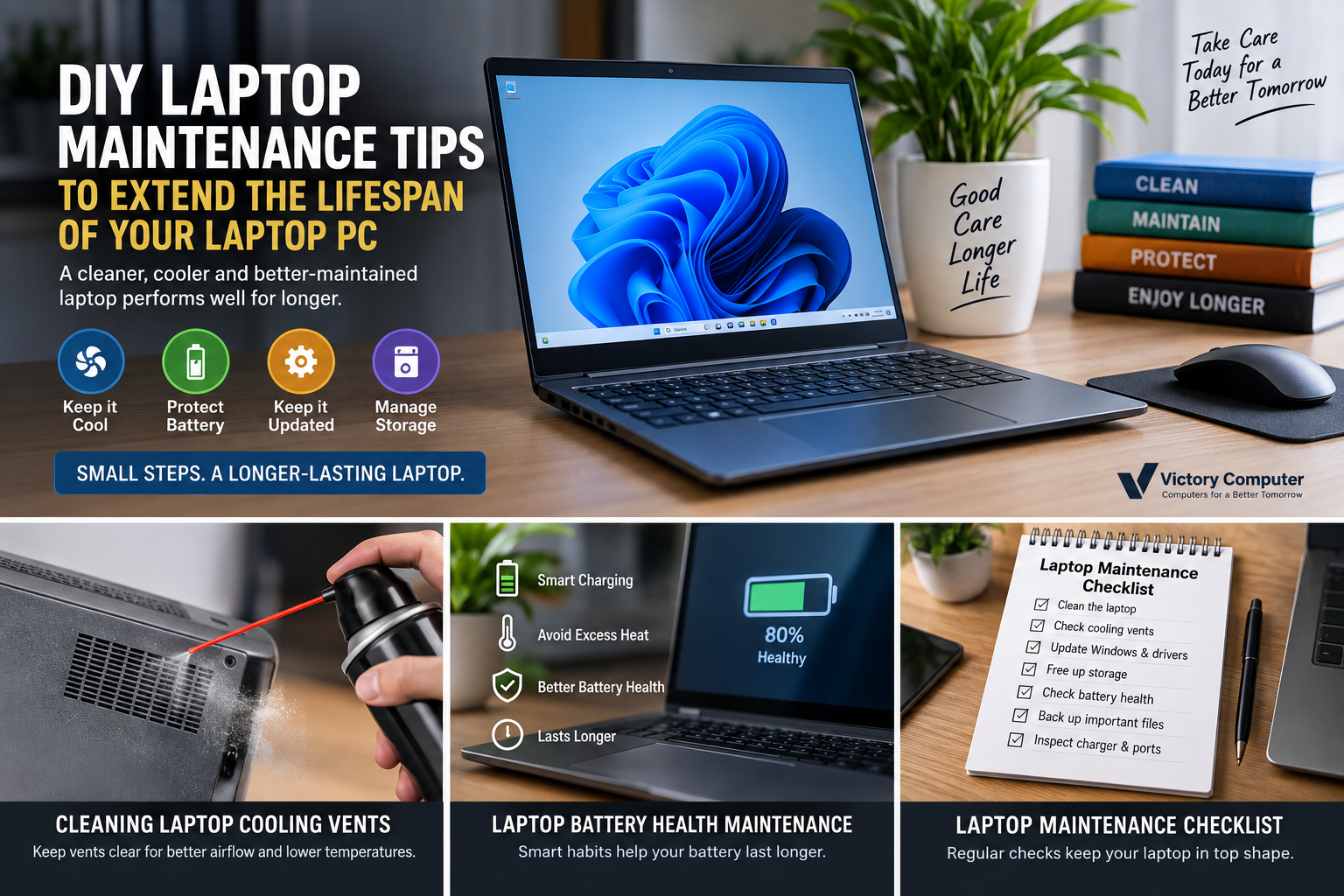
DIY Laptop Maintenance Tips to Extend the Lifespan of Your Laptop PC
Laptop maintenance tips can help a laptop stay cooler, run more reliably, and avoid preventable wear. The most useful DIY steps are simple: keep vents clear, clean the exterior safely, manage battery heat, install updates, maintain free storage, protect ports and hinges, and stop DIY work when a repair involves a swollen battery, liquid damage, or complex disassembly.
1. Keep Airflow Clear and Control Heat
Heat is one of the most important things to control because blocked vents make the cooling system work harder. Place the laptop on a hard, flat surface during demanding work. Beds, cushions, carpets, and soft fabric can block intake vents and trap heat around the chassis.
Check the side and bottom vents for visible dust. Power the laptop off and disconnect the charger before cleaning. Use short, controlled bursts of compressed air around external vents rather than pushing tools into the fan area. HP also advises keeping vents clear because dust buildup can reduce cooling efficiency. See HP’s computer cleaning guidance for manufacturer-level precautions.
If temperatures remain unusually high, fans stay loud during light use, or the laptop shuts down under load, follow our guide on how to fix laptop overheating before assuming the device needs replacement.
2. Clean the Screen, Keyboard and Ports Safely
Safe cleaning is one of the easiest laptop maintenance tips to follow. Shut the laptop down, unplug it, and use a soft microfiber cloth on the display and chassis. Do not spray liquid directly onto the screen, keyboard, vents, or ports. If a slightly damp cloth is required, apply the approved cleaning solution to the cloth first.
Use compressed air carefully between keyboard keys and around external ports. Avoid metal tools inside USB, HDMI, audio, charging, or card-reader ports. For the right basic tools and materials, see our laptop cleaning kit guide.
3. Protect Battery Health and Avoid Excessive Heat
Battery care is mostly about controlling heat and avoiding unnecessary extremes. Modern lithium-ion batteries naturally lose capacity with age, but high temperatures and repeated deep discharge can accelerate wear. If your laptop supports a battery conservation, smart charging, or charge-limit feature, use it when the laptop spends long periods connected to AC power.
Microsoft’s Windows battery care guidance recommends avoiding excessive heat and using smart charging where supported. You can also generate a Windows battery report to compare current full-charge capacity with the battery’s design capacity.
For more practical settings and habits, read our guide on ways to increase laptop battery life.
4. Keep Windows, Drivers and Security Updates Current
Among practical laptop maintenance tips, software upkeep is easy to overlook. It helps prevent avoidable stability, security, and compatibility problems. Check Windows Update regularly, restart the laptop when updates require it, and use the laptop manufacturer’s support utility or official support page for BIOS, firmware, chipset, graphics, and device-specific drivers.
Do not install random “driver updater” programs from unknown websites. Drivers and BIOS updates affect low-level hardware behavior, so use Microsoft, the laptop manufacturer, or the component manufacturer as the source. Microsoft explains the normal update process in its Windows Update FAQ.
5. Maintain Storage and Startup Performance
Storage management belongs on any useful list of laptop maintenance tips. A laptop can feel old long before its hardware actually fails if the system drive is nearly full or too many applications load at startup. Keep enough free storage for Windows updates, temporary files, browser caches, and normal application activity. Remove software you no longer use, review large files, and move backups or archives to suitable external storage.
Use Task Manager to review startup apps and disable only programs you recognize and do not need at sign-in. If performance has already declined, our guide on speeding up a slow laptop covers practical software checks before a hardware upgrade.
Back up important files before major cleanup, repair, BIOS work, or storage changes. A backup does not make hardware last longer, but it prevents a failing drive or accidental repair mistake from becoming a data-loss problem.
6. Protect Hinges, Ports and the Charger
Good laptop maintenance tips also include how the machine is physically handled. Open the display from the center when possible instead of twisting one corner. Do not carry the laptop by the screen, and avoid putting heavy objects on the lid.
Insert USB, HDMI, charging, and audio connectors straight into their ports. If a plug needs unusual force, stop and check the orientation. Pulling the charging cable sideways can stress both the connector and the internal power jack. Keep the charger ventilated and avoid tightly wrapping the cable around the power brick while it is hot.
7. Protect the Laptop From Unstable Power
For laptop users in Pakistan, practical laptop maintenance tips should also account for power conditions. Repeated outages are inconvenient, and poor-quality power can also stress chargers and interrupt updates or other important tasks. Use a genuine or correctly rated compatible charger, and consider a reputable surge-protection or backup-power solution when your local power supply is unreliable.
Battery condition also matters during outages. Our guide on load shedding and laptop battery health explains practical habits for areas with frequent power interruptions.
8. Follow a Simple Laptop Maintenance Schedule
The most effective laptop maintenance tips are easier to follow when they become routine rather than emergency fixes.
| Task | Suggested Frequency | What to Check |
|---|---|---|
| Exterior cleaning | Weekly or as needed | Screen, keyboard, palm rest and visible dust |
| Vent inspection | Monthly | Dust buildup, blocked vents and unusual fan noise |
| Windows and driver updates | Monthly | Security updates, manufacturer drivers and firmware notices |
| Storage cleanup | Monthly | Free space, unused apps, downloads and temporary files |
| Battery review | Every 2–3 months | Runtime, battery report, heat and charging behavior |
| Backup check | Monthly | Confirm important files exist in a second location |
9. Know When DIY Maintenance Should Stop
The safest laptop maintenance tips include knowing when DIY work should stop. The risk of damage can become greater than the benefit. A swollen battery, liquid damage, burning smell, damaged charging port, cracked power adapter, repeated thermal shutdowns, or a laptop that requires difficult disassembly should be handled more carefully.
Thermal paste replacement can help some older systems with poor heat transfer, but opening a laptop can damage clips, cables, thermal pads, or warranty seals depending on the model and service policy. If the procedure is appropriate for your device, read our DIY laptop thermal paste guide before attempting it.
If repair costs no longer make sense for an older device, compare the cost of repair with replacement instead of continuing to spend on repeated faults. You can browse current computer options through the Victory Computer shop after deciding what specifications you actually need.
Frequently Asked Questions
How often should I clean my laptop?
Light exterior cleaning can be done weekly or whenever dust and fingerprints build up. Check vents monthly, especially if the laptop is used in a dusty room or the fan has become noticeably louder.
Can compressed air damage a laptop fan?
Compressed air should be used carefully and according to the manufacturer’s instructions. Use short bursts around external vents, keep the can upright, and avoid forcing air or tools deep into the laptop.
Should I keep my laptop plugged in all the time?
Battery-focused laptop maintenance tips should prioritize heat control. Many modern laptops manage charging automatically, but heat and long periods at charge extremes can still affect battery aging. Use the manufacturer’s smart-charging or charge-limit feature if your model provides one.
Does a cooling pad extend laptop lifespan?
A cooling pad can help airflow on some laptops, but it cannot fix clogged vents, dried thermal material, a failing fan, or poor internal cooling. Start with basic laptop maintenance tips and diagnose persistent overheating separately.
When should thermal paste be replaced?
Thermal paste replacement is not routine maintenance for every laptop. Consider it only when temperatures remain abnormal after safer checks and the model can be serviced without unnecessary risk.
What is the most important laptop maintenance habit?
Keeping heat under control is one of the most valuable habits because airflow, dust, charging temperature, and workload all affect thermal stress. Combine heat control with backups, updates, and careful handling for a more complete maintenance routine.
Final Maintenance Checklist
Good laptop maintenance tips do not require constant disassembly. Keep the laptop clean and well ventilated, protect the battery from excess heat, install trusted updates, maintain free storage, back up important files, and handle ports and hinges carefully. These small habits reduce avoidable problems and make it easier to identify a real hardware fault before it becomes more expensive.

About Victory Computer Editorial Team
Victory Computer Editorial Team The Victory Computer Editorial Team publishes informative, research-based content about laptops, computers, monitors, printers, hardware, and technology trends in Pakistan. Our goal is to help readers understand product specifications, compare available options, and make informed purchasing decisions.
View all posts by Victory Computer Editorial Team