
Business Laptop vs Student Laptop: What’s the Difference?

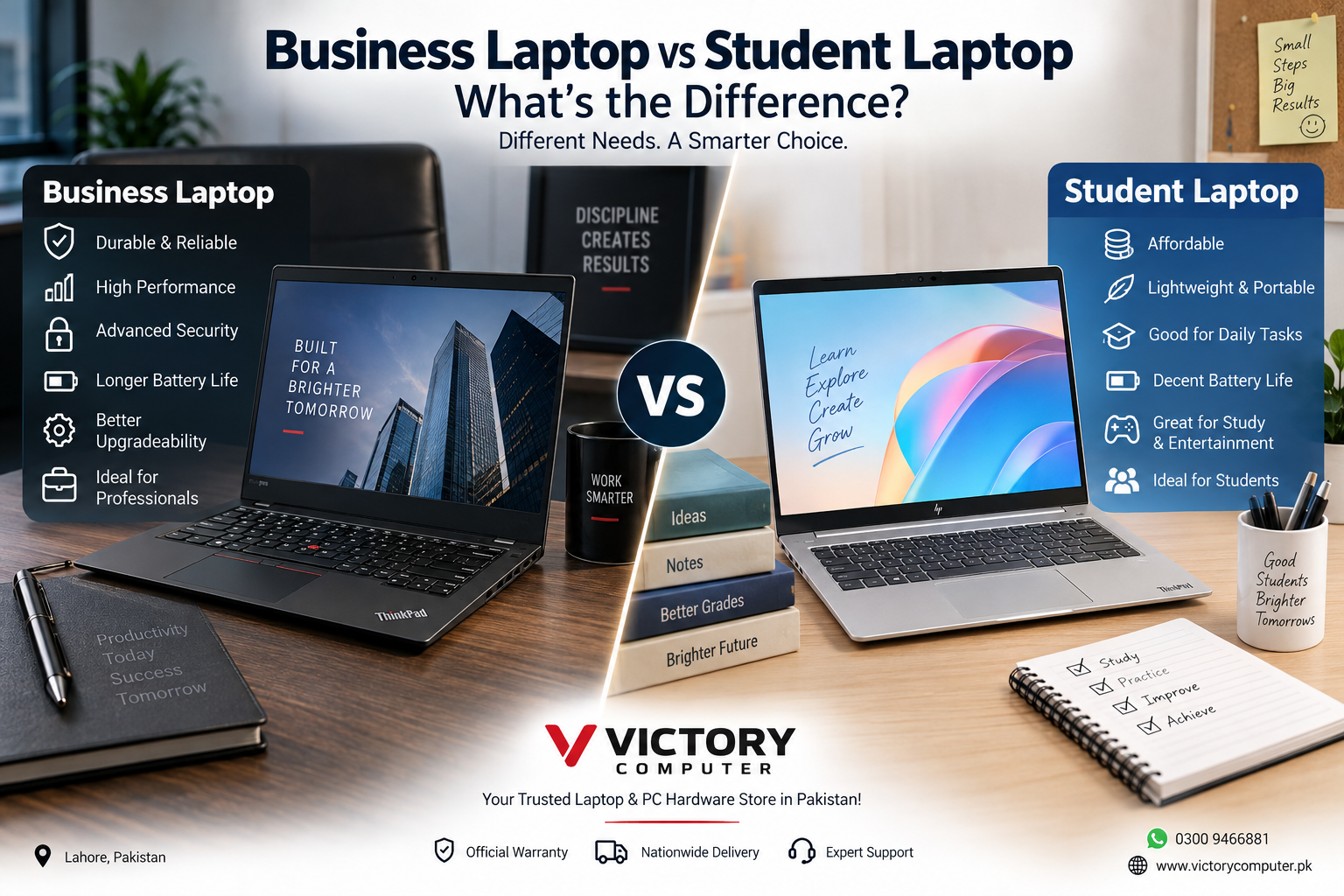
Business Laptop vs Student Laptop
Business Laptop vs Student Laptop mainly comes down to durability, security, manageability, performance needs, portability, and budget. Business laptops are generally designed for professional workloads and long-term workplace use, while student laptops usually prioritize affordability, portability, battery life, and everyday productivity. The better choice depends on what you actually need the laptop to do.
Business Laptop vs Student Laptop: Quick Comparison
| Feature | Business Laptop | Student Laptop |
|---|---|---|
| Best For | Professionals, offices, businesses, freelancers | School, college and university students |
| Build Quality | Often designed for frequent professional use and travel | Varies widely, with affordability often taking priority |
| Performance | Configured for productivity and multitasking | Usually sufficient for study and everyday applications |
| Security | May offer additional enterprise security and management features | Standard consumer security is usually sufficient for everyday use |
| Portability | Varies from thin business notebooks to larger workstations | Lightweight models are commonly preferred |
| Upgradeability | Depends on model; some business series emphasize serviceability | Varies; thin budget models may use soldered components |
| Price | Often higher for comparable core hardware | Available across a wider range of entry-level budgets |
| Long-Term Value | Good for demanding professional and organizational use | Good when study requirements and budget are the priorities |
What Is a Business Laptop?
A business laptop is designed primarily for professional users, companies, offices, remote workers, and organizations. Popular business-oriented families include Lenovo ThinkPad, HP ProBook and EliteBook, Dell’s professional laptop ranges, and ASUS ExpertBook.
The main difference is not simply processor speed. Business models may include features such as TPM-based security, fingerprint authentication, privacy features, enterprise management capabilities, stronger serviceability, and chassis designs intended for frequent workplace use. Exact features vary by model and configuration.
Buyers looking specifically for professional machines can explore business laptops in Pakistan at Victory Computer.
Business Laptop Pros and Cons
Pros
- Professional build: Many business series are designed for frequent transportation, office use, docking, and repeated daily workloads.
- Better security options: Depending on the model, features can include TPM, fingerprint authentication, privacy shutters, drive encryption support, and enterprise security tools.
- Manageability: Enterprise-oriented models can provide additional tools for IT departments to configure, secure, update, and manage devices.
- Serviceability: Some business laptop families place greater emphasis on repairability and component access, although this is model-dependent.
- Professional connectivity: Business models often provide a useful selection of ports and docking options.
Cons
- Higher purchase price: Business-focused features can increase the cost even when the CPU, RAM, and storage appear similar to a consumer laptop.
- Not always ideal for gaming: Many business laptops rely on integrated graphics because gaming performance is not their primary purpose.
- Premium features may be unnecessary: A student who mainly uses a browser, Microsoft Office, PDFs, and video calls may not benefit from enterprise management features.
Why We Recommend It
Choose a business laptop if your computer is an important work tool and reliability, security, professional connectivity, or manageability matters. For office employees, business owners, accountants, developers, corporate users, and frequent travelers, paying more for the right business-class model can make sense.
What Is a Student Laptop?
A student laptop is less of a strict hardware category and more of a buying category. The ideal student machine is usually affordable, portable, efficient, and powerful enough for the student’s actual coursework.
For general education, this can mean web research, Microsoft Office, PDFs, presentations, Zoom or Teams meetings, streaming, and basic applications. Engineering, architecture, programming, 3D design, animation, and video-production students can require substantially more performance.
If affordability is the main priority, compare current budget laptops in Pakistan rather than paying for professional features you may never use.
Student Laptop Pros and Cons
Pros
- More affordable options: Students can choose from a broad range of entry-level and mid-range laptops.
- Portable: Compact laptops are easier to carry between home, university, libraries, and classrooms.
- Suitable for everyday study: A properly configured laptop can comfortably handle documents, research, presentations, online classes, and entertainment.
- More choice: Students can select from traditional laptops, 2-in-1 devices, lightweight notebooks, and higher-performance models depending on their course.
Cons
- Budget models may compromise on build quality: Entry-level machines can use simpler chassis materials, displays, keyboards, or hinges.
- Upgradeability can be limited: Some thin models use soldered memory or have fewer internal expansion options.
- Entry-level hardware can age faster: Buying the absolute minimum configuration may become restrictive as coursework and software requirements increase.
- Fewer business features: Enterprise management and advanced professional security features may not be included.
Why We Recommend It
A student laptop is the better value when coursework, portability, and budget matter more than enterprise features. However, students studying engineering, architecture, data science, video editing, 3D design, or similar demanding fields should choose based on software requirements rather than the “student laptop” label.
Which Offers Better Performance?
A business laptop is not automatically faster than a student laptop. Performance depends on the processor, RAM, storage, graphics hardware, cooling design, and power limits of the exact machine.
For documents, browsing, online classes, accounting software, and everyday productivity, a modern mainstream processor with adequate RAM and SSD storage can be enough. More demanding professional applications may justify additional CPU cores, more memory, or dedicated graphics.
If you are unsure about processor tiers, read our Core i5 vs Core i7 laptop comparison. You can also compare Intel U-series vs H-series processors to understand the trade-off between efficiency and sustained performance.
Which Is More Durable?
Business-oriented laptop families often put greater emphasis on durability, but buyers should check the exact model rather than assuming every business laptop is rugged.
For example, Lenovo states that selected ThinkPad models undergo testing based on MIL-STD 810H methods and numerous quality checks. That does not mean every business notebook is indestructible, but it illustrates why durability is often emphasized in professional product lines.
Students who commute every day should also care about durability. A stronger hinge, good keyboard, sturdy chassis, and protective laptop bag can be more valuable over several years than a small increase in processor performance.
What About Security?
Security is one of the clearer reasons businesses may prefer professional laptop ranges. Depending on the configuration, business laptops can include fingerprint authentication, TPM hardware, privacy shutters, enterprise management tools, and additional security platforms.
Microsoft explains that TPM technology can work with Windows security features such as BitLocker to help protect encryption keys and device data. However, security capabilities depend on the hardware, Windows edition, configuration, and organization policies, so buyers should verify the exact laptop rather than relying only on the product category.
Battery Life and Portability
There is no universal winner for battery life in the Business Laptop vs Student Laptop comparison. Battery capacity, processor efficiency, display resolution, brightness, workload, wireless activity, and power settings all affect real-world runtime.
Students who carry a laptop across campus should prioritize low weight and practical battery endurance. Professionals who spend hours in meetings or travel frequently have similar requirements, making efficient thin-and-light business laptops particularly attractive.
Business Laptop vs Student Laptop Price in Pakistan
Price differences in Pakistan depend heavily on the brand, generation, processor, RAM, SSD capacity, display, operating system, warranty, and whether the laptop is new, open-box, imported, or used.
Instead of choosing solely by the “business” or “student” label, compare what you receive for your budget. A student may get better value from a mainstream laptop with sufficient RAM and SSD storage, while a professional may reasonably pay more for stronger security, serviceability, connectivity, or enterprise features.
Current models can be compared through Victory Computer before making a purchase decision.
Who Should Buy a Business Laptop?
Choose a business laptop if you regularly work with company data, use the machine for professional work every day, need business-oriented security or management features, travel frequently, or want a laptop family designed around workplace requirements.
Business laptops are particularly relevant for corporate offices, business owners, accountants, developers, consultants, remote workers, freelancers handling professional projects, and organizations purchasing multiple machines.
Who Should Buy a Student Laptop?
Choose a student-focused laptop if your priorities are affordability, portability, coursework, online classes, research, presentations, browsing, and everyday applications.
Do not automatically buy the cheapest laptop available. University students should check the software required by their degree before choosing hardware. An engineering or architecture student can have very different CPU, RAM, and graphics requirements from a student mainly using documents, browsers, and presentations.
Final Verdict: Business Laptop vs Student Laptop
There is no universal winner in Business Laptop vs Student Laptop. A business laptop is generally the stronger choice for professional environments where security, manageability, connectivity, durability, and long-term workplace use matter. A student laptop is usually the better value when affordability, portability, and everyday academic work are the priorities.
Students can also buy business laptops, and professionals can use consumer laptops. The best approach is to choose according to your workload, software, portability requirements, upgrade needs, and budget rather than relying only on the category name.
For buyers in Pakistan, compare suitable business and student laptop options at Victory Computer, Lahore. For product guidance and availability, contact Victory Computer on WhatsApp at 0300 9466881.
Frequently Asked Questions
Is a business laptop good for students?
Yes. A business laptop can be an excellent student machine, particularly when durability, keyboard quality, security, or long-term use matters. The main drawback can be the higher purchase price.
Is a student laptop suitable for office work?
Yes, if its processor, memory, storage, display, and connectivity meet your workload. Basic office tasks do not automatically require a business-class laptop.
Are business laptops more durable than student laptops?
Many business laptop families emphasize durability and workplace use, but durability varies by exact model. Always check the manufacturer’s construction and testing information before buying.
How much RAM should a student laptop have?
The correct amount depends on the course and software. Everyday study needs are much lighter than engineering, virtual machines, video editing, 3D modelling, or other memory-intensive workloads.
Do business laptops have better security?
Business models may provide additional hardware security, authentication, enterprise management, and encryption capabilities. Exact features vary by laptop configuration and operating system.
Should I buy a business or student laptop in Pakistan?
Choose a business laptop for professional workloads and business-oriented features. Choose a student laptop when study requirements, portability, and budget are the main priorities, but always match the specifications to the software you need.

About Victory Computer Editorial Team
Victory Computer Editorial Team The Victory Computer Editorial Team publishes informative, research-based content about laptops, computers, monitors, printers, hardware, and technology trends in Pakistan. Our goal is to help readers understand product specifications, compare available options, and make informed purchasing decisions.
View all posts by Victory Computer Editorial Team
3 thoughts on “Business Laptop vs Student Laptop: What’s the Difference?”