
Best Prebuilt Gaming PCs in Pakistan for 2025 | Expert review

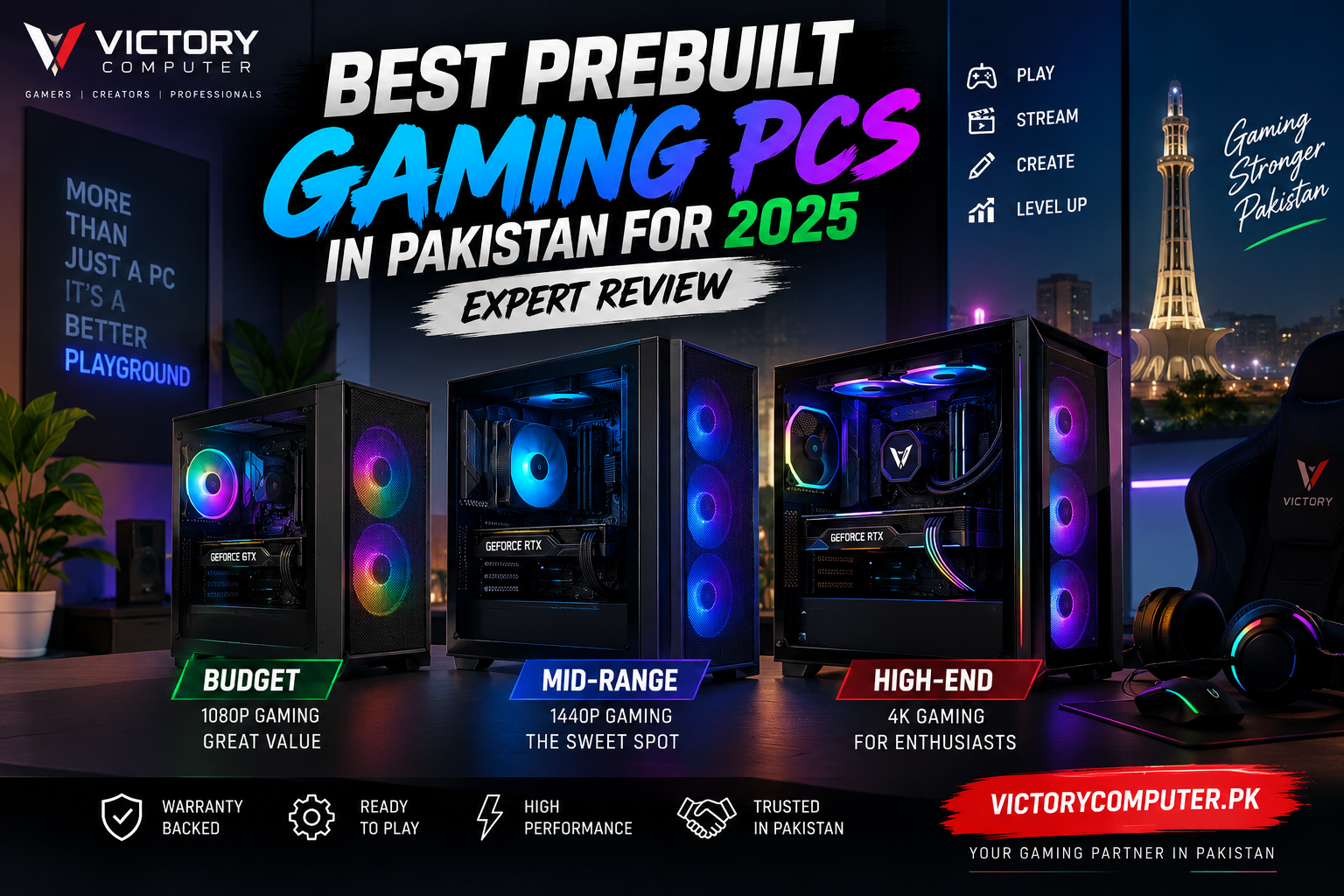
Best Prebuilt Gaming PCs in Pakistan for 2025
The best prebuilt gaming PCs in Pakistan combine a capable graphics card, balanced processor, sufficient RAM, fast SSD storage, reliable power supply, and effective cooling in a ready-to-use system. For most buyers, the right choice depends less on buying the most expensive PC and more on matching the hardware to 1080p, 1440p, or 4K gaming.
A prebuilt gaming PC can also make sense if you do not want to select every component, assemble the machine, install the operating system, and troubleshoot compatibility yourself. However, buyers should still inspect the individual components because two gaming PCs with similar headline specifications can differ considerably in motherboard, power supply, cooling, storage, and upgrade potential.
Best Prebuilt Gaming PC Options in Pakistan: Quick Comparison
| PC Class | Suggested Hardware Level | Target Gaming | Best For |
|---|---|---|---|
| Budget | Core i5 / Ryzen 5 + entry-level or mainstream GPU | 1080p | eSports, students and casual gamers |
| Mid-Range | Core i5/i7 or Ryzen 5/7 + stronger mainstream GPU | 1080p High / 1440p | AAA gaming and high-refresh monitors |
| High-End | Core Ultra 7/9 or Ryzen 7/9 + high-end GPU | 1440p Ultra / 4K | Enthusiasts, streamers and creators |
Do not select a gaming PC from the CPU name alone. For gaming, the graphics card usually has the largest influence on the resolution, visual settings and frame rate the system can realistically target. CPU performance becomes increasingly important for high-refresh competitive gaming, simulation-heavy games, streaming and other CPU-intensive workloads.
1. Budget Prebuilt Gaming PC – Best for 1080p Gaming
A budget prebuilt is the sensible starting point for players focused on games such as Valorant, Counter-Strike 2, Fortnite and other competitive or less graphically demanding titles. A balanced Core i5 or Ryzen 5 system paired with a suitable dedicated GPU can provide a much better gaming experience than overspending on the processor while compromising on graphics.
For a modern budget configuration, aim for at least 16GB of RAM and NVMe SSD storage. A 1TB SSD is preferable if the budget permits because modern game installations can consume storage quickly.
Buyers comparing graphics options can also read our guide to budget graphics cards for 1080p gaming before choosing a system.
Best For
- 1080p gaming
- Competitive eSports
- Students and first-time PC gamers
- Buyers moving from integrated graphics or older gaming PCs
2. Mid-Range Prebuilt Gaming PC – Best Overall Choice
For many gamers, the mid-range tier offers the strongest balance between performance and cost. These systems are better suited to demanding AAA games, higher graphics presets and 1440p monitors without requiring the cost of flagship components.
A well-balanced mid-range build should prioritize the GPU while pairing it with a processor powerful enough to avoid an obvious CPU bottleneck. 16GB can remain workable for gaming, while 32GB provides more breathing room for demanding games, streaming, browser multitasking and content-creation applications.
Storage matters here as well. A gaming library can fill a smaller SSD quickly, so buyers planning to keep several large games installed should consider 1TB or more. Our guide to choosing an SSD for gaming explains what to consider beyond capacity.
Best For
- 1440p gaming
- High-refresh-rate gameplay
- Modern AAA titles
- Gaming plus streaming
- Gamers seeking a longer useful upgrade cycle
3. High-End Prebuilt Gaming PC – Best for 4K and Enthusiasts
High-end prebuilts target gamers who want premium graphics settings, demanding ray-traced games, high-refresh 1440p or 4K displays, and substantial performance for streaming or creative workloads.
2025 introduced major new desktop GPU options. NVIDIA’s GeForce RTX 50 Series uses its Blackwell architecture and introduced DLSS 4 capabilities, while AMD launched its RDNA 4-based Radeon RX 9000 family, including the RX 9070 XT and RX 9070. High-end buyers therefore had newer alternatives alongside established previous-generation hardware.
Premium systems also need supporting components that match the CPU and GPU. A high-end graphics card inside a system with inadequate airflow, a questionable power supply, or poor CPU cooling is not a well-balanced premium gaming PC.
If 4K is your target, see our guide to graphics cards for 4K gaming before deciding how much GPU performance you actually need.
Best For
- 4K gaming
- Ray-traced AAA titles
- Streaming while gaming
- Video editing and GPU-accelerated creative workloads
- High-refresh premium gaming setups
What Specifications Matter Most in a Prebuilt Gaming PC?
The GPU should normally receive the largest share of a gaming-focused budget. Spending heavily on a flagship processor while using a much weaker graphics card often produces a less effective gaming configuration than a more balanced CPU and GPU combination.
Graphics Card
Start with the resolution and refresh rate of your monitor. A 1080p gamer has very different GPU requirements from someone targeting high-refresh 1440p or graphically demanding 4K gaming.
Processor
Modern Intel Core, Intel Core Ultra and AMD Ryzen processors provide options across different budgets. AMD’s Ryzen 9000 desktop family uses Zen 5 architecture, while Intel’s Core Ultra 200S family brought Core Ultra architecture to enthusiast desktop systems.
A higher CPU tier can be useful for very high frame-rate gaming, streaming, rendering and productivity, but it should not consume so much of the budget that the graphics card becomes disproportionately weak.
RAM
16GB is a practical starting point for a gaming PC, while 32GB is increasingly attractive for premium systems, heavy multitasking, streaming and content creation. Also check whether the prebuilt leaves accessible memory slots for future upgrades.
SSD Storage
NVMe SSD storage improves system responsiveness and substantially reduces the inconvenience associated with older mechanical storage. Capacity is just as important: large game libraries make 1TB a useful target for many gaming PCs.
Power Supply
The PSU is one of the easiest components to overlook in a prebuilt. Check its manufacturer, rated wattage, efficiency certification where applicable, connectors and suitability for the installed graphics card. A quality power supply also gives you more confidence when considering future GPU upgrades.
Cooling and Airflow
A fast processor and graphics card generate significant heat under sustained gaming loads. Look for sensible case ventilation, adequate intake and exhaust fans, and a CPU cooler appropriate for the processor.
Pros and Cons of Prebuilt Gaming PCs
Pros
- Ready to use: You avoid assembling and wiring the entire PC yourself.
- Component compatibility is handled: A properly configured prebuilt removes much of the motherboard, memory, PSU and physical-fit research required for a DIY build.
- Support can be simpler: Depending on the seller and individual component warranties, buyers may have a clearer point of contact if something goes wrong.
- Good for first-time PC buyers: You can focus on the performance tier you need rather than learning the complete assembly process first.
- Upgradeability: Standard desktop prebuilts can often accept additional storage, RAM and future graphics upgrades when the case, motherboard and PSU support them.
Cons
- Potential price premium: Assembly, configuration and seller support can make a prebuilt more expensive than sourcing equivalent components individually.
- Less component control: Some systems advertise the CPU and GPU prominently while providing less information about the motherboard, PSU, SSD or cooling.
- Upgrade limitations: Small cases, limited power supplies or proprietary components can restrict future upgrades.
- Configuration quality varies: A powerful CPU and GPU do not automatically mean the complete system is well balanced.
Why We Recommend It
A prebuilt gaming PC is a strong option for buyers who value convenience, straightforward setup and a complete system more than selecting every individual component. Experienced enthusiasts who want precise control over the motherboard, PSU, cooler, case, RAM timings and every other component may prefer a custom build instead.
Prebuilt Gaming PC vs Custom Gaming PC
| Factor | Prebuilt Gaming PC | Custom Gaming PC |
|---|---|---|
| Setup | Faster and easier | Requires assembly or assembly service |
| Component Choice | Limited to offered configuration | Full control |
| Troubleshooting | Potentially simpler through seller/system support | Owner may need to diagnose individual components |
| Upgradeability | Depends heavily on system design | Can be planned from the beginning |
| Best For | Convenience-focused buyers | Enthusiasts and experienced builders |
If you are also considering a console instead of a desktop, our gaming PC vs console comparison explains the differences in flexibility, gaming experience and upgrade potential.
How to Choose a Prebuilt Gaming PC in Pakistan
Start with your target resolution rather than choosing the most expensive specifications you can afford. A 1080p eSports player, 1440p AAA gamer and 4K enthusiast need very different configurations.
- Set your total budget.
- Choose your target resolution: 1080p, 1440p or 4K.
- Select the GPU tier first for a gaming-focused build.
- Pair it with an appropriate CPU rather than overspending unnecessarily.
- Check RAM capacity and upgradeability.
- Check SSD capacity against the size of your game library.
- Verify the PSU model and wattage.
- Inspect cooling and case airflow.
- Ask about warranty coverage for the complete PC and individual components.
- Confirm the exact configuration and current price before ordering.
This last step is particularly important in Pakistan because hardware prices and availability can change. A fixed historical price range can become misleading, so compare the current complete configuration rather than assuming an older advertised price still applies.
Where to Buy a Prebuilt Gaming PC in Pakistan
Victory Computer offers desktop PCs in Pakistan and can help buyers compare systems based on gaming resolution, GPU requirements, storage needs and overall budget.
Before purchasing any gaming PC, confirm the exact CPU, graphics card, RAM, SSD, motherboard, PSU, cooling, warranty and current price. These details matter more than labels such as “gaming PC” or “high-end gaming desktop.”
You can visit Victory Computer for current computer options and contact the Lahore team on WhatsApp at 0300 9466881 for current configuration, pricing and availability.
Frequently Asked Questions
Are prebuilt gaming PCs worth it in Pakistan?
Yes, a prebuilt can be worth buying if you value convenience and want a complete system without assembling every component yourself. Check the PSU, motherboard, cooling and upgrade options rather than judging the PC only by its CPU and GPU.
How much does a good gaming PC cost in Pakistan?
There is no single reliable fixed price because the cost depends on the CPU, GPU, RAM, storage and other components, while local pricing can change. Compare current configurations and prices before buying.
Is 16GB RAM enough for a gaming PC?
16GB is a practical starting point for many gaming systems. 32GB can be worthwhile for demanding multitasking, streaming, content creation and higher-end configurations.
Can I upgrade a prebuilt gaming PC later?
Many standard desktop prebuilts can be upgraded, but compatibility depends on the motherboard, case dimensions, PSU capacity, cooling and available slots. Verify these before buying if future upgrades matter to you.
Should I buy a prebuilt or build a custom gaming PC?
Choose a prebuilt if convenience and easier initial setup matter most. Choose a custom PC if you want maximum control over every component and are comfortable researching compatibility and assembly.
Where can I buy a gaming desktop in Pakistan?
You can browse desktop PC options through Victory Computer and confirm the latest configuration, price and availability before ordering. For gaming, prioritize a balanced GPU, CPU, memory, storage, PSU and cooling combination rather than buying by processor name alone.
Final Recommendation
The best prebuilt gaming PCs in Pakistan are not necessarily the machines with the most expensive CPU or the longest specification list. The best system is the one that matches your monitor resolution, games, performance expectations and upgrade plans with a balanced component configuration.
For most buyers, a balanced mid-range PC provides the strongest combination of gaming performance and cost. Competitive 1080p players can spend less, while 4K gamers and creators should allocate significantly more of the budget toward graphics performance, cooling and a suitable power supply.
Most importantly, compare the complete PC before purchasing. CPU and GPU names attract attention, but PSU quality, motherboard features, cooling, RAM configuration, storage capacity and future upgradeability determine whether a prebuilt remains a good purchase after the first few months.

About Victory Computer Editorial Team
Victory Computer Editorial Team The Victory Computer Editorial Team publishes informative, research-based content about laptops, computers, monitors, printers, hardware, and technology trends in Pakistan. Our goal is to help readers understand product specifications, compare available options, and make informed purchasing decisions.
View all posts by Victory Computer Editorial Team
2 thoughts on “Best Prebuilt Gaming PCs in Pakistan for 2025 | Expert review”