
AI-powered virtual assistants beyond Siri on Mac | Expert Review

AI-powered virtual assistants beyond Siri on Mac | Expert Review
Updated: August 31, 2026
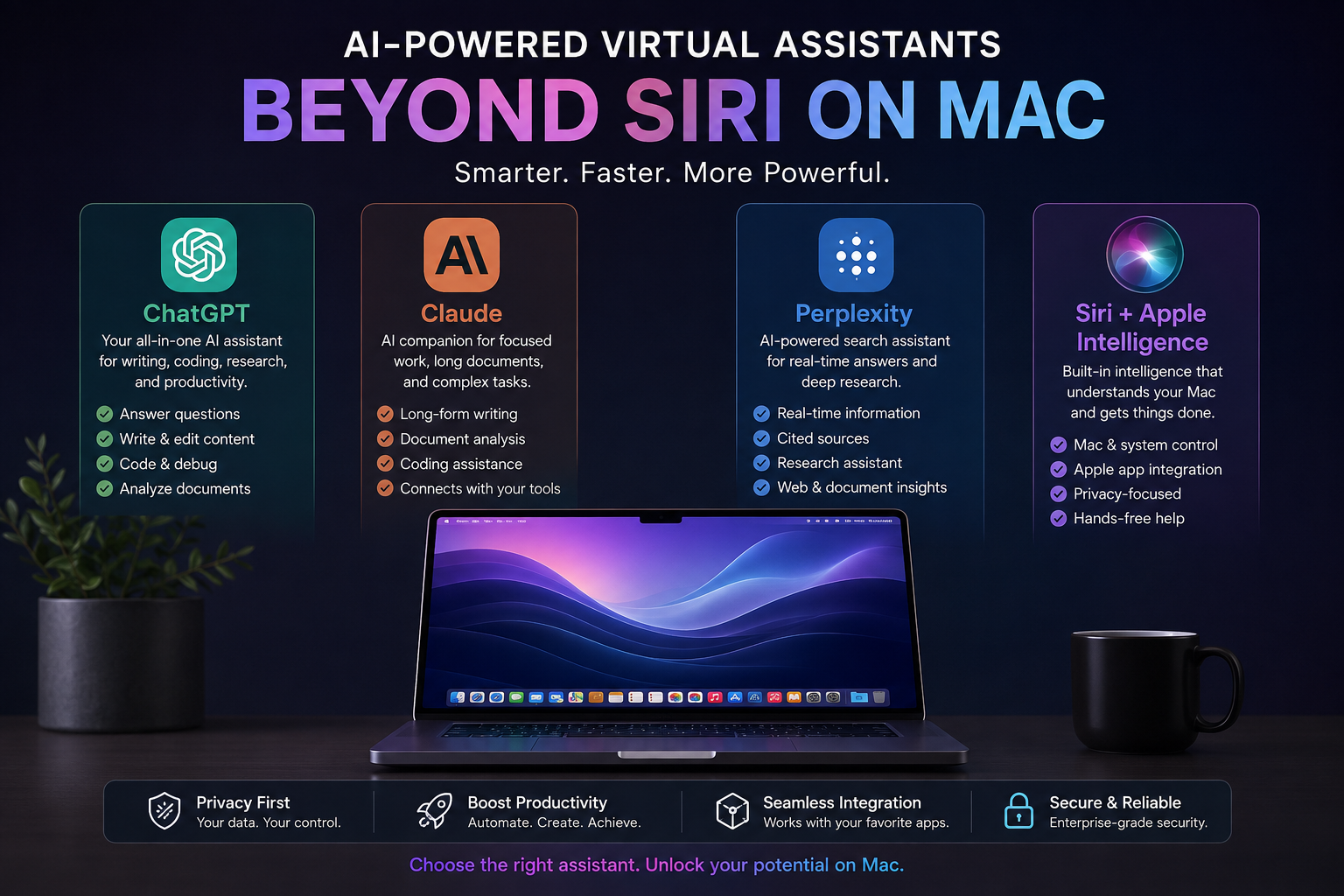
Virtual assistants beyond Siri on Mac now offer far more than voice commands. ChatGPT, Claude, and Perplexity can research, summarize documents, help with coding, work with connected apps, and in some cases interact with local files or desktop tools. Siri remains useful for Apple-system tasks, but third-party assistants are stronger for deeper knowledge work.
This review compares documented 2026 capabilities from official providers; it does not claim hands-on benchmark testing by Victory Computer.
The best virtual assistants beyond Siri on Mac depend on your workflow
For most Mac users, there is no single replacement for Siri. Siri and Apple Intelligence are best for operating-system integration, while ChatGPT is a strong general-purpose assistant, Claude is especially useful for writing, coding, and connected work, and Perplexity is well suited to research and agent-style desktop tasks.
Apple Intelligence is available on compatible Mac computers with Apple silicon, while third-party assistants have their own system requirements. The current ChatGPT desktop app supports macOS 14 with Apple silicon or Intel processors. Claude provides a universal macOS build for Intel and Apple silicon. Perplexity Personal Computer requires macOS 14 or later.
How virtual assistants beyond Siri on Mac compare with Siri
| Assistant | Best For | Main Advantage | Main Trade-off |
|---|---|---|---|
| Siri + Apple Intelligence | Mac controls, Apple apps, everyday requests | Deep Apple integration and privacy-focused processing | Apple Intelligence requires Apple silicon and feature availability varies |
| ChatGPT | General productivity, research, writing, coding | Broad capability and a dedicated Mac desktop experience | Advanced workflows may depend on account, plan, and permissions |
| Claude | Long-form work, coding, document analysis, connectors | Desktop extensions and connected workflows | Some computer-use features have plan or workflow limitations |
| Perplexity | Research, web tasks, local-file and app workflows | Research-first answers plus desktop agent capabilities | Useful desktop automation requires broad macOS permissions |
ChatGPT is the strongest all-round alternative for many Mac users
Among virtual assistants beyond Siri on Mac, ChatGPT is one of the easiest choices for users who want one assistant for questions, writing, coding, analysis, and desktop work. OpenAI’s current Mac app combines Chat, Work, and Codex, and it can be opened quickly from the desktop with a keyboard shortcut.
ChatGPT also has an unusual advantage on compatible Apple Intelligence Macs: Apple lets Siri hand selected requests to ChatGPT. The user can enable the ChatGPT extension in Apple Intelligence & Siri settings, and Apple says an account is not required for basic use of that extension. Files and photos require confirmation before they are sent unless the user changes some confirmation settings.
If your work includes coding, also see Victory Computer’s guide to AI-assisted coding environments on Mac.
Claude Desktop is excellent for writing, coding, files, and connected tools
Claude is another strong option for virtual assistants beyond Siri on Mac, particularly when the work involves long documents, software development, structured writing, or connected services. Anthropic’s current desktop app supports local desktop extensions, while remote connectors can connect services such as Google Drive, Slack, and other supported tools.
Claude Desktop also includes quick entry on Mac, allowing users to open Claude without leaving the current app, capture screenshots or application windows, and use voice dictation where supported. Anthropic also offers computer-use features in Claude Cowork, but users should treat those capabilities carefully because screen interaction can expose information visible in approved apps.
Creative professionals can continue with Victory Computer’s guide to AI-powered workflows for creative professionals on Mac.
Perplexity is the research-first choice with deeper Mac automation
Among virtual assistants beyond Siri on Mac, Perplexity is a useful choice for users who want research-oriented answers and stronger desktop actions. Its 2026 Mac app includes Personal Computer, which can work with connected local folders, supported native apps, voice control, and browser automation through Comet. Perplexity states that the feature works on Macs running macOS 14 Sonoma or later.
This makes Perplexity different from a simple chatbot. It can be useful when a task involves gathering information, working across files, and taking steps in desktop apps. The trade-off is permissions: local-file and app workflows may request Accessibility, Screen & System Audio Recording, Full Disk Access, or other macOS permissions. Users should grant only the access required for the task.
Privacy matters more as AI assistants gain access to your Mac
The more capable virtual assistants beyond Siri on Mac become, the more important permissions and data handling become. Apple says Apple Intelligence uses on-device processing where possible and can use Private Cloud Compute for more complex requests. When the Apple ChatGPT extension is used without a ChatGPT account, Apple says OpenAI does not receive information tied to the user’s Apple Account and must not use the request to train its models.
Third-party desktop assistants can become much more useful when they can read files, see app windows, or use connectors, but those permissions also increase exposure. Review macOS Privacy & Security settings, connect only the folders and services you actually need, and avoid giving an assistant access to sensitive material unless the workflow requires it.
For more background, read Victory Computer’s guide to privacy-first AI processing on Apple devices.
Choose the assistant by task instead of searching for one universal winner
- Choose Siri + Apple Intelligence for Mac settings, Apple apps, quick device actions, and Apple-integrated requests.
- Choose ChatGPT if you want a broad assistant for writing, research, coding, brainstorming, and general productivity.
- Choose Claude if your workflow centers on long documents, coding, structured writing, connectors, or tool-assisted projects.
- Choose Perplexity if research, web discovery, local files, and agent-style desktop actions are central to your work.
Pros
- Much deeper research and writing capability than classic voice assistants.
- Better support for coding, document analysis, and multi-step knowledge work.
- Desktop apps can reduce context switching.
- Connectors and local tools can automate repetitive work.
Cons
- Most advanced features depend on an internet connection.
- Some capabilities vary by subscription plan, region, or hardware.
- Local-file, screen, and app control require careful permission management.
- Generative AI can make mistakes, so important outputs still need verification.
Why we recommend a mixed setup
For most people, the best setup is to keep Siri for fast system-level tasks and add one specialist assistant. ChatGPT is the most flexible starting point, Claude is compelling for document-heavy and developer workflows, and Perplexity is attractive for research and desktop automation. That approach gives users the benefits of virtual assistants beyond Siri on Mac without granting every tool broad access to the computer.
Mac users in Pakistan should prioritize compatibility, warranty, and software needs
For buyers comparing virtual assistants beyond Siri on Mac in Pakistan, the important hardware question is whether the Mac supports the AI features you actually want. Apple Intelligence requires a Mac with Apple silicon, while current ChatGPT and Claude desktop apps can also run on supported Intel Macs. Perplexity’s current Mac desktop requirements are based mainly on macOS version.
If you are choosing between platforms for professional work, read our MacBook vs Windows laptop guide for professionals in Pakistan. For warranty research, see the Apple MacBook warranty guide for Pakistan. You can also explore more technology guides from Victory Computer’s technology section or visit Victory Computer for current store information.
Frequently Asked Questions
What are the best virtual assistants beyond Siri on Mac?
ChatGPT, Claude, and Perplexity are three of the strongest current options. ChatGPT is broad and flexible, Claude is strong for documents and connected work, and Perplexity is especially useful for research and desktop automation.
Can ChatGPT work with Siri on a Mac?
Yes, on compatible Macs with Apple Intelligence. Apple provides a ChatGPT extension that can let Siri use ChatGPT for certain requests, and users can enable it in Apple Intelligence & Siri settings.
Do I need an Apple silicon Mac to use AI assistants?
No. Apple Intelligence requires Apple silicon, but current versions of ChatGPT and Claude support compatible Intel Macs as well. Always check the latest system requirements before installing.
Which Mac AI assistant is best for coding?
ChatGPT and Claude are both strong choices for coding. The better option depends on your development workflow, connected tools, preferred models, and whether you need dedicated coding or agent features.
Are desktop AI assistants safe to use with private files?
They can be useful, but permissions matter. Grant access only to required folders, apps, or services, review macOS Privacy & Security settings, and verify how each provider handles uploaded or connected data.
Which AI assistant is best for students and professionals?
For students and professionals, virtual assistants beyond Siri on Mac can cover different needs. ChatGPT is a practical general-purpose starting point, while Claude is strong for document-heavy work and Perplexity is useful for research. Students and professionals should choose based on the tasks they perform most often rather than the assistant with the longest feature list.
Lorem ipsum dolor sit amet, consectetur adipiscing elit. Ut elit tellus, luctus nec ullamcorper mattis, pulvinar dapibus leo.

About Victory Computer Editorial Team
Victory Computer Editorial Team The Victory Computer Editorial Team publishes informative, research-based content about laptops, computers, monitors, printers, hardware, and technology trends in Pakistan. Our goal is to help readers understand product specifications, compare available options, and make informed purchasing decisions.
View all posts by Victory Computer Editorial Team
2 thoughts on “AI-powered virtual assistants beyond Siri on Mac | Expert Review”