
AI for smart calendar and scheduling on Mac | Expert Review

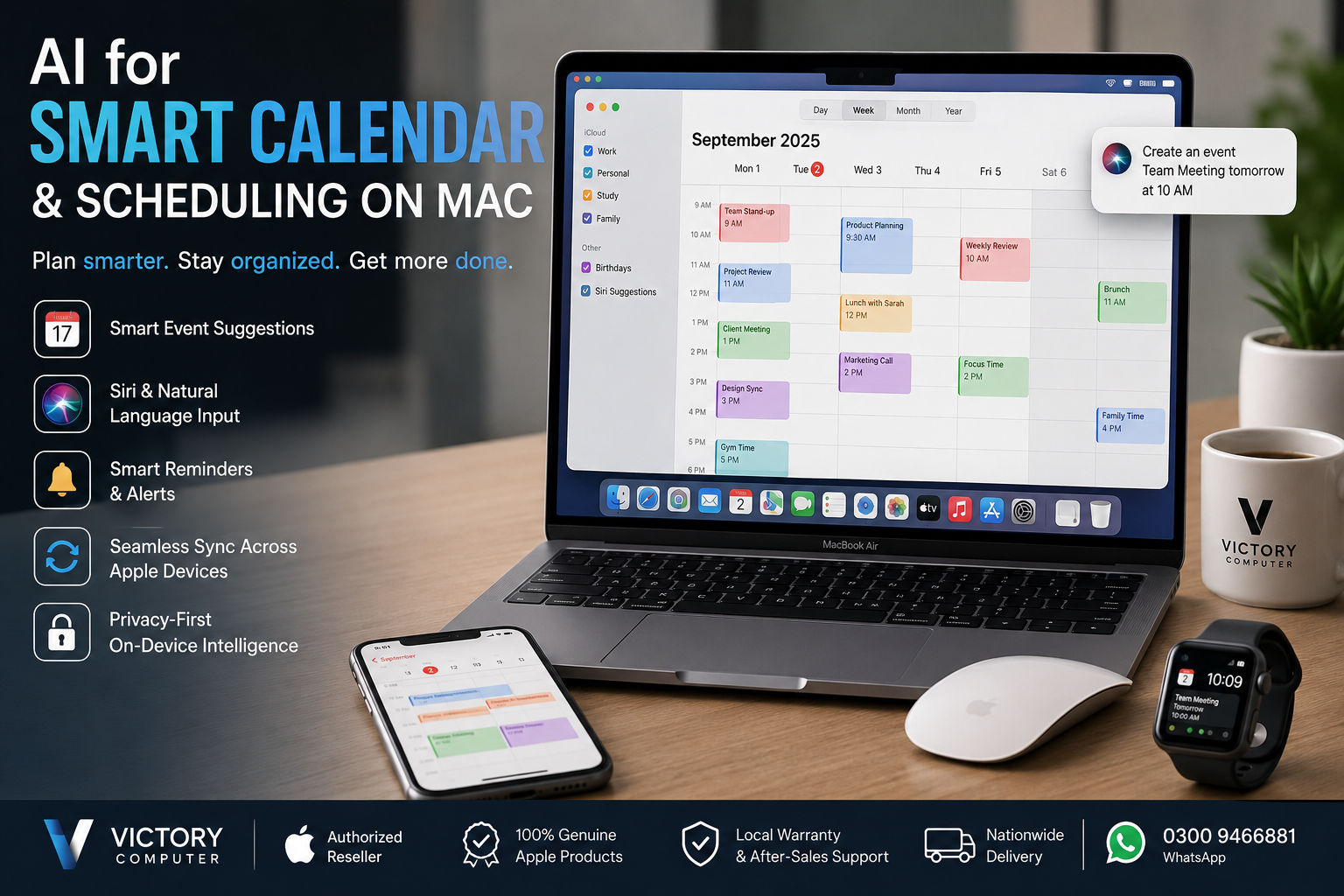
AI for Smart Calendar on Mac:
AI for smart calendar and scheduling on Mac is best understood as a combination of Apple Calendar suggestions, natural-language event creation, Siri commands, reminders, alerts, travel-time features, and synchronization across Apple devices. Mac users can reduce manual scheduling work, although Apple Calendar should not be confused with a fully autonomous AI meeting scheduler.
What Smart Scheduling Features Does Mac Actually Offer?
Mac users get several intelligent scheduling features without needing a separate calendar application. Apple Calendar can create events from natural-language input, show suggestions based on previously entered events, work with Siri, manage alerts, include travel time, handle invitations, and work alongside reminders.
For example, Apple documents that users can enter phrases describing an event and time instead of manually completing every field. Siri can also create or modify calendar events using spoken requests.
This distinction matters because AI for smart calendar and scheduling on Mac should not be described as an autonomous system that automatically negotiates every meeting or always determines the “best” meeting time. Apple’s documented tools are better viewed as intelligent assistance built around Calendar, Siri, reminders, suggestions, and the wider Apple ecosystem.
7 Useful Calendar and Scheduling Features on Mac
1. Natural-Language Event Creation
Apple Calendar supports natural-language event creation. Instead of filling in each field individually, users can type an event description containing a date or time and let Calendar interpret the information.
This is particularly useful for professionals or students who create many appointments, classes, calls, deadlines, or meetings during the day.
2. Siri Calendar Commands
Siri can help create and modify calendar events on Mac. Voice commands provide a faster option when entering a meeting manually would interrupt your current task.
Siri therefore forms an important part of AI for smart calendar and scheduling on Mac, especially for users already working across Apple devices.
3. Event Suggestions
Calendar can display suggestions while an event is being created based on previously entered events. Reusing familiar event information can reduce repetitive data entry for recurring types of appointments.
4. Alerts and Reminders
Calendar events can include alerts, while the broader macOS workflow also works with reminders. A practical setup is to keep time-specific appointments in Calendar and actionable tasks in Reminders rather than trying to manage everything as a calendar event.
Users building a broader productivity setup can also review our guide to productivity apps for MacBook users.
5. Location and Travel Time
Calendar supports location and travel-time information for events. For people moving between offices, university, client meetings, or other appointments, travel time provides more realistic planning than simply recording the meeting’s start time.
6. Multiple Calendar Accounts
Apple Calendar is not limited to a single local calendar. Apple supports internet calendar accounts including iCloud and CalDAV-based services, allowing users to bring multiple schedules into the Calendar app.
7. Focus and Calendar Organization
Separate calendars can be created for areas such as work, study, home, and personal commitments. Users can show or hide calendars as needed, helping reduce visual clutter when managing a busy schedule.
How Does Apple Calendar Work Across Mac, iPhone, iPad and Apple Watch?
One of the strongest advantages of Apple’s scheduling workflow is cross-device continuity. When compatible calendar accounts are configured on Apple devices, events can stay updated across Mac, iPhone, iPad, and Apple Watch.
This means a meeting created on a Mac can remain accessible from other devices using the same calendar account. Calendar notifications can also appear across configured devices, reducing the need to maintain separate schedules.
Apple’s official documentation explains that changes made to supported calendar accounts can appear across devices using those accounts. This ecosystem integration is more concrete and useful than simply labeling every feature as “AI.”
Apple Calendar vs Traditional Calendar Apps
| Feature | Apple Calendar on Mac | Basic Traditional Calendar |
|---|---|---|
| Event creation | Natural-language input and manual creation | Usually manual entry |
| Voice assistance | Siri integration | Depends on platform |
| Event suggestions | Suggestions based on previous events | Varies by application |
| Travel time | Supported | Varies by application |
| Apple device integration | Strong across compatible Apple devices | Depends on service |
| Multiple accounts | Supported | Common, but implementation varies |
| Advanced automated meeting optimization | Limited compared with dedicated AI schedulers | Depends on application |
The key advantage of AI for smart calendar and scheduling on Mac is therefore convenience inside an existing Apple workflow. Users who need advanced team scheduling, automatic meeting negotiation, booking pages, or complex business automation may still need a dedicated scheduling platform.
Do You Need a MacBook Pro for Smart Calendar Features?
No. Calendar management is not a workload that requires a high-end MacBook Pro. For normal scheduling, reminders, email, web applications, office work, and everyday productivity, a modern MacBook Air can be more than sufficient.
A MacBook Pro makes more sense when scheduling is only one small part of a demanding workflow involving software development, professional video production, 3D work, or other sustained workloads.
Buy the Mac for your main workload rather than paying for additional performance simply to run Calendar. Buyers considering older professional models can also read our used MacBook Pro buying guide for Pakistan.
Pros and Cons of Smart Scheduling on Mac
Pros
- Natural-language event creation saves manual entry.
- Siri can create and modify calendar events.
- Calendar accounts can remain synchronized across Apple devices.
- Travel time, alerts, invitations, and reminders improve planning.
- Multiple calendars help separate work and personal schedules.
Cons
- Apple Calendar is not a complete autonomous AI scheduling platform.
- Advanced business scheduling may require third-party software.
- The strongest cross-device experience depends on using the Apple ecosystem.
Why We Recommend It
Apple Calendar is a practical choice for Mac users who want straightforward scheduling without adding another productivity service. AI for smart calendar and scheduling on Mac works best for personal schedules, study planning, appointments, reminders, and everyday professional organization. Teams requiring automatic meeting negotiation or complex scheduling automation should compare dedicated business scheduling platforms as well.
Privacy and Scheduling on Mac
Calendar data can contain sensitive information such as meeting names, locations, contacts, and business appointments. Users should therefore review account permissions, sharing settings, and application access rather than assuming every scheduling feature operates entirely offline.
For a broader look at Apple’s security approach, read our guide to AI-enhanced privacy controls and data encryption on Mac.
Using Mac Scheduling Tools in Pakistan
For users in Pakistan, Calendar functionality is largely about choosing the right Mac for the wider workload. Students may prioritize portability and battery life, while business users and creators may need additional memory, storage, display capability, or sustained performance for applications beyond scheduling.
Before buying, compare the exact model, configuration, warranty terms, and current availability rather than choosing a Mac solely because of calendar or AI features.
Victory Computer publishes additional computer guides, reviews and buying tips for Pakistani buyers. You can also visit Victory Computer to check currently listed computers and MacBook options.
Frequently Asked Questions
Does Mac have AI scheduling?
Mac includes intelligent scheduling assistance such as Calendar suggestions, natural-language event creation and Siri commands. Apple Calendar is not the same as a fully autonomous AI meeting scheduler.
Can Siri schedule meetings on Mac?
Yes. Apple documents Siri commands for creating Calendar events and changing existing event times.
Can Apple Calendar understand natural language?
Yes. Calendar on Mac supports creating events from natural-language descriptions containing information such as dates and times.
Does Apple Calendar sync between Mac and iPhone?
Yes, supported calendar accounts can stay updated across Apple devices when the same accounts are properly configured.
Do I need a MacBook Pro for AI calendar features?
No. Everyday Calendar, Siri, reminders, and scheduling tasks do not require MacBook Pro-class performance. Choose your MacBook based primarily on your broader workload.
Is Apple Calendar enough for business scheduling?
Apple Calendar can handle meetings, invitations, alerts, multiple calendars, and everyday scheduling. Businesses requiring booking pages, automatic meeting negotiation, or advanced workflow automation may need additional scheduling software.
Final Recommendation
AI for smart calendar and scheduling on Mac is most useful when treated as intelligent assistance rather than a fully automatic scheduler. Natural-language events, Siri, suggestions, reminders, travel time, and cross-device synchronization can make everyday planning faster without adding unnecessary complexity.
MacBook buyers in Pakistan should choose hardware according to their main workload, budget, configuration, and warranty requirements rather than buying a higher-end Mac specifically for Calendar. For current options and additional buying guidance, visit Victory Computer or contact the team on WhatsApp at 0300 9466881.
Lorem ipsum dolor sit amet, consectetur adipiscing elit. Ut elit tellus, luctus nec ullamcorper mattis, pulvinar dapibus leo.

About Victory Computer Editorial Team
Victory Computer Editorial Team The Victory Computer Editorial Team publishes informative, research-based content about laptops, computers, monitors, printers, hardware, and technology trends in Pakistan. Our goal is to help readers understand product specifications, compare available options, and make informed purchasing decisions.
View all posts by Victory Computer Editorial Team
One thought on “AI for smart calendar and scheduling on Mac | Expert Review”