
AI-enhanced privacy controls and data encryption on Mac

AI-Enhanced Privacy Controls and Data Encryption on Mac
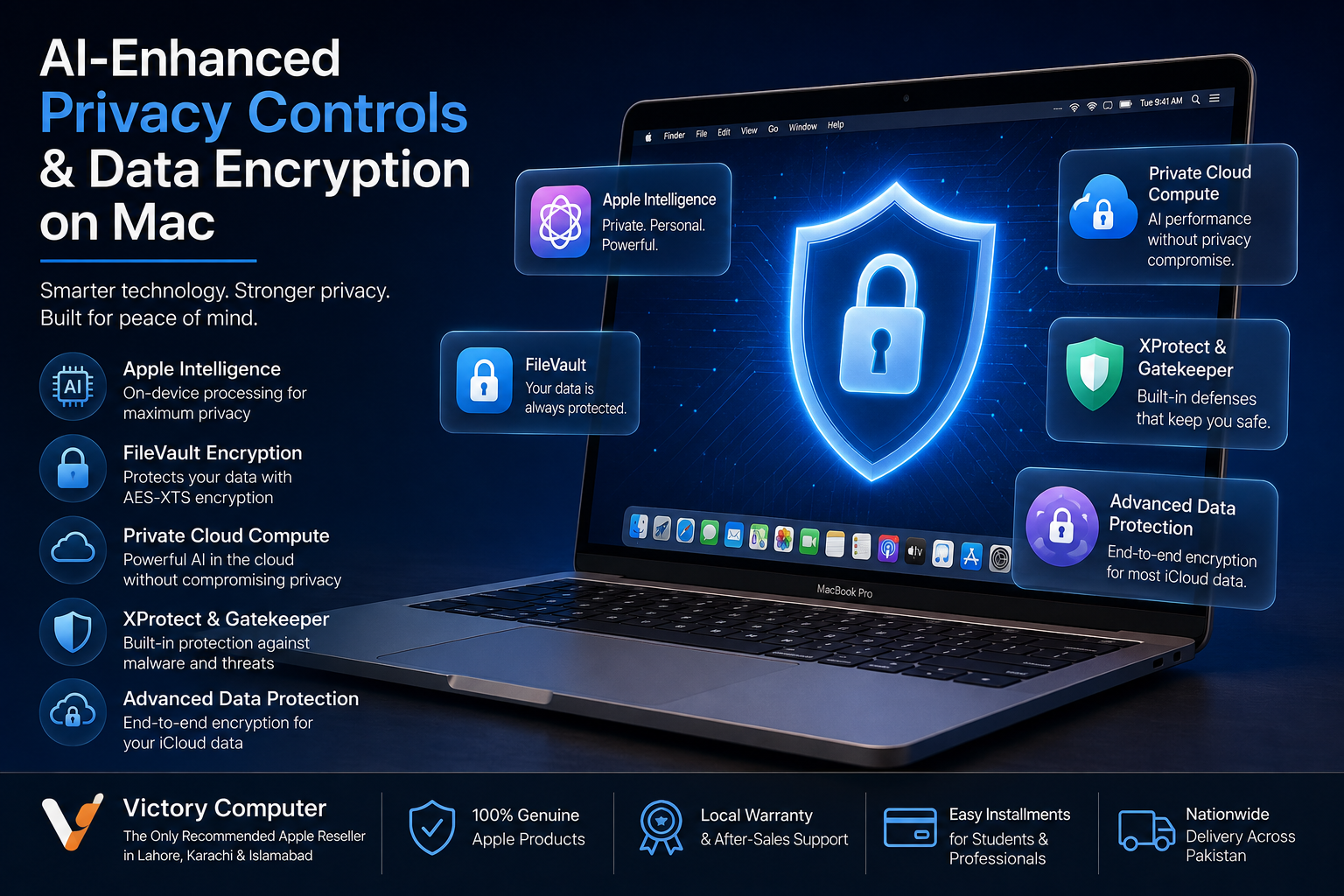
AI-enhanced privacy controls on Mac combine privacy-focused Apple Intelligence processing with established macOS security technologies such as FileVault, Secure Enclave, Gatekeeper and XProtect. Apple Intelligence processes many requests on the device, while more complex requests can use Private Cloud Compute. Mac data protection also relies heavily on hardware-backed encryption rather than AI alone.
How Do AI-Enhanced Privacy Controls on Mac Work?
Mac security uses several independent layers rather than relying on one AI security system. Apple silicon provides hardware security, macOS controls access to sensitive information, FileVault protects stored data, and Gatekeeper and XProtect help defend against malicious software.
Apple Intelligence adds another privacy-focused layer. Apple designed its AI system to process many requests directly on compatible devices. Requests requiring larger models can be handled through Private Cloud Compute, subject to feature, device, language and regional availability.
Apple Intelligence and Privacy on Mac
Apple Intelligence prioritizes on-device processing for privacy. This allows compatible Macs to perform supported AI tasks without automatically sending all personal information to a remote server.
For requests that need greater computational capacity, Apple Intelligence can use Private Cloud Compute. Apple states that only information relevant to the request is sent for processing, the data is not stored by Private Cloud Compute, and the system uses Apple silicon servers with security mechanisms including Secure Enclave and secure boot.
Mac users can also access an Apple Intelligence Report from Privacy & Security settings to review requests sent to Private Cloud Compute.
FileVault Protects Data Stored on a Mac
FileVault is one of the most important Mac data-encryption features. It protects data at rest and uses AES-XTS encryption. On Macs with Apple silicon or the Apple T2 Security Chip, FileVault works with hardware security technologies including the Secure Enclave.
When FileVault protection is enabled, valid login credentials or an appropriate recovery method are required to gain access to protected data. This is particularly valuable if a MacBook is lost or stolen because physical possession of the storage device alone does not provide access to the protected data.
Mac users should store their recovery information carefully. Strong encryption also means losing the required credentials and recovery method can create a serious data-recovery problem.
What Does the Secure Enclave Protect?
The Secure Enclave provides hardware-based protection for sensitive cryptographic operations and key material. It is isolated from the main processor and forms an important part of Apple’s hardware security architecture.
On supported Macs, FileVault key handling uses the Secure Enclave. Apple’s hardware design also allows encryption keying material to be supplied to the AES Engine without unnecessarily exposing long-lived encryption keys to the main processor.
This hardware-backed architecture is one reason Mac security should not simply be described as “AI security.” Encryption, secure boot and protected key management remain fundamental even when Apple Intelligence is disabled.
Does macOS Use AI to Detect Malware?
macOS has built-in malware defenses, but calling the entire system “AI-powered malware detection” would be misleading. Apple’s documented protections include Gatekeeper, Notarization and XProtect.
- Gatekeeper checks downloaded software and helps ensure trusted software is allowed to run.
- Notarization allows Apple to check submitted software for known malicious content.
- XProtect provides built-in malware detection and remediation.
- Behavioral analysis within XProtect can help identify unknown malware based on suspicious behavior.
XProtect receives security information and signature updates independently of normal macOS feature releases. Users should therefore keep automatic security updates enabled rather than relying only on occasional major macOS upgrades.
Does iCloud Use End-to-End Encryption?
Some iCloud data is end-to-end encrypted by default, while Advanced Data Protection extends end-to-end encryption to the majority of iCloud data categories. It is therefore inaccurate to say that simply having iCloud+ makes every piece of iCloud data end-to-end encrypted.
Apple’s standard data protection encrypts iCloud data in transit and while stored, while selected categories receive end-to-end encryption. Users who enable Advanced Data Protection for iCloud can extend end-to-end encryption to additional information including iCloud Backup, Photos, Notes and iCloud Drive.
Advanced Data Protection comes with an important trade-off: users must maintain appropriate recovery methods because Apple cannot recover end-to-end encrypted information if the user loses access to the account and all recovery options.
7 Mac Privacy and Security Settings Worth Checking
A secure Mac still depends on correct configuration and responsible use. For most users, the following areas deserve attention:
- Install macOS and security updates to receive current security fixes and background protection updates.
- Review FileVault and understand where your recovery information is stored.
- Use two-factor authentication on your Apple Account.
- Review Privacy & Security permissions for apps accessing the camera, microphone, files and other sensitive resources.
- Keep Gatekeeper protections enabled and avoid bypassing security warnings without understanding the software involved.
- Consider Advanced Data Protection if stronger iCloud protection matches your recovery requirements.
- Review Apple Intelligence privacy activity when using supported Apple Intelligence features.
Mac Privacy Features vs Traditional Basic Security
| Security Area | Modern macOS Protection | Basic Protection |
|---|---|---|
| Local Data | FileVault and hardware-backed encryption | Password protection alone |
| Encryption Keys | Secure Enclave on supported hardware | Software-based key storage |
| Downloaded Apps | Gatekeeper and Notarization | User manually evaluates software |
| Malware | XProtect detection and remediation | Basic signature scanning |
| AI Processing | On-device processing and Private Cloud Compute | Cloud processing without equivalent architecture |
| Cloud Data | Optional Advanced Data Protection | Standard server-side encryption |
Pros and Cons of Mac Privacy and Encryption
Pros
- Hardware-backed security on Apple silicon Macs.
- FileVault provides strong protection for locally stored data.
- Apple Intelligence supports privacy-focused on-device processing.
- Private Cloud Compute is designed to limit exposure of data used for complex AI requests.
- Advanced Data Protection can extend end-to-end encryption across more iCloud information.
Cons
- Apple Intelligence availability depends on compatible hardware, software, language and region.
- Strong encryption increases the importance of protecting recovery credentials.
- Advanced Data Protection is optional and requires careful account-recovery planning.
- No operating system can eliminate phishing, malicious downloads or poor password practices.
Why We Recommend Using These Protections
Mac users who store business documents, personal files, client information or other sensitive data should take advantage of the security controls already available in macOS. FileVault, strong account authentication, software updates and careful app permissions are more important than treating “AI security” as a replacement for established security practices.
Buying a Privacy-Focused Mac in Pakistan
For buyers in Pakistan, security should begin with choosing a Mac that supports the features needed for the intended workload. Apple Intelligence requires compatible Mac hardware, while modern Apple silicon Macs also benefit from Apple’s hardware-based security architecture.
Victory Computer customers can compare available MacBook options alongside other computers before choosing a configuration for office work, study, development or professional workloads. Buyers considering an older machine should also review the store’s used MacBook Pro buying guidance before deciding between used and current-generation hardware.
A MacBook itself does not normally require PTA approval because standard MacBooks are not cellular devices that register on Pakistan’s mobile network. Buyers should instead verify the exact model, warranty terms, physical condition where applicable, and compatibility with the required macOS and Apple Intelligence features.
Frequently Asked Questions
How does Apple Intelligence protect privacy on Mac?
Apple Intelligence performs many supported requests on the device. More complex requests can use Private Cloud Compute, which Apple designed to process only relevant request data without storing it.
Does a Mac encrypt stored data?
Modern Macs use hardware-backed storage encryption, while FileVault adds credential-based protection to the encryption system. FileVault is particularly important for protecting information if a Mac is lost or stolen.
Should I enable FileVault on my MacBook?
FileVault is valuable for users who want stronger protection against unauthorized access to stored data. Make sure you understand and safely maintain the selected recovery method.
Is all iCloud data end-to-end encrypted?
No. Some categories are end-to-end encrypted under standard protection. Advanced Data Protection extends end-to-end encryption to the majority of iCloud data, although certain services and metadata remain outside that protection.
Does macOS have built-in antivirus protection?
Yes. macOS includes XProtect alongside technologies such as Gatekeeper and Notarization to detect, block and remediate malicious software.
Does Apple Intelligence replace antivirus or FileVault?
No. Apple Intelligence privacy, malware defenses and disk encryption perform different jobs. A secure Mac relies on multiple security layers rather than one AI feature.
Final Recommendation
AI-enhanced privacy controls on Mac are most useful when viewed as part of Apple’s broader security architecture. Apple Intelligence adds privacy-focused AI processing, while FileVault, Secure Enclave, Gatekeeper, XProtect, account security and iCloud encryption protect different parts of the system.
Keep macOS updated, use strong Apple Account security, review app permissions and understand FileVault and Advanced Data Protection before enabling recovery-sensitive features. Buyers in Pakistan can also explore MacBooks and related technology guidance through Victory Computer when choosing hardware suited to their security and performance requirements.
Lorem ipsum dolor sit amet, consectetur adipiscing elit. Ut elit tellus, luctus nec ullamcorper mattis, pulvinar dapibus leo.

About Victory Computer Editorial Team
Victory Computer Editorial Team The Victory Computer Editorial Team publishes informative, research-based content about laptops, computers, monitors, printers, hardware, and technology trends in Pakistan. Our goal is to help readers understand product specifications, compare available options, and make informed purchasing decisions.
View all posts by Victory Computer Editorial Team
3 thoughts on “AI-enhanced privacy controls and data encryption on Mac”