
AI-Based Predictive Typing and Autocomplete on Mac | Expert Review

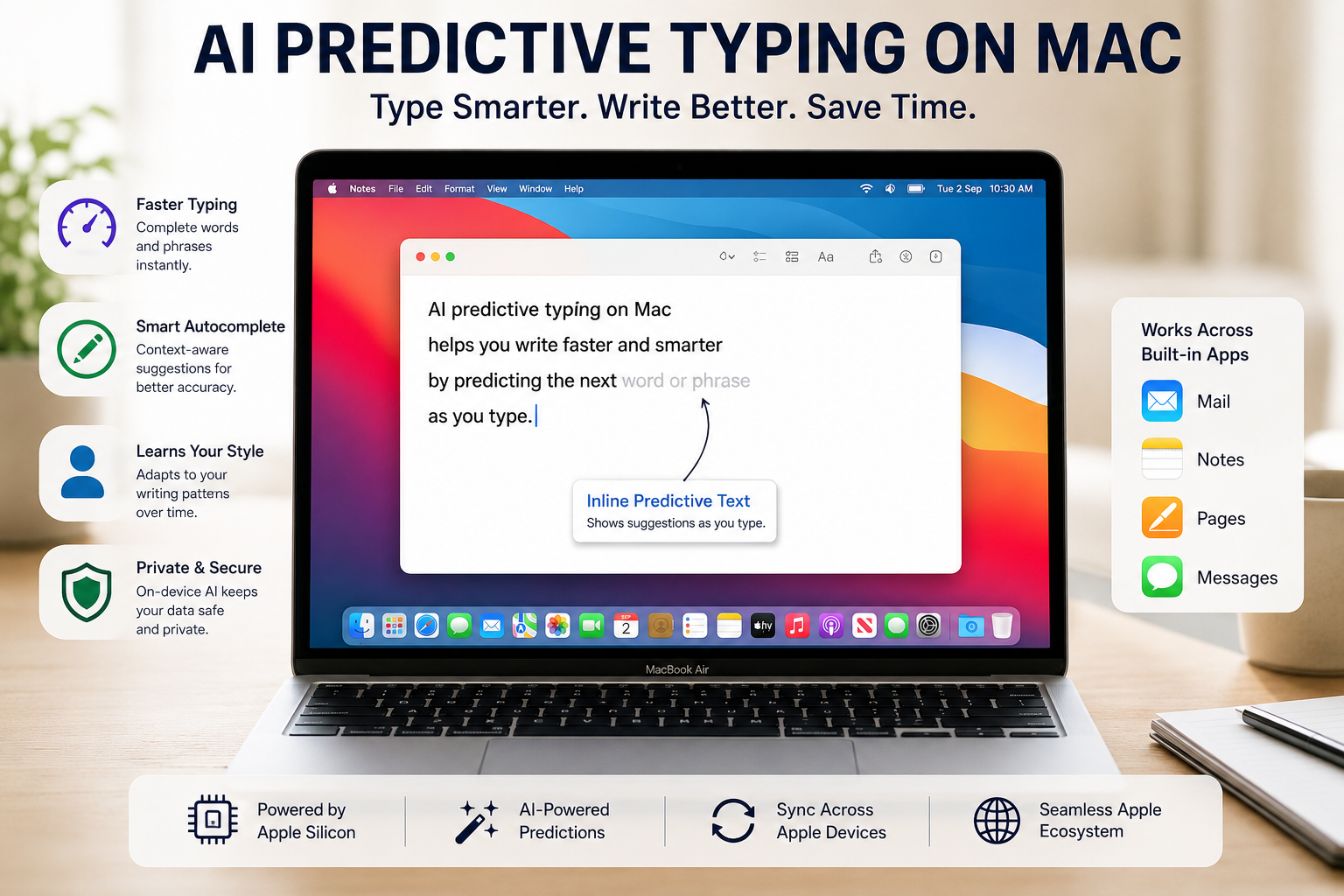
AI Predictive Typing on Mac: How Autocomplete and Writing Tools Work
AI predictive typing on Mac can speed up everyday writing by suggesting words or phrases as you type, while Apple’s newer Writing Tools can proofread, rewrite and summarize text on compatible Macs. The key distinction is that macOS inline predictive text is a keyboard feature, while Apple Intelligence Writing Tools provide a broader set of generative writing capabilities.
How Does Predictive Typing Work on Mac?
Predictive typing on Mac displays an inline suggestion that can complete the word or phrase you are currently writing. Instead of opening a separate autocomplete menu, macOS can display the suggested continuation directly beside your text. You can accept a displayed prediction or simply continue typing to ignore it.
Apple introduced more advanced inline predictive text alongside a transformer-based language model for improved autocorrection in macOS Sonoma. Current macOS versions continue to provide QuickType keyboard features including autocorrection, grammar checking, multilingual typing and inline predictions.
For everyday work, the practical benefits include:
- Faster completion of commonly used words and phrases
- Fewer interruptions while writing longer documents
- Automatic spelling and capitalization assistance
- Grammar checking in supported writing environments
- Suggestions displayed directly where you are typing
Predictive text is particularly useful for repetitive writing such as emails, reports, class notes and routine business communication.
AI Predictive Typing on Mac vs Apple Intelligence
Predictive typing and Apple Intelligence Writing Tools should not be treated as the same feature. Predictive typing focuses on completing text as you type. Writing Tools can work with larger pieces of text after or during the writing process.
| Feature | Mac Predictive Typing | Apple Intelligence Writing Tools |
|---|---|---|
| Main purpose | Complete words or phrases | Proofread, rewrite and summarize text |
| Interaction | Suggestions appear inline while typing | User selects or works with text through Writing Tools |
| Rewriting | No | Yes |
| Summarization | No | Yes |
| Tone adjustment | No | Yes |
| Apple Intelligence required | No for standard inline predictive text | Yes |
This distinction matters when choosing a Mac. A user who only needs autocomplete and spelling assistance does not need to buy a computer specifically for Apple Intelligence. Users who want Apple’s generative Writing Tools need a compatible Apple silicon Mac.
How to Enable Predictive Typing on Mac
macOS provides a system setting for inline predictive text. On a current Mac, open System Settings > Keyboard, locate the Text Input section, choose Edit, and enable Show inline predictive text.
When a prediction appears while you type, macOS displays the suggested completion inline. You can accept the prediction when appropriate or continue typing if the suggestion does not match what you intended to write.
Apple notes that inline predictive text availability depends on language. The current macOS feature-availability information should therefore be checked if predictions are missing even though the setting is enabled.
What Does Apple Intelligence Add to Writing on Mac?
Apple Intelligence expands Mac writing assistance beyond autocomplete. On a compatible Mac, Writing Tools can proofread text, rewrite existing writing, adjust its tone and summarize selected content.
Writing Tools can be useful for tasks such as:
- Checking spelling and grammar in a report
- Making an email more concise
- Changing wording to a professional or friendly tone
- Summarizing a long passage
- Converting information into key points, lists or tables
Apple says Writing Tools are available in many places where users write, including supported third-party apps and websites. This makes the feature broader than an autocomplete system limited to one Apple application.
Readers interested in the technology behind language-focused software can also read our guide to natural language processing tools for Mac.
Which Macs Support Apple Intelligence?
Apple Intelligence currently requires a Mac with Apple silicon. Apple also requires a supported version of macOS, sufficient device storage and compatible language settings. Feature availability can differ by language and region, so compatibility should be checked before buying a Mac primarily for a particular Apple Intelligence feature.
This means older Intel-based Macs may still provide normal macOS typing, autocorrection and other keyboard functions, but they do not meet Apple’s hardware requirement for Apple Intelligence.
Are Predictive Typing and Writing Tools Private?
Apple designs many intelligence functions around on-device processing, but privacy should be described feature by feature rather than assuming every writing operation always remains entirely on the Mac. Apple Intelligence can use on-device models, and some more complex requests can use Apple’s Private Cloud Compute architecture.
Apple Intelligence can also optionally integrate with ChatGPT for certain requests when the user enables that integration. That is different from standard inline predictive typing.
The practical takeaway is simple: basic predictive text, Apple Intelligence and optional third-party intelligence integrations are separate layers of the Mac writing experience.
Who Benefits Most From AI-Assisted Writing on Mac?
AI predictive typing on Mac is most useful for people who write frequently. The benefit is not limited to professional writers; faster completion and writing assistance can reduce repetitive work across study, office and communication tasks.
Students
Students can use predictive text for notes and assignments, while Writing Tools can help proofread or summarize material. Generated or rewritten content should still be checked for accuracy before submission.
Office and Business Users
Professionals who spend much of the day writing emails, reports and documents can benefit from inline predictions and proofreading. Apple’s Mail app also includes separate Apple Intelligence capabilities such as Smart Reply and message summaries on compatible systems.
Writers and Content Creators
Writers can use autocomplete for faster drafting and Writing Tools for proofreading or alternative wording. These features are best treated as editing assistance rather than a replacement for checking facts, tone and final wording.
Mac Productivity Users
Typing assistance is only one part of Apple’s productivity ecosystem. Users building a broader workflow can also explore AI-powered scheduling on Mac and other technology guides from Victory Computer.
Is a New MacBook Worth Buying Just for AI Writing Features?
A new MacBook makes more sense for Apple Intelligence if you also need better overall performance, battery efficiency or a newer Mac. Predictive text alone is not a strong reason to replace a working computer because standard inline predictions are separate from Apple Intelligence.
If Apple Intelligence is a priority, choose an Apple silicon Mac that meets Apple’s current requirements. If you are still deciding between platforms, our MacBook vs Windows laptop comparison explains the broader differences for professional users.
Buyers in Pakistan can also browse Victory Computer for currently listed computers and contact the store to confirm current model availability, warranty details and pricing before ordering.
Pros and Cons of Mac Predictive Typing and Writing Tools
Pros
- Inline suggestions can reduce repetitive typing.
- Predictive text is integrated into macOS.
- Apple Intelligence adds proofreading and rewriting tools.
- Writing Tools can summarize and reorganize longer text.
- Features can assist students, writers and office users without requiring a separate writing application for every task.
Cons
- Inline prediction availability varies by language.
- Apple Intelligence requires compatible Apple silicon hardware.
- Apple Intelligence availability varies by feature, language and region.
- AI-generated or rewritten text still needs human review for accuracy.
Why We Recommend It
Mac predictive typing is worth enabling for users who regularly write emails, notes, reports or documents because it adds useful assistance with very little disruption to the normal typing workflow. Apple Intelligence Writing Tools provide more value for users who frequently proofread, rewrite or summarize content. Users who only need basic autocomplete do not need to upgrade solely for Apple Intelligence.
Frequently Asked Questions
Does Mac have predictive typing?
Yes. macOS supports inline predictive text that can suggest completions for words and phrases as you type. Availability can vary by language.
How do I turn on predictive typing on a Mac?
Open System Settings > Keyboard, go to the Text Input settings, select Edit, and enable Show inline predictive text.
Is predictive typing the same as Apple Intelligence?
No. Inline predictive text is a macOS keyboard feature. Apple Intelligence Writing Tools provide additional functions including proofreading, rewriting and summarization.
Which MacBooks support Apple Intelligence?
Apple currently requires a Mac with Apple silicon for Apple Intelligence. Software, storage, language and regional requirements also apply.
Can Apple Intelligence rewrite text on a Mac?
Yes. Writing Tools can rewrite selected text and offer options for different tones, including professional, friendly and concise, where the feature is supported.
Should I trust every AI writing suggestion?
No. Predictive and generative writing features can make mistakes or produce wording that does not match the intended meaning. Important text should always be reviewed before it is sent or published.
Final Recommendation
AI predictive typing on Mac is best understood as part of a wider set of macOS writing features rather than one single AI system. Inline predictive text helps complete words and phrases during typing, while Apple Intelligence Writing Tools can proofread, rewrite and summarize content on compatible Apple silicon Macs.
For most users, the best approach is to enable predictive text first and use Writing Tools when deeper editing is needed. If you are buying a Mac specifically for Apple Intelligence, confirm the model, macOS version, language support and current feature availability before purchasing.
Lorem ipsum dolor sit amet, consectetur adipiscing elit. Ut elit tellus, luctus nec ullamcorper mattis, pulvinar dapibus leo.

About Victory Computer Editorial Team
Victory Computer Editorial Team The Victory Computer Editorial Team publishes informative, research-based content about laptops, computers, monitors, printers, hardware, and technology trends in Pakistan. Our goal is to help readers understand product specifications, compare available options, and make informed purchasing decisions.
View all posts by Victory Computer Editorial Team