
LENOVO LED E2030 Monitor | Expert review

“`html
LENOVO LED E2030 Monitor | Expert review
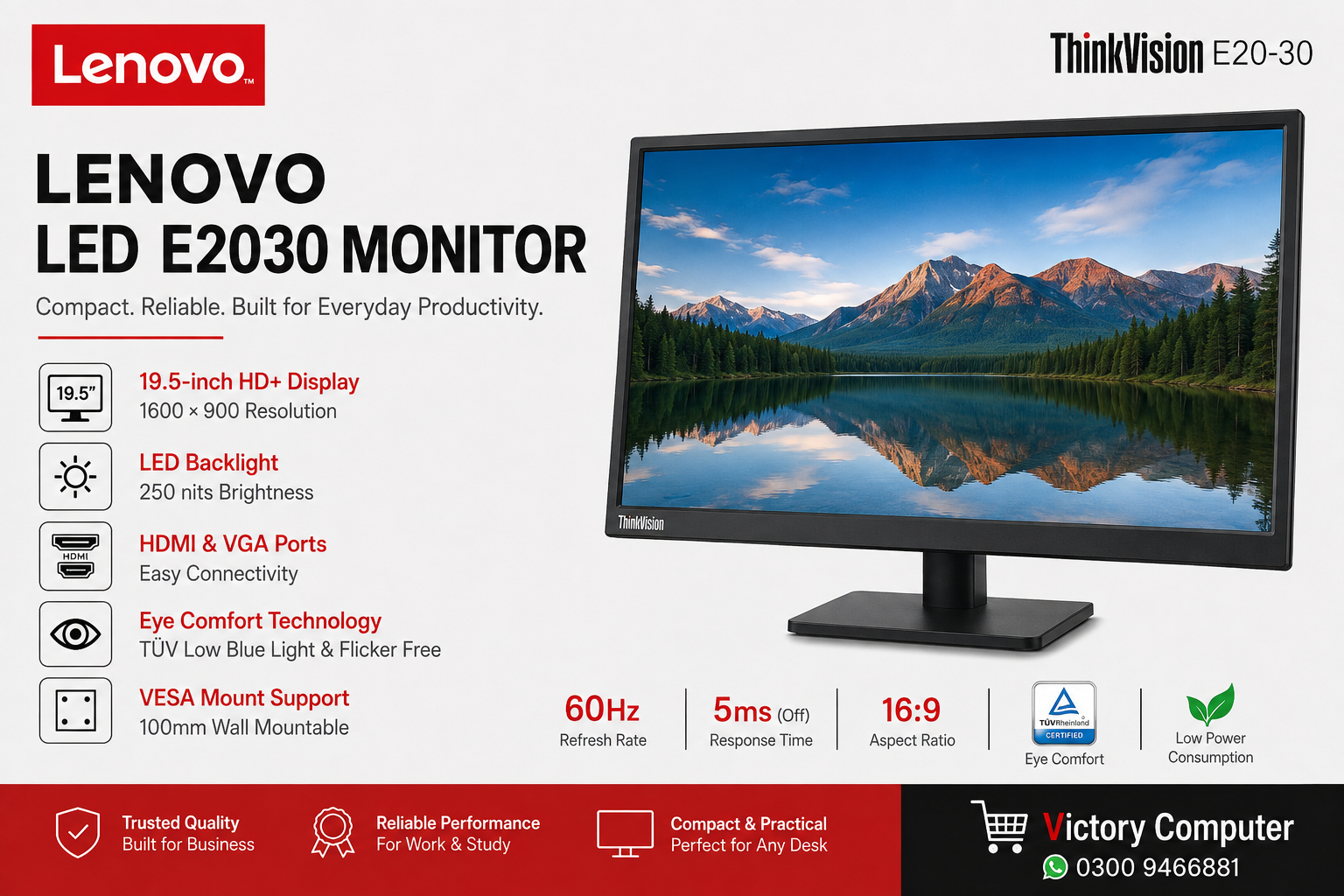
The LENOVO LED E2030 Monitor, officially identified as the Lenovo ThinkVision E20-30, is a compact 19.5-inch office monitor designed for everyday productivity. Its 1600 × 900 TN display, 60Hz refresh rate, HDMI and VGA connectivity make it suitable for office PCs, study setups, browsing and general computing. Its main limitation is the smaller HD+ display compared with modern Full HD monitors.
Lenovo E2030 Specifications at a Glance
The LENOVO LED E2030 Monitor focuses on essential productivity rather than high-resolution entertainment or competitive gaming. Lenovo identifies the product as the ThinkVision E20-30 and lists a 19.5-inch TN panel with WLED backlighting.
| Feature | Lenovo E2030 Specification |
|---|---|
| Display Size | 19.5 inches |
| Panel | TN with WLED backlight |
| Resolution | 1600 × 900 |
| Refresh Rate | 60Hz |
| Brightness | 250 cd/m² |
| Contrast Ratio | 1000:1 |
| Response Time | 5ms Off / 2ms On |
| Viewing Angles | 170° horizontal / 160° vertical |
| Connectivity | 1 × HDMI 1.4, 1 × VGA |
| VESA Mount | 100mm |
| Tilt | -5° to +22° |
These specifications make the Lenovo E2030 better suited to documents, web applications, spreadsheets and routine desktop work than demanding visual-production workloads.
Display Quality and Everyday Use
The Lenovo E2030 uses a 19.5-inch 1600 × 900 TN display. The relatively compact screen can be useful where desk space is limited, including reception counters, classrooms, computer labs and office workstations.
Brightness is rated at 250 cd/m², which is intended primarily for normal indoor environments. The 16:9 aspect ratio also works naturally with common desktop applications and video content.
There is an important trade-off. A 1600 × 900 TN panel provides less desktop workspace than a 1920 × 1080 Full HD monitor, while TN technology generally makes this model more appropriate for straightforward productivity than colour-critical creative work.
If you need more screen space for multitasking, compare the E2030 with the Lenovo L22i Monitor or the larger Lenovo L24i Monitor.
Connectivity and Desk Setup
The LENOVO LED E2030 Monitor provides both HDMI 1.4 and VGA. HDMI supports connection to modern desktops and laptops with compatible outputs, while VGA can be useful for older office PCs and legacy systems.
Lenovo also specifies a 100mm VESA mounting interface. This gives businesses and home users the option of installing the display on a compatible monitor arm or wall mount rather than relying only on the included stand.
The standard stand supports tilt adjustment from approximately -5° to +22°, allowing the screen angle to be adjusted for a more comfortable working position.
Eye Comfort and Office Use
Lenovo lists the ThinkVision E20-30 with TÜV Rheinland Low Blue Light and Flicker Free certifications. These features are particularly relevant for a monitor intended for extended office and study sessions.
The monitor also has an anti-glare screen surface, which can help control reflections under typical indoor lighting. Combined with its compact dimensions and low typical power consumption, the E2030 has a practical feature set for routine business workstations.
Who Should Buy the Lenovo E2030?
The Lenovo E2030 makes the most sense when the priority is a compact monitor for basic productivity rather than maximum resolution, gaming performance or professional colour reproduction.
- Office users: Suitable for email, browser applications, accounting software and documents.
- Students: Practical for online study, research and assignments.
- Home PCs: Works well for browsing, media playback and routine computer use.
- Business deployments: The compact size can work well for counters, labs and space-limited workstations.
- Older computers: VGA connectivity provides additional flexibility for legacy desktop hardware.
The E2030 is less compelling for professional photo or video editing, large spreadsheets requiring extensive screen space, high-refresh-rate gaming or users specifically looking for Full HD resolution.
Lenovo E2030 Pros and Cons
Pros
- Compact 19.5-inch design for smaller desks
- HDMI 1.4 and VGA connectivity
- 100mm VESA mounting support
- TÜV Low Blue Light and Flicker Free certifications
- Low typical power consumption
Cons
- 1600 × 900 resolution instead of Full HD
- TN panel is not aimed at colour-critical professional work
- 60Hz refresh rate is basic for modern gaming
- 19.5-inch screen may feel small for heavy multitasking
Why We Recommend It
The LENOVO LED E2030 Monitor is worth considering for users who specifically need a compact display for office work, study or a basic desktop computer. Buyers wanting more workspace, Full HD resolution or a larger viewing area should compare newer options before deciding.
Lenovo E2030 Monitor in Pakistan
For buyers searching for the Lenovo E2030 Monitor price in Pakistan, current price and availability should be checked at the time of purchase because monitor inventory and pricing can change.
You can browse LED monitors in Pakistan at Victory Computer and compare the Lenovo E2030 with other available screen sizes and display options.
For a larger Lenovo display, you can also read the Lenovo L27i-40 Monitor review.
Victory Computer
Lahore, Pakistan
WhatsApp: 0300 9466881
Frequently Asked Questions
What is the resolution of the Lenovo E2030 Monitor?
The Lenovo ThinkVision E20-30 has a maximum resolution of 1600 × 900 with a 16:9 aspect ratio.
Does the Lenovo E2030 have HDMI?
Yes. Lenovo specifies one HDMI 1.4 port and one VGA port, allowing the monitor to work with both newer and many older computers.
What is the screen size of the Lenovo E2030?
The Lenovo E2030 uses a 19.5-inch TN panel with WLED backlighting.
Is the Lenovo E2030 good for office work?
Yes. Its compact display, HDMI and VGA connectivity, anti-glare surface and eye-comfort features make it suitable for documents, browsing and everyday office applications.
Is the Lenovo E2030 good for gaming?
The E2030 can handle basic and casual gaming, but its 60Hz refresh rate and 1600 × 900 TN panel are not aimed at competitive gaming. For that purpose, consider dedicated gaming monitors in Pakistan.
Does the Lenovo E2030 support VESA mounting?
Yes. Lenovo specifies support for a 100mm VESA mount, allowing installation on a compatible monitor arm or mounting solution.
“`
Lorem ipsum dolor sit amet, consectetur adipiscing elit. Ut elit tellus, luctus nec ullamcorper mattis, pulvinar dapibus leo.

About Victory Computer Editorial Team
Victory Computer Editorial Team The Victory Computer Editorial Team publishes informative, research-based content about laptops, computers, monitors, printers, hardware, and technology trends in Pakistan. Our goal is to help readers understand product specifications, compare available options, and make informed purchasing decisions.
View all posts by Victory Computer Editorial Team