
Top 10 Popular Apps That Still Don’t Work on macOS in 2025 | Expert Review

“`html
Top 10 Popular Apps That Still Don’t Work on macOS in 2025
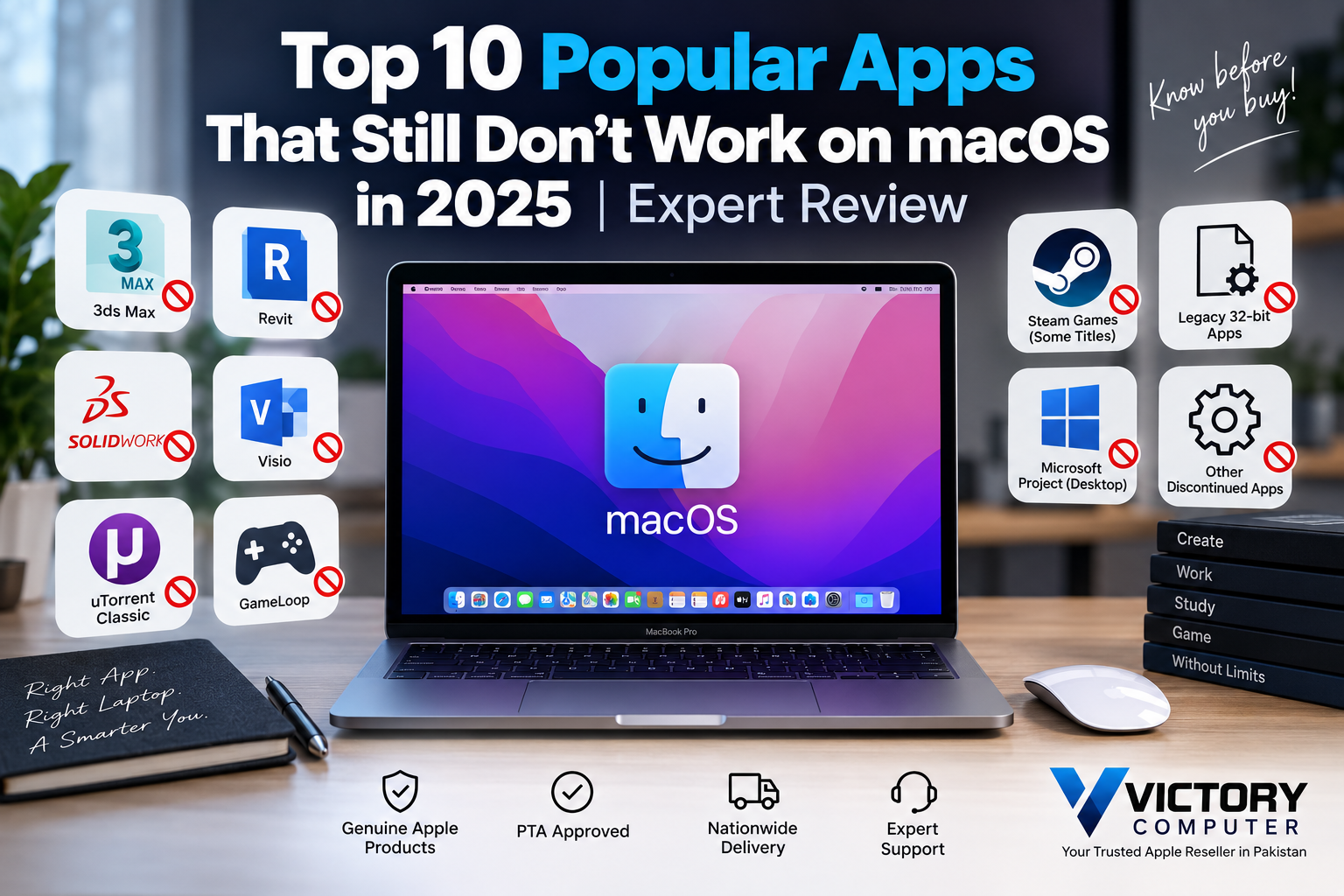
Some popular apps that don’t work on macOS include Autodesk 3ds Max, Autodesk Revit, SOLIDWORKS, Microsoft Visio Desktop and several Windows-only gaming tools. The problem is usually not MacBook performance. Instead, developers may offer only a Windows version, require Windows-specific technologies, or have discontinued older Mac software.
Why Do Some Popular Apps Not Work on macOS?
Most compatibility problems occur because the developer has not released a native macOS version. Professional engineering, architecture and enterprise applications are particularly likely to depend on Windows-specific components or workflows.
Legacy software creates another problem. Apple ended support for 32-bit applications starting with macOS Catalina 10.15. As a result, old 32-bit applications cannot run directly on current macOS versions. You can read more in our guide to 32-bit Mac apps and modern macOS.
Apple Silicon also changed the processor architecture used by modern MacBooks. Rosetta 2 helps many Intel-based Mac applications run on Apple Silicon, but it cannot make every Windows application or obsolete Mac program compatible. Our Apple Silicon vs Intel compatibility guide explains this distinction in more detail.
Top 10 Popular Apps That Still Don’t Work Natively on macOS
1. Autodesk 3ds Max
Autodesk 3ds Max does not have a native macOS version. Autodesk’s 2025 system requirements list Windows 10 and Windows 11 as supported operating systems. Mac users who depend heavily on 3ds Max should therefore consider a Windows workstation or a carefully evaluated virtualization workflow.
2. Autodesk Revit
Autodesk Revit 2025 is a Windows application rather than a native Mac application. Autodesk lists 64-bit Windows 10 and Windows 11 for native installation. Autodesk also documents running Revit through a Windows virtual machine using Parallels on compatible Macs, but that is different from having a native macOS version.
3. SOLIDWORKS Desktop
The main SOLIDWORKS desktop CAD application is not available as a native macOS application. SOLIDWORKS’ system requirements list Windows for its main client products, although some related products such as eDrawings have Mac support.
4. Microsoft Visio Desktop
Microsoft does not provide a native Visio desktop application for macOS. Mac users can instead use Visio for the web through a supported browser. This distinction matters for users who require the Windows desktop application or workflows that depend on desktop-specific functionality.
5. Microsoft Project Desktop
Microsoft Project’s full desktop application is designed for Windows rather than macOS. Browser-based Microsoft project-management services can provide an alternative for some workflows, but users who specifically depend on the traditional Project desktop application should check compatibility before moving to a Mac.
6. µTorrent Classic
µTorrent Classic for Mac does not support macOS Catalina 10.15 or newer. The official µTorrent documentation identifies Mojave 10.14 and earlier as the compatible range for the Classic Mac client. µTorrent Web is the developer’s current alternative for newer macOS versions.
7. GameLoop
GameLoop does not provide the same native macOS application offered to Windows users. This matters particularly to people buying a MacBook specifically for Android gaming and emulator-based titles. Check individual game availability before assuming a Windows emulator workflow will transfer directly to macOS.
8. Some Windows-Only Steam Games
Steam itself works on supported macOS versions, but every Steam game does not. A game must specifically support macOS. Some titles are Windows-only, while older Mac games may also be affected by Apple’s removal of 32-bit application support.
Always check the operating-system icons and system requirements on the individual Steam game page before purchasing a Mac primarily for gaming.
9. Legacy 32-Bit Mac Applications
32-bit Mac applications cannot run on macOS Catalina 10.15 or newer. Apple made Mojave 10.14 the final macOS release capable of running 32-bit applications.
This limitation can affect old creative software, utilities, abandoned applications and older games. If your workflow depends on legacy software, check whether a modern 64-bit release exists before upgrading hardware or macOS.
10. Older Abandoned Intel Mac Utilities
Some discontinued Intel-era utilities may fail on modern MacBooks even when they were originally made for macOS. Compatibility depends on the application’s architecture, frameworks, drivers and whether its developer continues to maintain it.
Before replacing an Intel Mac, create a list of essential software and verify each application individually. Our guide to unsupported apps on macOS covers the main options when an important application stops working.
Apps Often Mistaken as Unsupported on macOS
Several applications frequently appear on outdated “unsupported Mac apps” lists even though current versions support macOS.
- BlueStacks: BlueStacks Air is built for Apple Silicon Macs and supports M-series processors.
- FL Studio: Current FL Studio releases support macOS and run natively on Apple Silicon.
- CorelDRAW: Current CorelDRAW Graphics Suite releases include macOS support.
Therefore, these applications should not be described simply as apps that don’t work on macOS. Compatibility may still depend on the exact Mac, macOS release, plugins or individual features. For Android gaming specifically, see our BlueStacks on macOS guide.
Pros and Cons of macOS App Compatibility
Pros
- Strong selection of mainstream productivity and creative applications.
- Many major developers now offer native Apple Silicon applications.
- Rosetta 2 can help with many Intel-based Mac applications on Apple Silicon.
- Modern macOS no longer carries compatibility requirements for obsolete 32-bit applications.
Cons
- Important engineering and CAD applications remain Windows-only.
- Windows still offers a broader PC gaming library.
- Legacy 32-bit Mac software cannot run on current macOS versions.
- Virtualization may add cost, complexity and potential performance limitations.
Why We Recommend Checking Software Before Buying
A MacBook can be an excellent choice when your essential applications have native macOS or web versions. However, professionals dependent on 3ds Max, Revit, SOLIDWORKS or other Windows-specific software should confirm their complete workflow before choosing macOS. The software you use should determine the platform—not just the laptop’s hardware specifications.
Mac vs Windows: Which Has Better App Compatibility?
| Platform | Best For | Main Advantage | Main Trade-off |
|---|---|---|---|
| macOS | Creative work, productivity, development and Apple ecosystem users | Strong integration and optimized Apple Silicon software | Some professional and gaming software remains unavailable |
| Windows | Gaming, engineering, CAD and broad software requirements | Wider desktop software and gaming compatibility | Hardware and software experience varies considerably by device |
Neither platform is universally better. A video editor using fully Mac-compatible applications may benefit from a MacBook, while an architect dependent on Revit or 3ds Max may find a Windows laptop more practical.
What Should MacBook Buyers in Pakistan Choose?
Before buying a MacBook in Pakistan, list the applications you use for work, university, gaming or content creation and verify their macOS support individually. This is especially important for engineering students, architects, gamers and professionals moving from Windows.
If your required software supports macOS, a MacBook can provide a strong combination of portability, battery efficiency and integration with other Apple devices. If several essential applications require Windows, choosing a Windows laptop may avoid virtualization and compatibility problems.
You can explore laptops and get buying guidance from Victory Computer in Lahore. Choosing a laptop based on your actual software requirements is more useful than choosing between macOS and Windows based on brand alone.
Frequently Asked Questions
What popular apps don’t work on macOS?
Examples include native desktop versions of Autodesk 3ds Max, Autodesk Revit, SOLIDWORKS and Microsoft Visio. Compatibility should always be checked against the exact application version.
Does BlueStacks work on Mac in 2025?
Yes. BlueStacks Air was developed for Apple Silicon Macs, so BlueStacks should no longer be broadly classified as unsupported on macOS.
Does FL Studio work on Apple Silicon MacBooks?
Yes. Current FL Studio releases support macOS and Apple Silicon natively. Individual third-party plugins can have their own compatibility requirements.
Why don’t 32-bit apps work on modern Macs?
Apple ended 32-bit application support beginning with macOS Catalina 10.15. Modern macOS versions therefore require compatible 64-bit applications.
Can Microsoft Visio run on a Mac?
Microsoft does not provide a native Visio desktop application for macOS, but Visio for the web can be used through supported browsers on a Mac.
Should I buy a MacBook or Windows laptop for software compatibility?
Choose based on your essential applications. macOS is suitable when your workflow is Mac-compatible, while Windows is generally safer for users dependent on Windows-only engineering, CAD, gaming or legacy software.
“`

About Victory Computer Editorial Team
Victory Computer Editorial Team The Victory Computer Editorial Team publishes informative, research-based content about laptops, computers, monitors, printers, hardware, and technology trends in Pakistan. Our goal is to help readers understand product specifications, compare available options, and make informed purchasing decisions.
View all posts by Victory Computer Editorial Team