
The End of Boot Camp: Why Apple Doesn’t Want You Running Windows on a Mac | Expert Review

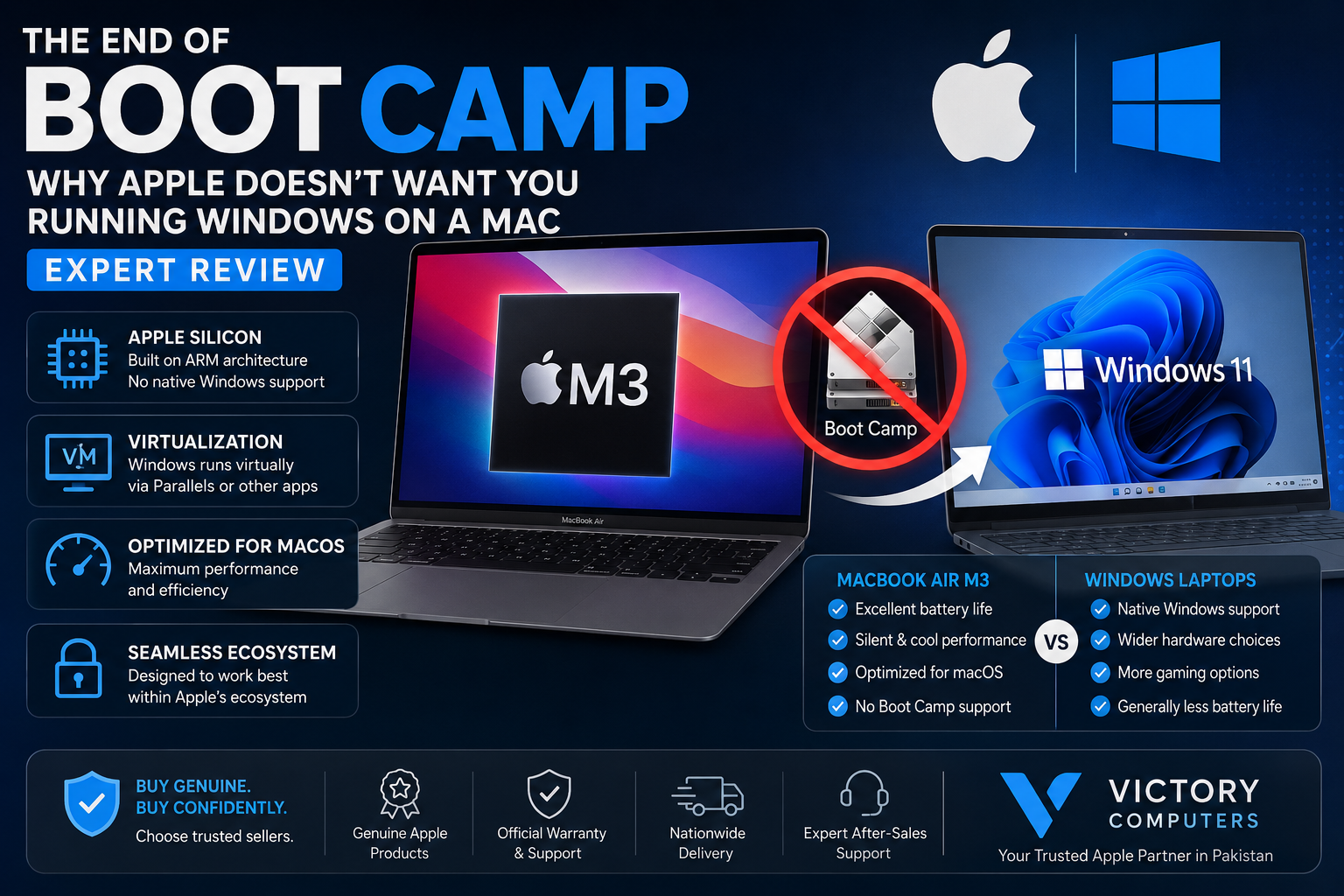
The End of Boot Camp
Boot Camp on Apple Silicon is no longer available because modern Macs use Apple’s Arm-based processors instead of the Intel architecture Boot Camp was designed around. Apple has not announced that Boot Camp was removed specifically to stop users running Windows. Instead, Windows users on modern Macs generally need virtualization or a cloud-based Windows environment.
Why Did Boot Camp End on Apple Silicon Macs?
The biggest reason is the processor transition. Older Intel Macs shared the x86 architecture used by conventional Windows PCs. Boot Camp could therefore partition the Mac’s storage and allow a compatible version of Windows to boot directly on the Intel hardware.
Apple Silicon changed that relationship. Apple’s M-series processors use Arm architecture, meaning the old Intel-focused Boot Camp approach cannot simply be carried over to the new hardware.
This transition is part of the wider Apple Silicon and Windows users story. Apple gained much greater control over CPU, GPU, memory and macOS integration, but users who depended on traditional dual-boot Windows lost one of the Intel Mac’s most useful capabilities.
Does Apple Really Not Want You Running Windows?
There is an important distinction between fact and interpretation. Apple has moved away from Boot Camp on its Apple-silicon Macs, but that does not prove Apple removed the feature specifically to block Microsoft or Windows.
The technical transition from Intel x86 processors to Apple-designed Arm processors fundamentally changed Windows compatibility. Apple also now controls far more of the Mac hardware and software stack, allowing macOS to be designed specifically around Apple silicon.
That tighter integration benefits efficiency and platform optimization, but it also means the flexibility associated with Intel Macs has changed. Users cannot simply install conventional x86 Windows through Boot Camp and reboot into it.
Can You Still Run Windows 11 on a Modern Mac?
Yes. Windows 11 can run on supported Apple-silicon Macs through virtualization rather than Boot Camp. Microsoft identifies Parallels Desktop as an authorized solution for running Arm versions of Windows 11 Pro and Enterprise in a virtual environment on supported Apple-silicon Macs.
Microsoft’s Windows 11 guidance also warns that Windows on Arm virtualization can have limitations affecting certain hardware, applications, games and Windows features.
Another option is a cloud-based Windows environment. The important difference is that neither approach recreates classic Boot Camp: Windows is not being installed as a traditional native x86 operating system directly alongside macOS.
Boot Camp on Apple Silicon: Pros and Cons of Apple’s New Direction
Pros
- Better Mac hardware-software integration: Apple controls both the processor platform and macOS development.
- No reboot required with virtualization: Windows and macOS applications can run side by side when using compatible virtualization software.
- Windows 11 Arm is a practical option: Many common Windows applications can operate in the Arm environment, including applications using Windows’ compatibility technologies.
- Simpler workflow for occasional Windows use: Users do not have to maintain separate macOS and Boot Camp disk partitions.
Cons
- No native Boot Camp experience: Apple-silicon Mac users cannot use Apple’s traditional Boot Camp dual-boot method.
- Compatibility is not universal: Some games, peripherals, drivers and specialist applications may not behave the same way as they do on a native Windows PC.
- Virtualization adds another software layer: Users may need virtualization software as well as an eligible Windows licence.
- Not ideal for every gaming workload: Users buying primarily for Windows gaming should check individual game and anti-cheat compatibility before choosing a Mac.
Why We Recommend Checking Your Software First
If most of your work is done in macOS and you occasionally need Windows applications, an Apple-silicon Mac can still make sense. If Windows-only applications, specialist drivers or PC gaming are central to your daily workflow, a native Windows laptop may be the safer choice.
Parallels vs Boot Camp: What Actually Changed?
| Feature | Boot Camp on Intel Mac | Virtualized Windows on Apple Silicon |
|---|---|---|
| Windows environment | Native dual boot | Virtual machine |
| Processor environment | Intel/x86 | Arm |
| Reboot required | Yes | No for normal VM switching |
| Run macOS simultaneously | No | Yes |
| Compatibility | Closer to conventional Intel Windows PCs | Depends on Windows Arm, application and hardware support |
| Apple Silicon support | No | Yes, with supported virtualization solutions |
Parallels Windows 11 on Apple silicon allows Windows to operate alongside macOS instead of requiring users to restart the computer every time they change operating systems.
That convenience is valuable, but virtualization should not automatically be treated as a perfect replacement for Boot Camp. Compatibility requirements should be checked application by application.
MacBook vs Windows Laptop: Which Is Better Now?
The disappearance of Boot Camp on Apple Silicon makes the Mac versus PC decision more important for users who rely on Windows.
| Choose a MacBook if… | Choose a Windows Laptop if… |
|---|---|
| Your main applications run natively on macOS | You depend heavily on Windows-only software |
| You value Apple’s hardware and macOS integration | You need broad PC hardware and peripheral compatibility |
| Windows is an occasional secondary requirement | Windows is your primary operating environment |
| Your required Windows applications work through virtualization | Your applications require native Windows drivers or specialist hardware |
| Mac-compatible gaming covers your needs | PC gaming is a major priority |
Professionals deciding between the platforms should read our MacBook vs Windows laptop comparison for professionals in Pakistan. Gamers can also see our analysis of gaming on modern MacBooks.
What Should MacBook Buyers in Pakistan Do?
Before buying a MacBook in Pakistan, make a list of the applications you actually need. Check whether each application has a native macOS version, an Apple-silicon version, a browser-based alternative or verified Windows 11 Arm compatibility.
This is particularly important for developers, engineering students, architects, accountants and businesses that may depend on Windows-specific applications, plug-ins, drivers or legacy software.
Buyers considering an older Intel machine should also remember that Boot Camp availability alone does not automatically make an old Intel Mac a better purchase. Age, macOS support, battery condition, performance requirements and long-term software compatibility matter too. Our used MacBook Pro buying guide explains the broader checks worth making.
If Windows compatibility is essential, compare the Mac with a suitable Windows laptop before purchasing rather than assuming virtualization will support every application.
Final Verdict: Was Ending Boot Camp Good or Bad?
The end of Boot Camp on Apple Silicon is both a technical consequence of Apple’s processor transition and a meaningful loss of flexibility for some users. Apple-silicon Macs deliver a tightly integrated Mac experience, but they no longer provide the simple native Windows dual-boot option that made Intel Macs unusually versatile.
For users who only occasionally need Windows, virtualization can be a practical solution. For gamers, engineering professionals or businesses dependent on Windows-specific hardware and software, a native Windows PC can still be the better choice.
Before choosing either platform, compare your software requirements rather than choosing solely by processor performance or brand. You can explore current computers and buying options through Victory Computer in Pakistan.
Frequently Asked Questions
Why did Apple remove Boot Camp?
Boot Camp was designed for Intel-based Macs. Apple’s transition to its own Arm-based Apple silicon changed the hardware architecture, and Apple has not introduced Boot Camp for its M-series Macs.
Does Boot Camp work on Apple Silicon?
No. Traditional Apple Boot Camp does not support Apple-silicon Macs.
Can I install Windows 11 on an M-series Mac?
Windows 11 Arm can run in a supported virtual environment on Apple-silicon Macs. Microsoft identifies Parallels Desktop as an authorized virtualization option for supported configurations.
Is Parallels the same as Boot Camp?
No. Boot Camp runs Windows natively after rebooting an Intel Mac. Parallels runs Windows inside a virtual machine while macOS remains active.
Can every Windows application run on Apple Silicon?
No. Many applications can work, but compatibility varies, particularly with games, specialist hardware, drivers and software that depends on unsupported Windows features.
Should I buy a MacBook if I need Windows every day?
Only after checking your critical software. If your workflow depends heavily on Windows-specific applications, peripherals or gaming, a native Windows laptop may provide fewer compatibility risks.
“`

About Victory Computer Editorial Team
Victory Computer Editorial Team The Victory Computer Editorial Team publishes informative, research-based content about laptops, computers, monitors, printers, hardware, and technology trends in Pakistan. Our goal is to help readers understand product specifications, compare available options, and make informed purchasing decisions.
View all posts by Victory Computer Editorial Team
2 thoughts on “The End of Boot Camp: Why Apple Doesn’t Want You Running Windows on a Mac | Expert Review”