
Why MacBook Displays Are Terrible for Gamers (Even with ProMotion) | Expert Review

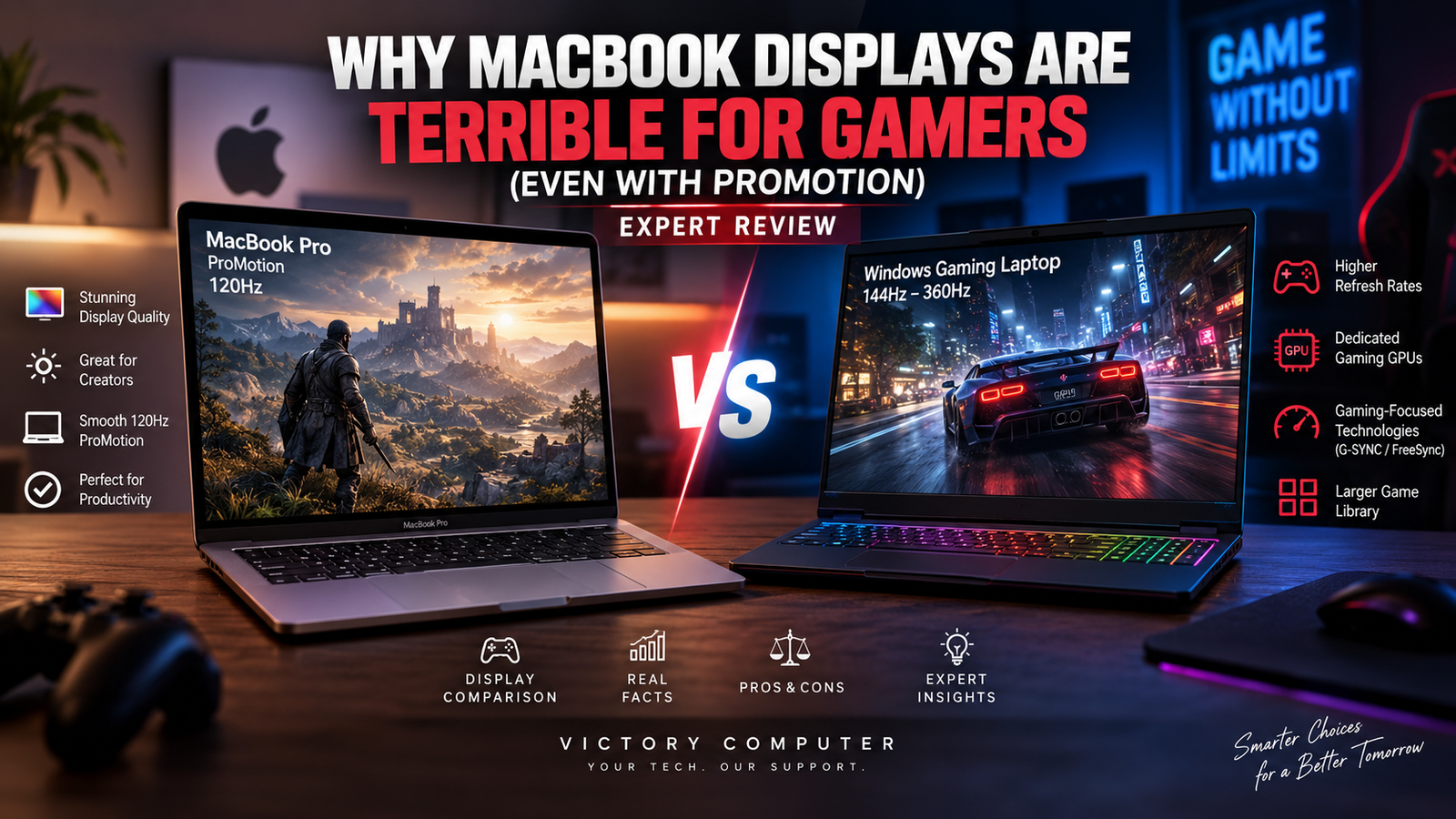
Why MacBook Displays Are Terrible for Gamers
MacBook displays are excellent for sharp text, HDR content, creative work and everyday productivity, but they are not the best choice for serious gaming. Even though current MacBook Pro models offer ProMotion with adaptive refresh rates up to 120Hz, dedicated Windows gaming laptops can offer higher refresh rates, gaming-focused variable refresh technologies and a much broader PC gaming ecosystem.
Is ProMotion Actually Good for Gaming?
Yes. ProMotion is genuinely useful, but a 120Hz adaptive display does not automatically turn a MacBook Pro into a dedicated gaming laptop. Apple currently specifies ProMotion technology with adaptive refresh rates up to 120Hz on MacBook Pro models, alongside fixed refresh-rate options.
That makes supported games and general animations look considerably smoother than they would on a conventional 60Hz screen. It is also one reason premium MacBook displays feel exceptionally fluid during normal use.
For more detail about the technology itself, read our guide to how ProMotion changes the MacBook experience.
The problem for gamers is that refresh rate is only one part of the experience. Competitive gaming also depends on game availability, GPU performance, frame-rate consistency, input latency, variable refresh implementation and the optimization of the game for the operating system and graphics API.
MacBook Pro vs Windows Gaming Laptop Displays
A MacBook Pro display prioritizes image quality, HDR, high pixel density and professional workflows. A dedicated gaming laptop display is normally selected around gaming priorities such as high refresh rates, VRR support and the ability to pair the panel with powerful discrete gaming GPUs.
| Feature | MacBook Pro | Windows Gaming Laptop |
|---|---|---|
| Refresh Rate | ProMotion up to 120Hz on current MacBook Pro | Varies; many gaming models exceed 120Hz |
| Display Priority | HDR, resolution, color and professional use | Gaming responsiveness and high frame rates |
| Graphics Platform | Apple silicon GPU / Metal | Commonly NVIDIA GeForce RTX or AMD Radeon |
| Gaming Ecosystem | Growing but more limited | Broad PC gaming ecosystem |
| Best Fit | Creative work, development and mixed use | Competitive and AAA-focused gaming |
This distinction matters more than simply comparing “120Hz vs 144Hz.” Gamers should evaluate the entire laptop rather than choosing solely on the display specification.
5 Reasons MacBook Displays Are Less Gaming-Focused
1. ProMotion Tops Out at 120Hz
Current MacBook Pro specifications list adaptive ProMotion refresh rates up to 120Hz. That is smooth enough for many games, but the dedicated gaming market has moved considerably beyond 120Hz.
High-refresh gaming displays can target 144Hz, 165Hz, 240Hz and beyond depending on the laptop or monitor. Competitive players capable of generating very high frame rates therefore have more display choices in the Windows gaming ecosystem.
If display speed is a priority, also compare dedicated 1440p gaming monitors before assuming a premium laptop panel is automatically the better gaming screen.
2. Gaming VRR Technologies Have a Different Focus
NVIDIA G-SYNC is designed specifically around synchronizing a compatible display’s refresh rate with GPU frame output. NVIDIA states that the technology is intended to reduce tearing, stutter and input lag during gaming.
Apple’s ProMotion is also adaptive, but the overall MacBook display system is not built around the same GeForce gaming-display ecosystem. That difference becomes more relevant to buyers who specifically want an RTX gaming laptop and compatible gaming display.
3. A Great Display Cannot Fix Game Compatibility
This is arguably the biggest limitation. Even excellent MacBook displays cannot compensate for a game that does not have the Mac support or optimization a player needs.
Apple has significantly improved gaming on Mac. Apple silicon Macs have Game Mode, Metal is Apple’s hardware-accelerated graphics platform, and Apple continues to promote tools designed to help developers bring games to its platforms.
That means saying “MacBooks cannot game” is inaccurate. The better conclusion is that the Windows PC ecosystem remains the safer choice when broad game compatibility is the main buying priority.
4. Gaming Laptops Offer More Display Choices
One of the biggest advantages of the Windows market is variety. Buyers can choose between different resolutions, panel technologies, refresh rates, GPU tiers and screen sizes.
A competitive esports player may prioritize refresh rate, while a single-player gamer may prefer a higher-resolution OLED display with stronger contrast. A MacBook buyer has far fewer gaming-oriented display configurations to choose from.
This is particularly important because MacBook displays are primarily designed around Apple’s broader premium-computing strategy rather than multiple dedicated gaming segments.
5. MacBook Display Strengths Are Mostly Elsewhere
MacBook Pro’s Liquid Retina XDR panel has strengths that matter enormously for photographers, editors, designers and other professionals. Current models offer high pixel density, wide P3 color, HDR capabilities and ProMotion.
Those are valuable features, but a gamer paying for a MacBook Pro may be paying for display characteristics that matter more to creative workflows than competitive gaming.
Display technology is also changing across premium laptops. Our separate analysis explains why the MacBook still isn’t OLED and how that affects comparisons with newer premium laptop panels.
Pros and Cons of MacBook Displays for Gaming
Pros
- Up to 120Hz ProMotion: Smooth adaptive refresh on supported MacBook Pro models.
- Excellent image quality: High resolution, strong HDR capabilities and wide P3 color.
- Strong for mixed workloads: Excellent if gaming is secondary to editing, development or creative work.
- Apple silicon efficiency: Mac gaming continues to benefit from Apple’s tightly integrated hardware and Metal graphics platform.
- Game Mode: macOS can prioritize CPU and GPU resources for games on Apple silicon Macs.
Cons
- 120Hz ceiling: Dedicated gaming laptops and monitors can offer substantially higher refresh rates.
- Smaller gaming ecosystem: Game availability and optimization remain major considerations compared with Windows.
- Limited gaming display choices: Buyers cannot select from the same range of gaming-oriented panels and configurations.
- Premium features target broader professional use: Some of the strengths of MacBook displays provide more value to creators than competitive gamers.
Why We Recommend It
A MacBook Pro makes sense for someone who primarily needs macOS, development, video production, photography or professional creative software and plays games secondarily. If gaming is the main reason for buying the laptop, a dedicated Windows gaming machine usually offers a more appropriate combination of display choices, GPU options and game compatibility.
Can You Actually Game on a MacBook Pro?
Yes, you can game on a MacBook Pro. Modern Apple silicon Macs are substantially more gaming-capable than the old stereotype suggests.
Apple provides Game Mode on Apple silicon Macs to give games higher CPU and GPU priority while reducing background activity. Apple also continues developing Metal and its game-porting technologies, and modern titles are increasingly available for Mac.
The key distinction is between “Can a MacBook play games?” and “Is a MacBook the best laptop to buy specifically for gaming?”
The answer to the first question is yes. For the second question, most dedicated gamers should compare Windows gaming laptops first.
Who Should Buy a MacBook Pro?
The weaknesses of MacBook displays for dedicated gaming do not make MacBook Pro a bad laptop. The same display can be a major advantage for another type of buyer.
Consider a MacBook Pro if you primarily need:
- Video and photo editing
- Software development
- macOS-specific workflows
- High-resolution professional display quality
- Strong battery-oriented mobile performance
- Gaming as a secondary activity
Consider a Windows gaming laptop if you primarily need:
- Competitive esports gaming
- A broad AAA PC game library
- Higher-refresh gaming display choices
- NVIDIA GeForce RTX or AMD gaming GPU options
- Gaming-focused VRR technologies
- More control over gaming hardware configurations
What Should Pakistani Gamers Buy Instead?
Pakistani buyers whose main priority is gaming should compare dedicated gaming laptops in Pakistan rather than choosing a MacBook Pro solely because its display supports 120Hz ProMotion.
Our best gaming laptops in Pakistan guide can help narrow the choice according to GPU performance, display requirements and overall gaming use.
MacBook Pro remains worth considering when professional work comes first and gaming comes second. Buyers who need one computer mainly for gaming will generally receive more gaming-specific hardware choices from Windows machines.
You can also browse current computer categories and buying options through Victory Computer in Lahore.
Frequently Asked Questions
Is MacBook Pro good for gaming?
MacBook Pro can run supported games well, particularly titles optimized for Apple silicon and Metal. A Windows gaming laptop remains the more flexible choice for buyers whose main priority is PC gaming.
Is ProMotion good for gaming?
Yes. ProMotion provides adaptive refresh rates up to 120Hz on current MacBook Pro models, producing smoother motion. The limitation is that dedicated gaming laptops can offer higher refresh rates and a wider selection of gaming-focused display technologies.
Is a 120Hz MacBook Pro enough for gaming?
120Hz is more than adequate for many casual and single-player games. Competitive gamers who target very high frame rates may benefit from 144Hz, 165Hz, 240Hz or faster gaming displays.
Why aren’t MacBook displays ideal for competitive gaming?
MacBook displays prioritize a balance of resolution, HDR, color quality and professional use. Competitive gaming laptops provide more choices built specifically around high refresh rates, gaming GPUs and gaming-focused VRR ecosystems.
Should I buy a MacBook Pro or gaming laptop?
Choose MacBook Pro if macOS, development or creative work is your main priority and gaming is secondary. Choose a dedicated gaming laptop if game compatibility, high frame rates and gaming-focused hardware matter most.
Can I connect a gaming monitor to a MacBook?
Compatible MacBook models can drive external displays, but supported resolution and refresh rate depend on the specific Mac model, display and connection. Check Apple’s specifications for your exact MacBook before buying a high-refresh external monitor.
Final Verdict
MacBook displays are not terrible displays; they are simply not primarily gaming displays. MacBook Pro’s ProMotion technology, Liquid Retina XDR image quality and 120Hz adaptive refresh make it an impressive professional screen, and modern Apple silicon Macs are increasingly capable gaming machines.
For dedicated gamers, however, the bigger Windows ecosystem offers more high-refresh display choices, dedicated gaming GPUs, established gaming VRR technologies and broader game compatibility. If gaming is your first priority, start with a gaming laptop. If professional work is your first priority and gaming is secondary, MacBook Pro remains a strong option.

About Victory Computer Editorial Team
Victory Computer Editorial Team The Victory Computer Editorial Team publishes informative, research-based content about laptops, computers, monitors, printers, hardware, and technology trends in Pakistan. Our goal is to help readers understand product specifications, compare available options, and make informed purchasing decisions.
View all posts by Victory Computer Editorial Team