
AI in Health and Wellness Tracking on Apple Mac Ecosystem | Expert Review

AI in Health and Wellness Tracking on Apple Mac Ecosystem | Expert Review
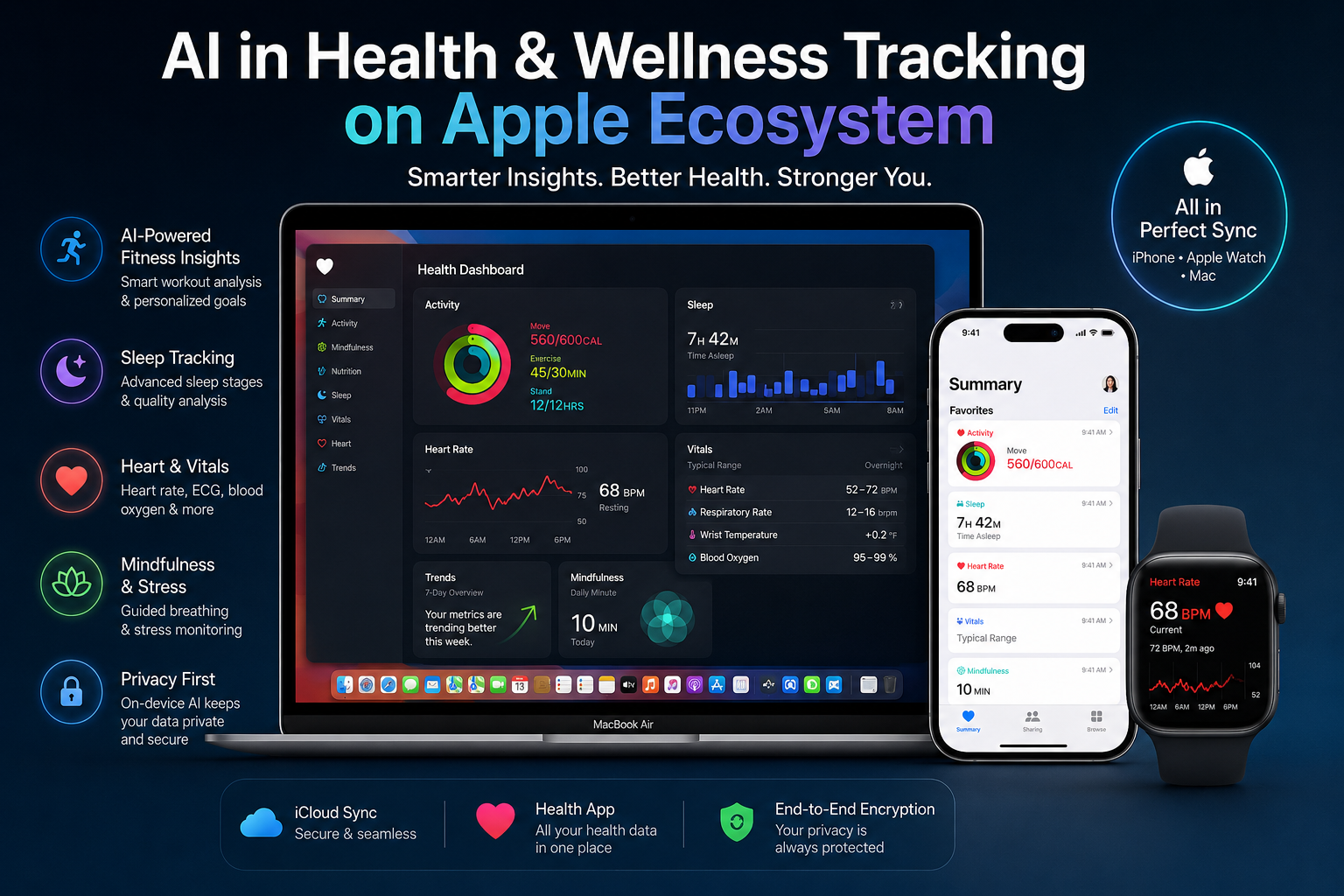
AI in Health and Wellness Tracking across Apple’s ecosystem is mainly driven by Apple Watch, iPhone and iPad rather than the Mac alone. Apple combines sensor data, on-device processing, health trends and intelligent notifications to help users understand areas such as activity, sleep and heart health while maintaining strong controls over sensitive health information.
How Does AI in Health and Wellness Tracking Work on Apple Devices?
Apple’s health ecosystem combines information collected by supported devices with software that identifies trends and presents useful health insights. The Apple Health platform brings information such as activity, sleep, medications and other supported health data into a central Health app experience on iPhone and iPad.
Apple Watch is particularly important because its sensors can collect information throughout the day and during sleep. Depending on the Apple Watch model, software version, country and feature availability, Apple’s health features can cover areas such as heart rate, sleep, activity, Vitals and other wellness measurements.
This approach is more useful than simply accumulating numbers. Trends and contextual information can help users understand how measurements change over time rather than treating each reading as an isolated result.
Where Do Intelligent Health and Wellness Insights Help?
Apple’s intelligent health features are most useful when they turn repeated measurements into understandable patterns. Instead of requiring users to manually compare days or weeks of data, supported Apple software can organize information and highlight trends.
- Sleep: Apple Watch can estimate sleep stages and help users review sleep history.
- Activity: Apple Watch and Fitness features help users follow movement, exercise and workout information.
- Vitals: Supported Apple Watch models can present overnight health metrics and identify measurements outside a user’s typical range.
- Heart health: Supported features include heart-rate information and notifications for certain unusual heart-rate patterns.
- Wellness information: Apple’s ecosystem can also organize information involving medications, state of mind and other supported Health categories.
These features should be viewed as health and wellness tools rather than replacements for professional medical diagnosis. Availability can also vary according to the device, software version and country or region.
Why Is Apple Watch Central to Apple Health Tracking?
Apple Watch is the key wearable in Apple’s health ecosystem because it stays with the user while walking, exercising, sleeping and completing everyday activities. Apple’s current Apple Watch health documentation covers sleep, heart-related notifications, Vitals and other supported health features.
The Vitals app is a useful example of how software can make sensor information easier to interpret. When Apple Watch is worn during sleep, Vitals can establish typical ranges for supported overnight metrics and provide context when multiple measurements fall outside those ranges.
However, not every health capability is available on every Apple Watch. Buyers should check the exact model and regional feature support rather than assuming that every advertised health function works on every device in Pakistan.
What Role Does a Mac Play in the Apple Health Ecosystem?
A Mac can support a broader Apple workflow, but it should not be described as the primary Apple Health tracking device. Apple’s current Health experience centers on the Health app on iPhone and iPad, with Apple Watch providing many of the wearable measurements.
Mac users can still benefit from the wider ecosystem. A MacBook can be useful for research, productivity, communication, compatible third-party wellness software and working with health-related information that a user intentionally exports or shares through supported workflows.
This distinction matters. Buying a MacBook Air or MacBook Pro does not automatically provide the same native health monitoring capabilities as wearing an Apple Watch.
Users interested in other intelligent macOS workflows can also read our guide to AI-powered assistants on Mac.
How Private Is Apple Health Data?
Privacy is one of the strongest parts of Apple’s health architecture. Apple states that Health data is encrypted on the device and protected by the user’s passcode, Touch ID or Face ID. Health information synchronized through iCloud is encrypted in transit and at rest.
With supported software, a passcode and default two-factor authentication, synced Health data can also receive end-to-end encryption, meaning Apple says it cannot read that information.
Apple also describes on-device processing as an important privacy principle. For example, some Health app trends, highlights and predictions are calculated directly on the device rather than requiring all underlying information to be processed on remote servers.
For a broader explanation of Apple’s security approach, read our guides to privacy controls and data encryption on Mac and privacy-first AI processing on Apple devices.
Advantages and Limitations of Apple Health and Wellness Tracking
Pros
- Strong integration between Apple Watch, iPhone and iPad.
- Useful long-term trends rather than isolated measurements alone.
- Sleep, activity, heart and Vitals features on supported devices.
- Strong encryption and user control over Health data.
- On-device processing is used for certain health insights.
Cons
- A Mac is not the primary native Health tracking device.
- Some health features depend on the exact Apple Watch model.
- Certain capabilities are restricted by country or region.
- Health and wellness insights should not be treated as a medical diagnosis.
Why We Recommend the Apple Ecosystem
The Apple ecosystem makes the most sense for users who already use an iPhone and want wearable health information through Apple Watch. The combination provides a more connected experience than buying a Mac specifically for health tracking. Users primarily interested in wellness monitoring should therefore compare Apple Watch capabilities first and treat a Mac as a complementary productivity device.
What Should Apple Buyers in Pakistan Check?
Pakistani buyers should verify the exact Apple Watch model, health-feature availability, warranty terms and device compatibility before purchasing. Regional restrictions matter because Apple clearly notes that certain health capabilities are not available in every country or on every model.
Do not choose an Apple Watch solely because a listing claims that every Apple health feature is supported. Check Apple’s documentation for the feature you need and confirm the exact model before buying.
For current Apple-related products and computer options, visit Victory Computer. Buyers who need help confirming a particular model can also contact Victory Computer before ordering.
Frequently Asked Questions
Does Apple use AI in health and wellness tracking?
Apple uses machine learning, algorithms and intelligent analysis across a number of health and wellness features. The exact processing method depends on the individual feature rather than one universal “AI health” system.
Can Apple Watch track sleep?
Yes. Apple Watch supports sleep tracking and can estimate time spent in sleep stages such as REM, Core and Deep sleep on supported hardware and software.
Can I use the Apple Health app directly on a Mac?
Apple’s primary Health app experience is currently centered on iPhone and iPad, not macOS. A Mac can complement health-related workflows but should not be considered a replacement for the Health app on supported mobile Apple devices.
Is Apple Health data private?
Apple encrypts Health data on protected devices and encrypts synced Health information in transit and at rest. With the required account and security configuration, synced Health data can be end-to-end encrypted.
Which Apple device is most useful for wellness tracking?
Apple Watch is generally the most important Apple device for continuous wearable health and activity measurements. An iPhone or iPad provides the main Health app experience for reviewing and managing that information.
Can Apple health features replace a doctor?
No. Consumer health and wellness features can provide useful information and notifications, but users should seek qualified medical advice for diagnosis, symptoms or treatment decisions.
Lorem ipsum dolor sit amet, consectetur adipiscing elit. Ut elit tellus, luctus nec ullamcorper mattis, pulvinar dapibus leo.

About Victory Computer Editorial Team
Victory Computer Editorial Team The Victory Computer Editorial Team publishes informative, research-based content about laptops, computers, monitors, printers, hardware, and technology trends in Pakistan. Our goal is to help readers understand product specifications, compare available options, and make informed purchasing decisions.
View all posts by Victory Computer Editorial Team