
AI-powered workflows for creative professionals on Mac | Expert Review

AI-Powered Mac Workflows: 7 Smart Creative Benefits
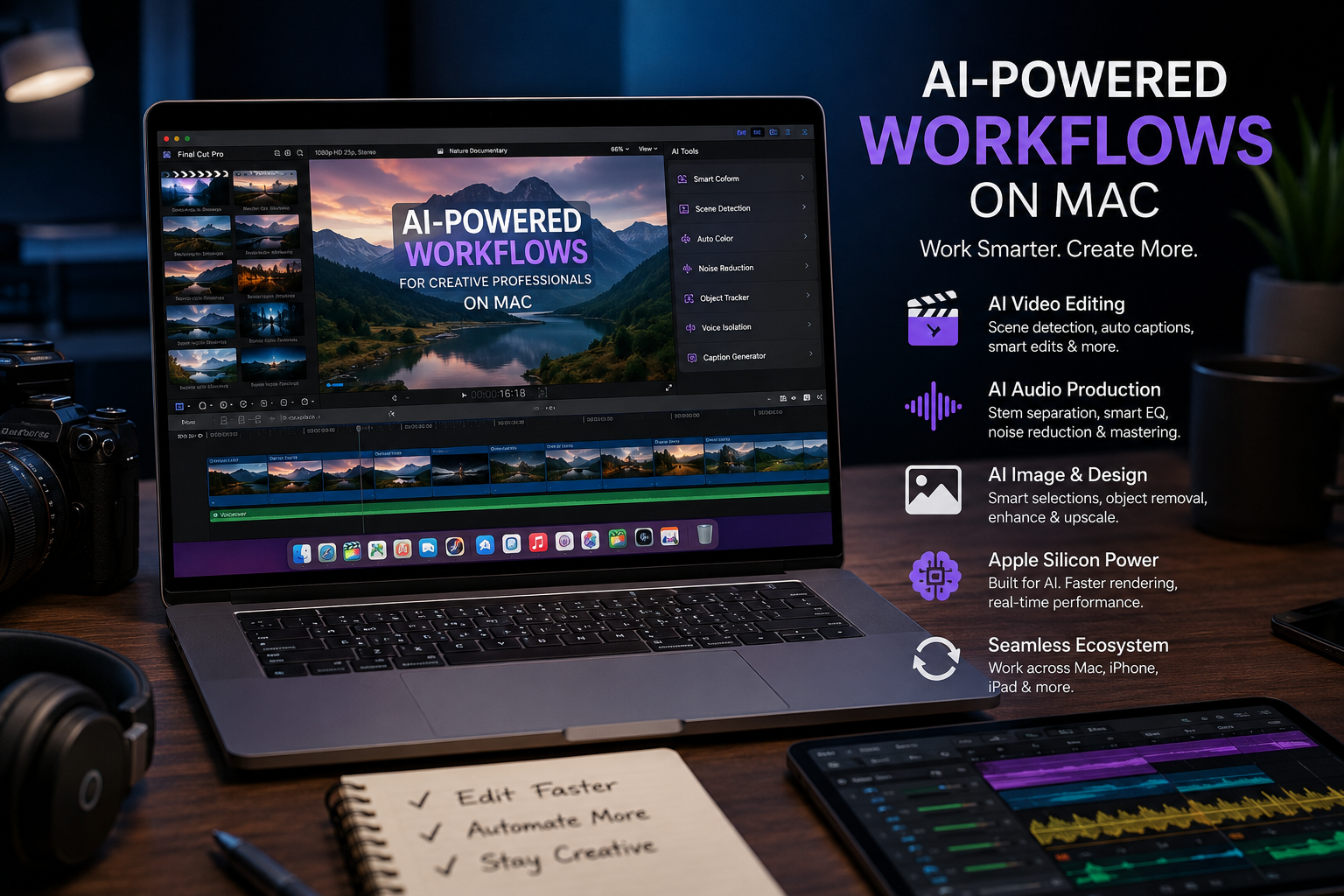
AI-powered workflows for creative professionals on Mac can reduce repetitive editing, searching, masking, transcription, audio processing and content-production tasks. In 2026, tools such as Final Cut Pro, Logic Pro and Pixelmator Pro combine Apple silicon performance with increasingly capable intelligent features. The biggest benefit is not replacing creative decisions—it is spending less time on routine production work.
How AI Changes Creative Work on Mac
AI is most useful to creative professionals when it removes repetitive steps without taking control of the final creative decision. Modern Mac workflows can use intelligent tools for finding footage, generating captions, identifying edits, isolating subjects, separating audio stems and assisting with image production.
This means a video editor can spend less time manually locating clips, a musician can separate elements of a recording for remixing, and a content creator can move between video, image and presentation tasks more efficiently.
Creative professionals planning a broader workflow can also review our guide to optimizing macOS for creative professionals.
AI Video Editing with Final Cut Pro
Final Cut Pro now includes several intelligent features designed to reduce time-consuming video-editing work. Current capabilities include tools for automatically tracking movement, enhancing light and color, generating captions, identifying edits and isolating recognized objects.
Apple’s 2026 Final Cut Pro updates also introduced Generate Captions, Auto Mask, Match Color and Edit Detection. Generate Captions can transcribe audio and place subtitles in the timeline, while Edit Detection can analyze rendered footage and identify shot changes.
For editors dealing with large libraries of footage, intelligent search is particularly useful. Transcript Search can locate spoken words or related phrases, while Visual Search can help locate footage based on objects or actions. These features reduce the need to manually scrub through long recordings simply to find a specific moment.
Where Final Cut Pro AI can save time
- Searching interviews and podcasts for specific dialogue
- Locating visual moments across large footage libraries
- Generating and styling captions
- Identifying shot changes in rendered footage
- Masking recognized subjects for selective adjustments
- Matching color across different shots and cameras
AI assistance is most valuable during repetitive production stages. Storytelling, pacing, shot selection and final creative judgment still depend on the editor.
AI Music Production with Logic Pro
Logic Pro uses intelligent features to support songwriting, beat production, remixing and audio finishing. Apple currently highlights tools including Stem Splitter, Mastering Assistant and Session Players.
Stem Splitter can separate elements such as vocals, drums, bass, guitar and piano from mixed audio. This can be useful when preparing remixes, isolating instruments or restructuring existing recordings. Mastering Assistant analyzes a mix and provides an adjustable starting point for the mastering process.
These tools can shorten technically repetitive stages of music production, but producers still need to make decisions about arrangement, balance, dynamics and artistic direction.
AI-Assisted Image and Design Workflows
Apple’s current creative ecosystem extends beyond video and music. Apple Creator Studio connects applications including Final Cut Pro, Logic Pro and Pixelmator Pro, with additional integrations across Keynote, Pages and Numbers.
For example, a creator can send a frame from Final Cut Pro to Pixelmator Pro for image editing and then use the finished asset for thumbnails, presentations or social content. This reduces unnecessary exporting and application switching during multi-format projects.
Writers, marketers and designers who are still developing ideas before production may also benefit from AI-assisted brainstorming tools on Mac.
AI-Assisted vs Traditional Creative Workflows
| Creative Task | AI-Assisted Mac Workflow | Traditional Workflow |
|---|---|---|
| Finding video clips | Transcript and visual search can locate relevant moments | Manual browsing and scrubbing |
| Captions | Automatic transcription can create a starting point | Manual transcription and timing |
| Subject masking | AI-assisted recognition and masking | Manual masking and tracking |
| Audio separation | Stem separation can isolate musical elements | Requires original stems or more manual processing |
| Mastering | Intelligent analysis provides an adjustable starting point | Manual processing from the beginning |
| Creative decisions | Human creator remains responsible | Human creator remains responsible |
The main advantage of AI-powered workflows for creative professionals on Mac is therefore efficiency rather than automatic creativity. AI handles selected production tasks while the creator remains responsible for the concept and final result.
MacBook Air or MacBook Pro for Creative Professionals?
MacBook Air is generally better suited to portable and lighter creative workloads, while MacBook Pro is the stronger choice for sustained professional production. The correct choice depends on the applications, project complexity, memory requirements, display needs and amount of sustained processing involved.
Consider MacBook Air if you mainly:
- Write and create digital content
- Edit photos and graphics
- Produce relatively light video projects
- Work frequently away from a desk
- Prioritize portability
Consider MacBook Pro if you mainly:
- Edit larger or more complex video projects
- Work with professional audio sessions
- Use motion graphics or demanding creative applications
- Need sustained performance during long workloads
- Run several professional applications in the same workflow
The Mac model alone should not determine the purchase. Memory, storage, display requirements and the specific applications used by the creator should also be considered before buying.
Pros and Cons of AI Creative Workflows on Mac
Pros
- Reduces repetitive production work
- Speeds up footage and dialogue searches
- Provides intelligent video, image and audio tools
- Strong integration between several Apple creative applications
- On-device processing is available for a number of intelligent features
Cons
- Some advanced features require Apple silicon or newer software
- Professional creative applications can add software costs
- AI-generated results still require human review
- Large professional projects may require higher-end Mac configurations
Why We Recommend This Workflow
AI-assisted Mac workflows make the most sense for professionals who repeatedly handle video, audio, graphics or multi-format content. The strongest benefit is reducing mechanical work so more project time can be spent on editing decisions, storytelling, design and delivery.
What AI Cannot Replace in a Professional Creative Workflow
AI can accelerate specific production tasks, but it does not remove the need for creative judgment. Brand identity, storytelling, composition, emotional impact, client requirements and final quality control still require human decisions.
Creators should also consider how sensitive project data is handled when using cloud-connected AI services. For more background, see our guide to AI-enhanced privacy controls on Mac.
Choosing a Mac for Creative Work in Pakistan
Creative professionals in Pakistan should choose a Mac according to their actual software and workload rather than buying solely by chip name. A photographer, writer or social-media creator may have very different requirements from a professional colorist, animator or video editor.
Before purchasing, compare the required memory, SSD capacity, display size, external-display needs and software compatibility. Buyers can browse available computers and MacBooks or visit Victory Computer for current product options.
Because pricing, stock and warranty coverage can change, confirm the current product listing and applicable warranty terms before placing an order rather than relying on an older blog price.
Frequently Asked Questions
What are AI-powered workflows for creative professionals on Mac?
AI-powered workflows use intelligent features in creative applications to automate or accelerate tasks such as searching footage, creating captions, masking subjects, separating audio stems and assisting with image production.
What AI tools can video editors use on Mac?
Final Cut Pro includes intelligent features such as Transcript Search, Visual Search, Generate Captions, Auto Mask, Match Color, Edit Detection and Object Tracker, although availability and hardware requirements can vary by feature.
Does Logic Pro have AI features?
Yes. Logic Pro includes intelligent tools such as Stem Splitter, Mastering Assistant and Session Players to assist with music production and audio workflows.
Is MacBook Air suitable for creative professionals?
MacBook Air can suit writing, design, photography and lighter content-production workflows. Creators with sustained professional video, audio or motion-graphics workloads should also compare MacBook Pro configurations.
Does AI replace professional video editors or designers?
No. AI can reduce repetitive production work, but storytelling, design direction, quality control and final creative decisions still depend on the professional.
Which Mac is best for AI creative workflows?
There is no single best Mac for every creator. Choose according to your applications, project complexity, memory and storage requirements, portability needs and sustained workload.
Lorem ipsum dolor sit amet, consectetur adipiscing elit. Ut elit tellus, luctus nec ullamcorper mattis, pulvinar dapibus leo.

About Victory Computer Editorial Team
Victory Computer Editorial Team The Victory Computer Editorial Team publishes informative, research-based content about laptops, computers, monitors, printers, hardware, and technology trends in Pakistan. Our goal is to help readers understand product specifications, compare available options, and make informed purchasing decisions.
View all posts by Victory Computer Editorial Team
One thought on “AI-powered workflows for creative professionals on Mac | Expert Review”