
Natural language processing tools tailored for Mac users | Expert Review

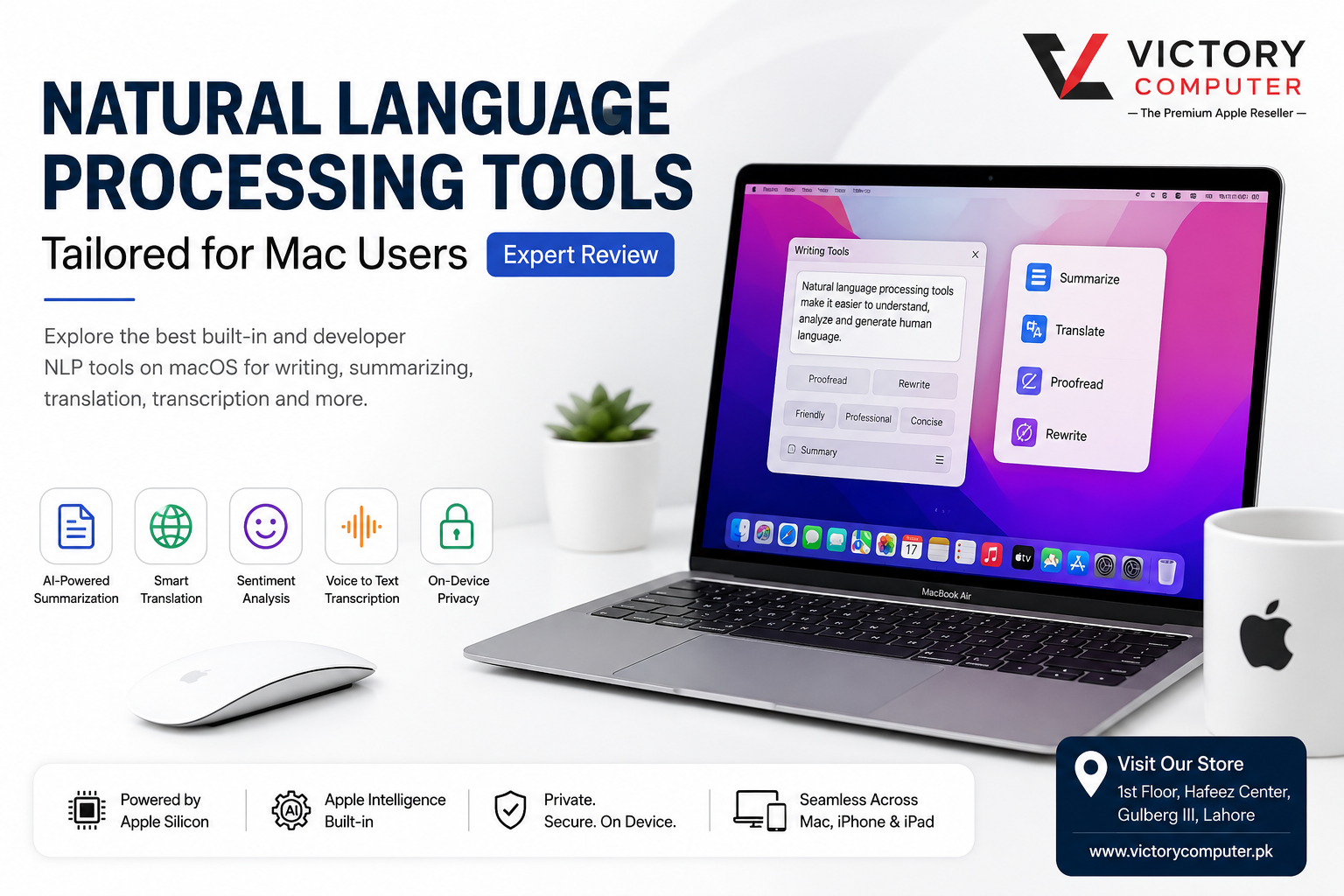
Natural language processing tools tailored for Mac users | Expert Review
Natural language processing tools for Mac users now cover everyday writing, summarization, translation and speech transcription as well as developer-focused text analysis. Apple provides built-in features through macOS and Apple Intelligence, while developers can use frameworks such as Natural Language and Speech. The right option depends on whether you need everyday productivity or programmatic NLP.
What NLP tools are built into macOS?
Mac users can access several language-processing capabilities without building an NLP system from scratch. Apple Intelligence Writing Tools can proofread, rewrite and summarize text on compatible Macs, while macOS also provides translation and speech-related features.
For developers, Apple’s Natural Language framework provides APIs for analyzing text. Apple documents support for tasks including language identification, tokenization, parts-of-speech tagging, lemmatization and named entity recognition.
This combination makes natural language processing tools for Mac users relevant to two different audiences: people who simply want smarter text tools and developers who need NLP capabilities inside their own applications.
7 useful NLP capabilities for Mac users
The most useful Mac language-processing features depend on the workflow rather than one universal NLP application. Seven practical capabilities stand out:
- Text summarization: Reduce long passages to shorter summaries or key points.
- Proofreading: Review spelling, grammar and language usage.
- Rewriting: Adjust wording and tone for different audiences.
- Translation: Translate selected text between supported languages.
- Speech transcription: Convert supported spoken audio into text.
- Language identification: Programmatically detect the language used in text.
- Text analysis: Developers can work with tokens, linguistic tags, named entities and other language metadata.
Students may mainly need summarization and proofreading, while software developers are more likely to benefit from Apple’s Natural Language and Speech frameworks.
Apple Intelligence Writing Tools
Apple Intelligence Writing Tools are among the most accessible NLP tools for Mac because they work around text that users are already reading or writing. Apple says Writing Tools can proofread text, rewrite it and summarize selected content in supported apps and environments.
Available rewriting choices can help make text more friendly, professional or concise. Summarization options can also convert selected content into a summary, key points, a list or a table.
These features are useful for reports, emails, notes, research material and other text-heavy workflows. Users building a broader productivity setup can also review our guide to productivity apps for MacBook users.
Apple Intelligence availability depends on compatible hardware, software, language and region, so users should check Apple’s current requirements before buying a Mac specifically for these features.
Natural Language framework for developers
For software development, Apple’s Natural Language framework provides more direct NLP functionality than consumer-facing Writing Tools.
According to Apple Developer documentation, the framework can perform language identification, tokenization, parts-of-speech tagging, lemmatization and named entity recognition. Apple’s APIs can therefore help developers analyze the structure and linguistic properties of text directly inside applications.
For example, NLTokenizer can break text into linguistic units, while NLLanguageRecognizer can determine the likely language of a body of text. Apple’s Natural Language APIs also expose linguistic tagging capabilities, including sentiment scoring.
Developers can combine the Natural Language framework with other Apple development technologies when creating text classifiers, content-analysis utilities, document tools or language-aware applications.
Speech recognition and transcription on Mac
Speech processing extends NLP beyond typed text. Apple’s Speech framework lets developers perform speech recognition on live or prerecorded audio and receive transcriptions.
This is useful for applications involving dictation, meeting notes, spoken commands, interviews and other audio-to-text workflows. Apple’s current framework documentation also includes newer speech-analysis components for developers building more specialized transcription experiences.
For ordinary Mac users, transcription can reduce the time required to turn spoken information into searchable or editable text. Writers and researchers can then combine transcripts with summarization or rewriting tools where supported.
Translation and multilingual workflows
Translation is another practical part of natural language processing tools for Mac users. macOS allows users to select supported text in documents, messages, emails, webpages and compatible apps and translate it into another supported language.
Apple also provides options to download supported languages for offline translation. Apple notes that offline results can differ from translations processed using its servers, so users working with important documents should still review translated text carefully.
The combination of translation, language identification and text analysis is particularly useful for multilingual research, international communication and software designed for users across multiple languages.
Who benefits most from NLP on Mac?
| User | Useful NLP capability | Typical task |
|---|---|---|
| Students | Summarization and proofreading | Reviewing notes and improving assignments |
| Writers | Rewriting and proofreading | Improving wording, tone and clarity |
| Researchers | Summarization and transcription | Working with documents, notes and recorded material |
| Developers | Natural Language and Speech frameworks | Building language-aware Mac applications |
| Businesses | Translation and text processing | Handling multilingual communication and documents |
Students who use a Mac for research and coursework may also find our guide to study apps for macOS useful when building a broader academic workflow.
Advantages and limitations of NLP tools on Mac
Pros
- Built-in writing and language features reduce dependence on separate apps for basic tasks.
- Apple provides dedicated Natural Language and Speech frameworks for developers.
- Writing Tools can work across many places where users write text.
- macOS supports useful translation and speech workflows.
- Apple Silicon Macs support Apple’s current AI-focused software direction.
Cons
- Apple Intelligence is not available on every Mac.
- Feature and language availability can vary.
- Built-in tools do not replace specialized NLP platforms for every advanced research or development task.
- Generated summaries and rewritten text should be checked when accuracy matters.
Why We Recommend It
Mac is a practical platform for users who want everyday writing assistance alongside developer-level NLP APIs. Students and professionals can use built-in language features, while developers can access Apple’s Natural Language and Speech frameworks. Advanced machine-learning projects may still require additional frameworks, models or cloud services depending on the workload.
Choosing a Mac for NLP work
The right Mac depends on what “NLP work” actually means. Basic writing, translation, study and productivity workflows have very different hardware requirements from local machine-learning development or large-model experimentation.
If Apple Intelligence is an important requirement, confirm current compatibility before purchasing. Apple introduced its first Apple Intelligence features on Mac for supported Apple silicon systems, and requirements can change as macOS develops.
Readers comparing Apple’s processor generations can review the Apple Silicon journey from M1 to M4. Professionals deciding between platforms can also compare a MacBook vs Windows laptop before choosing a system.
For current Mac availability in Pakistan, visit Victory Computer. Buyers should compare the exact model, memory, storage, software requirements and warranty terms rather than choosing a Mac solely because a workflow is described as “AI” or “NLP.”
Frequently Asked Questions
What are the best natural language processing tools for Mac users?
For everyday users, Apple Intelligence Writing Tools, macOS translation and transcription features cover many common language tasks. Developers can use Apple’s Natural Language and Speech frameworks for application-level NLP.
Does macOS have built-in NLP tools?
Yes. macOS provides user-facing language features, while Apple also supplies Natural Language and Speech frameworks for developers.
What can Apple’s Natural Language framework analyze?
Apple documents capabilities including language identification, tokenization, parts-of-speech tagging, lemmatization and named entity recognition, along with additional linguistic analysis features.
Can a Mac transcribe speech into text?
Yes. Apple supports transcription in several contexts, and developers can use the Speech framework to recognize spoken words from live or prerecorded audio.
Can Mac users translate text without installing another application?
Yes. macOS can translate selected text in supported contexts, and supported languages can also be downloaded for offline translation.
Is a MacBook Pro necessary for NLP?
Not for ordinary writing, summarization, translation or productivity tasks. More demanding development workloads should be evaluated according to the specific models, frameworks, memory requirements and software being used.
Final Recommendation
Natural language processing tools for Mac users now range from simple built-in writing assistance to developer APIs for language detection, tokenization, linguistic analysis and speech recognition. Apple Intelligence is useful for everyday text workflows, while the Natural Language and Speech frameworks provide more control for software development.
The best approach is to choose the tool first and the Mac hardware second. Define whether the workload involves writing assistance, translation, transcription, application development or local machine learning, then select hardware that meets those actual requirements.
Lorem ipsum dolor sit amet, consectetur adipiscing elit. Ut elit tellus, luctus nec ullamcorper mattis, pulvinar dapibus leo.

About Victory Computer Editorial Team
Victory Computer Editorial Team The Victory Computer Editorial Team publishes informative, research-based content about laptops, computers, monitors, printers, hardware, and technology trends in Pakistan. Our goal is to help readers understand product specifications, compare available options, and make informed purchasing decisions.
View all posts by Victory Computer Editorial Team
One thought on “Natural language processing tools tailored for Mac users | Expert Review”