
Dell LED E2020H Monitor | Expert review

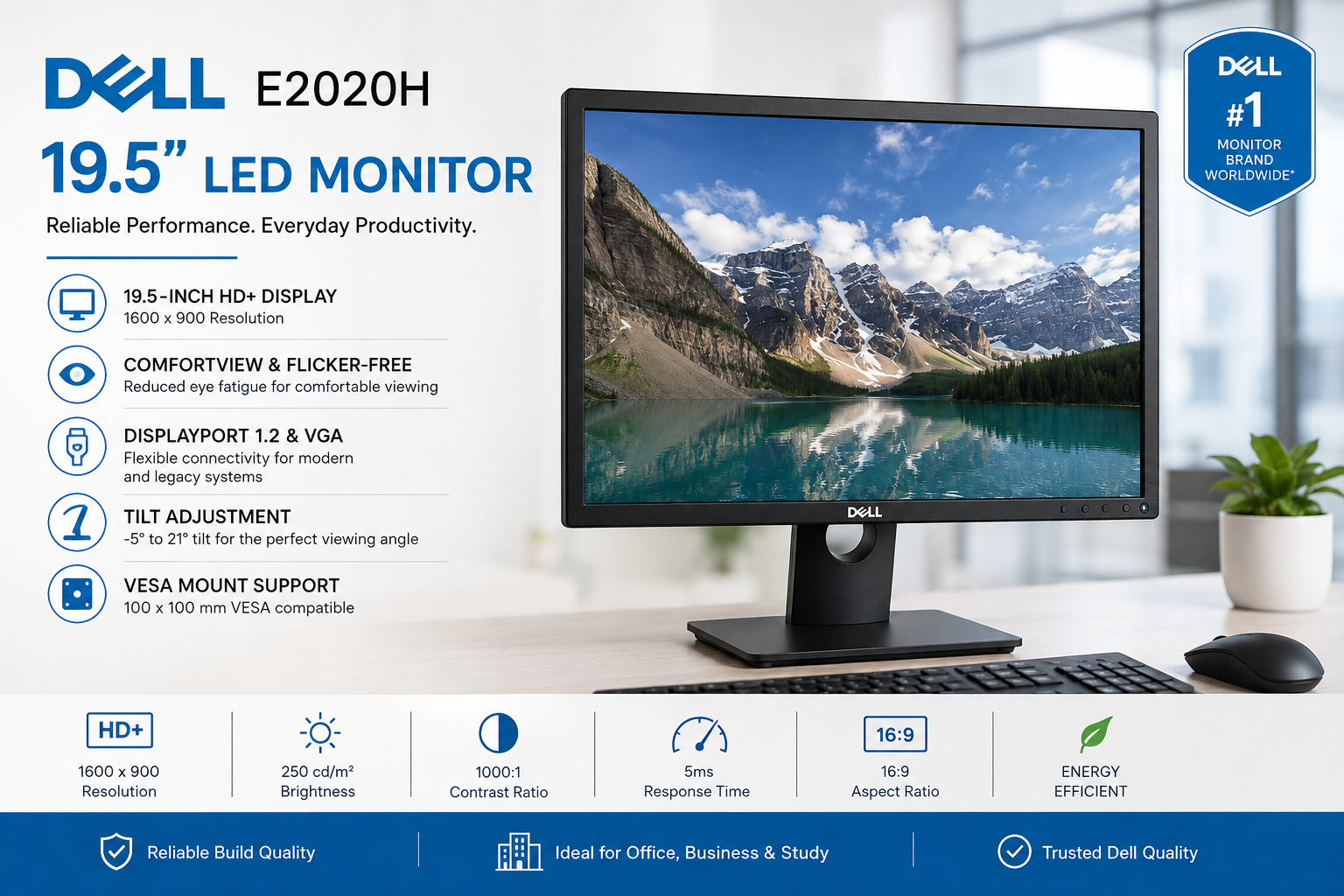
Dell LED E2020H Monitor | Expert Review
The Dell LED E2020H Monitor is a practical 19.5-inch business display designed for office work, study, browsing and everyday computing. Its 1600×900 resolution, 60Hz refresh rate, DisplayPort and VGA connectivity make it particularly suitable for basic desktop setups. The main trade-off is its TN panel and modest resolution, which are less suitable for creative work or modern gaming.
Dell E2020H Specifications at a Glance
The Dell E2020H focuses on straightforward everyday computing rather than premium display features. Dell specifies a 19.5-inch viewable TN panel with a native resolution of 1600×900 at 60Hz.
| Specification | Dell E2020H |
|---|---|
| Viewable Screen Size | 19.5 inches |
| Panel Type | TN |
| Native Resolution | 1600 × 900 |
| Refresh Rate | 60Hz |
| Response Time | 5ms gray-to-gray |
| Brightness | 250 cd/m² |
| Contrast Ratio | 1000:1 |
| Connectivity | DisplayPort 1.2, VGA |
| Adjustment | Tilt |
| VESA Mount | 100 × 100 mm |
| Speakers | No |
These specifications position the Dell E2020H as an entry-level productivity monitor rather than a multimedia, professional editing or gaming display.
Dell LED E2020H Monitor Display Quality
The Dell LED E2020H Monitor uses a 19.5-inch TN panel with a 16:9 aspect ratio and 1600×900 native resolution. The resolution sits above standard 1366×768 HD displays but below 1920×1080 Full HD monitors.
For spreadsheets, web applications, email, accounting software, documents and general browsing, the resolution provides sufficient working space for basic everyday tasks. The compact screen also makes the E2020H useful where desk space is limited.
The TN panel is one of the monitor's main compromises. TN technology can provide responsive performance, but users who need wider viewing angles or stronger colour consistency should generally consider an IPS monitor instead.
Dell specifies a brightness level of 250 cd/m² and a 1000:1 contrast ratio. These figures are appropriate for conventional indoor office environments rather than professional colour-critical workflows.
Is the Dell E2020H Good for Office and Study?
Yes, the Dell E2020H is primarily suited to office, education and general-purpose PC use. Its compact dimensions and straightforward display configuration work particularly well for reception desks, computer labs, schools, small businesses and home study setups.
Typical workloads include:
- Microsoft Office and document editing
- Web browsing and email
- School and university assignments
- Accounting and POS applications
- Basic business software
- General desktop computing
The 19.5-inch screen can also be useful in multi-monitor environments where physical desk space matters more than having a large individual display.
Users who regularly work with several windows simultaneously may find a 24-inch Full HD monitor more comfortable because the additional resolution and physical screen area provide more room for multitasking.
Dell E2020H Connectivity and Setup
The Dell E2020H provides DisplayPort 1.2 and VGA. This combination makes the monitor compatible with many generations of business desktop computers.
DisplayPort is the preferred connection for compatible modern PCs because it provides a digital video signal. VGA remains useful for older desktop systems and legacy equipment.
The Dell E2020H does not include HDMI. Buyers using a laptop, mini PC or desktop that provides only HDMI should therefore check connectivity before purchasing and may require an appropriate adapter.
This is particularly important when replacing an older office monitor: checking the graphics output on the computer before buying can prevent unnecessary compatibility problems.
Viewing Comfort and Desk Setup
The Dell E2020H includes an anti-glare screen treatment along with Dell ComfortView and flicker-free technology. These features are designed to make the display more practical for extended everyday office use.
The supplied stand supports tilt adjustment from approximately -5° to +21°. Height adjustment is not included, so users who need greater ergonomic flexibility should consider a monitor arm or another display with a fully adjustable stand.
The E2020H supports a 100 × 100 mm VESA mounting interface, making compatible monitor arms and wall mounts an option for more flexible desk arrangements.
Is the Dell E2020H Good for Gaming?
The Dell E2020H can run casual and older PC games, but gaming is not its primary purpose. The 60Hz refresh rate and 1600×900 resolution are adequate for basic use but do not provide the fluidity or image detail expected from current gaming monitors.
Competitive players should consider displays offering higher refresh rates such as 144Hz, 165Hz or above. Gamers who want sharper visuals should also consider Full HD or higher-resolution options.
For dedicated gaming systems, browse gaming monitors in Pakistan rather than choosing the E2020H solely because of its compact size.
Dell E2020H Pros and Cons
Pros
- Compact 19.5-inch design suits smaller desks
- 1600×900 resolution is adequate for everyday office tasks
- DisplayPort 1.2 supports modern business desktops
- VGA supports many older computers
- Anti-glare screen with ComfortView and flicker-free technology
- 100 × 100 mm VESA mounting support
Cons
- No HDMI input
- TN panel has more limited viewing characteristics than IPS alternatives
- 1600×900 resolution is below Full HD
- 60Hz refresh rate is not aimed at competitive gaming
- No built-in speakers
- No height adjustment on the standard stand
Why We Recommend It
The Dell E2020H makes the most sense for buyers who need a compact monitor for routine office, educational or business applications. Users prioritizing Full HD resolution, larger screen space, IPS viewing angles or gaming performance should consider a newer or higher-tier monitor instead.
Should You Choose a Larger Dell Monitor?
A larger display can be a worthwhile upgrade for users who spend many hours working with spreadsheets, multiple browser windows or side-by-side documents. A 24-inch model such as the Dell P2425H 24-inch monitor provides a different class of workspace for buyers who do not need the E2020H's compact footprint.
The E2020H therefore should not automatically be considered better or worse than a larger monitor. The right choice depends primarily on available desk space, resolution requirements, connectivity and workload.
Dell E2020H Price in Pakistan and Buying Advice
The Dell E2020H price in Pakistan can change with stock, distribution and market conditions, so buyers should check the current listing rather than relying on an old price quoted in a review.
View the Dell E2020H price in Pakistan for the current product information available from Victory Computer.
You can also compare other LED monitors in Pakistan if you need a larger screen, Full HD resolution, IPS panel or different connectivity.
For product assistance and current purchasing information, visit Victory Computer or contact Victory Computer on WhatsApp at 0300 9466881.
Frequently Asked Questions
What is the resolution of the Dell E2020H?
The Dell E2020H has a native resolution of 1600 × 900 at 60Hz.
What is the screen size of the Dell E2020H?
The Dell E2020H has a 19.5-inch viewable display with a 16:9 aspect ratio.
Does the Dell E2020H have HDMI?
No. The Dell E2020H provides DisplayPort 1.2 and VGA, but it does not include an HDMI port.
Is the Dell E2020H good for office use?
Yes. The Dell E2020H is well suited to documents, email, web applications, accounting software, education and other routine office workloads.
Is the Dell E2020H a Full HD monitor?
No. Its native resolution is 1600 × 900. A Full HD monitor uses 1920 × 1080 resolution.
Is the Dell E2020H good for gaming?
The monitor can handle basic and casual gaming, but its 60Hz refresh rate and 1600×900 resolution make it less suitable for competitive or visually demanding modern gaming.

About Victory Computer Editorial Team
Victory Computer Editorial Team The Victory Computer Editorial Team publishes informative, research-based content about laptops, computers, monitors, printers, hardware, and technology trends in Pakistan. Our goal is to help readers understand product specifications, compare available options, and make informed purchasing decisions.
View all posts by Victory Computer Editorial Team