
Dell LED 27″ P2725H | Expert review

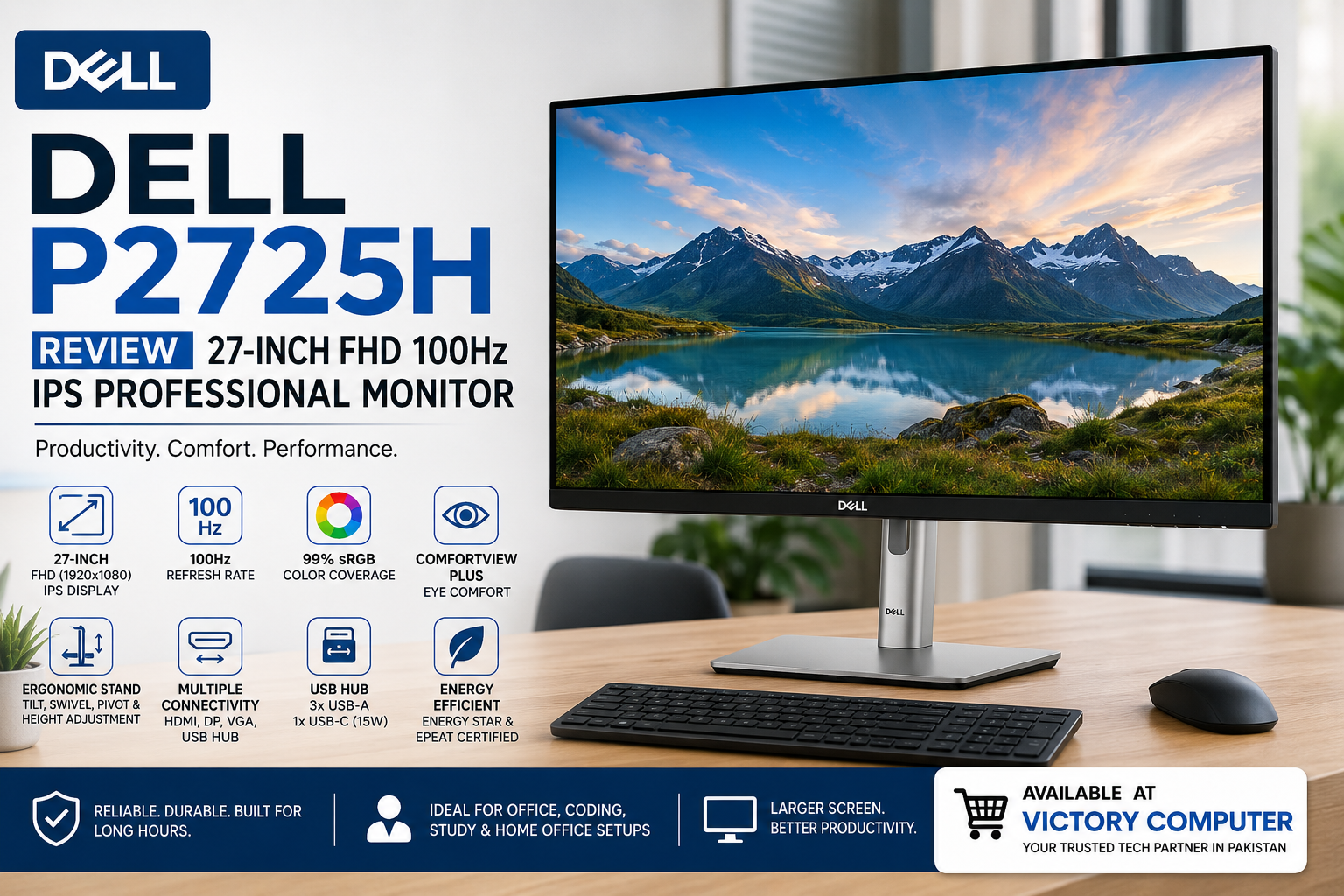
Dell P2725H Review: 27-Inch FHD 100Hz IPS Monitor
The Dell P2725H is a 27-inch professional monitor built primarily for office productivity, study, coding and home-office setups. Its combination of a Full HD IPS panel, 100Hz refresh rate, ergonomic stand, USB hub and eye-comfort features makes it particularly useful for people who spend long hours working at a desk.
Dell P2725H Review: What Does This Monitor Offer?
This Dell P2725H Review shows that productivity is the monitor’s main strength. Dell combines a large 27-inch workspace with an IPS panel and extensive stand adjustment rather than focusing on high-end gaming or entertainment features.
The display has a maximum resolution of 1920 × 1080 at 100Hz. Dell specifies 99% sRGB color coverage, typical brightness of 300 cd/m², a typical 1500:1 contrast ratio and 178-degree horizontal and vertical viewing angles.
These characteristics make the P2725H suitable for spreadsheets, web applications, programming, documents, online learning and general business applications.
Dell P2725H Display Quality and 100Hz Refresh Rate
The 27-inch IPS panel is one of the main reasons to consider the Dell P2725H. IPS technology provides wide viewing angles and consistent image presentation, which is useful when working across a large screen or sharing the display with another person.
The monitor also supports a 100Hz refresh rate. That is a meaningful improvement over a conventional 60Hz office display because scrolling, cursor movement and interface animations can appear smoother.
Dell specifies a 5ms gray-to-gray response time in Fast mode and 8ms in Normal mode. The P2725H can therefore handle everyday video and casual gaming, but buyers primarily interested in competitive gaming should consider purpose-built gaming monitors in Pakistan with higher refresh rates and gaming-oriented features.
Is the Dell P2725H Comfortable for Long Working Hours?
Yes. Eye comfort and ergonomic flexibility are major parts of the P2725H’s design. Dell lists the monitor with TÜV 4-star eye comfort certification and flicker-free operation.
The display is designed to reduce blue-light exposure while maintaining usable color performance. This can be particularly relevant for office workers, programmers, students and other users who spend many hours looking at their monitor.
Eye-comfort technology does not eliminate the need for appropriate screen brightness, viewing distance and regular breaks, but it makes the P2725H better suited to extended productivity sessions than a basic fixed office display.
How Adjustable Is the Dell P2725H?
The ergonomic stand is another strong point in this Dell P2725H Review. Instead of limiting the user to basic tilt adjustment, the stand supports height adjustment, tilt, swivel and pivot.
- Height: adjustable by up to 150 mm
- Tilt: -5° to +21°
- Swivel: -45° to +45°
- Pivot: -90° to +90°
Pivot support is especially useful for programmers, document-heavy workflows and users who prefer a vertical secondary monitor. Height adjustment also makes it easier to position the screen at a comfortable eye level.
Dell P2725H Connectivity and USB Hub
The P2725H offers considerably more connectivity than many basic office monitors. Dell specifies HDMI 1.4, DisplayPort 1.2 and VGA, allowing the monitor to work with a wide range of modern and older computers.
The monitor also functions as a USB hub. It includes a USB 3.2 Gen 1 Type-B upstream connection, three USB 3.2 Gen 1 Type-A downstream ports and a USB-C downstream port supporting data and up to 15W power delivery.
An important distinction is that the USB-C connection is a downstream data port; this is not a single-cable USB-C laptop docking monitor with high-wattage laptop charging and USB-C video input. Buyers specifically wanting one-cable laptop connectivity should therefore consider a USB-C docking monitor instead.
Is the Dell P2725H Good for Office Work and Study?
Office productivity is where the Dell P2725H makes the most sense. The 27-inch screen provides considerably more physical workspace than a small desktop monitor, while the 100Hz refresh rate makes everyday interaction feel smoother.
Students can use the larger display for research, online classes and working with multiple windows. Programmers benefit from the adjustable stand and portrait orientation, while business users get useful connectivity for desktops, laptops and office workstations.
Users building a complete productivity setup can also browse desktop PCs in Pakistan to pair the monitor with an appropriate system.
Is the Dell P2725H Good for Creative Work?
The monitor’s 99% sRGB coverage makes it useful for everyday graphics, web content, presentations and general content creation. IPS technology also helps maintain consistent colors when the screen is viewed from different angles.
However, professional photographers, video colorists and print-production users should choose a monitor according to their required color space, calibration capabilities, resolution and workflow. The P2725H is primarily a productivity monitor rather than a specialist reference display.
Is the Dell P2725H Good for Gaming?
The P2725H can handle casual gaming, and its 100Hz refresh rate is smoother than a typical 60Hz office monitor. However, gaming is not its primary purpose.
Competitive players generally benefit more from displays offering higher refresh rates, faster response characteristics and gaming-specific technologies. The P2725H is a stronger choice for someone who primarily works or studies but occasionally plays games.
Dell P2725H Pros and Cons
Pros
- Large 27-inch IPS display
- 100Hz refresh rate for smoother everyday use
- 99% sRGB color coverage
- Height, tilt, swivel and pivot adjustment
- HDMI, DisplayPort, VGA and integrated USB hub
- TÜV 4-star eye comfort rating
Cons
- Full HD resolution may feel less sharp at 27 inches than QHD
- Not designed as a high-refresh competitive gaming monitor
- No built-in speakers
- USB-C downstream port does not replace a full USB-C docking connection
Why We Recommend It
The Dell P2725H is worth considering for users who prioritize office productivity, ergonomic adjustment, connectivity and comfortable everyday viewing. Its 100Hz IPS display also gives it an advantage over basic 60Hz business monitors.
Users who primarily want maximum pixel density should consider a QHD monitor, while competitive gamers should look toward dedicated high-refresh gaming displays.
Dell P2725H Price in Pakistan and Where to Buy
The Dell P2725H price in Pakistan can vary with stock, distributor supply and market conditions, so buyers should check the current listing before purchasing rather than relying on an older quoted price.
You can browse LED monitors in Pakistan at Victory Computer to compare current monitor options. For a smaller Dell office-display alternative, the Dell E2425HS review may also be useful.
Victory Computer is based in Lahore and can be contacted on WhatsApp at 0300 9466881 for current product information.
Frequently Asked Questions
Is the Dell P2725H a 100Hz monitor?
Yes. The Dell P2725H supports a maximum Full HD resolution of 1920 × 1080 at a refresh rate of up to 100Hz.
Does the Dell P2725H use an IPS panel?
Yes. Dell specifies an IPS panel with 178-degree horizontal and vertical viewing angles and 99% sRGB color coverage.
Does the Dell P2725H have USB-C?
Yes, but the USB-C connection is a downstream data port with up to 15W power delivery. It is not a full USB-C video input or high-power laptop docking connection.
Can the Dell P2725H rotate vertically?
Yes. The stand supports pivot adjustment from -90° to +90°, along with height, tilt and swivel adjustment.
Is the Dell P2725H good for gaming?
It is suitable for casual gaming thanks to its 100Hz refresh rate, but competitive gamers should consider a higher-refresh gaming monitor.
Is the Dell P2725H worth buying?
The Dell P2725H is a strong option for office, study, coding and general productivity if you value a 27-inch IPS screen, 100Hz refresh rate, extensive ergonomics and useful connectivity.

About Victory Computer Editorial Team
Victory Computer Editorial Team The Victory Computer Editorial Team publishes informative, research-based content about laptops, computers, monitors, printers, hardware, and technology trends in Pakistan. Our goal is to help readers understand product specifications, compare available options, and make informed purchasing decisions.
View all posts by Victory Computer Editorial Team