
Dell LED 22″ E2225HS | Expert review

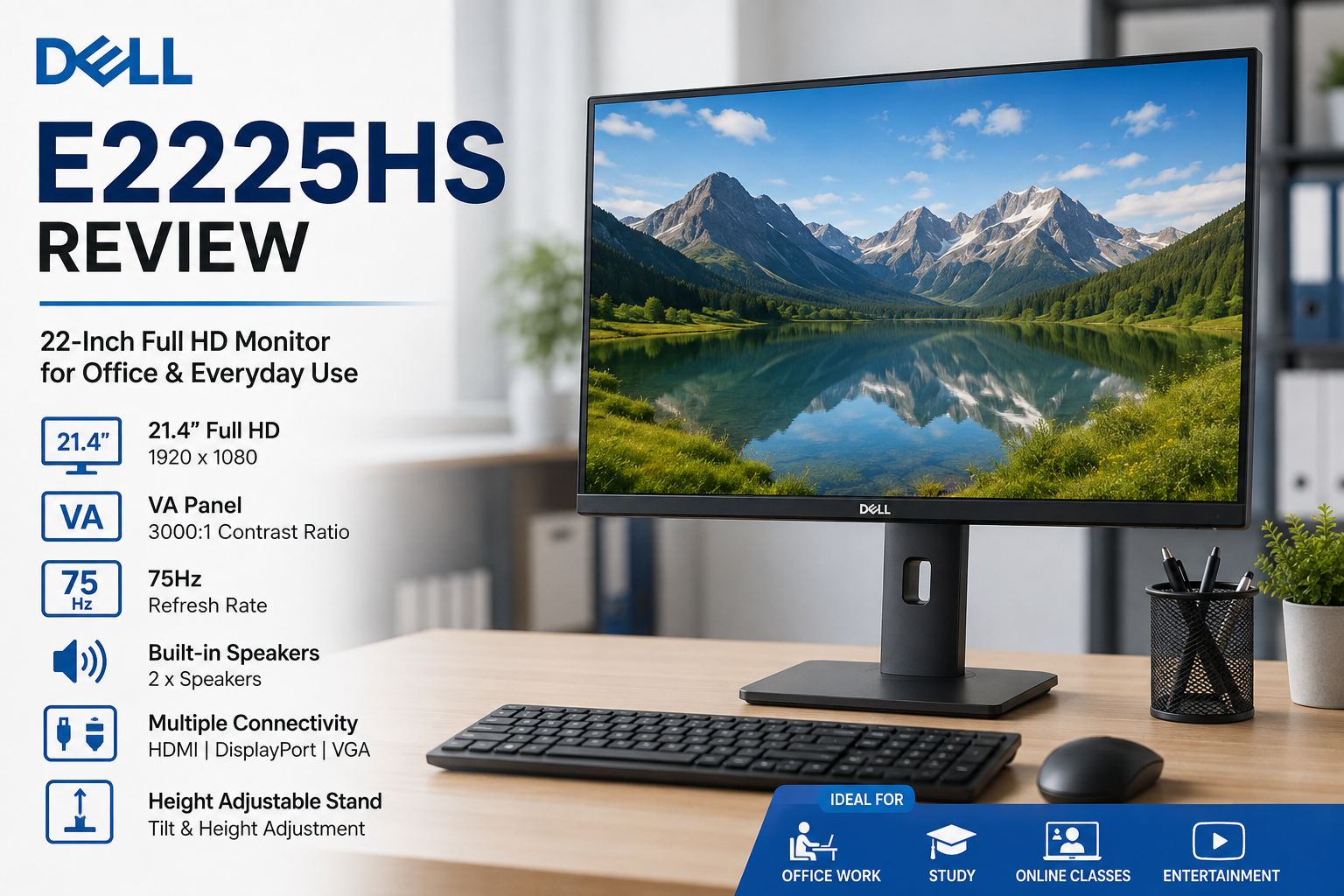
Dell E2225HS Review: Is This 22-Inch Monitor Worth Buying?
The Dell E2225HS is a practical Full HD monitor for office work, study, business environments, and general home computing. Its 21.4-inch viewable VA display, 75Hz refresh rate, height-adjustable stand, integrated speakers, and HDMI, DisplayPort, and VGA connectivity make it particularly suitable for productivity. Gamers and creative professionals, however, may want a faster or more color-focused display.
Dell E2225HS Key Specifications
The Dell E2225HS focuses on practical everyday features rather than gaming-oriented specifications. Dell lists the monitor with a 21.4-inch viewable screen, Full HD 1920 × 1080 resolution, VA panel technology, and a standard refresh rate of 75Hz.
| Feature | Dell E2225HS |
|---|---|
| Viewable Screen | 21.4 inches |
| Resolution | 1920 × 1080 Full HD |
| Panel | VA |
| Refresh Rate | 75Hz |
| Response Time | 5ms GTG Fast / 8ms GTG |
| Brightness | 250 cd/m² typical |
| Contrast Ratio | 3000:1 |
| Connectivity | HDMI, DisplayPort 1.2, VGA |
| Speakers | 2 integrated speakers |
| Stand Adjustment | Height and tilt |
| VESA Mount | 100 × 100 mm |
Dell E2225HS Display Quality and Everyday Performance
The Dell E2225HS monitor uses a VA panel with Full HD resolution. At this screen size, 1920 × 1080 provides sufficient desktop space for documents, spreadsheets, web browsing, email, online learning, and general multimedia use.
The VA panel has a specified native contrast ratio of 3000:1, which is useful when displaying darker content and provides stronger contrast than many basic office displays. Dell specifies 178-degree horizontal and vertical viewing angles along with 250 cd/m² typical brightness.
A 75Hz refresh rate also provides slightly smoother cursor movement and scrolling than a conventional 60Hz office display. The difference is not intended to turn the Dell E2225HS into a gaming monitor, but it is a useful improvement for everyday desktop use.
Is the Dell E2225HS Good for Office Work?
Yes. The Dell E2225HS is primarily suited to productivity and business environments. The combination of Full HD resolution, a compact footprint, height adjustment, multiple video inputs, and integrated speakers addresses many of the requirements of an office workstation.
The relatively compact screen can also make sense where desk space is limited. Businesses deploying multiple workstations may particularly appreciate having HDMI, DisplayPort, and VGA on the same monitor because the connections support both newer and older computers.
For users building a complete workstation, Victory Computer also lists desktop PCs in Pakistan that can be paired with a suitable Full HD monitor.
Dell E2225HS Connectivity
Connectivity is one of the stronger features of the Dell E2225HS. The monitor provides one HDMI connection, one DisplayPort 1.2 connection, and one VGA connector.
- HDMI: useful for modern laptops and desktop computers.
- DisplayPort 1.2: particularly useful for business desktop systems and workstations.
- VGA: provides compatibility with older PCs that still rely on an analog video output.
This combination makes the monitor easier to integrate into mixed office environments than displays that provide only one modern input.
Ergonomics and Eye Comfort
The adjustable stand is an important advantage of the Dell E2225HS. Dell specifies both height and tilt adjustment, with up to 100 mm of height adjustment and a tilt range from -5° to 21°.
This allows users to position the display more appropriately for their seating position instead of relying on a fixed-height stand. The monitor also has an anti-glare surface and Dell lists eye-comfort technology among its features.
Dell describes the model as TÜV Rheinland certified for 3-star eye comfort. These features make the monitor more appropriate for prolonged productivity sessions, although normal ergonomic practices and regular breaks remain important during extended computer use.
Does the Dell E2225HS Have Speakers?
Yes. The Dell E2225HS includes two integrated speakers. Built-in audio is convenient for video calls, online classes, training material, system notifications, and casual video playback without requiring separate desktop speakers.
The integrated audio should be viewed as a convenience feature rather than a replacement for dedicated speakers or headphones when sound quality is a priority.
Is the Dell E2225HS Good for Gaming?
The Dell E2225HS can handle casual games, but gaming is not its primary purpose. Its 75Hz refresh rate and 5ms GTG fast response setting are sufficient for basic gaming, but competitive players will generally benefit more from a monitor designed around 144Hz, 165Hz, 180Hz, or higher refresh rates.
Users building a gaming-focused setup should compare the E2225HS with dedicated gaming monitors in Pakistan, where higher refresh rates and gaming-specific display features are more appropriate.
Dell E2225HS Pros and Cons
Pros
- Full HD 1920 × 1080 resolution
- VA panel with 3000:1 specified native contrast ratio
- 75Hz refresh rate
- HDMI, DisplayPort, and VGA connectivity
- Height-adjustable and tilt-adjustable stand
- Integrated speakers
- 100 × 100 mm VESA mounting support
Cons
- 75Hz is not intended for competitive high-refresh-rate gaming
- 21.4-inch viewable area may feel small for users who prefer extensive multitasking space
- No USB-C connection
Why We Recommend It
The Dell E2225HS makes the most sense for offices, students, businesses, reception desks, educational environments, and home users who prioritize practical connectivity and ergonomics over gaming performance. Users who regularly work with several applications side by side may prefer a larger 24-inch or 27-inch monitor.
Dell E2225HS vs Dell E2425HS
If the 22-inch class feels too compact, the Dell E2425HS review is a logical next comparison. A larger display can provide more comfortable viewing for spreadsheets, multitasking, and extended desktop work while maintaining a similar office-focused approach.
You can also compare the available Dell E2425HS with the smaller E2225HS before deciding which screen size better fits your desk and workflow.
Dell E2225HS Price in Pakistan
The Dell E2225HS price in Pakistan can vary according to current inventory, supplier pricing, and market conditions. Because monitor pricing changes, buyers should check the current listing rather than relying on an old price quoted in a review.
You can view the Dell E2225HS at Victory Computer for the current product information, or browse LED monitors in Pakistan to compare alternatives from different screen-size and performance categories.
Final Verdict: Should You Buy the Dell E2225HS?
The Dell E2225HS is worth considering if your priority is a compact Full HD monitor for office productivity, studying, business use, or general home computing. Its strongest advantages are the height-adjustable stand, VA panel, 75Hz refresh rate, integrated speakers, and broad HDMI, DisplayPort, and VGA connectivity.
Choose a dedicated gaming monitor instead if high-refresh-rate gaming is your main requirement. Likewise, consider a larger display if you regularly keep several windows open simultaneously or need more physical workspace.
For current monitor options, visit Victory Computer or contact Victory Computer in Lahore at 0300 9466881.
Frequently Asked Questions
What is the resolution of the Dell E2225HS?
The Dell E2225HS has a native Full HD resolution of 1920 × 1080 pixels.
Does the Dell E2225HS have HDMI?
Yes. The monitor provides HDMI alongside DisplayPort 1.2 and VGA connectivity.
Does the Dell E2225HS have built-in speakers?
Yes. Dell specifies two integrated speakers, making basic audio possible without separate desktop speakers.
Is the Dell E2225HS height adjustable?
Yes. The stand supports up to 100 mm of height adjustment as well as -5° to 21° tilt adjustment.
What is the refresh rate of the Dell E2225HS?
The Dell E2225HS supports a standard refresh rate of up to 75Hz at its native 1920 × 1080 resolution.
Is the Dell E2225HS suitable for gaming?
It is suitable for casual gaming, but its 75Hz refresh rate is not aimed at competitive gaming. A dedicated high-refresh-rate gaming monitor is a better choice for esports and fast competitive games.

About Victory Computer Editorial Team
Victory Computer Editorial Team The Victory Computer Editorial Team publishes informative, research-based content about laptops, computers, monitors, printers, hardware, and technology trends in Pakistan. Our goal is to help readers understand product specifications, compare available options, and make informed purchasing decisions.
View all posts by Victory Computer Editorial Team