
How To Increase Laptop Speed In 5 Steps

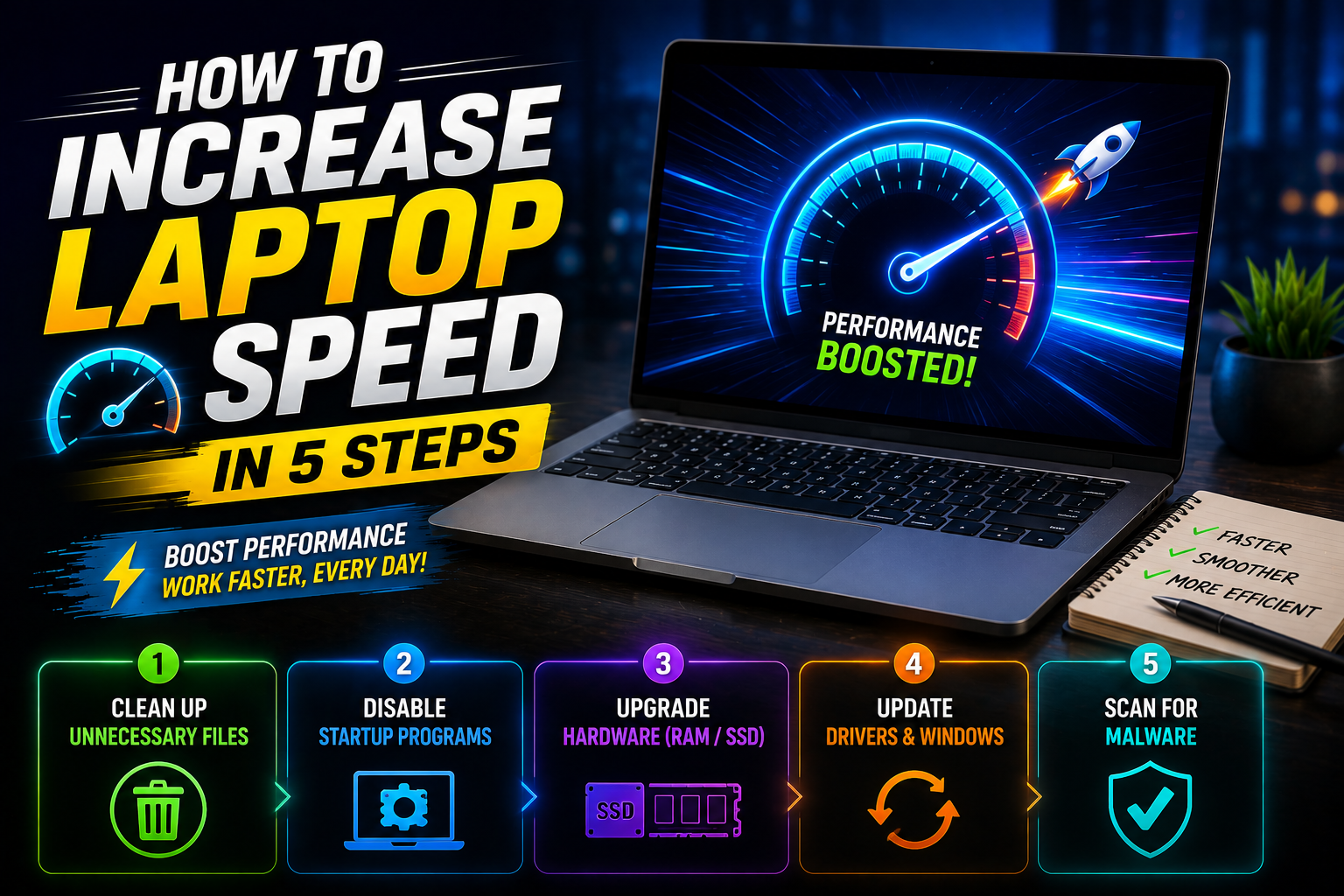
Is your laptop running slow and affecting your productivity? In Pakistan, with rising tech prices, keeping your laptop in top condition can seem like a costly task. But what if you could increase laptop speed without buying a new device? Whether you’re dealing with a lagging laptop or just need a performance boost, this guide will provide you with 5 simple steps to speed up your laptop. These steps are designed to improve your system’s performance, making it run like new, without any expensive upgrades.
At Victory Computer PK, located at Shop 51-A, 1st Floor, Hafeez Center, Lahore, we provide expert consultation and solutions to keep your laptop performing at its best. Don’t wait until your laptop becomes a hindrance to your work. Let’s dive into how you can boost laptop speed today!
Step 1: Clean Up Your Hard Drive
The more files you store on your hard drive, the slower your laptop becomes. Disk cleanup is an essential first step in increasing laptop speed. By removing temporary files, browser caches, and old system files, you can free up valuable space and improve performance. Here’s how:
- Use Windows Disk Cleanup Tool (or similar on macOS) to get rid of unnecessary files.
- Clear your browser history and cache, which can take up significant space.
- Delete unused apps and large files from your system.
Defragment Your Hard Drive (HDD)
For traditional HDDs, defragmentation rearranges data, making it easier for the system to access files. This can significantly improve loading times and overall laptop speed.
- On Windows, go to the Defragment and Optimize Drives utility and run the tool.
- For SSDs, defragmentation is not necessary, but make sure the TRIM command is enabled to keep your SSD fast.
Step 2: Upgrade Your RAM
Random Access Memory (RAM) is critical for running multiple programs smoothly. If you regularly find your laptop struggling with performance while multitasking, increasing your RAM can provide a significant boost in speed.
- 8GB of RAM is generally sufficient for most tasks, but 16GB or 32GB is ideal for power users who work with large files, gaming, or heavy software.
- Upgrading RAM is one of the most cost-effective ways to improve laptop performance.
How Much RAM Do You Need?
The amount of RAM required depends on your use case:
- Basic tasks (web browsing, word processing): 4GB – 8GB
- Heavy tasks (photo editing, gaming, video editing): 16GB – 32GB
Step 3: Optimize Startup Programs
When your laptop boots up, many applications load in the background, slowing down startup times and affecting performance. Disabling unnecessary startup programs can free up system resources and speed up your laptop.
- Windows Task Manager: Disable unnecessary startup apps in the Task Manager under the Startup tab.
- macOS: Go to System Preferences > Users & Groups > Login Items and remove unneeded apps.
How to Identify Resource-Heavy Apps
Some apps use more system resources than others. Use the Task Manager or Activity Monitor to identify apps that are using excessive CPU or memory. Disable or uninstall apps that are unnecessary and slowing down your laptop.
Step 4: Update Your Operating System and Drivers
Operating system (OS) and driver updates often contain bug fixes, performance improvements, and security patches that can enhance laptop speed. Keeping your system up to date ensures that it runs efficiently and securely.
- Windows Update: Regularly check for and install the latest updates in Settings > Update & Security.
- Driver Updates: Visit the device manufacturer’s website to download the latest drivers for your graphics card, processor, and other hardware components.
Automatic Updates vs. Manual Updates
While automatic updates are convenient, you can choose to manually update specific drivers and programs for more control. For example, graphics drivers should always be kept up to date for optimal gaming and media performance.
Step 5: Use a Solid-State Drive (SSD)
If your laptop still uses an old hard disk drive (HDD), upgrading to a solid-state drive (SSD) is one of the most effective ways to boost laptop speed. SSDs are faster, more durable, and more efficient than HDDs, offering significant performance improvements, especially in boot times and file transfers.
- SSD Speed Advantage: SSDs can read and write data up to 5x faster than traditional HDDs, meaning faster load times for applications and files.
- Ease of Installation: Replacing your laptop’s HDD with an SSD is relatively simple and offers immediate improvements in speed.
How to Migrate Data to an SSD
When upgrading to an SSD, ensure you back up your important files and migrate your operating system using cloning software. This will help you maintain your settings and data while improving performance.
Comparison Table: Best Laptops for Speed Optimization in Pakistan
| Model | Processor | RAM | Storage | Speed Rating | Price (PKR) |
| Dell XPS 13 | Intel i7 11th Gen | 16GB | 512GB SSD | 9/10 | 195,000 |
| HP Spectre x360 | Intel i7 10th Gen | 16GB | 1TB SSD | 8.5/10 | 175,000 |
| Lenovo ThinkPad X1 Carbon | Intel i7 10th Gen | 16GB | 512GB SSD | 9/10 | 210,000 |
FAQ
How to increase laptop speed on Windows 10?
You can speed up your Windows 10 laptop by cleaning up your hard drive, upgrading your RAM, disabling unnecessary startup programs, and updating drivers.
Where to buy SSDs for laptops in Lahore?
Visit Victory Computer PK at Hafeez Center, Lahore, to purchase high-quality SSDs for a significant speed boost to your laptop.
Price of upgrading laptop RAM in Lahore?
The price of upgrading laptop RAM in Lahore starts from 12,000 PKR for 8GB and can go up depending on the laptop model and RAM size.
How to check for malware affecting laptop speed?
Use reliable antivirus software to run a system scan. Malware can significantly slow down your laptop, so always keep your antivirus updated.
How to speed up a MacBook?
For a MacBook, clean up disk space, disable unnecessary startup items, update your OS, and upgrade your hard drive to an SSD for optimal speed.
Don’t waste money on the wrong specs. Chat with our Hafeez Center experts now for the latest daily price. WhatsApp: +92 300 9466 881
Fasten your Laptop Speed Today
Don’t let a slow laptop hold you back. By following these 5 simple steps, you can restore your laptop’s speed and performance without spending a fortune on upgrades. Remember, at Victory Computer PK, we provide expert advice, 100% original stock, and the best prices in Lahore. Visit us at Hafeez Center today, or contact us via WhatsApp to consult with our experts and secure the best tech solutions before prices increase further due to currency inflation.











3 thoughts on “How To Increase Laptop Speed In 5 Steps”