
Best Lightweight Laptops for Office Use in Pakistan | Expert review

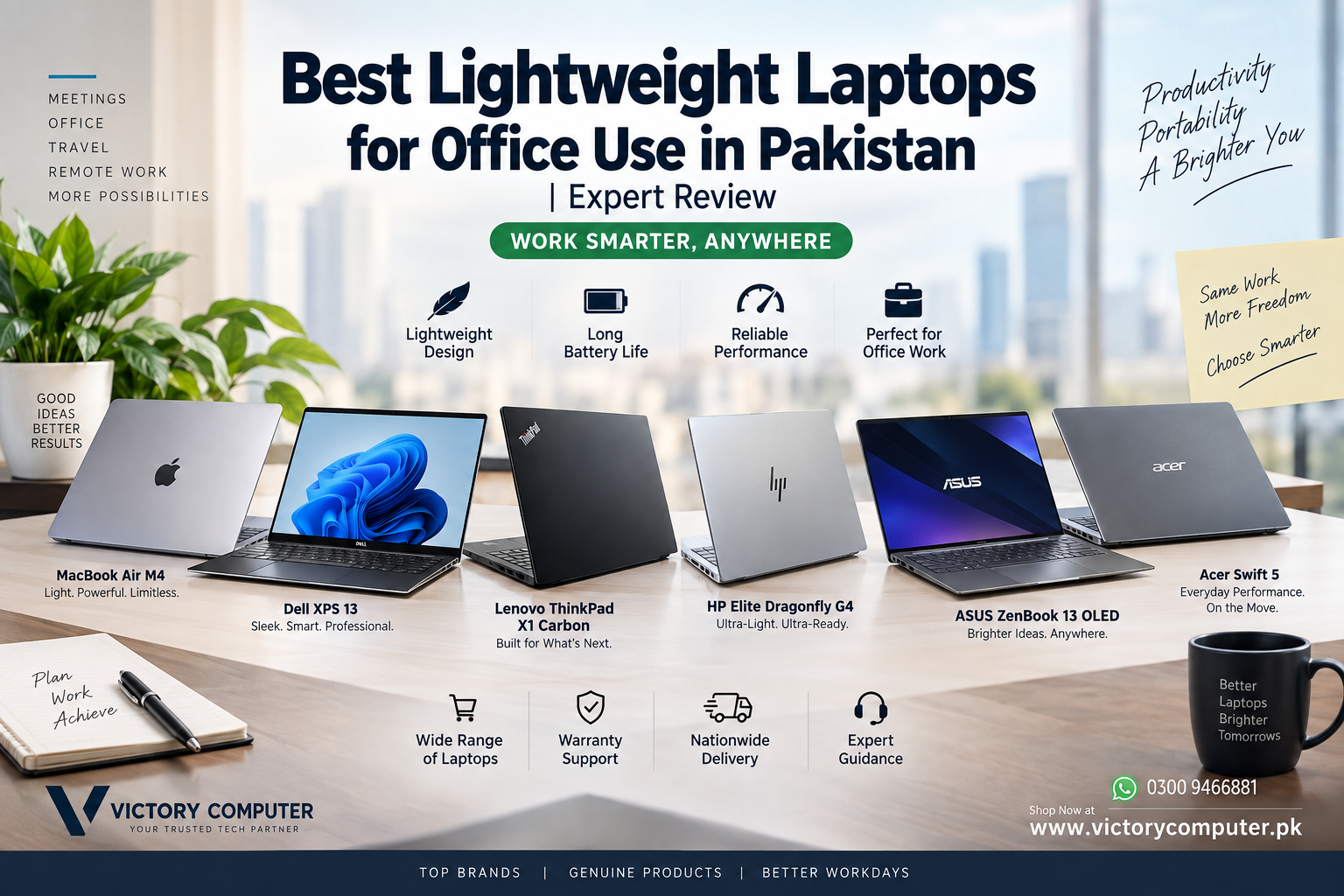
Best Lightweight Laptops for Office
The best lightweight laptops for office use in Pakistan should be easy to carry without compromising everyday productivity. For most professionals, a good office laptop needs a comfortable keyboard, dependable battery life, enough memory for multitasking, a fast SSD, and a display that remains comfortable during long working sessions.
There is no single best choice for everyone. A frequent business traveler may prioritize weight and battery life, while an accountant, developer, manager, or remote worker may care more about ports, Windows compatibility, keyboard quality, or performance. This guide compares some of the strongest lightweight laptop families to consider and explains their real advantages and trade-offs.
Quick Comparison: Best Lightweight Office Laptops
| Laptop | Best For | Main Advantage | Main Trade-Off |
|---|---|---|---|
| Apple MacBook Air 13 | Travel and everyday productivity | Light design and strong efficiency | macOS may not suit Windows-only workflows |
| Dell XPS 13 | Executives and mobile professionals | Compact premium design | Premium configurations can be expensive |
| Lenovo ThinkPad X1 Carbon | Business users and frequent typists | Excellent business-oriented design | Higher cost than mainstream ThinkPads |
| HP Dragonfly G4 | Executives and frequent travelers | Extremely lightweight business chassis | Availability can vary by market |
| ASUS Zenbook | Hybrid workers and content-focused professionals | Portable designs with premium display options | Features vary considerably between models |
| Acer Swift Series | General office and remote work | Good balance of portability and everyday performance | Build and display quality depend on configuration |
If your priority is business-focused hardware rather than gaming performance, you can also explore our business laptops in Pakistan guide for additional buying options.
1. Apple MacBook Air 13 – Best for Portability and Battery Efficiency
The MacBook Air remains one of the easiest recommendations for professionals who already work inside Apple’s ecosystem. Its thin chassis, low weight, quiet operation, and efficient Apple Silicon platform make it particularly suitable for meetings, university-to-office travel, presentations, browser-based applications, Microsoft Office, communication tools, and creative work.
The 13-inch MacBook Air form factor is especially useful if you regularly carry your laptop between home and office. Current configurations vary, so buyers should compare memory and storage before purchasing rather than choosing solely by processor generation.
Pros
- Lightweight and easy to carry every day
- Strong performance-per-watt for office workloads
- Quiet operation and premium construction
- Excellent choice for users already using iPhone and other Apple devices
- Good display and trackpad experience
Cons
- Limited number of built-in ports compared with many business laptops
- Memory and storage are not designed for conventional user upgrades
- Some specialized Windows-only business software may require alternatives
Why We Recommend It
Choose the MacBook Air if portability, efficiency and macOS are high priorities. Professionals dependent on Windows-specific applications, extensive ports, or conventional hardware upgrades should consider a ThinkPad, Dell, HP, or another Windows business laptop instead.
For a deeper platform comparison, read our guide on MacBook Air versus Windows ultrabooks.
2. Dell XPS 13 – Best Compact Windows Premium Laptop
Dell’s XPS 13 family is designed for users who want Windows productivity in a compact premium chassis. The small footprint works particularly well for business travel, client meetings and hybrid work where carrying a larger 15-inch or 16-inch notebook becomes inconvenient.
Depending on generation and configuration, XPS 13 models can differ significantly in processor platform, display resolution, connectivity and battery characteristics. Buyers in Pakistan should therefore verify the exact model number rather than treating every XPS 13 as the same laptop.
Pros
- Compact and professional design
- Easy to carry between meetings
- Premium display options on selected configurations
- Strong fit for productivity and executive use
Cons
- Premium pricing compared with mainstream office laptops
- Compact designs may provide fewer physical ports
- Specifications vary substantially between XPS generations
Why We Recommend It
The XPS 13 suits professionals who want a small premium Windows laptop and value portability more than extensive connectivity. Users who prioritize a traditional business keyboard and broader port selection may prefer the ThinkPad X1 Carbon.
3. Lenovo ThinkPad X1 Carbon – Best for Business and Typing
The ThinkPad X1 Carbon is built around traditional business-laptop priorities: portability, keyboard usability, connectivity, security features and a professional design. Lenovo lists the ThinkPad X1 Carbon Gen 11 at a starting weight of approximately 1.12 kg, although actual weight depends on configuration.
Its combination of a 14-inch display and lightweight chassis makes it particularly attractive for managers, developers, writers, consultants and professionals who spend significant time typing.
Pros
- Very lightweight for a 14-inch business notebook
- Business-focused keyboard and input design
- Useful selection of connectivity options
- Professional appearance suitable for corporate environments
- Multiple display configurations available
Cons
- Premium X1 configurations can be expensive
- Some memory configurations are not conventionally upgradeable
- Display and feature options vary between configurations
Why We Recommend It
For professionals who type heavily or need a traditional Windows business machine for frequent travel, the X1 Carbon is one of the most balanced choices. Buyers who do not need an ultra-light premium chassis can often save money with mainstream ThinkPad models.
You can also read our Lenovo ThinkPad vs Dell Latitude business laptop comparison before deciding between major business-laptop families.
4. HP Dragonfly G4 – Best Lightweight Executive Laptop
The HP Dragonfly G4 takes portability even further. HP lists starting weight at approximately 0.99 kg, with actual weight varying by configuration. Its 13.5-inch form factor and business-focused design make it particularly attractive to executives and professionals who travel frequently.
The Dragonfly line also emphasizes features expected from premium corporate notebooks rather than simply minimizing weight. This makes it more appropriate for business buyers than inexpensive consumer ultraportables that happen to be light.
Pros
- Extremely lightweight starting configuration
- Compact 13.5-inch business-oriented design
- Premium construction
- Suitable for frequent business travel and presentations
Cons
- Premium pricing
- Specific configurations may be harder to find locally
- Not intended for demanding gaming workloads
Why We Recommend It
The Dragonfly G4 makes sense for executives and frequent travelers who place weight near the top of their buying criteria. For users who spend most of their time at one desk, a slightly heavier and less expensive business laptop may provide better value.
5. ASUS Zenbook – Best for Display-Focused Office Users
ASUS Zenbook laptops are worth considering for professionals who want portability combined with premium display options. Selected Zenbook configurations use OLED panels, which can provide excellent contrast and image quality for presentations, media work and visual tasks.
However, “Zenbook” represents a broad family rather than one configuration. Screen size, processor, weight, ports and battery capacity can vary considerably, so compare the exact model before buying.
Pros
- Portable designs across many models
- High-quality display options on selected configurations
- Suitable for office productivity and multimedia work
- Premium styling without requiring macOS
Cons
- Specifications vary widely across the Zenbook range
- OLED models can command higher prices
- Some thin configurations have limited upgradeability
Why We Recommend It
Zenbook models are particularly appealing to professionals who want a Windows ultraportable with more emphasis on display quality. Check the exact model, processor, memory, storage and screen specification before making a decision.
6. Acer Swift Series – Good Balance for Everyday Office Work
Acer’s Swift family targets thin-and-light computing and can be a practical option for general productivity. A suitable Swift configuration can handle common workloads such as Word, Excel, browser tabs, video meetings, accounting software and cloud-based business applications without requiring a heavy gaming laptop.
The main consideration is configuration. Acer has released multiple Swift models across different price and performance levels, so the exact CPU, RAM, display, battery and weight matter more than the Swift name alone.
Pros
- Thin-and-light options for everyday office use
- Suitable for general productivity and remote work
- Multiple configurations and price tiers
- Often a practical alternative to premium business ultrabooks
Cons
- Build quality varies across the range
- Display quality differs between configurations
- Not every Swift model offers the same premium business features
Why We Recommend It
Consider an Acer Swift if you want portability without automatically moving into the highest-priced business segment. Compare the exact configuration carefully because differences within the Swift family can be substantial.
Which Lightweight Laptop Is Best for Office Use?
| Your Priority | Recommended Option |
|---|---|
| Portable macOS laptop | MacBook Air 13 |
| Compact premium Windows experience | Dell XPS 13 |
| Keyboard and traditional business features | Lenovo ThinkPad X1 Carbon |
| Minimum weight for frequent travel | HP Dragonfly G4 |
| Premium display and portable Windows design | ASUS Zenbook |
| Balanced everyday thin-and-light option | Acer Swift |
What Specifications Should an Office Laptop Have?
For most professional users, 16GB RAM and a 512GB SSD are sensible targets for a new office laptop. This gives enough headroom for browser tabs, Microsoft Office applications, communication software, cloud platforms and normal multitasking without paying for workstation-level hardware that may never be used.
Processor requirements depend on the workload. General administration and productivity do not require a gaming-class CPU or dedicated GPU. Developers, engineers, video editors and other demanding users should evaluate performance separately instead of buying solely based on weight.
Also consider the keyboard, webcam, ports, charging method, display brightness, warranty terms and exact weight. A laptop that weighs slightly less but requires several adapters may not actually be more convenient for daily office use.
Buying Lightweight Laptops in Pakistan
Availability and pricing in Pakistan can change with model, configuration, warranty type and inventory. Always verify the exact model number before comparing prices because two laptops with nearly identical names may have different processors, RAM, SSD capacity, displays or regional configurations.
Victory Computer provides laptops for customers looking for business, professional, student and personal computing options in Pakistan. You can visit Victory Computer or review our business laptop buying options before choosing a model.
If your desk setup also needs additional displays, Ethernet, storage or peripherals, our guide to docking stations for office setups in Pakistan explains when a docking station can make a thin laptop more practical at work.
Frequently Asked Questions
What is the best lightweight laptop for office use in Pakistan?
There is no universal winner. The MacBook Air is particularly strong for portable macOS use, while the ThinkPad X1 Carbon is better suited to users who prioritize a traditional business keyboard, Windows compatibility and business connectivity.
Is 8GB RAM enough for office work?
It can handle basic office applications, but 16GB is a better target for a new laptop if you regularly multitask, use many browser tabs, attend video meetings or plan to keep the machine for several years.
Is 512GB SSD enough for office use?
For many professionals, yes. Users working with large video projects, engineering files, virtual machines or extensive offline data may benefit from 1TB or more.
Should I buy a MacBook or Windows laptop for office work?
Choose according to your software and company environment. MacBook Air is attractive for users comfortable with macOS, while Windows laptops generally provide a broader range of hardware configurations and compatibility with Windows-specific business software.
How important is laptop weight for office use?
Weight matters most if you commute, travel or regularly move between meetings. If the laptop stays primarily on a desk, display size, keyboard comfort, connectivity and price may be more important than saving a few hundred grams.
Where can I buy lightweight business laptops in Pakistan?
You can check current laptop options through Victory Computer Pakistan. Confirm the exact model, configuration, current price, availability and applicable warranty before ordering.

About Victory Computer Editorial Team
Victory Computer Editorial Team The Victory Computer Editorial Team publishes informative, research-based content about laptops, computers, monitors, printers, hardware, and technology trends in Pakistan. Our goal is to help readers understand product specifications, compare available options, and make informed purchasing decisions.
View all posts by Victory Computer Editorial Team