
Best Apple Chip for Gaming in 2025

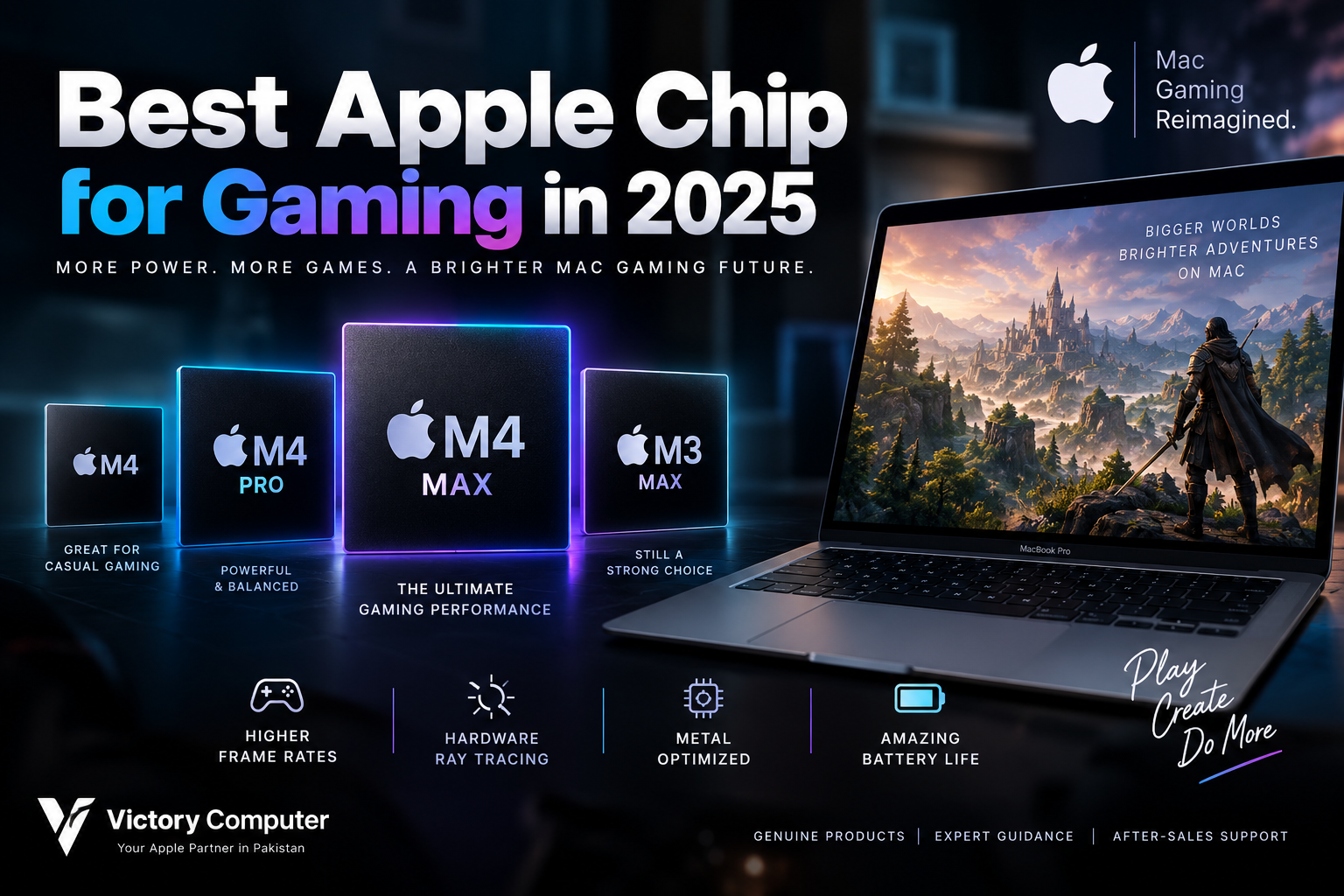
Best Apple Chip for Gaming
If you want the best Apple chip for gaming from Apple’s 2025 Mac lineup, the M4 Max is the strongest practical choice for a gaming-focused MacBook. Its high-end GPU, second-generation hardware-accelerated ray tracing, fast unified memory architecture and strong CPU performance make it considerably better suited to demanding games than Apple’s base M-series chips.
That does not automatically make a MacBook Pro M4 Max better than a dedicated Windows gaming laptop. Game availability, native macOS support and GPU upgradeability remain important limitations. The right choice therefore depends on whether you want a Mac that can game well or a computer purchased primarily for gaming.
Which Apple Chip Is Best for Gaming?
For a high-performance MacBook, M4 Max is the best Apple chip for gaming from the 2025 generation. Apple offers M4 Max with up to a 40-core GPU, and the architecture includes Dynamic Caching, hardware-accelerated mesh shading and second-generation hardware-accelerated ray tracing.
Those technologies matter because modern games increasingly depend on efficient GPU resource allocation, complex geometry and ray-traced lighting. Apple’s move to hardware ray tracing originally began with the M3 generation, while M4 Max develops that graphics architecture further.
If you want more background on the architecture itself, see our M4 chip performance guide.
Apple Chips Ranked for Gaming
| Apple Chip | Gaming Position | Best For | Main Trade-Off |
|---|---|---|---|
| M4 Max | Best high-end MacBook choice | Demanding games, creative work and gaming | Expensive if gaming is your only priority |
| M3 Max | Still very capable | Discounted high-end MacBook Pro models | Older generation than M4 Max |
| M4 Pro | Best balanced option | Gaming plus professional workloads | Less GPU performance than M4 Max |
| M3 Pro | Good mid-to-high option | Supported games and everyday professional work | Behind newer M4 options |
| M4 | Good mainstream option | Casual and moderate gaming | Lower GPU ceiling |
| M3 | Entry-level modern Mac gaming | Casual games and lighter titles | Limited for demanding workloads compared with Max chips |
There are also workstation-class desktop configurations such as Ultra-series chips. Their specifications can be extremely powerful, but buying a Mac Studio-class system purely for gaming usually makes less practical sense than choosing hardware around the games and software you actually intend to run.
Why M4 Max Is the Best Apple Chip for Gaming
The main advantage of M4 Max is its GPU. Apple offers the chip with up to 40 GPU cores, alongside up to a 16-core CPU and up to 128GB of unified memory. Apple specifies memory bandwidth of up to 546GB/s for M4 Max.
For gaming, however, specifications alone do not determine frame rates. The game must also be optimized for macOS, Metal and the specific Apple silicon architecture. A well-optimized native Mac title can take much better advantage of the hardware than a poorly optimized port.
Apple’s Game Porting Toolkit also gives developers tools for evaluating Windows games on Apple silicon and converting graphics workloads toward Metal. That improves the development environment around Mac gaming, although it does not mean every Windows game automatically becomes a native Mac title.
M4 Max Gaming Pros and Cons
Pros
- Up to 40-core GPU provides Apple’s highest GPU tier in the M4 MacBook Pro family.
- Second-generation hardware ray tracing improves the architecture available for games using advanced lighting and reflections.
- High unified-memory bandwidth helps demanding graphics and professional workloads move data efficiently.
- Strong performance per watt makes high-end graphics performance possible in a relatively portable notebook.
- Excellent mixed-workload capability for users who game but also edit video, render, develop software or perform other demanding professional tasks.
Cons
- High purchase cost makes M4 Max difficult to justify if gaming is the computer’s only purpose.
- Smaller game library than Windows remains one of the biggest practical disadvantages of Mac gaming.
- No discrete GPU upgrade path means you cannot replace the graphics processor later as you can in many desktop gaming PCs.
- Game-specific performance varies depending on native support, optimization, translation layers and graphics settings.
Why We Recommend It
Choose M4 Max if you specifically want a high-performance MacBook that will also be used for gaming. It makes particular sense for creators, developers and professionals whose demanding applications benefit from the same CPU and GPU resources.
If gaming is your only priority and you need the broadest possible AAA library, a Windows gaming PC or laptop may provide better value and compatibility.
M4 Max vs M3 Max for Gaming
M3 Max remains a serious option. Apple’s M3 generation introduced Dynamic Caching, hardware-accelerated mesh shading and hardware-accelerated ray tracing to Mac GPUs, so an M3 Max MacBook Pro is not suddenly obsolete because M4 Max exists.
M3 Max was available with up to a 40-core GPU and up to 128GB of unified memory. M4 Max keeps the high-end 40-core GPU configuration while introducing a newer graphics architecture and second-generation ray-tracing engine.
If an M3 Max system is available at a meaningfully lower price, it can still make sense. Buyers comparing the generations can read our detailed Apple M4 vs M3 comparison.
Is M4 Pro Enough for Gaming?
For many Mac users, M4 Pro is the more balanced purchase. You do not necessarily need M4 Max to play games on a MacBook Pro.
M4 Pro is better suited to buyers who want strong CPU and GPU performance but cannot justify paying for the highest M4 Max configuration. The performance difference matters most as graphics settings, resolution and workload intensity increase.
M4 Max therefore makes sense when GPU performance is a major purchasing factor. M4 Pro makes more sense when gaming is one part of a broader workload.
Is MacBook Air M4 Good for Gaming?
The M4 MacBook Air can handle compatible casual and moderately demanding games, but it should not be confused with a dedicated gaming notebook. The MacBook Air uses a fanless thermal design, while MacBook Pro models are designed to sustain heavier workloads with active cooling.
During longer gaming sessions, sustained performance and cooling become more important. This is one reason a MacBook Pro with M4 Pro or M4 Max is a more appropriate choice for demanding Mac gaming.
For a broader look at how Apple’s newer generations developed, read our Apple Silicon journey from M1 to M4.
How Much Has Mac Gaming Improved?
Apple’s graphics hardware is only part of the story. The software ecosystem has also changed. Metal gives developers direct access to Apple-designed GPU capabilities, while MetalFX provides technologies designed to improve graphics performance and image quality.
Apple’s Game Porting Toolkit helps developers evaluate Windows games on Apple silicon, convert shaders and debug Metal workloads. These tools lower some of the technical barriers involved in bringing advanced games to Mac.
Our M3 and M4 MacBook gaming comparison explains the broader Mac-versus-PC situation in more detail.
Mac Gaming vs Windows Gaming PCs
The strongest Apple chip does not solve every Mac gaming limitation. Windows remains the safer platform for players whose priority is access to the widest selection of PC games, gaming-specific hardware and GPU upgrade options.
Mac has a different advantage. A MacBook Pro with M4 Max can combine professional workloads, strong battery efficiency and capable gaming performance in one machine. That combination can be attractive to developers, video editors, designers and other professionals who occasionally or regularly play games.
If your priority is gaming first rather than macOS, compare the available gaming laptops in Pakistan before deciding. A dedicated NVIDIA or AMD gaming laptop may suit a Windows-focused game library better.
Which Apple Chip Should You Buy?
Choose M4 Max if you want the strongest practical gaming-oriented MacBook configuration from Apple’s 2025 generation and also need serious professional performance.
Choose M4 Pro if you want a better balance between performance and cost. It is likely to be the more sensible MacBook Pro choice for users who game but do not need the maximum GPU configuration.
Consider M3 Max if you find a well-priced previous-generation MacBook Pro. Its hardware ray tracing and high-end GPU configuration still make it relevant.
Choose a base M4 Mac if gaming is secondary and your game library consists mainly of compatible casual or moderately demanding titles.
Buying a Gaming MacBook in Pakistan
Pakistani buyers should compare more than the processor name. Check the exact Mac model, chip configuration, GPU core count, unified memory, SSD capacity, keyboard configuration, warranty terms and seller support before purchasing.
Also check whether the games you actually intend to play have native macOS versions or suitable Mac support. Paying significantly more for M4 Max provides little gaming benefit if your favourite titles cannot run properly on macOS.
You can browse current computer options through Victory Computer or contact the store to confirm the exact configuration, current availability and warranty terms before ordering. Current prices and availability can change, so they should be verified at the time of purchase.
Frequently Asked Questions
Which Apple chip is best for gaming in 2025?
M4 Max is the strongest practical choice for gaming in a 2025 MacBook Pro. It offers up to a 40-core GPU, second-generation hardware-accelerated ray tracing and high unified-memory bandwidth.
Is M4 Max good for AAA gaming?
Its hardware is capable of demanding graphics workloads, but actual AAA gaming depends heavily on whether a game supports macOS and how well its Mac version is optimized.
Is M4 Pro enough for gaming?
Yes. M4 Pro is a better-balanced option for many buyers who want strong Mac gaming performance without paying for the highest M4 Max configuration.
Is M3 Max still good for gaming?
Yes. M3 Max supports hardware-accelerated ray tracing and was available with up to a 40-core GPU, so it remains relevant, particularly if the MacBook Pro is available at an attractive price.
Should I buy a MacBook Air M4 for gaming?
It is suitable for lighter and compatible games, but its fanless design makes a MacBook Pro with active cooling a better choice for sustained demanding gaming.
Is a MacBook better than a Windows gaming laptop?
Not universally. MacBooks offer strong efficiency and professional performance, while Windows gaming laptops generally provide broader game compatibility and more gaming-focused GPU choices.

About Victory Computer Editorial Team
Victory Computer Editorial Team The Victory Computer Editorial Team publishes informative, research-based content about laptops, computers, monitors, printers, hardware, and technology trends in Pakistan. Our goal is to help readers understand product specifications, compare available options, and make informed purchasing decisions.
View all posts by Victory Computer Editorial Team