
M4 Chip Benchmarks: How Fast Is It Really?

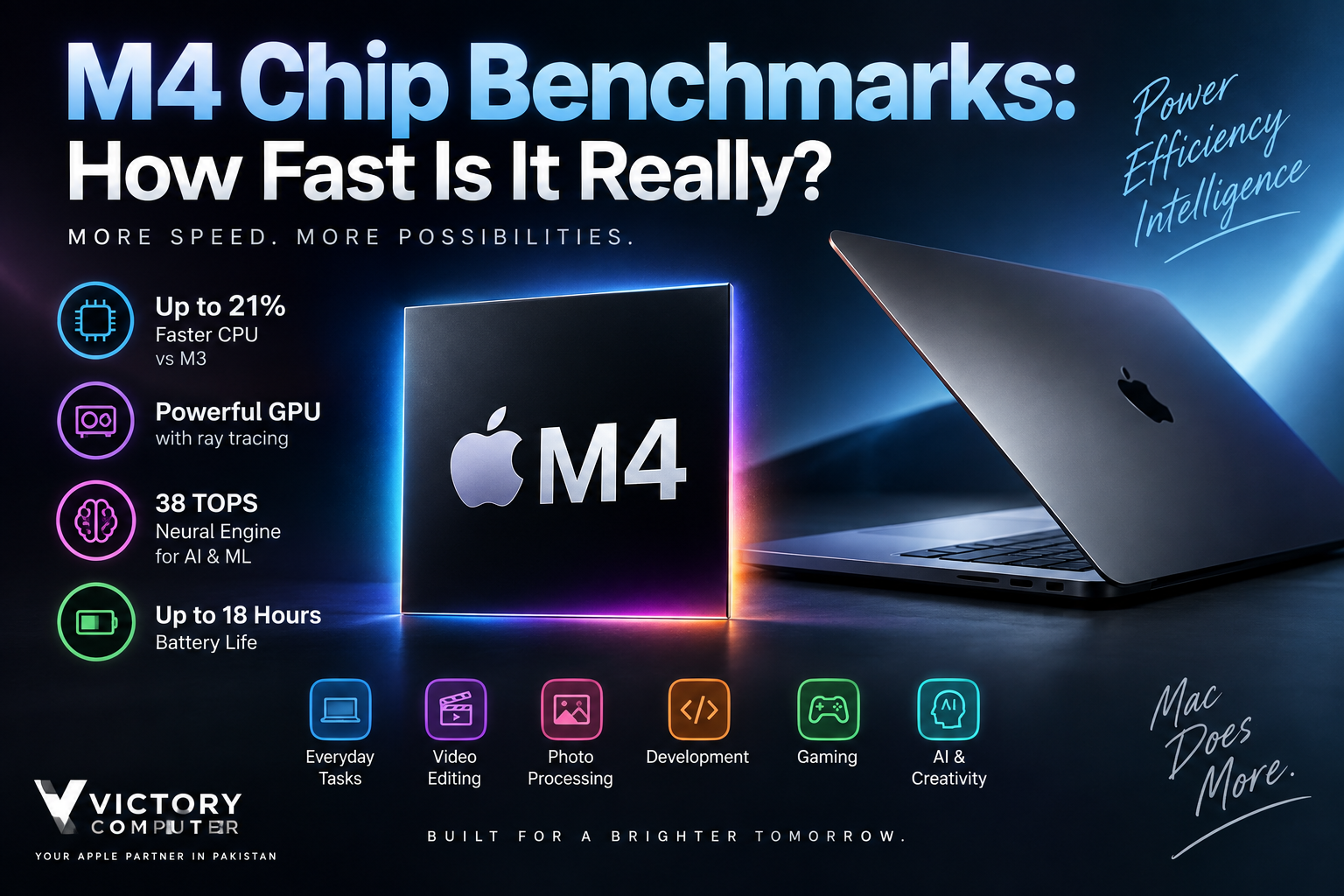
M4 Chip Benchmarks
M4 Chip Benchmarks show that Apple’s base M4 is a substantial CPU upgrade over M3, particularly in multi-core workloads, while also improving memory bandwidth and AI processing. Independent MacBook Air testing puts Geekbench 6 performance around 3,700–3,800 single-core and roughly 15,000 multi-core. The main trade-off is that performance depends heavily on the Mac: a fanless MacBook Air cannot sustain maximum performance as long as a cooled MacBook Pro.
Apple M4 Specifications That Affect Performance
The base Apple M4 combines a 10-core CPU with four performance cores and six efficiency cores. Depending on the Mac configuration, the GPU can have up to 10 cores. Apple also equips M4 with a 16-core Neural Engine and 120GB/s of unified-memory bandwidth.
According to Apple’s M4 technical overview, the chip is manufactured using second-generation 3-nanometer technology. The GPU architecture includes Dynamic Caching, hardware-accelerated mesh shading and hardware-accelerated ray tracing.
The Neural Engine can perform up to 38 trillion operations per second. M4 also includes hardware acceleration for H.264, HEVC, ProRes, ProRes RAW and AV1 decode, making the architecture particularly relevant to video and media workflows.
| Feature | Base Apple M4 | Why It Matters |
|---|---|---|
| CPU | 10 cores | Strong single-core and multi-core performance |
| GPU | Up to 10 cores | Graphics, rendering and GPU-accelerated applications |
| Neural Engine | 16 cores, up to 38 TOPS | On-device AI and machine-learning workloads |
| Memory Bandwidth | 120GB/s | Faster movement of data between CPU, GPU and unified memory |
| Manufacturing Process | Second-generation 3nm | Helps improve performance per watt |
M4 Chip Benchmarks: Geekbench CPU Performance
M4 Chip Benchmarks are particularly impressive in CPU testing. Tom’s Hardware measured the MacBook Air M4 at 3,780 points in Geekbench 6 single-core and 14,924 in multi-core testing.
A Geekbench Browser comparison between M4 and M3 MacBook Air results shows an M4 score of 3,686 single-core and 15,353 multi-core versus 3,046 and 11,916 for the compared M3 system. That individual comparison works out to roughly 21% higher single-core performance and 29% higher multi-core performance for M4.
Benchmark scores vary with software versions, thermal conditions and individual machines, so they should be treated as representative results rather than fixed performance guarantees.
| Geekbench 6 Test | MacBook Air M4 | MacBook Air M3 | Approx. Difference |
|---|---|---|---|
| Single-Core | 3,686 | 3,046 | ~21% faster |
| Multi-Core | 15,353 | 11,916 | ~29% faster |
Source: individual Geekbench Browser comparison. Results can vary between devices and benchmark versions.
M4 vs M3: How Big Is the Performance Difference?
M4 provides its clearest advantage over M3 in CPU-heavy workloads. Apple increased the base MacBook Air CPU from eight cores on M3 to ten cores on M4 while increasing unified-memory bandwidth from 100GB/s to 120GB/s.
The GPU core count does not increase dramatically on the base configuration, so buyers should not expect every graphics workload to improve by the same percentage as multi-core CPU benchmarks.
For a deeper generational breakdown, see our M4 vs M3 comparison. You can also follow the broader Apple Silicon journey from M1 to M4 to understand how Apple’s Mac processors have developed.
For existing M3 owners, the upgrade decision is therefore workload-dependent. Everyday browsing, documents and streaming may not feel dramatically different. Developers, creators and users regularly pushing CPU-intensive software have more reason to value M4.
How Fast Is M4 in Real-World Workloads?
M4 Chip Benchmarks matter most when they translate into shorter waiting times. M4 performs particularly well in software development, photo processing, video transcoding and other workloads capable of using its additional CPU resources.
In Tom’s Hardware testing, the fanless MacBook Air M4 completed a 4K-to-1080p HandBrake transcode in 4 minutes 52 seconds. For comparison, the publication’s earlier MacBook Air M3 review recorded approximately 6 minutes 30–32 seconds for the same type of HandBrake test.
Cooling remains an important factor. During repeated Cinebench 2024 multi-core runs, Tom’s Hardware observed the fanless M4 MacBook Air losing performance after its initial run. This means short tasks can be exceptionally fast, while long rendering or compiling sessions are better suited to an actively cooled MacBook Pro.
Creators deciding between generations can also read our M4 vs M3 guide for video editing and creative workloads.
M4 GPU and Gaming Performance
The M4 GPU is more capable than raw core counts suggest because Apple carries forward technologies introduced with M3, including Dynamic Caching, hardware-accelerated ray tracing and hardware-accelerated mesh shading.
These features can improve demanding 3D applications and supported games, but M4 should not automatically be treated as a replacement for every dedicated gaming GPU. Game availability, macOS support, graphics settings and the thermal design of the Mac remain important.
MacBook Air is fanless, which is excellent for silent operation but less suitable for continuously stressing the GPU. MacBook Pro models can sustain demanding workloads more effectively because they use active cooling.
For a gaming-specific discussion, see our guide to gaming on M3 and M4 MacBooks.
How Fast Is M4 for AI and Machine Learning?
M4 Chip Benchmarks are only part of the AI story. Apple’s 16-core M4 Neural Engine is rated at up to 38 trillion operations per second, giving compatible applications dedicated hardware for machine-learning workloads.
M4 also combines Neural Engine processing with machine-learning accelerators in the CPU, GPU compute resources and unified memory. This architecture can benefit supported on-device AI features without requiring every operation to run on the CPU.
However, a TOPS figure should not be treated as a universal application benchmark. Actual AI performance depends on the model, framework, memory requirements, software optimization and which M4 hardware blocks an application uses.
Does M4 Performance Hurt Battery Life?
No major battery-life penalty is evident in Apple’s MacBook Air specifications. The 13-inch MacBook Air M4 is rated for up to 18 hours of video streaming and up to 15 hours of wireless web use.
Apple lists the same headline maximum of 18 hours for M3 and M4 MacBook Air generations, so the reason to choose M4 is improved performance rather than a claimed generational jump in maximum battery runtime.
The 14-inch MacBook Pro with base M4 can reach up to 24 hours of video streaming under Apple’s test conditions, demonstrating how battery capacity and the complete Mac design matter alongside processor efficiency.
See our dedicated M4 vs M3 battery-life comparison for more buying context.
M4 Chip Pros and Cons
Pros
- Excellent single-core CPU performance for responsive everyday and professional workloads.
- Significant multi-core improvement over M3 in representative Geekbench results.
- 10-core CPU on current base M4 MacBook configurations.
- 120GB/s unified-memory bandwidth, up from 100GB/s on M3 MacBook Air.
- 38-TOPS Neural Engine for supported AI and machine-learning workloads.
- Hardware-accelerated ray tracing and modern media engines, including AV1 decode.
- Strong performance per watt with long battery life in current MacBooks.
Cons
- M3 owners may see limited practical benefit in light everyday workloads.
- MacBook Air’s fanless design reduces sustained performance during long CPU or rendering workloads.
- GPU gains are more workload-dependent than the CPU improvement.
- Gaming remains affected by macOS game availability and compatibility.
Why We Recommend It
M4 is a strong choice for buyers moving from an Intel Mac or an older Apple Silicon machine and for users who regularly compile code, edit media or run demanding productivity applications. M3 owners who mainly browse, study, stream and work with documents can reasonably keep their existing Mac unless another M4-specific hardware improvement matters to them.
Who Should Buy an M4 Mac?
M4 Chip Benchmarks make the processor particularly attractive to developers, content creators, professionals and heavy multitaskers who can use the additional CPU performance.
Choose a MacBook Air M4 when portability, silence and battery life matter more than sustained maximum performance. Choose a MacBook Pro with M4 when long compiling, rendering, editing or other continuous workloads justify active cooling and a more performance-focused chassis.
For buyers in Pakistan, configuration matters as much as the processor. Check unified memory, SSD capacity, screen size, keyboard configuration and warranty terms before purchasing an imported MacBook. Current models and available configurations can be explored through Victory Computer.
Frequently Asked Questions
How fast is the Apple M4 chip?
Independent MacBook Air M4 testing has produced Geekbench 6 results around 3,700–3,800 single-core and roughly 15,000 multi-core. Exact scores vary with the Mac model, software and thermal conditions.
Is M4 faster than M3?
Yes. A representative Geekbench Browser comparison shows approximately 21% higher single-core and 29% higher multi-core performance for the tested M4 MacBook Air versus M3 MacBook Air.
Is the M4 chip good for video editing?
Yes. M4 combines strong CPU/GPU performance with dedicated H.264, HEVC, ProRes, ProRes RAW and AV1 media capabilities. Professionals running long exports should consider a MacBook Pro because active cooling can sustain performance better.
Is M4 good for gaming?
M4 supports hardware-accelerated ray tracing and has a capable integrated GPU, but game availability and macOS compatibility remain important limitations compared with dedicated Windows gaming systems.
Is M4 worth upgrading to from M3?
For light everyday work, usually not on processor performance alone. M4 becomes more attractive for CPU-heavy workflows, heavier multitasking or buyers who also value improvements in the newer Mac model.
Does the M4 MacBook Air have good battery life?
Yes. Apple rates the 13-inch MacBook Air M4 for up to 18 hours of video streaming and up to 15 hours of wireless web use, although real battery life varies with workload and settings.
Final Verdict
M4 Chip Benchmarks confirm that Apple’s M4 is more than a minor refresh. CPU performance is the clearest improvement over M3, while 120GB/s memory bandwidth, the 38-TOPS Neural Engine, modern GPU features and efficient media engines strengthen the platform for creative and professional applications.
The upgrade is most compelling for Intel Mac and older Apple Silicon users. M3 owners should decide based on workload rather than benchmark numbers alone: everyday users can comfortably stay with M3, while developers and creators who regularly push CPU performance have a stronger reason to move to M4.

About Victory Computer Editorial Team
Victory Computer Editorial Team The Victory Computer Editorial Team publishes informative, research-based content about laptops, computers, monitors, printers, hardware, and technology trends in Pakistan. Our goal is to help readers understand product specifications, compare available options, and make informed purchasing decisions.
View all posts by Victory Computer Editorial Team
2 thoughts on “M4 Chip Benchmarks: How Fast Is It Really?”