
Difference Between Core i5, Core i7, and Core i9 Processors

Difference Between Core i5, Core i7, and Core i9 Processors
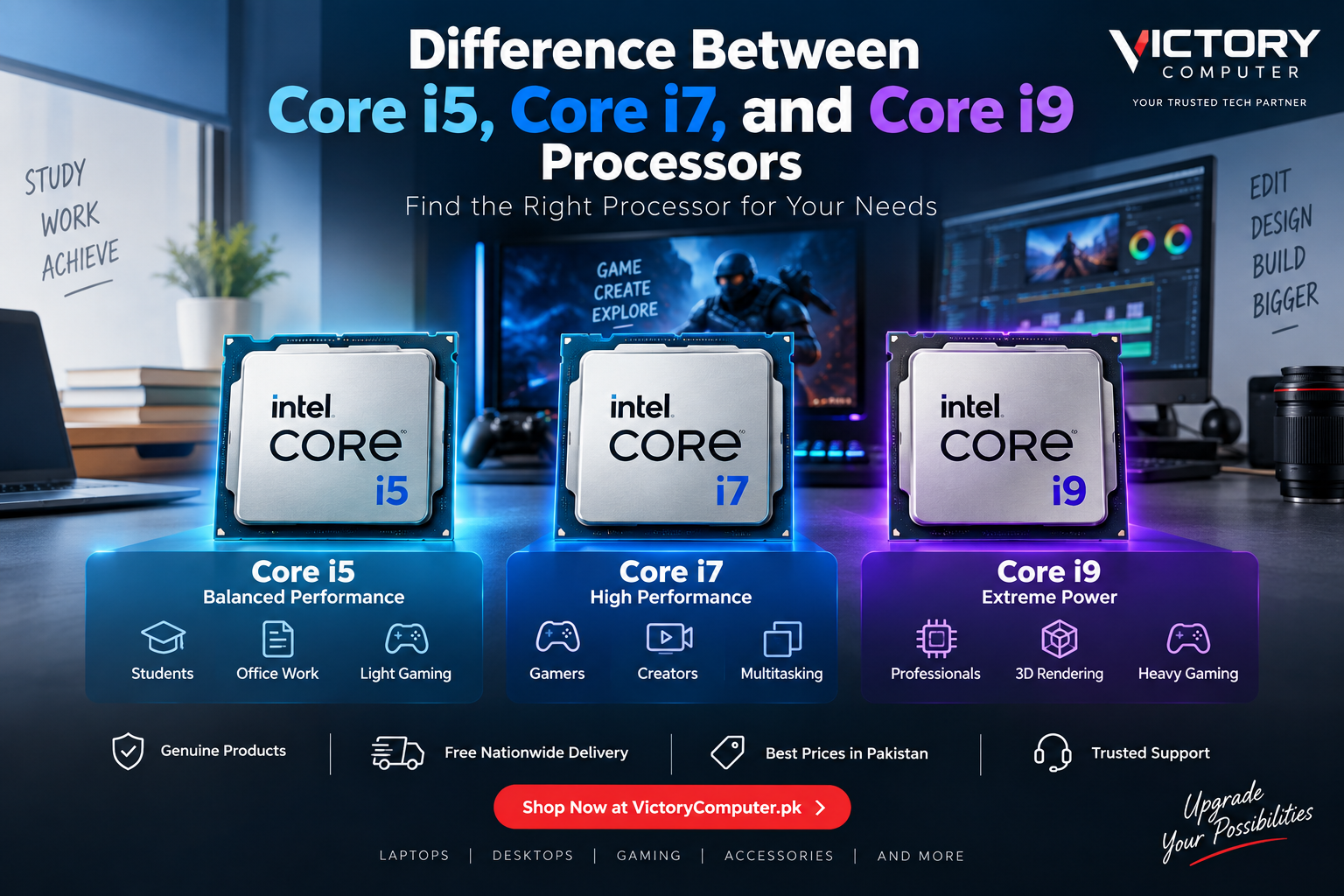
The main difference between Core i5, Core i7, and Core i9 processors is their performance tier. Core i5 generally targets mainstream computing, Core i7 suits more demanding gaming and creative workloads, while Core i9 targets users who need very high CPU performance. However, the exact model, generation, power class, cooling and laptop design matter just as much as the i5, i7 or i9 badge.
What Do Core i5, i7, and i9 Mean?
Core i5, Core i7 and Core i9 identify different performance tiers within generations of Intel Core processors. Traditionally, Core i5 sits in the mainstream tier, Core i7 moves higher, and Core i9 targets demanding enthusiast and professional workloads.
The name alone does not tell you exactly how fast a processor will be. A newer Core i5 can outperform an older Core i7 in some workloads, while laptop CPU suffixes can indicate very different performance and power characteristics.
Intel has also changed its naming system for newer processor families. Current products include Intel Core 5/7 and Intel Core Ultra 5/7/9, so shoppers should always compare the complete processor model rather than relying only on the familiar i5, i7 or i9 label.
Core i5 vs Core i7 vs Core i9 Comparison
| Processor Tier | Best For | Main Advantage | Main Trade-off |
|---|---|---|---|
| Core i5 | Students, office work, everyday computing and mainstream gaming | Good performance without paying for unnecessary CPU power | Less suitable for sustained heavy professional workloads |
| Core i7 | Gaming, programming, content creation and heavier multitasking | Strong balance between performance and practical usability | Usually costs more and may require stronger cooling |
| Core i9 | 3D work, demanding production workloads and high-end gaming systems | Very high CPU performance in suitable configurations | Higher cost, power demand and cooling requirements |
The most important lesson from a Core i5 vs Core i7 vs Core i9 comparison is that processor tier should never be considered in isolation. Generation, suffix, cooling, RAM, graphics and the workload all influence real-world performance.
Core i5 Processor: Pros and Cons
A Core i5 processor is generally the sensible starting point for users who need good everyday performance without paying for high-end CPU capability they may never use.
Pros of Core i5
- Good choice for office applications, browsing, study and everyday multitasking.
- Suitable for many mainstream gaming systems when paired with an appropriate GPU.
- Often provides a practical balance between performance, power consumption and system cost.
- Available across thin-and-light and higher-performance laptop classes.
Cons of Core i5
- Heavy rendering, professional video production and other sustained CPU workloads may benefit from a higher-tier processor.
- Performance varies significantly between low-power and high-performance Core i5 models.
- The i5 badge alone does not guarantee better performance than an older or differently configured i7.
Core i5 is particularly suitable for students, office users and general business workloads. Buyers focused on productivity can also browse business laptops in Pakistan to compare complete laptop configurations rather than choosing by processor name alone.
Core i7 Processor: Pros and Cons
A Core i7 processor is usually better suited to users running more demanding applications or combining gaming, productivity and content creation on one machine.
Pros of Core i7
- Strong choice for demanding multitasking and productivity.
- Well suited to gaming laptops paired with capable dedicated graphics.
- Better fit than mainstream processors for heavier creative workloads.
- Available in performance-focused H and HX laptop configurations.
Cons of Core i7
- Costs more than comparable Core i5 systems.
- High-performance versions can consume more power and produce more heat.
- Many everyday users will not benefit enough from the extra performance to justify the additional cost.
If your decision has already narrowed to these two tiers, our detailed Core i5 vs Core i7 comparison explains which option makes more sense for different laptop buyers.
Core i9 Processor: Pros and Cons
A Core i9 processor targets demanding users who can actually benefit from high CPU performance. Typical use cases include intensive content creation, rendering, engineering applications, large development workloads and premium gaming systems.
Pros of Core i9
- Designed for demanding CPU-intensive workloads.
- Suitable for high-end gaming systems where maximum CPU performance matters.
- Strong option for professional rendering, production and heavy multitasking when the software can use the available resources.
- High-performance desktop and HX-class laptop options are available.
Cons of Core i9
- Significantly more performance than many everyday users need.
- High-performance models can require substantial cooling and power.
- A more expensive CPU can leave less budget for the GPU, RAM, SSD or display.
- Thin laptops may not sustain the same performance as larger systems with stronger cooling.
Core i9 makes the most sense when your workload can use its additional performance. Buying Core i9 simply because the number is higher can result in spending more without noticeably improving everyday tasks.
Core i5 vs Core i7 vs Core i9: Which Is Better for Gaming?
Core i7 is often a practical choice for a powerful gaming laptop, but Core i5 can also be excellent for gaming. The graphics processor is frequently more important to gaming performance than moving from one CPU tier to another.
For example, choosing a balanced Core i5 or Core i7 system with a stronger dedicated GPU may make more sense for gaming than spending most of the budget on Core i9 while accepting weaker graphics.
Core i9 becomes more relevant in premium gaming systems, CPU-heavy games, high-refresh-rate scenarios and machines that must handle gaming alongside demanding production workloads.
Compare complete gaming laptops in Pakistan before making a decision based only on the CPU badge.
Which Processor Is Better for Video Editing and Professional Work?
Core i7 is a strong starting point for serious content creation, while Core i9 can benefit heavier professional workflows. Core i5 remains capable for lighter photo editing, coding and occasional video work.
- Core i5: office work, programming, Photoshop, light editing and general productivity.
- Core i7: frequent video editing, demanding development work, content creation and heavier multitasking.
- Core i9: demanding rendering, large creative projects and CPU-intensive professional workloads where additional processing performance saves meaningful time.
Software requirements also matter. Some creative applications benefit heavily from GPU acceleration, meaning a Core i7 laptop with stronger graphics can be a better workstation than an expensive Core i9 configuration with weaker graphics.
Generation and CPU Suffixes Matter More Than Many Buyers Realize
Do not compare processors using only i5 vs i7 vs i9. Always read the complete model number. For traditional Intel Core naming, a processor such as the Core i7-13700H belongs to the 13th generation, while the Core i9-14900HX belongs to the 14th generation.
The suffix is also important. Intel identifies U processors as mobile power-efficient models, H as high-performance mobile processors and HX as a highest-performance mobile class. Desktop suffixes such as K identify unlocked processors, while F indicates models requiring discrete graphics.
This means comparing a low-power Core i7 U-series processor directly against a high-performance Core i5 H/HX processor based solely on the i7 and i5 names can be misleading.
For a deeper explanation, read our guide to Core i5 U-series vs H-series laptops.
Core i5 vs Core i7 vs Core i9: Which Should You Buy?
Choose Core i5 for mainstream computing, Core i7 for demanding all-round performance, and Core i9 when your workload genuinely benefits from maximum CPU performance.
| User | Recommended Tier | Reason |
|---|---|---|
| Student | Core i5 | Good performance for study, browsing and productivity |
| Office User | Core i5 / Core i7 | Depends on workload and multitasking requirements |
| Programmer | Core i5 / Core i7 | Depends on project size, compilation and virtual machines |
| Gamer | Core i5 / Core i7 | GPU choice usually deserves equal or greater attention |
| Video Editor | Core i7 / Core i9 | Heavier projects can benefit from additional CPU performance |
| 3D / Professional User | Core i7 / Core i9 | Higher-end processors can benefit sustained CPU-heavy workloads |
Why We Recommend Choosing by Workload
The best processor is not automatically the one with the highest tier number. A balanced laptop with the right processor, GPU, RAM, storage, display and cooling will usually provide better value than overspending on one component.
Before buying, compare the exact processor model and generation. Intel’s newer product families also use names such as Core 5, Core 7 and Core Ultra 5/7/9, so the traditional i5/i7/i9 naming is no longer the only Intel naming system you will encounter.
You can browse available laptops and computer products at Victory Computer in Lahore and compare configurations based on your actual workload and budget.
Frequently Asked Questions
Is Core i7 better than Core i5?
Within comparable generations and processor classes, Core i7 generally occupies a higher performance tier. However, an i7 is not automatically faster than every i5 because generation, suffix, power limits and laptop cooling also matter.
Is Core i9 worth buying?
Core i9 is worth considering for demanding CPU-intensive workloads or premium systems where additional processing performance will actually be used. It is usually unnecessary for basic office, study and browsing tasks.
Is Core i5 enough for gaming?
Yes. A capable modern Core i5 paired with an appropriate dedicated GPU can provide strong gaming performance. Always evaluate the GPU and exact processor model instead of judging the laptop only by the i5 label.
Should I buy Core i7 or Core i9 for video editing?
Core i7 is sufficient for many editing workflows, while Core i9 can benefit demanding projects, rendering and professional workloads. GPU performance, RAM and cooling are also important.
Does a higher Intel processor number always mean a faster laptop?
No. Compare the exact processor generation, model, suffix and laptop design. Power limits and cooling can significantly affect sustained laptop performance.
What happened to Intel Core i5, i7 and i9 naming?
Intel now also uses newer Core and Core Ultra naming systems. Current Core Ultra processors use tiers such as Core Ultra 5, Core Ultra 7 and Core Ultra 9, so buyers should check the complete CPU name and model.