
Mac Mini M4 Price | By Victory Computer

Mac Mini M4 Price | By Victory Computer
The Mac Mini M4 Price in Pakistan depends on the memory, storage, warranty, and exact model you choose. For most buyers, the 16GB unified memory configuration is the practical starting point. The Mac Mini M4 combines Apple’s M4 chip with a very compact desktop design, but buyers should remember that a monitor, keyboard, and mouse are not included.
Mac Mini M4 Price in Pakistan
Victory Computer currently lists multiple Apple Mac Mini configurations, so the price varies according to storage and memory. Buyers can check the latest Mac Mini prices in Pakistan before ordering.
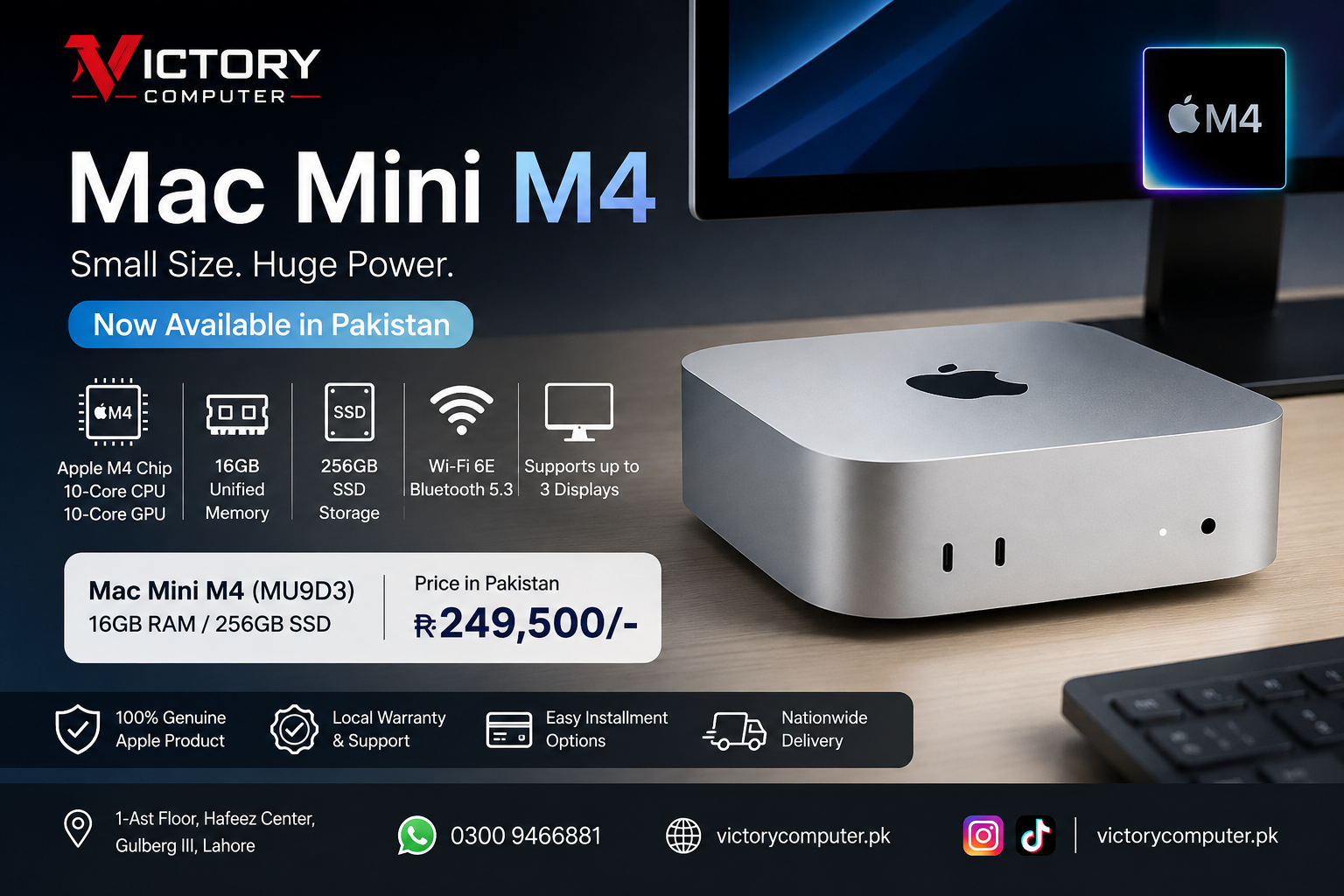
The Mac Mini M4 MU9D3 is a base M4 configuration with a 10-core CPU, 10-core GPU, 16GB unified memory and 256GB SSD. Because prices can change, check the product page for the current listed price before purchasing.
Mac Mini M4 Key Specifications
Apple introduced the current Mac Mini design in 2024. The standard M4 configuration combines a 10-core CPU with four performance cores and six efficiency cores, a 10-core GPU, 16-core Neural Engine and 120GB/s memory bandwidth.
- Processor: Apple M4 chip
- CPU: 10 cores
- GPU: 10 cores
- Unified Memory: Starts at 16GB
- Base Storage: 256GB SSD
- Wireless: Wi-Fi 6E and Bluetooth 5.3
- Operating System: macOS
- Weight: Approximately 0.67kg for the M4 model
Apple provides the complete technical details in its Mac Mini M4 specifications.
Mac Mini M4 Ports and Display Support
The Mac Mini M4 offers useful connectivity for a compact desktop. The front includes two USB-C ports supporting USB 3 up to 10Gb/s and a 3.5mm headphone jack.
At the back, the standard M4 model provides three Thunderbolt 4 ports, HDMI and Gigabit Ethernet. Unlike older Mac Mini designs, the 2024 M4 model does not include USB-A ports, so older USB accessories may require an adapter or hub.
The M4 version can also support up to three external displays simultaneously, making it practical for productivity, development and multi-monitor office setups.
Who Should Buy the Mac Mini M4?
The Mac Mini M4 makes the most sense for users who already have a monitor and peripherals and want macOS performance without paying for an integrated laptop display and battery.
- Students: Suitable for research, programming, assignments and everyday productivity.
- Developers: A compact macOS machine for development workflows, including Apple’s development ecosystem.
- Content creators: The M4 includes hardware acceleration for H.264, HEVC, ProRes, ProRes RAW and AV1 decoding.
- Office users: The small footprint works well where desk space is limited.
- Existing Apple users: macOS provides close integration with other compatible Apple devices and services.
Mac Mini M4 Pros and Cons
Pros
- Strong M4 performance: The 10-core CPU and 10-core GPU provide plenty of capability for general productivity, coding and many creative workloads.
- 16GB base memory: The standard M4 generation starts with 16GB unified memory.
- Very compact: The enclosure measures only about 12.7 × 12.7cm and weighs approximately 0.67kg.
- Good display support: The M4 configuration can drive up to three displays simultaneously.
- Modern connectivity: Thunderbolt 4, HDMI, Ethernet, Wi-Fi 6E and Bluetooth 5.3 cover most modern desktop setups.
Cons
- 256GB can be restrictive: The base SSD may fill quickly for users storing large video projects, development files or media libraries locally.
- No USB-A ports: Older USB-A keyboards, drives and accessories require an adapter or hub.
- Peripherals are separate: A monitor, keyboard and mouse are not included with the Mac Mini itself.
- Internal upgrades are limited: Buyers should choose memory and storage carefully at purchase instead of expecting conventional desktop-style RAM and storage upgrades later.
Why We Recommend the Mac Mini M4
The Mac Mini M4 is particularly attractive for buyers who want a compact macOS desktop and already own a suitable display and peripherals. The 16GB base memory, M4 processor and multi-display support make it suitable for productivity, coding and many creative workloads.
However, buyers working with large local files should seriously consider a higher-storage configuration or plan for external storage rather than relying entirely on the base 256GB SSD.
Mac Mini M4 vs M4 Pro: Which Should You Choose?
| Option | Best For | Main Advantage | Main Trade-off |
|---|---|---|---|
| Mac Mini M4 | Students, office work, coding and general creative work | Lower-cost entry into the current Mac Mini platform | Lower maximum CPU/GPU and memory capability |
| Mac Mini M4 Pro | Heavier professional and creative workloads | More CPU/GPU performance and Thunderbolt 5 | Higher purchase price |
Choose the standard Mac Mini M4 for normal productivity, development and moderate creative work. Consider the M4 Pro configuration when your workload genuinely benefits from additional CPU/GPU resources, higher memory configurations or Thunderbolt 5.
Where to Buy Mac Mini M4 in Pakistan
Buyers can compare current configurations through Victory Computer’s Apple Mac Mini collection. The store currently lists M4 and M4 Pro configurations with different memory and SSD capacities.
If you are still comparing generations or deciding which model to choose, read the Victory Computer guide on where to buy Mac Mini in Pakistan.
For current product information and other computer categories, visit Victory Computer or contact the sales team on WhatsApp at 0300 9466881.
Frequently Asked Questions
What is the Mac Mini M4 Price in Pakistan?
The Mac Mini M4 Price in Pakistan varies according to memory, SSD capacity, warranty and exact model. Check Victory Computer’s current Mac Mini listings for the latest displayed price.
How much RAM does the Mac Mini M4 have?
The standard M4 Mac Mini starts with 16GB unified memory. Apple also offers higher-memory configurations.
Is 256GB SSD enough for the Mac Mini M4?
256GB can be sufficient for office work, browsing and cloud-based workflows. Video editors, developers and users storing large files locally may benefit from more internal or external storage.
Does the Mac Mini M4 have USB-A ports?
No. The 2024 Mac Mini M4 uses USB-C/Thunderbolt connectivity and does not include traditional USB-A ports.
How many monitors can the Mac Mini M4 support?
Apple states that the standard M4 Mac Mini can simultaneously support up to three external displays, although supported resolutions and refresh rates depend on the connection configuration.
Is the Mac Mini M4 worth buying?
Yes, particularly for users who want a compact macOS desktop for productivity, coding or creative work and already own a monitor and peripherals. Buyers needing substantial local storage should consider more than the base 256GB configuration.
One thought on “Mac Mini M4 Price | By Victory Computer”