
AI tools for fast reading and summarization on Mac | Full Guide

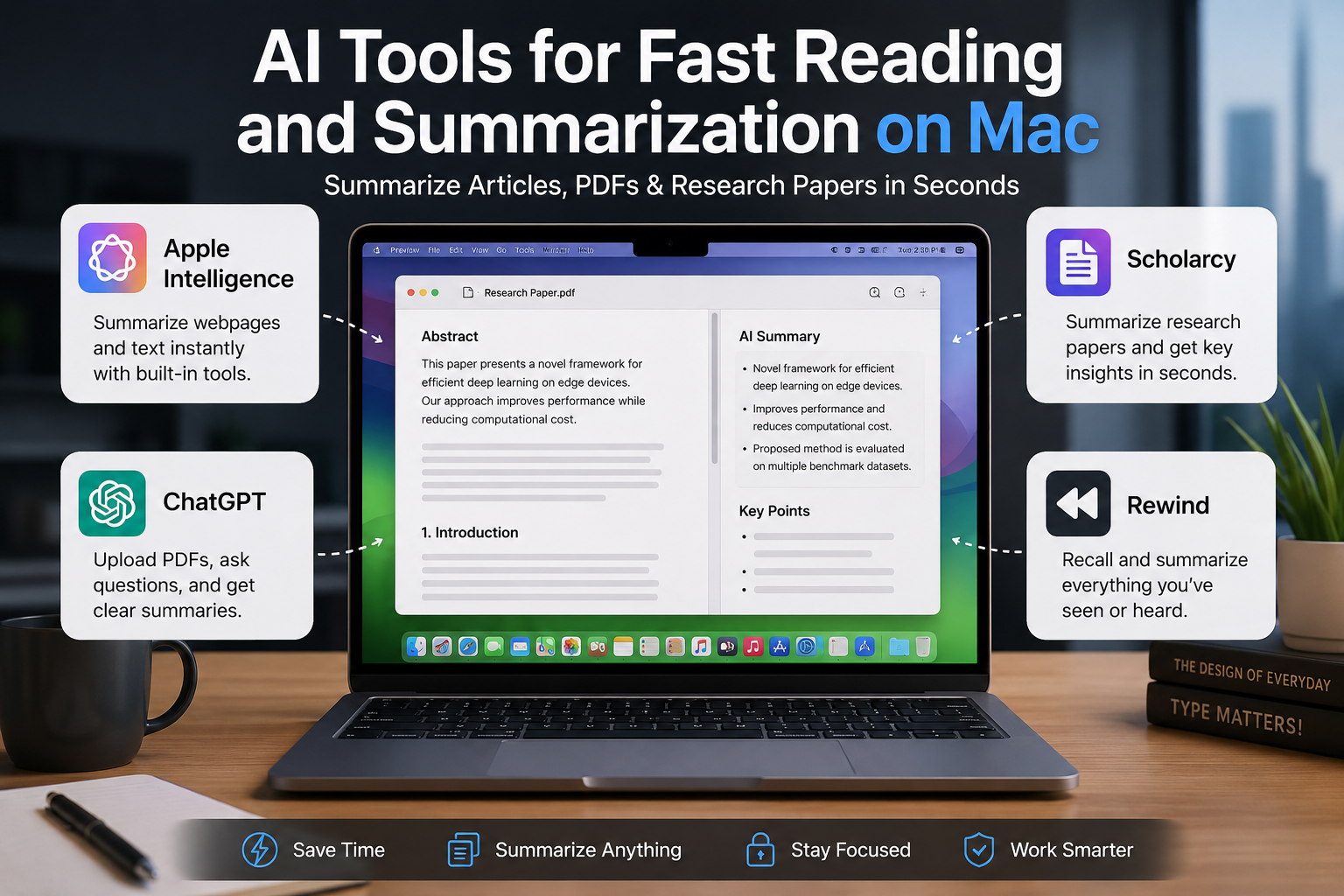
AI Tools for Fast Reading and Summarization on Mac: Full Guide
AI tools for fast reading and summarization on Mac can reduce the time needed to understand long webpages, PDFs, reports and research papers. Apple Intelligence is convenient for built-in summarization, ChatGPT is stronger for interactive document analysis, while Scholarcy is designed specifically for academic reading. The right choice depends on what you read and how deeply you need to analyze it.
Best AI Tools for Fast Reading and Summarization on Mac
The best tool depends more on the type of material you read than on which AI platform has the longest feature list. Students handling academic papers have different requirements from professionals summarizing reports or users who simply want a quick overview of a webpage.
| Tool | Best For | Main Advantage | Main Trade-off |
|---|---|---|---|
| Apple Intelligence | Webpages and selected text | Built directly into compatible Macs | Requires compatible hardware, software, language and region |
| ChatGPT | PDFs, reports and follow-up questions | Interactive analysis and summarization | Users should verify important details against the source |
| Scholarcy | Academic papers | Structured research summaries | Advanced features may require a paid plan |
| Rewind | Recalling previously viewed or discussed information | Searchable personal information history | Different use case from a dedicated PDF summarizer |
1. Apple Intelligence: Best Built-In Option
Apple Intelligence is the simplest starting point for users with a compatible Mac because summarization is integrated into macOS rather than requiring a separate research platform.
Apple’s Writing Tools can summarize selected text and present information as a summary, key points, list or table. Safari can also generate summaries of supported webpages. This makes Apple Intelligence particularly useful when you need the main points from an article without copying the entire page into another application.
The main limitation is compatibility. Apple Intelligence features depend on supported Mac hardware, macOS version, language and region, so users should check Apple’s current requirements before relying on a particular feature.
Best for:
- Web articles
- Selected text
- Emails and notes
- Quick summaries without changing apps
2. ChatGPT for Mac: Best for Interactive Document Analysis
ChatGPT is more useful when a basic summary is not enough. You can provide a supported document and ask for a short summary, important arguments, definitions, comparisons or specific information contained in the document.
For example, instead of asking only “summarize this PDF,” a student could ask for the research question, methodology, main findings and limitations. A professional could ask ChatGPT to extract decisions and action items from a report.
The ChatGPT desktop experience also makes it easier to work with files directly from a Mac. The important limitation is that AI-generated summaries can omit context or make mistakes, so important academic, financial, legal or technical information should still be checked against the original document.
Best for:
- PDF summaries
- Long reports
- Question-and-answer workflows
- Comparing documents
- Extracting specific information
3. Scholarcy: Best for Research Papers
Scholarcy is a more specialized choice for students, academics and researchers. Instead of producing only a general paragraph summary, Scholarcy can convert research material into structured summary flashcards and identify information such as key findings, methods, results and conclusions.
Scholarcy supports research papers, PDFs, book chapters, articles and other text-based material. Its structured approach is useful when screening several papers for a literature review because researchers can identify potentially relevant studies before reading every paper from beginning to end.
Scholarcy also supports research-oriented features such as comparisons, references and exporting information for further analysis. However, a generated research summary should be treated as a reading aid rather than a substitute for reading the original study when evidence or methodology matters.
Best for:
- University students
- Research papers
- Literature reviews
- Academic reading
- Extracting methods and findings
4. Rewind: Useful for Finding Information You Have Already Seen
Rewind addresses a different problem. Instead of focusing mainly on summarizing a single PDF, Rewind is designed to help users retrieve information from material they have previously seen, said or heard on their Mac.
That can be useful for knowledge workers who regularly move between meetings, webpages, documents and applications and later need to recover an important detail. Rewind has also offered transcription and meeting-summary functionality.
Because this type of software can process highly personal work activity, users should review current privacy controls, recording settings and data-processing policies before enabling broad capture of their screen or audio.
Which AI Summarization Tool Should You Choose?
Choose Apple Intelligence if you mainly want quick summaries of webpages or selected text without leaving the Apple ecosystem.
Choose ChatGPT if you need to ask questions about a PDF, compare documents, extract information or transform a long document into a customized explanation.
Choose Scholarcy if research papers, citations, methods and academic findings make up most of your reading workload.
Consider Rewind if the bigger problem is finding information you previously encountered rather than summarizing one document at a time.
How to Get Better AI Summaries on a Mac
The quality of the prompt matters almost as much as the tool. Instead of requesting a generic summary, tell the AI exactly what information matters.
- For research: “Summarize the research question, methodology, findings and limitations.”
- For business reports: “Give me the five most important findings and all recommended actions.”
- For studying: “Explain the main concepts in simple language and create revision points.”
- For comparisons: “Compare the arguments in these documents and identify where they disagree.”
AI summarization works best as a filtering layer. Use the summary to decide which sections deserve closer reading rather than assuming every important detail has been preserved.
Do You Need a Powerful MacBook for AI Summarization?
Not necessarily. Many AI summarization workloads rely heavily on cloud processing, so reading articles and analyzing ordinary documents does not automatically require a high-end MacBook Pro.
Hardware matters more when the workflow includes demanding local AI models, software development, large datasets, video production or other intensive applications alongside AI tools.
Students and general productivity users should therefore choose a Mac based on their complete workload rather than buying a more expensive configuration purely for document summarization. Readers comparing computers for work and study can also explore MacBook vs Windows laptops for professionals and the top study apps for Windows and macOS.
Using AI Reading Tools Safely
Before uploading confidential research, company documents or customer information, check how the selected service handles uploaded content and account data. Privacy policies and AI features can change, so the current policy of each service matters more than assumptions based on whether an application runs on macOS.
Users should also verify important quotations, statistics, conclusions and technical claims against the original document. Summarization is useful for finding the important parts faster; it is not a guarantee that every detail will be reproduced correctly.
Is AI Summarization on Mac Worth Using?
Yes, especially when the goal is to prioritize reading rather than eliminate it. AI tools for fast reading and summarization on Mac can help identify key arguments, locate relevant sections and reduce time spent screening low-priority material.
For most users, Apple Intelligence is the convenient built-in starting point, ChatGPT offers greater flexibility for document analysis, and Scholarcy provides a stronger research-focused workflow. The best setup may use more than one tool depending on the document.
For more computer guides, buying advice and technology explainers for Pakistani users, visit Victory Computer or browse the technology guides.
Frequently Asked Questions
What is the best AI tool for summarizing PDFs on Mac?
ChatGPT is useful when you want both a PDF summary and follow-up questions about the document. Scholarcy is particularly suitable for structured summaries of academic papers.
Can a Mac summarize webpages without installing another AI app?
Yes. On supported Macs, Apple Intelligence can generate summaries in Safari and can summarize selected text through Writing Tools.
What is the best AI summarizer for research papers?
Scholarcy is designed specifically around academic material and can surface elements such as key findings, methods, results and conclusions.
Can ChatGPT summarize a research paper on Mac?
Yes. Supported documents can be uploaded to ChatGPT for summarization, extraction and analysis. Important findings should still be verified against the original paper.
Do I need a MacBook Pro for AI reading tools?
No. Ordinary webpage, PDF and document summarization does not by itself justify a MacBook Pro. Choose hardware according to your broader workload and any local AI applications you intend to run.
Should I trust an AI summary without reading the original document?
No for important decisions. AI summaries are useful for screening and understanding documents faster, but important evidence, numbers, quotations and conclusions should be checked against the original source.

About Victory Computer Editorial Team
Victory Computer Editorial Team The Victory Computer Editorial Team publishes informative, research-based content about laptops, computers, monitors, printers, hardware, and technology trends in Pakistan. Our goal is to help readers understand product specifications, compare available options, and make informed purchasing decisions.
View all posts by Victory Computer Editorial Team