
HP P19B G4 18.5″ HD Monitor | expert review

HP P19b G4 Monitor Expert Review
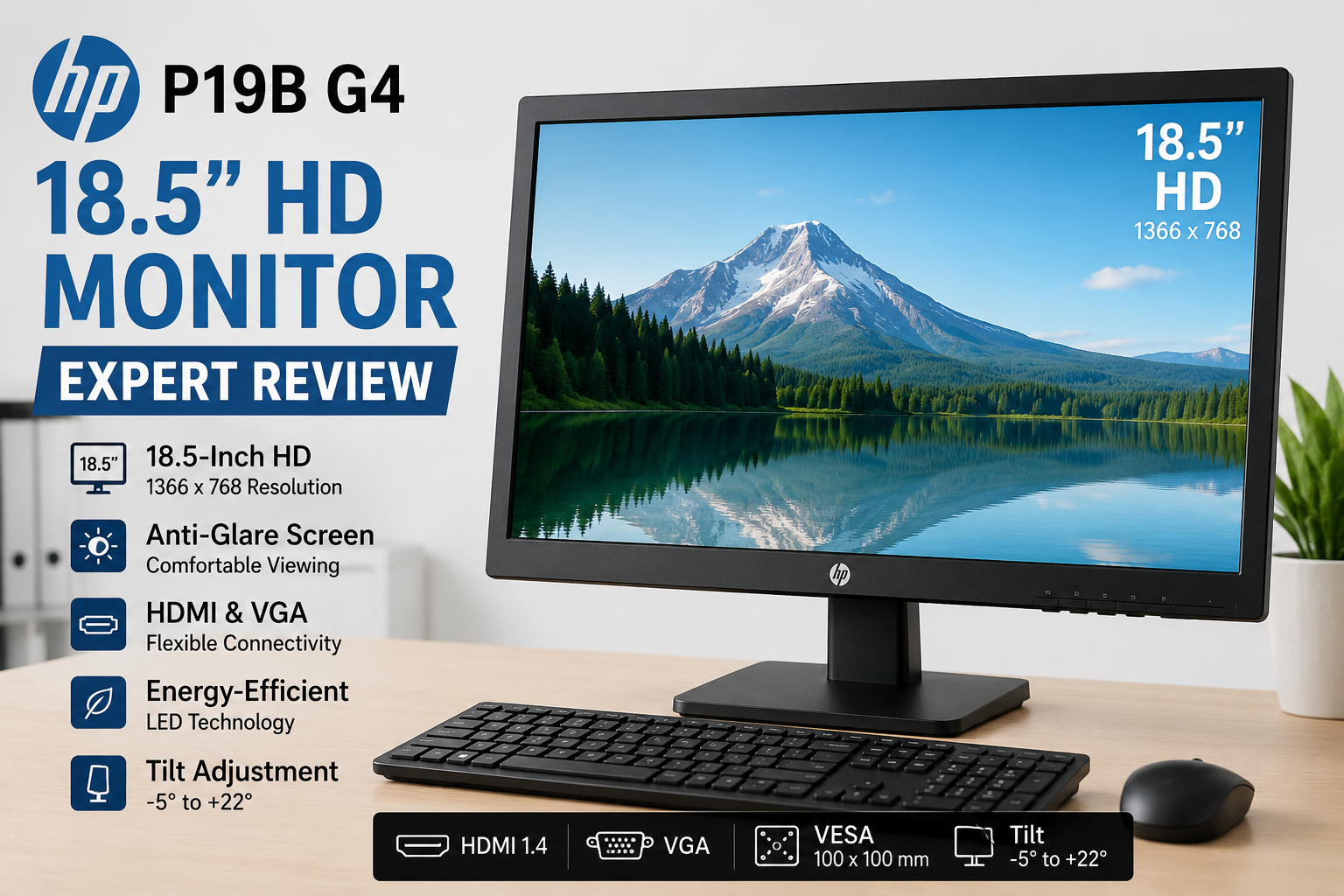
The HP P19b G4 Monitor is a compact 18.5-inch display designed primarily for office work, education, point-of-sale systems and basic home computing. Its 1366 × 768 native resolution, anti-glare surface, HDMI and VGA connectivity make it practical for everyday tasks, but users wanting Full HD resolution or a larger workspace should consider a bigger monitor.
HP P19b G4 Monitor: Key Features
HP positions the P19b G4 as a straightforward productivity display rather than a gaming or entertainment monitor. According to HP’s official specifications, the monitor uses an 18.5-inch 16:9 display with a native WXGA resolution of 1366 × 768.
- 18.5-inch display — compact enough for desks where space is limited.
- 1366 × 768 native resolution — suitable for documents, browsing and basic applications.
- 200-nit rated brightness — intended mainly for normal indoor environments.
- Anti-glare display — helps reduce distracting reflections.
- Low Blue Light mode — an additional viewing option for extended computer use.
- HDMI 1.4 and VGA — supports both newer and older computers.
- 100 × 100 mm VESA mounting — useful for compatible monitor arms and wall mounts.
- Tilt adjustment — allows the display angle to be adjusted from approximately -5° to +22°.
How Good Is the HP P19b G4 Display?
The HP P19b G4 Monitor provides enough resolution for routine productivity, but its 1366 × 768 native resolution is below Full HD 1920 × 1080. That distinction is important when deciding whether this monitor fits your workload.
For Microsoft Office, web browsing, billing software, email, school portals and basic business applications, the available resolution can be sufficient. The relatively small 18.5-inch screen also means the lower resolution is less problematic than it would be on a much larger display.
However, users who regularly work with several windows at once, large spreadsheets, detailed graphics or high-resolution media will benefit from a larger Full HD monitor. The P19b G4 prioritizes compact dimensions and basic productivity rather than maximum desktop space.
Is the HP P19b G4 Good for Office and Study Use?
Yes, basic office and study work is one of the strongest use cases for the HP P19b G4. Its compact dimensions make sense for reception desks, schools, computer labs, small offices and home study setups where a large display is unnecessary.
The anti-glare surface is particularly useful in rooms with overhead lighting because it can reduce visible reflections compared with a glossy screen. HP also includes a Low Blue Light viewing mode.
For businesses still operating older desktop computers, VGA support can be useful. At the same time, HDMI provides a digital connection for many newer desktops and laptops.
Connectivity and Desk Setup
The HP P19b G4 includes one HDMI 1.4 input and one VGA input. This combination gives the monitor useful compatibility across different generations of computers.
HP also specifies 100 × 100 mm VESA mounting support. A compatible monitor arm can therefore be considered when desk space is especially limited. The standard stand provides tilt adjustment, although buyers looking for extensive ergonomic adjustment should consider a monitor designed with height, swivel and pivot controls.
Who Should Buy the HP P19b G4 Monitor?
The HP P19b G4 Monitor makes the most sense for users who value simplicity, compact dimensions and everyday productivity more than high resolution or a large viewing area.
Consider the HP P19b G4 for:
- Basic office computers
- Reception and billing systems
- School and computer-lab installations
- Home study desks
- Web browsing and email
- Older PCs requiring VGA connectivity
- Compact workstations where desk space is limited
It is less suitable for competitive gaming, professional photo or video editing, large spreadsheet workflows or users specifically wanting a Full HD 1080p workspace.
HP P19b G4 Pros and Cons
Pros
- Compact 18.5-inch size works well on smaller desks.
- HDMI and VGA provide flexible PC connectivity.
- Anti-glare display is practical for office environments.
- Low Blue Light mode is included.
- Supports standard 100 × 100 mm VESA mounting.
Cons
- 1366 × 768 resolution is below Full HD.
- 18.5-inch screen provides limited multitasking space.
- 200-nit rated brightness is intended more for normal indoor use than very bright environments.
- Not designed as a high-performance gaming or professional creative monitor.
Why We Recommend It
The HP P19b G4 is worth considering when the requirement is a small, straightforward monitor for routine computing. Its main advantages are compact dimensions, useful HDMI/VGA connectivity and productivity-focused display features.
If screen space and image detail matter more, moving to a 22-inch, 24-inch or larger Full HD monitor is the better long-term choice.
HP P19b G4 Monitor Price in Pakistan
The HP P19b G4 Monitor price in Pakistan can vary according to availability, seller, condition and warranty coverage. Because monitor pricing changes, buyers should verify the current selling price rather than relying on an old quoted figure.
You can explore LED monitors in Pakistan at Victory Computer to compare currently listed options before buying.
For laptop users who want more screen space, our guide to external monitors for laptops can help explain what to consider when selecting a second display.
Should You Buy the HP P19b G4?
Buy the HP P19b G4 if you need a compact monitor for basic office, education or home-computing tasks. The combination of an 18.5-inch anti-glare screen, HDMI, VGA and VESA mounting gives the monitor practical flexibility without unnecessary complexity.
Do not choose it simply because it is smaller if you regularly multitask or consume high-resolution content. A larger Full HD model such as the HP V24v FHD Monitor may provide a more comfortable workspace for those requirements.
Frequently Asked Questions
What is the resolution of the HP P19b G4 Monitor?
The HP P19b G4 has a native resolution of 1366 × 768 with a 16:9 aspect ratio.
Is the HP P19b G4 a Full HD monitor?
No. The HP P19b G4 uses 1366 × 768 WXGA resolution. Full HD monitors use 1920 × 1080 resolution.
Does the HP P19b G4 have HDMI?
Yes. HP’s official QuickSpecs list one HDMI 1.4 input along with one VGA connection.
Is the HP P19b G4 good for office work?
Yes. Its compact screen, anti-glare treatment and HDMI/VGA connectivity make it suitable for routine office applications, browsing, email and document work.
Can the HP P19b G4 be mounted on a monitor arm?
Yes. HP specifies 100 × 100 mm VESA mounting compatibility, so it can be used with a compatible VESA monitor arm or mount.
Is the HP P19b G4 good for gaming?
It can display ordinary PC content and casual games, but gaming is not its primary purpose. Users buying specifically for gaming should consider a monitor with higher resolution, refresh-rate capabilities and gaming-focused features.

About Victory Computer Editorial Team
Victory Computer Editorial Team The Victory Computer Editorial Team publishes informative, research-based content about laptops, computers, monitors, printers, hardware, and technology trends in Pakistan. Our goal is to help readers understand product specifications, compare available options, and make informed purchasing decisions.
View all posts by Victory Computer Editorial Team