Why PTA-Approved Laptops Are Safer to Buy in Pakistan
Most laptops in Pakistan do not need the PTA device-registration check buyers associate with mobile phones. A Wi-Fi-only laptop does not become safer because a seller calls it “PTA approved.” If a laptop has built-in SIM or eSIM connectivity, checking its cellular status can help you avoid a network-use problem. You still need to inspect the laptop, its serial number and its warranty.
Do laptops need PTA approval in Pakistan?
A Wi-Fi-only laptop does not need a phone-style PTA registration check to use Wi-Fi. A laptop can connect to your home router or a phone hotspot without having its own connection to a mobile network.
That distinction matters because “PTA-approved laptops in Pakistan” is often used as a broad sales phrase. Ask the seller which part of the laptop the claim refers to. Wi-Fi and Bluetooth are not proof that the laptop contains a cellular modem, and a PTA claim does not establish that the entire computer has been inspected or approved for quality.
When does PTA status matter for a laptop?
PTA status is worth checking when the exact laptop you are buying has built-in cellular connectivity and you intend to use a Pakistani mobile network through its SIM or eSIM feature. Some business laptops are sold in both Wi-Fi-only and cellular-equipped configurations, so the model family name alone is insufficient.
Before paying, ask the seller to demonstrate that the cellular feature exists and works on that particular unit. Request the relevant device identifier, such as its IMEI where applicable, and check its status through PTA’s current official verification channel. Match the identifier you check to the laptop being sold. If the seller cannot demonstrate the feature or its status, resolve that uncertainty before purchasing.
A USB cellular dongle or a phone used as a hotspot is a separate device. Its network status should not be presented as PTA approval of the laptop itself.
What does PTA status tell you—and what does it not tell you?
For a laptop with its own cellular modem, a valid status check can help you assess whether that cellular device can be used on a local mobile network. It is a specific connectivity check, not an overall laptop-safety certificate.
PTA status does not prove that a laptop is new, genuine, legally imported, free from repairs, covered by a manufacturer’s warranty or in good battery condition. It does not verify the advertised processor, RAM or storage either. Those are separate buying checks.
Be cautious if a seller claims a non-PTA Wi-Fi laptop will lose Wi-Fi, or that every laptop needs a PTA payment. Ask for a specific explanation tied to the exact device and its built-in cellular hardware.
Five checks before buying any laptop in Pakistan
Confirm connectivity. Ask whether the exact unit is Wi-Fi only or has a working built-in cellular modem. Do not rely on a generic product title.
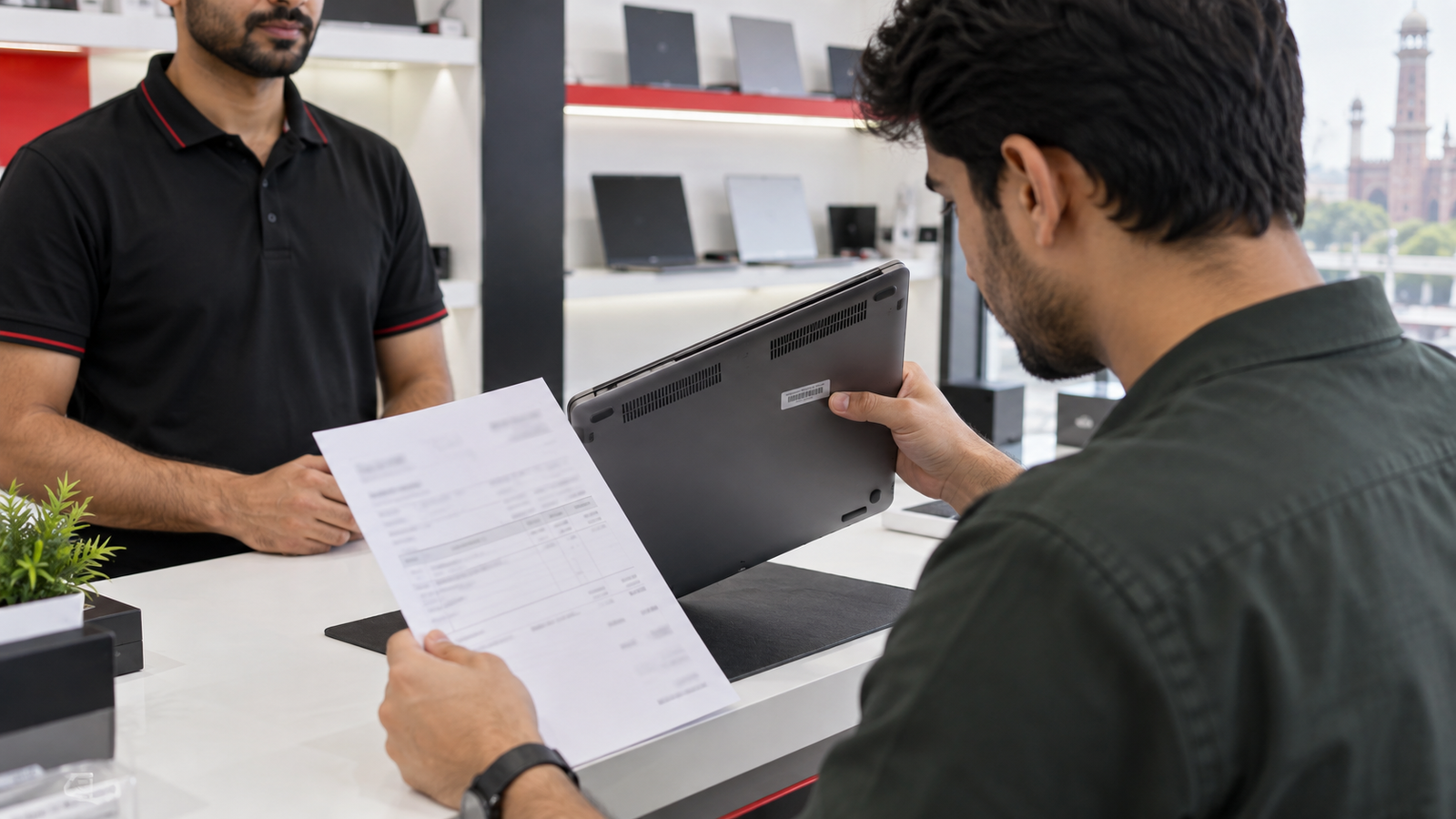
Match the serial number. Compare the serial number on the laptop with its invoice and any packaging. Check manufacturer support information for the exact unit when available.
Verify the specifications. Open the system information and confirm the processor, RAM and storage against the listing. Check the display and ports in person where possible.
Get written terms. Request an invoice showing the exact model, serial number and agreed warranty. Read the seller’s warranty policy before ordering.
If the laptop has built-in cellular connectivity, add the PTA status check to this list. It should never replace the other five checks.
Pros and cons of checking a cellular laptop’s PTA status
Pros
Helps identify a potential local mobile-network problem before purchase.
Lets you compare the checked device identifier with the unit being sold.
Gives buyers a clear question to raise with the seller when cellular access matters.
Cons and limits
The check has little buying value for a Wi-Fi-only laptop.
A positive cellular status does not prove the laptop’s physical condition or warranty.
The buyer must still confirm that the advertised cellular feature is present and functional.
Why we recommend it
Check cellular status if you are buying a laptop specifically to use a SIM or eSIM directly in Pakistan. For a Wi-Fi-only laptop, spend your time verifying the serial number, specifications, condition and written warranty instead.
Frequently Asked Questions
Does every laptop in Pakistan require PTA approval?
No. A Wi-Fi-only laptop does not need a phone-style PTA registration check to connect over Wi-Fi. Check the exact unit if you want to use its own built-in cellular connection.
Can a non-PTA laptop have its Wi-Fi blocked?
PTA cellular device status is not a Wi-Fi performance test. A claim that a laptop’s Wi-Fi will be blocked solely because it lacks phone-style PTA registration should be treated with caution.
Does using a phone hotspot change the laptop’s PTA status?
No. The phone connects to the mobile network and shares internet access with the laptop over Wi-Fi. The laptop does not gain its own cellular connection.
Does PTA status prove that a laptop is genuine or brand new?
No. Verify the laptop’s serial number, specifications, condition, invoice and warranty separately.
What should I ask when a listing says “PTA-approved laptop”?
Ask whether that exact unit has a built-in cellular modem, which device identifier was checked, and how the seller verified its status. Request a demonstration before paying if cellular connectivity matters to you.
Before choosing a laptop, compare the exact configuration and written purchase terms. Victory Computer can help you identify the connectivity and warranty details of a listed model; contact the team on WhatsApp at 0300 9466881 with the model number you are considering.
About Victory Computer Editorial Team
Victory Computer Editorial Team
The Victory Computer Editorial Team publishes informative, research-based content about laptops, computers, monitors, printers, hardware, and technology trends in Pakistan. Our goal is to help readers understand product specifications, compare available options, and make informed purchasing decisions.