
What is a ‘G’ Series Processor? (Intel Core i3/i5 G4 vs G7 Specs Explained)

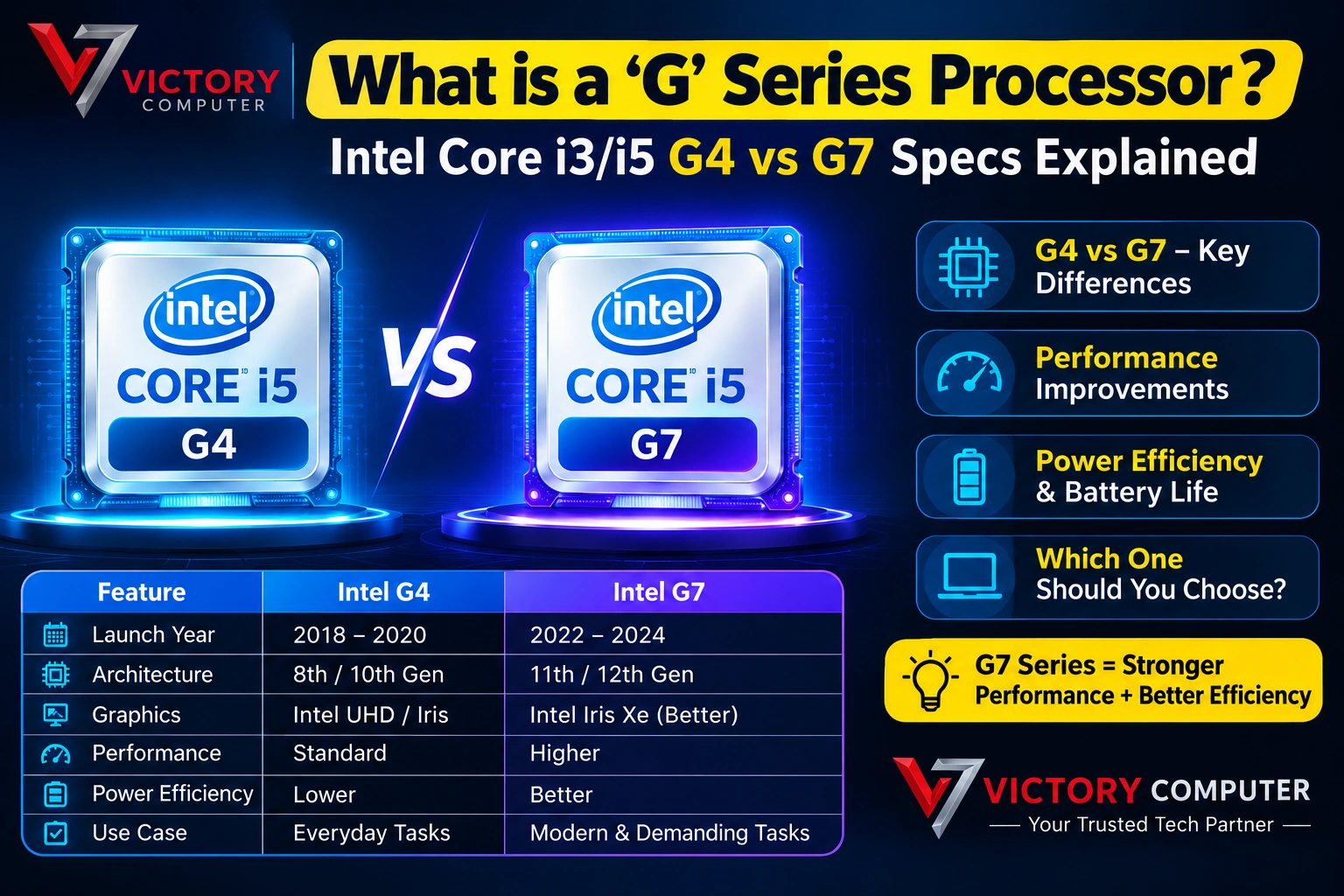
TL;DR:
- Intel’s G-series naming in 10th Gen Ice Lake processors primarily distinguished the integrated graphics configuration.
- G1 models used Intel UHD Graphics, while G4 and G7 models used Intel Iris Plus Graphics. Intel’s product listings confirm examples such as the Core i5-1035G1, i5-1035G4 and i5-1035G7.
- G4 and G7 are not separate CPU architectures; they are processor variants with different integrated-graphics configurations.
- The Core i5-1035G4 and i5-1035G7 both have 4 cores, 8 threads and 6MB cache, while their integrated graphics differ in execution resources and maximum graphics frequency.
- G7 generally represents the stronger integrated-graphics configuration within this naming scheme.
- A G-series processor is not automatically a gaming CPU. For serious gaming, a dedicated GPU remains far more important.
- In Pakistan, always check the exact processor model, RAM, SSD, display, battery and warranty rather than buying solely because a laptop says “Core i5.”
Introduction
Pakistan’s laptop market continues to face price pressure, with currency fluctuations, import costs and changing inventory contributing to price hikes. That makes understanding processor specifications increasingly important: buyers need to know whether a laptop is actually offering better performance or simply using a different processor suffix in its name.
One confusing example is Intel’s G-series processors. A laptop may advertise an Intel Core i5-1035G4 or i5-1035G7, leaving buyers wondering what the “G4” or “G7” actually means. Unlike U or H, the G designation in this generation is closely associated with the processor’s integrated graphics configuration.
Understanding the Intel G series processor naming system can help you compare older and refurbished business laptops more intelligently. If you’re shopping in Lahore, Victory Computer PK at Shop 51-A, 1st Floor, Hafeez Center, Lahore provides an opportunity for physical inspection, warranty checking and confirmation of 100% Original Stock before purchase.
1. What Is an Intel G-Series Processor?
G Is Mainly About Graphics in This Generation
The Intel G series processor terminology is particularly associated with Intel’s 10th Gen Ice Lake mobile processors.
Intel’s official product listings include:
- Core i3-1005G1
- Core i5-1035G1
- Core i5-1035G4
- Core i5-1035G7
- Core i7-1065G7
Intel’s specifications show that the i5-1035G1 uses Intel UHD Graphics for 10th Gen processors, while the i5-1035G4 and i5-1035G7 use Intel Iris Plus Graphics.
What Does the Number Mean?
The number following G indicates the graphics tier within that processor family.
| Suffix | General Graphics Tier | Typical Integrated Graphics |
| G1 | Entry graphics configuration | Intel UHD Graphics |
| G4 | Higher graphics configuration | Intel Iris Plus Graphics |
| G7 | Highest graphics configuration | Intel Iris Plus Graphics |
The important point is that G4 vs G7 is not simply a CPU performance ranking. It primarily differentiates the integrated graphics configuration.
G4 and G7 Still Use the Same Basic CPU Family
The Core i5-1035G4 and Core i5-1035G7 are both 10th Gen Ice Lake processors with 4 cores and 8 threads, 6MB cache and a 15W base power specification. Their major distinction is the integrated graphics configuration.
That makes the G suffix especially relevant to buyers who intend to use integrated graphics without a dedicated GPU.
2. Intel G4 vs G7: What Is the Difference?
Intel Core i5-1035G4
The Core i5-1035G4 is equipped with Intel Iris Plus Graphics. Intel lists a graphics maximum dynamic frequency of up to 1.05 GHz for this model.
Best For
An i5-1035G4 laptop can be suitable for:
- Office applications
- Web browsing
- Programming
- University work
- Photoshop
- Light video editing
- Casual gaming
- Multimedia
It is particularly useful when you want better integrated graphics performance without purchasing a laptop with a dedicated GPU.
Intel Core i5-1035G7
The i5-1035G7 also uses Intel Iris Plus Graphics, with Intel listing a maximum dynamic graphics frequency of up to 1.10 GHz.
Why G7 Matters
The key advantage is not simply the “7” in the name. The graphics configuration is stronger than the G4 implementation, making the G7 more attractive for graphics-heavy workloads that rely on the integrated GPU.
This can include:
- Light creative applications
- High-resolution media playback
- Casual gaming
- GPU-assisted productivity
- Multi-display workloads
G4 vs G7 Quick Comparison
| Feature | Core i5-1035G4 | Core i5-1035G7 |
| Generation | 10th Gen Ice Lake | 10th Gen Ice Lake |
| CPU Cores | 4 | 4 |
| Threads | 8 | 8 |
| Cache | 6MB | 6MB |
| Processor Base Power | 15W | 15W |
| Integrated GPU | Iris Plus Graphics | Iris Plus Graphics |
| Max Graphics Frequency | Up to 1.05 GHz | Up to 1.10 GHz |
| Primary Difference | Lower graphics tier | Higher graphics tier |
Intel’s official specifications confirm the core/thread configuration and graphics specifications for these models.
3. Intel Iris Plus Graphics Explained
Why Iris Plus Was Important
The Intel Iris Plus Graphics branding represented a significant step above basic integrated Intel UHD graphics in this processor generation.
For laptops without dedicated graphics, the integrated GPU handles:
- Windows interface rendering
- Video playback
- Browser acceleration
- External displays
- Lightweight creative workloads
- Some games
Intel lists DirectX 12 support and 4K display capabilities for the Iris Plus graphics found in these processors.
Integrated Graphics vs Dedicated GPU
An important distinction is that Iris Plus is still an integrated GPU.
It shares system resources and memory with the CPU platform rather than having dedicated VRAM like a discrete graphics card.
Therefore, an i5 G7 laptop should not be marketed as a gaming replacement for a laptop equipped with a modern dedicated GPU.
RAM Configuration Matters
Because integrated graphics depend heavily on system memory, RAM configuration can influence real-world performance.
Recommended RAM
For a used or older laptop based on an i5 G-series processor:
- 8GB: Basic use
- 16GB: Better for multitasking
- 16GB dual-channel: Particularly attractive for integrated graphics workloads
A laptop with 16GB properly configured memory can provide a noticeably better experience than an otherwise identical machine with limited memory.
4. Is G7 Better Than G4 for Gaming?
Yes—but With an Important Limitation
The G7 configuration is generally preferable to G4 if you are relying on integrated graphics.
However, Intel Core i5 G series processors were not designed to replace dedicated gaming GPUs.
Suitable Gaming Expectations
With Iris Plus Graphics, expect the best results from:
- Older games
- Esports titles at reduced settings
- Lightweight games
- Older AAA titles at modest settings
Modern demanding games can exceed the capabilities of integrated graphics quickly.
What About CPU Performance?
The difference between G4 and G7 is primarily graphics-oriented.
Both the i5-1035G4 and i5-1035G7 have the same 4-core/8-thread CPU configuration and 6MB cache.
Therefore, don’t expect a dramatic CPU performance jump simply from moving from G4 to G7.
5. Dell Vostro 15 and G-Series Processors
A Practical Business-Laptop Example
Dell Vostro 15 configurations from this era can be found with Intel Core processors designed around efficient mobile operation.
When evaluating a laptop processor G series configuration such as an older Dell business laptop, buyers should verify the exact CPU model rather than relying on the general “Core i5” label.
What to Check
Before purchasing a Dell Vostro 15, verify:
| Specification | What to Check |
| CPU | Exact model, e.g. i5-1035G4/G7 |
| GPU | Iris Plus or dedicated GPU |
| RAM | 8GB/16GB and upgradeability |
| SSD | NVMe/SATA and capacity |
| Display | Resolution, panel and condition |
| Battery | Health and wear level |
| Charger | Original/compatible specification |
| Warranty | Remaining coverage |
| Physical Condition | Hinges, keyboard, ports and screen |
The exact configuration matters because laptop families can be sold with multiple CPU and display combinations.
6. Battery Life and Cooling in Lahore’s Heat
G-Series Power Characteristics
Many 10th Gen G-series mobile processors were designed around a 15W processor base power, making them suitable for relatively thin laptops. Intel’s specifications list 15W processor base power for the i5-1035G4 and i5-1035G7.
However, processor power is only one part of battery life.
Battery Life Depends On
- Battery capacity
- Screen brightness
- Display resolution
- Wi-Fi activity
- SSD activity
- Background applications
- Battery health
- Power settings
For used laptops, battery health is particularly important because an older battery may deliver significantly less runtime than when the machine was new.
Cooling in Lahore
Lahore’s summer heat can increase thermal stress on laptops.
Even an efficient 15W-class processor needs adequate airflow.
Check These Areas
- Fan noise
- Air intake
- Exhaust vents
- Keyboard temperature
- Thermal throttling
- Dust accumulation
- Fan condition
For a used laptop, physically checking the cooling system and running a sustained workload can reveal problems that a specification sheet cannot show.
7. Three G-Series Laptop Classes to Compare
| Laptop Type | Processor Example | Graphics | Best For |
| Entry G-Series | Core i3-1005G1 | Intel UHD Graphics | Office, study, browsing |
| Mid G-Series | Core i5-1035G4 | Iris Plus Graphics | Productivity + light graphics |
| Higher G-Series | Core i5-1035G7 | Iris Plus Graphics | Productivity + stronger integrated graphics |
Intel’s official product database confirms the i3-1005G1, i5-1035G4 and i5-1035G7 as 10th Gen mobile processors, with the G4/G7 models using Iris Plus Graphics.
Which One Is Better?
If pricing is close and both machines are in similar condition, G7 is generally the more attractive integrated-graphics option.
But don’t pay a huge premium simply because one laptop says “G7.” The condition, RAM, SSD, battery and display may have a greater impact on the overall buying decision.
8. How to Buy a G-Series Laptop in Pakistan
Check Hafeez Center Prices Correctly
When comparing Hafeez Center prices, don’t compare laptops by processor name alone.
A cheaper laptop may have:
- Lower RAM
- Smaller SSD
- Weak battery
- Poor display
- Damaged hinges
- Worn keyboard
- Reduced battery health
A slightly more expensive machine may therefore offer substantially better value.
Physical Inspection Matters
At Victory Computer PK, customers can perform Physical inspection at our Lahore outlet before completing a purchase.
Located at Shop 51-A, 1st Floor, Hafeez Center, Lahore, the outlet provides an opportunity to inspect:
- Screen
- Keyboard
- Touchpad
- Ports
- Charger
- Battery condition
- Physical body
- Serial information
Checking Warranty and Original Stock
Victory Computer PK focuses on Checking Warranty and 100% Original Stock so customers can make an informed purchase.
For customers who cannot visit personally, Delivery in Gulberg/DHA provides a convenient alternative.
Victory Computer PK Buying Tip: Always ask for the exact CPU model. “Core i5” alone does not tell you whether the laptop has G1, G4 or G7 graphics.
FAQ
How to Check Whether a Laptop Has a G4 or G7 Processor?
Check the full processor model in Windows System Information, Task Manager or BIOS. For example, the processor name will identify models such as i5-1035G4 or i5-1035G7.
How to Choose Between G4 and G7?
If two otherwise similar laptops have comparable condition, RAM, SSD and battery health, G7 is generally the stronger integrated-graphics choice. The actual benefit depends on the workload.
Where to Buy Original G-Series Laptops in Lahore?
Visit Victory Computer PK at Shop 51-A, 1st Floor, Hafeez Center, Lahore, where customers can perform physical inspection and check warranty information before purchasing.
Where to Check Hafeez Center Prices for Dell Vostro 15?
Check the latest configuration and condition with Victory Computer PK. Compare the exact CPU, RAM, SSD, display, battery health and warranty rather than relying on the laptop family name.
Price of Intel Core i5 G4 and G7 Laptops in Pakistan?
The price depends on processor model, laptop condition, RAM, SSD, display, battery health and available stock. Older G-series laptops can vary considerably in price based on condition and configuration.
Final Verdict
The biggest misconception about the Intel G series processor is that “G7” simply means a much faster CPU than “G4.” In the 10th Gen Ice Lake generation, G1, G4 and G7 primarily identify different integrated-graphics configurations.
For buyers choosing between Intel G4 vs G7, the G7 is generally the more attractive option when integrated graphics performance matters. Both the i5-1035G4 and i5-1035G7, however, share the same basic 4-core/8-thread CPU design, so the graphics difference should not be confused with a major CPU-generation upgrade.
If you’re considering an Intel Core i5 G series laptop for office work, programming, university use, browsing or light creative workloads, it can still offer useful performance—particularly when paired with 16GB RAM and a fast SSD.
But don’t delay a good purchase unnecessarily. Currency fluctuations, changing import costs and limited stock can increase prices or eliminate a specific configuration from the market.
Before buying, compare Hafeez Center prices, verify the exact processor, inspect the laptop physically and confirm warranty coverage. Victory Computer PK offers 100% Original Stock, Checking Warranty, physical inspection at its Lahore outlet and Delivery in Gulberg/DHA.
If the laptop fits your workload and the condition is verified, waiting simply for a potentially lower price can cost more when the next stock batch arrives.