
Gaming Desktop vs Workstation PC: What’s the Difference? | Expert review

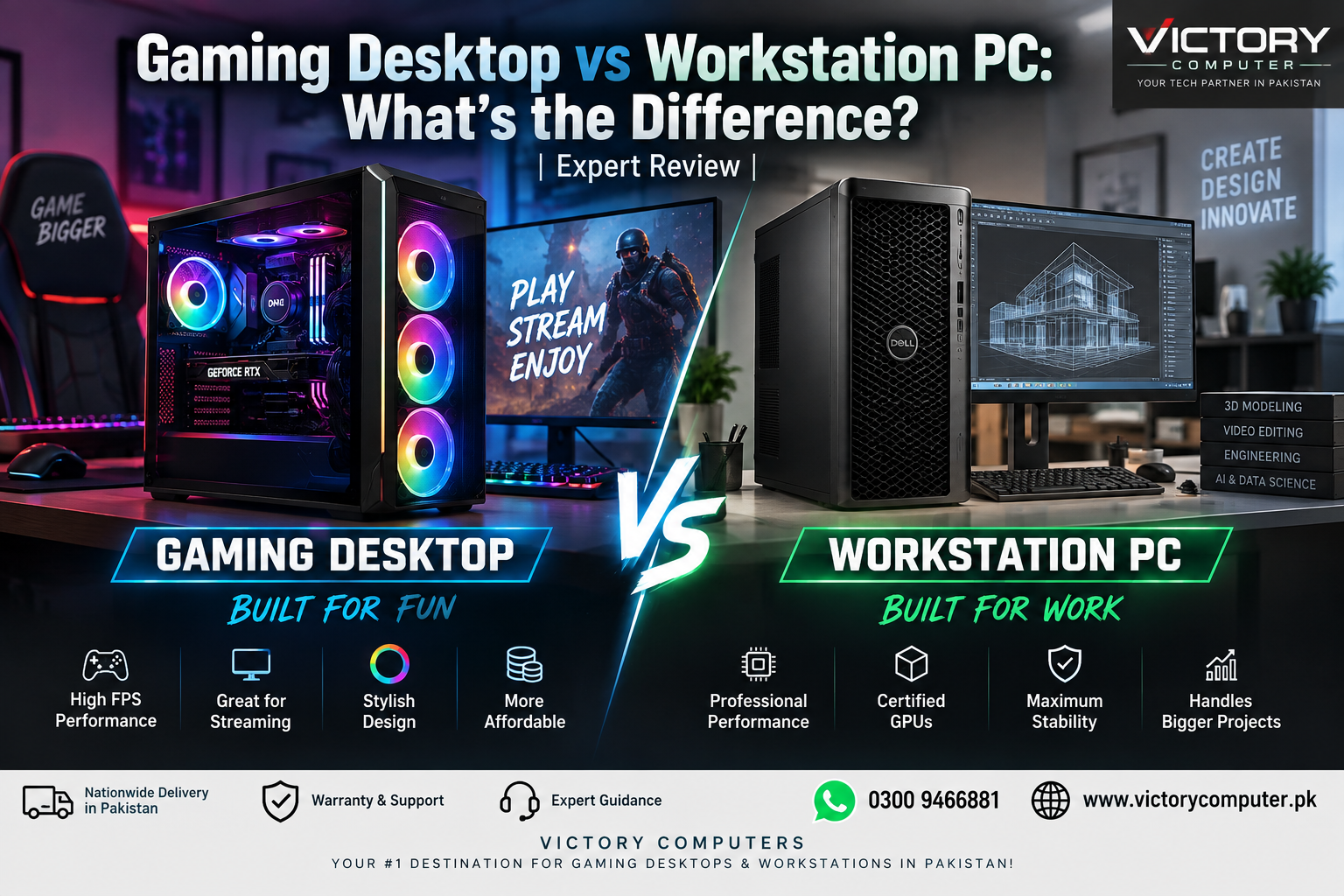
Gaming Desktop vs Workstation PC
A gaming desktop and workstation PC are not the same thing, even when both use powerful processors, dedicated graphics cards, large amounts of RAM, and fast SSD storage. The main difference is what that performance is designed to accomplish.
A gaming desktop prioritizes high frame rates, responsive gameplay, graphics quality, streaming, and general performance. A workstation focuses more on professional reliability, large datasets, CAD, 3D rendering, engineering, AI development, scientific workloads, and other demanding production tasks.
For buyers in Pakistan, understanding the Gaming Desktop vs Workstation PC difference is particularly important because spending more on workstation-class hardware does not automatically result in a better gaming experience.
Gaming Desktop vs Workstation PC: Quick Comparison
| Feature | Gaming Desktop | Workstation PC |
|---|---|---|
| Primary Purpose | Gaming, streaming and entertainment | CAD, rendering, engineering, AI and professional production |
| Graphics | Consumer gaming GPUs such as GeForce RTX or Radeon | Professional GPUs such as NVIDIA RTX PRO or AMD Radeon PRO |
| Processor Priority | Strong gaming and general performance | Heavy multi-core and specialized professional workloads |
| Memory | Usually conventional desktop memory | Can support very large capacities and ECC on workstation platforms |
| Drivers | Optimized primarily for games and consumer applications | Professional drivers and application certifications may be available |
| Reliability Focus | Performance and enthusiast features | Professional stability, reliability and manageability |
| Best For | Gamers and streamers | Engineers, designers, researchers and professional studios |
What Is a Gaming Desktop?
A gaming desktop is a PC configured primarily to deliver smooth gaming performance. Modern systems normally combine a capable desktop processor with a dedicated gaming GPU, sufficient RAM, NVMe SSD storage, effective cooling and a suitable power supply.
The GPU is especially important because modern games depend heavily on graphics performance. Gamers generally care about FPS, resolution, graphics settings, ray tracing, frame-generation technologies and responsiveness rather than professional software certification.
A gaming desktop is not limited to games. A sufficiently powerful gaming PC can also handle video editing, graphic design, programming, streaming and many 3D workloads. If you are deciding how your next desktop should be configured, our prebuilt PC vs custom PC guide explains another important buying decision.
Gaming Desktop Pros and Cons
Pros
- Excellent gaming performance: Gaming GPUs are designed around the requirements of modern PC games.
- Better value for gamers: You are not paying specifically for workstation features that many gamers will never use.
- Easy to upgrade: Standard desktop configurations can often be upgraded with additional storage, RAM or a newer graphics card.
- Good versatility: A high-performance gaming desktop can also handle streaming, editing, programming and content creation.
- Wide component selection: Buyers can choose components based on budget, resolution and performance requirements.
Cons
- Consumer hardware may lack workstation-specific ECC, RAS and enterprise management features.
- Gaming graphics drivers may not carry the same professional application certifications as workstation GPUs.
- Very large CAD, simulation or scientific workloads can require capabilities beyond a typical gaming build.
Why We Recommend It
Choose a gaming desktop if gaming is your primary workload and professional application certification is not a requirement. It is also a practical option for streamers and creators whose software works well with mainstream gaming hardware.
What Is a Workstation PC?
A workstation is a high-performance computer designed around professional workloads where stability, memory capacity, reliability, specialized graphics performance and application compatibility may matter as much as raw speed.
Modern professional graphics options include NVIDIA RTX PRO and AMD Radeon PRO. These platforms target workloads such as CAD, architecture, engineering, simulation, professional visualization, media production and AI. Professional GPU vendors also work with software developers on application certification and driver testing.
Some workstation platforms go considerably further than ordinary consumer desktops. For example, professional Intel Xeon W platforms can support ECC memory and reliability, availability and serviceability features designed for demanding professional environments.
This does not mean every workstation needs a Xeon processor or professional GPU. The correct configuration depends on the software, project size and certification requirements.
Workstation PC Pros and Cons
Pros
- Professional software support: Professional GPUs can provide certified drivers for supported engineering, design and creative applications.
- Large memory configurations: High-end workstation platforms can support much more memory than an ordinary consumer desktop.
- ECC support on suitable platforms: Error-correcting memory can help protect data integrity in supported configurations.
- Built for demanding workloads: Workstations can be configured for rendering, simulation, engineering, AI and large professional projects.
- Enterprise features: Certain workstation platforms provide additional reliability and management capabilities.
Cons
- Higher cost: Professional GPUs, workstation motherboards, high-core-count processors and large memory configurations can substantially increase the budget.
- Poor value if you only game: Paying for professional certification and enterprise features usually makes little sense for a gaming-only computer.
- Performance depends on the application: A more expensive workstation does not automatically outperform a gaming PC in every program.
- Specialized hardware requires careful selection: The workstation should be built around the applications you actually use.
Why We Recommend It
Choose a workstation when your income or professional workflow depends on software that benefits from certified graphics, ECC memory, very large memory capacities, additional PCIe expansion or workstation reliability features. Always check the requirements and certified-hardware list of your main professional application before paying for specialized components.
Gaming GPU vs Workstation GPU
This is one of the biggest differences in the Gaming Desktop vs Workstation PC comparison.
Gaming graphics cards such as NVIDIA GeForce RTX and AMD Radeon models primarily target gaming and mainstream creation. They are designed to provide strong real-time graphics performance and access to modern gaming technologies.
Professional GPUs such as NVIDIA RTX PRO and AMD Radeon PRO are positioned differently. NVIDIA provides ISV-certified professional solutions for applications covering areas such as CAD, simulation, animation and professional visualization. AMD similarly provides certification for supported Radeon PRO professional applications.
For a gamer, that certification usually provides little reason by itself to buy a workstation GPU. For an engineer or designer whose production software explicitly recommends certified professional hardware, it can be much more important.
CPU Differences: Gaming PC vs Workstation
It is no longer accurate to say gaming PCs always use “high-clock CPUs” while workstations simply use “more cores.” Modern processors make the distinction more complicated.
Gaming performance depends on the game, GPU, CPU architecture and target frame rate. Professional applications vary even more: some respond strongly to single-thread performance, while rendering, simulation, compiling and other workloads may scale across many CPU cores.
The correct approach is therefore to choose a processor according to your applications rather than simply buying the CPU with the largest core count. Gamers comparing mainstream desktop platforms can also read our Intel vs AMD desktop processors for gaming guide.
RAM and Storage: How Much Do You Really Need?
A gaming PC generally does not need workstation-scale memory capacity. The amount required depends on the games you play, background applications, streaming requirements and other creative workloads.
Professional users can have very different requirements. Large engineering models, virtual machines, high-resolution production projects, simulation datasets and AI workflows can consume substantial memory. Certain workstation platforms therefore support ECC memory and capacities far beyond mainstream gaming systems.
Both gaming PCs and workstations benefit from fast NVMe SSD storage. Professional users may additionally require multiple drives, higher storage capacity, redundancy or a more carefully planned backup strategy. RAID should not, however, be treated as a replacement for a proper backup.
Can a Gaming PC Be Used as a Workstation?
Yes, in many cases. A powerful gaming PC can be an excellent computer for video editing, Blender, software development, graphic design and many other professional tasks.
The limitation appears when your workflow specifically requires professional GPU certification, ECC memory, unusually large memory capacity, extensive PCIe expansion or enterprise reliability features.
Before spending extra money, check your software requirements. If your applications run well on consumer hardware, a carefully configured gaming desktop may provide better value.
Can a Workstation PC Be Used for Gaming?
Yes, but that does not make it the best gaming purchase. A workstation with suitable graphics hardware can run games, but workstation components are selected primarily for professional workloads rather than gaming value.
If gaming is the main objective, spending the same budget on a gaming-focused CPU and GPU combination will often make more sense than paying for professional features you do not use.
Gaming Desktop vs Workstation PC in Pakistan: Which Should You Buy?
Your workload should determine the answer rather than the appearance or price of the computer.
| Your Main Requirement | Recommended Choice |
|---|---|
| Competitive or AAA gaming | Gaming Desktop |
| Gaming and streaming | Gaming Desktop |
| Gaming plus general video editing | Gaming Desktop / Creator-focused build |
| Professional CAD with certified hardware requirements | Workstation PC |
| Engineering and complex simulation | Workstation PC |
| Large local AI or data workloads | Depends on GPU memory, software stack and project requirements |
| General office productivity | Standard business desktop |
If you are comparing budgets before choosing a configuration, check our desktop PC price in Pakistan guide. Buyers deciding between a ready-made system and a component-based build can also compare prebuilt and custom PCs in Pakistan.
Final Verdict: Gaming Desktop or Workstation?
Buy a gaming desktop if gaming, streaming and everyday high-performance computing are your priorities. You will generally get a configuration better aligned with gaming performance without paying specifically for enterprise and professional workstation features.
Buy a workstation if your professional applications justify workstation-class hardware. CAD engineers, architects, researchers, AI developers, 3D professionals and other users working with specialized software may benefit from certified GPUs, ECC memory, large memory configurations and professional reliability features.
For users who need both gaming and professional performance, there is no universal winner. Build around your most demanding application first, then verify how the selected hardware performs in your secondary workloads.
Frequently Asked Questions
Is a gaming PC the same as a workstation PC?
No. Gaming PCs primarily target gaming performance, while workstations are configured around professional workloads, reliability and specialized hardware requirements.
Can I use a gaming PC for video editing and 3D rendering?
Yes. Powerful gaming PCs can handle many editing, rendering and content-creation workloads. A workstation becomes more relevant when your software or project requires professional certification, very large memory capacity or specialized reliability features.
Are workstation PCs better for gaming?
Not necessarily. A workstation can run games, but a gaming-focused system is normally the more logical choice when gaming is the primary purpose.
What is the biggest difference between gaming and workstation GPUs?
Gaming GPUs prioritize consumer gaming and mainstream graphics workloads. Professional GPUs add features such as enterprise drivers and certifications for supported professional applications.
Which PC should engineers and architects choose?
Professionals using CAD, simulation and engineering applications should first check their software vendor’s recommended and certified hardware. A workstation is preferable when those workflows benefit from professional GPUs, ECC memory or workstation-class platforms.
Where can I buy a gaming desktop or workstation in Pakistan?
Victory Computer in Lahore supplies computers and related hardware for customers in Pakistan. Before purchasing, choose the configuration according to your games, professional software, workload and budget rather than relying only on the “gaming” or “workstation” label.
Buy Gaming Desktops and PCs in Pakistan
Need help selecting the right computer? Victory Computer can help you compare gaming, business and professional PC configurations according to your workload and budget.
WhatsApp: 0300 9466881
Compare your requirements carefully before buying: the best PC is not necessarily the most expensive one—it is the system whose hardware matches the applications you actually use.

About Victory Computer Editorial Team
Victory Computer Editorial Team The Victory Computer Editorial Team publishes informative, research-based content about laptops, computers, monitors, printers, hardware, and technology trends in Pakistan. Our goal is to help readers understand product specifications, compare available options, and make informed purchasing decisions.
View all posts by Victory Computer Editorial Team
One thought on “Gaming Desktop vs Workstation PC: What’s the Difference? | Expert review”