
Is an RTX 5070 gaming laptop worth paying more for than RTX 5060?

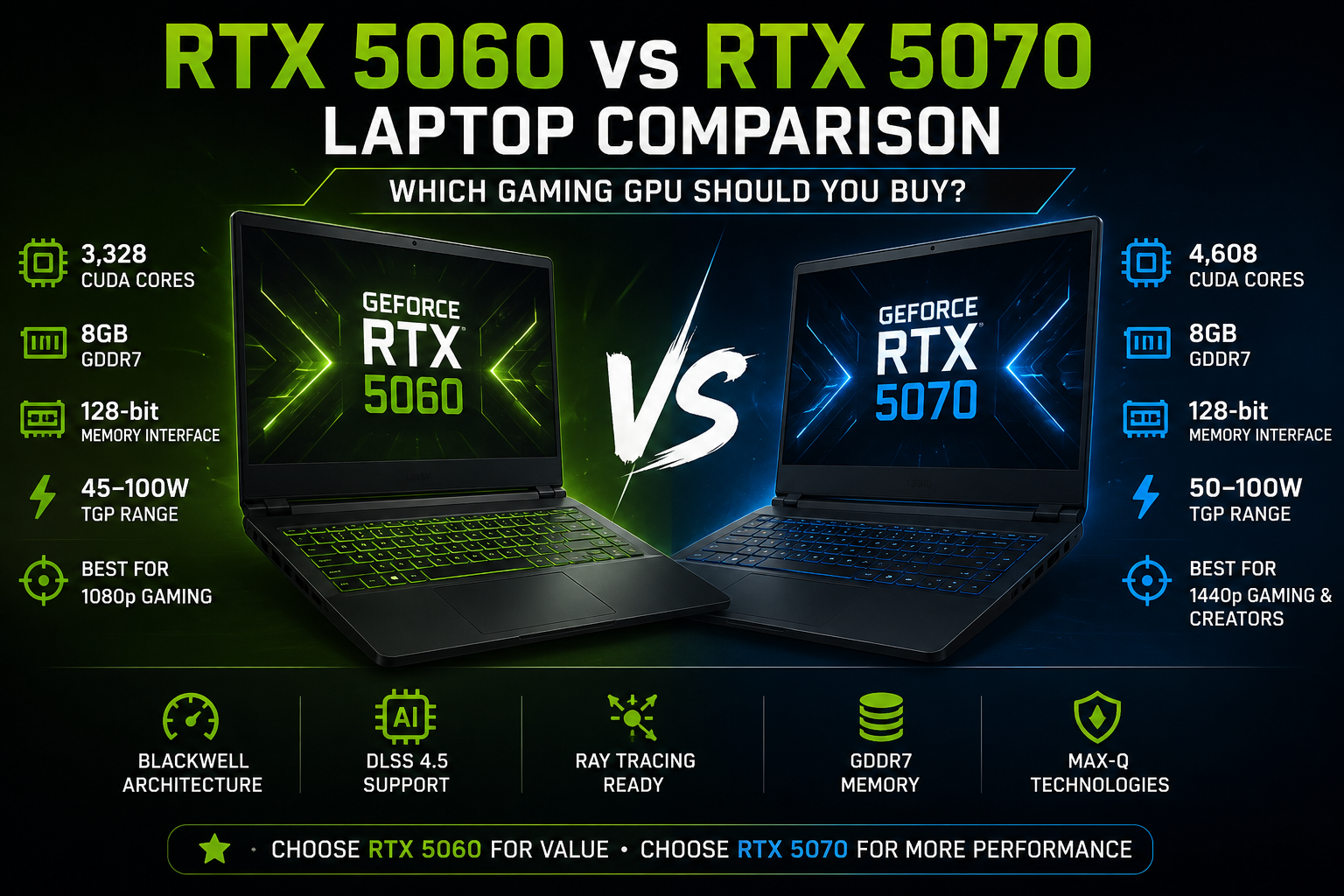
RTX 5060 vs RTX 5070 Laptop: Which Gaming GPU Should You Buy?
For most value-focused gamers, an RTX 5060 laptop is the smarter purchase, while an RTX 5070 laptop makes more sense if you want stronger GPU performance for demanding games, higher resolutions or creator workloads. The RTX 5070 has significantly more CUDA cores, but both GPUs commonly use 8GB GDDR7 memory, so the higher model does not remove every limitation.
RTX 5060 vs RTX 5070 Laptop Quick Comparison
The biggest advantage of the RTX 5070 Laptop GPU is additional processing hardware. NVIDIA lists 4,608 CUDA cores for the RTX 5070 compared with 3,328 for the RTX 5060. That gives the RTX 5070 considerably more theoretical GPU resources for gaming, rendering and GPU-accelerated applications.
| Feature | RTX 5060 Laptop GPU | RTX 5070 Laptop GPU |
|---|---|---|
| Architecture | NVIDIA Blackwell | NVIDIA Blackwell |
| CUDA Cores | 3,328 | 4,608 |
| Standard VRAM | 8GB GDDR7 | 8GB GDDR7 |
| Memory Interface | 128-bit | 128-bit |
| GPU Power Range | 45–100W | 50–100W |
| AI TOPS | 572 | 798 |
| Best Fit | Value gaming | Higher-performance gaming |
These specifications come from NVIDIA's RTX 50 Series laptop specifications. Actual laptop performance still depends heavily on power limits, cooling, CPU selection and the manufacturer's configuration.
Which GPU Is Faster?
The RTX 5070 Laptop GPU is the faster GPU on paper, but the size of the advantage will vary between laptops. Its 4,608 CUDA cores represent substantially more processing resources than the RTX 5060's 3,328 CUDA cores.
That additional hardware becomes more valuable as GPU workload increases. Games using higher graphics settings, ray tracing or higher rendering resolutions are more likely to benefit from the RTX 5070 than lightweight esports titles that may already run at very high frame rates on an RTX 5060.
This means the RTX 5060 vs RTX 5070 laptop decision should not simply be based on which number is higher. A buyer should consider the games being played, display resolution, GPU power limit and total price of the laptop.
If you are upgrading from an older RTX 40-series machine, our RTX 4060 vs RTX 4070 laptop comparison can also help explain the previous performance tiers.
Does 8GB VRAM Matter on RTX 5060 and RTX 5070 Laptops?
Yes. The standard RTX 5060 and RTX 5070 Laptop GPUs both use 8GB GDDR7 memory according to NVIDIA. Buyers should therefore not assume that moving to the RTX 5070 automatically gives additional VRAM.
Eight gigabytes can still be appropriate for a large range of games, particularly when settings are chosen sensibly. However, extremely demanding texture settings, heavy ray tracing, high-resolution gaming and some professional workloads can increase video-memory requirements.
The RTX 5070's stronger GPU therefore improves processing performance, but its standard 8GB memory configuration remains an important consideration for buyers planning to keep a gaming laptop for several years.
If additional VRAM is a major priority, compare the RTX 5070 against higher RTX 50-series configurations rather than assuming every 5070-class laptop removes the memory constraint.
Why Laptop TGP Can Change the Comparison
GPU power configuration is one of the most important factors in any RTX 5060 vs RTX 5070 laptop comparison. NVIDIA lists an RTX 5060 GPU subsystem power range of 45–100W and an RTX 5070 range of 50–100W.
A thin laptop configured toward the lower end of the permitted power range can behave differently from a larger gaming machine with stronger cooling and a higher GPU power target. The GPU badge alone therefore does not tell you everything about performance.
Cooling matters for the same reason. Sustained gaming loads create heat, and the laptop must be capable of maintaining appropriate CPU and GPU power without excessive thermal limitations. Our guide explaining how to prevent gaming laptop overheating covers practical thermal considerations in more detail.
When comparing two actual laptops, check the complete machine rather than comparing only “RTX 5060” against “RTX 5070.” CPU, cooling system, display, RAM configuration, power profile and chassis design can all affect the final experience.
RTX 5060 or RTX 5070 for 1080p and 1440p Gaming?
RTX 5060 is generally the more logical tier for value-focused 1080p gaming, while RTX 5070 becomes more attractive for demanding 1440p-class gaming and higher graphics settings.
At 1080p, many gamers may get more practical value from spending the remaining budget on a better display, more RAM, additional SSD capacity or a laptop with stronger cooling rather than moving immediately to the RTX 5070.
At 1440p or similar laptop resolutions such as 2560×1600, the extra GPU resources of the RTX 5070 become easier to justify. Higher resolutions increase the number of pixels the GPU must process, so additional graphics performance becomes more useful.
Both GPUs are part of NVIDIA's Blackwell generation and support the RTX 50-series feature set. NVIDIA's current DLSS 4.5 technology includes Dynamic Multi Frame Generation for RTX 50-series GPUs, although game support and the usefulness of frame generation vary by title and situation.
Which Is Better for Video Editing, Rendering and Creative Work?
The RTX 5070 is the better choice when GPU-heavy creative work is a regular part of your workload. The additional CUDA resources and higher AI-processing specification provide more headroom for workloads capable of using the GPU effectively.
This matters more for users working with GPU-accelerated video effects, 3D rendering, AI workloads and similar tasks than it does for basic office work or light photo editing.
However, creators should evaluate the complete laptop. A faster GPU paired with insufficient system RAM, weak cooling or limited storage may be a worse workstation than a well-balanced RTX 5060 configuration.
Is an RTX 5070 Laptop Worth Paying More For?
The RTX 5070 is worth the premium when the extra GPU performance solves a real requirement. Paying more simply because “5070” is a higher model number is not enough reason.
RTX 5060 Laptop Pros
- Better fit for value-focused gaming builds
- Strong match for 1080p gaming
- Same standard 8GB GDDR7 capacity as the RTX 5070
- Supports current RTX 50-series technologies
- Can leave more budget for RAM, SSD, display or CPU upgrades
RTX 5060 Laptop Cons
- Fewer CUDA cores than RTX 5070
- Less headroom for demanding GPU workloads
- 8GB VRAM can become a consideration in demanding settings and applications
Why We Recommend RTX 5060
Choose an RTX 5060 laptop when overall value matters more than maximum graphics performance. A well-cooled RTX 5060 machine with a good processor, display and memory configuration can be a more sensible purchase than a poorly balanced RTX 5070 laptop.
RTX 5070 Laptop Pros
- 4,608 CUDA cores versus 3,328 on RTX 5060
- More suitable for demanding graphics workloads
- Better fit for higher-resolution gaming
- Higher NVIDIA AI TOPS specification
RTX 5070 Laptop Cons
- Usually positioned in more expensive laptops
- Standard configuration still uses 8GB GDDR7
- Performance varies with laptop power and cooling configuration
Why We Recommend RTX 5070
Choose an RTX 5070 laptop if higher GPU performance is genuinely useful for your games, creative work or display resolution. It makes the most sense when the price difference is reasonable and the RTX 5070 machine also has appropriate cooling, CPU performance and memory.
RTX 5060 vs RTX 5070 Laptop: Which One Should You Buy?
Choose RTX 5060 for value and RTX 5070 for additional performance headroom. That is the simplest way to approach the decision.
| Buyer | Better Choice | Reason |
|---|---|---|
| 1080p value gamer | RTX 5060 | Better balance between GPU cost and overall laptop quality |
| Competitive esports gamer | RTX 5060 / RTX 5070 | Depends heavily on CPU and target refresh rate |
| 1440p / 1600p gamer | RTX 5070 | Additional GPU resources become more useful |
| Video editor | RTX 5070 | More GPU compute headroom |
| Budget-conscious student | RTX 5060 | Allows budget to be allocated to other components |
| Long-term performance buyer | RTX 5070 | More GPU resources, although both standard models still have 8GB VRAM |
Victory Computer currently lists multiple RTX 50-series configurations. For example, buyers researching the lower tier can examine the MSI Katana 15 HX with RTX 5060, while the Dell Alienware 16X Aurora with RTX 5070 represents a higher-performance configuration.
Do not compare those machines by GPU alone because their processors, cooling systems, displays and other hardware differ. Use them as examples of the types of complete systems available around each GPU tier.
You can also browse the current selection of gaming laptops in Pakistan or read our gaming laptop buying guide before choosing a configuration.
For current availability and purchasing guidance, visit Victory Computer or contact the Lahore team on WhatsApp at 0300 9466881.
Frequently Asked Questions
Is RTX 5070 Laptop GPU better than RTX 5060?
Yes for raw GPU capability. NVIDIA lists 4,608 CUDA cores on the RTX 5070 Laptop GPU compared with 3,328 on the RTX 5060, although actual laptop performance depends on power and cooling.
Do RTX 5060 and RTX 5070 laptops both have 8GB VRAM?
NVIDIA lists 8GB GDDR7 as the standard memory configuration for both RTX 5060 and RTX 5070 Laptop GPUs.
Is RTX 5060 enough for gaming in 2026?
RTX 5060 is a sensible option for many gaming laptops, particularly when value and 1080p gaming are priorities. Required performance still depends on the game, settings and display resolution.
Is RTX 5070 better for 1440p gaming?
The RTX 5070's additional GPU resources make it the stronger choice of the two for demanding higher-resolution gaming, provided the laptop gives the GPU appropriate power and cooling.
Should I buy RTX 5060 or RTX 5070 for video editing?
RTX 5070 is preferable for frequent GPU-heavy editing and creative workloads. RTX 5060 remains adequate when GPU acceleration is less demanding and overall system value matters more.
Does laptop TGP matter when comparing RTX 5060 vs RTX 5070?
Yes. NVIDIA allows a range of GPU power configurations, so two laptops carrying the same GPU can perform differently. Always compare the complete laptop specification and cooling design.