
HP Elite Book | Expert Review

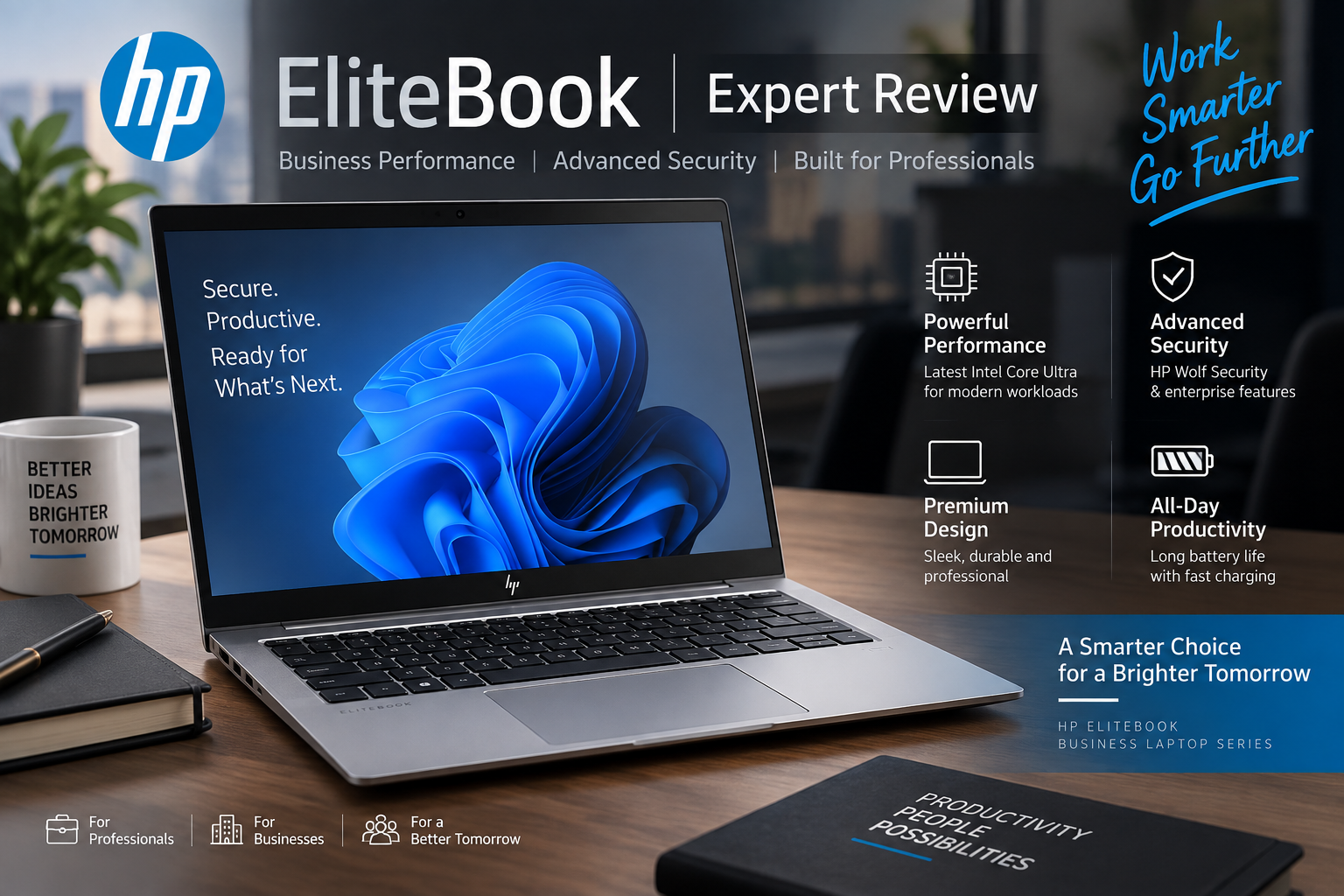
HP Elite Book
The HP EliteBook is HP’s business-focused laptop family designed for professionals, corporate teams, executives, IT departments, and hybrid workers. Its biggest advantages are not simply processor speed: EliteBook systems place greater emphasis on security, manageability, build quality, connectivity, portability, and professional productivity than a typical consumer laptop.
For buyers in Pakistan, that distinction matters. If your work involves office applications, programming, meetings, business travel, sensitive company information, or managing a fleet of employee laptops, an EliteBook can make considerably more sense than buying a consumer notebook purely on specifications.
However, the EliteBook name covers many different models and configurations. Processor, RAM, display, battery, security features and graphics can differ significantly, so buyers should always compare the exact EliteBook model and SKU rather than assuming every EliteBook has the same hardware.
HP EliteBook Design and Build Quality
One reason the HP EliteBook remains attractive to professional buyers is its business-oriented construction. Current models generally use restrained designs suited to offices and meetings rather than the aggressive styling associated with gaming laptops.
HP offers the EliteBook family in multiple screen sizes, allowing buyers to choose between portability and additional workspace. A compact model makes more sense for executives who travel regularly, while a larger screen can be more comfortable for spreadsheets, browser-based applications, accounting software and extended office sessions.
The keyboard and input experience are also important in this category. Current EliteBook configurations can include spill-resistant backlit keyboards, precision clickpads, fingerprint readers and IR cameras, depending on the exact model.
HP EliteBook Performance for Professional Work
Modern HP EliteBook configurations have moved to newer Intel Core Ultra platforms, with different processor families available according to model and configuration. These processors are designed for modern productivity workloads and can include dedicated neural processing capabilities for supported AI workloads.
For normal professional use, an EliteBook is well suited to tasks such as:
- Microsoft Office and large spreadsheets
- Web-based business applications
- Accounting and ERP software
- Programming and development environments
- Video conferencing and remote meetings
- Research and browser-heavy workflows
- CRM and corporate applications
- General multitasking
Memory and storage options vary considerably across the range. Some current EliteBook models use upgradeable DDR5 SO-DIMM memory, which can be particularly valuable for businesses that want to extend a laptop’s useful working life instead of replacing the complete machine when memory requirements increase.
AI Features: Are They Actually Useful?
AI is becoming a bigger part of business laptop marketing, but buyers should focus on practical benefits rather than the label alone. Current EliteBook systems can combine Intel Core Ultra processors and NPUs with Windows AI features and HP’s own software ecosystem.
For most office users, the immediate advantage is not that an NPU suddenly makes every program dramatically faster. Its value is in providing dedicated hardware for compatible AI workloads while allowing the CPU and GPU to concentrate on their respective tasks.
Businesses planning to keep laptops for several years may therefore find an AI-capable platform more relevant than buyers replacing their computers frequently.
HP EliteBook Security Features
Security is one of the strongest reasons to consider an HP EliteBook instead of a standard consumer laptop. Current business configurations can include HP Wolf Security technologies alongside hardware and Windows security capabilities.
Depending on the exact configuration, buyers may find features such as fingerprint authentication, IR facial recognition, smart-card support, TPM-based security, privacy options and HP security software.
This makes the EliteBook particularly relevant for organizations handling financial records, corporate documents, customer information or other sensitive business data. The exact security package should still be checked before purchase because not every feature is included with every configuration.
Display and Connectivity
Display quality varies substantially across the EliteBook range. Current configurations include standard WUXGA business panels as well as brighter, higher-resolution or privacy-oriented options on selected models.
This is an area where checking the exact SKU is essential. Two laptops carrying a similar EliteBook model name can have different brightness, resolution, colour coverage or touch capabilities.
Connectivity is generally a strength. Selected current models offer combinations of Thunderbolt 4, USB Type-C, USB Type-A, HDMI, Wi-Fi 7, Bluetooth and smart-card connectivity. Some configurations also retain business-oriented ports that may be useful in corporate environments.
For users working between an office desk and remote locations, USB-C and Thunderbolt connectivity can also make it easier to connect docks, monitors, storage and other peripherals through a cleaner workstation setup.
HP EliteBook Upgradeability
Upgradeability can be an important advantage of choosing the right HP EliteBook. For example, selected EliteBook 6 G1i configurations provide two accessible SO-DIMM memory slots and support substantial DDR5 memory configurations.
This can be useful for companies buying multiple machines. A system purchased with moderate memory today may be upgraded later if workloads become more demanding, although upgrade options always need to be confirmed for the exact model.
Buyers should never assume that every EliteBook has identical upgradeability. Thin-and-light models can use different internal designs, so RAM and storage serviceability should be checked before ordering.
HP EliteBook for Gaming and Creative Work
The standard EliteBook is primarily a business laptop, not a gaming machine. Integrated Intel graphics available in many configurations are suitable for office applications, media playback, multiple displays and lighter graphics workloads, but they should not be confused with a high-powered gaming GPU.
Interestingly, selected EliteBook configurations can offer discrete graphics. For example, HP documents an NVIDIA GeForce RTX 3050 option for certain EliteBook 6 G1i 16 configurations. That demonstrates why judging the entire range by one specification is misleading.
Even with discrete graphics, buyers primarily interested in high-refresh gaming should normally compare dedicated gaming laptops. EliteBook makes more sense when business reliability, security and professional features are the priority.
HP EliteBook vs Lenovo ThinkPad
The comparison between HP EliteBook and Lenovo ThinkPad is more meaningful than comparing an EliteBook with a normal budget consumer laptop. Both families target professional and enterprise users.
| Area | HP EliteBook | Lenovo ThinkPad |
|---|---|---|
| Primary Use | Business and enterprise | Business and enterprise |
| Security | Strong business security ecosystem | Strong enterprise security options |
| Design | Modern professional appearance | Traditional business-focused styling |
| Portability | Varies by model | Varies by model |
| Upgradeability | Model dependent | Model dependent |
| Best Choice | Depends on configuration and business requirements | Depends on configuration and business requirements |
There is no automatic winner. Buyers should compare equivalent models at similar prices and pay particular attention to display quality, processor class, memory configuration, warranty, ports and upgradeability.
HP EliteBook Pros and Cons
Pros
- Business-focused construction: Designed around professional and corporate workloads rather than entertainment alone.
- Strong security options: HP Wolf Security and configuration-dependent hardware security features are major attractions for businesses.
- Modern connectivity: Selected models provide Thunderbolt 4, USB-C, HDMI, Wi-Fi 7 and other useful business connections.
- Good configuration range: Different screen sizes, processors, memory capacities and display options make it easier to match the laptop to a particular role.
- Upgrade potential on selected models: Certain EliteBook configurations provide accessible SO-DIMM memory, which is useful for longer-term ownership.
Cons
- Premium pricing: Business features can make an EliteBook more expensive than a consumer laptop with apparently similar CPU, RAM and SSD specifications.
- Configuration can be confusing: Displays, processors, security hardware and upgrade options vary between models and SKUs.
- Not primarily a gaming laptop: Most configurations prioritize professional workloads rather than maximum GPU performance.
- Some premium features are optional: Buyers must verify the exact configuration instead of assuming every advertised EliteBook feature is included.
Why We Recommend It
The HP EliteBook is worth considering for professionals and organizations that value security, manageability, connectivity and long-term business use. A cheaper consumer laptop may offer better raw specifications for the money, but an EliteBook becomes more attractive when professional features and deployment requirements matter. Gamers and buyers focused mainly on maximum GPU performance should consider a dedicated gaming laptop instead.
Who Should Buy an HP EliteBook?
An EliteBook is particularly suitable for business executives, corporate employees, developers, accountants, managers, consultants, freelancers and IT departments. Frequent travellers can also benefit from the smaller EliteBook models, while larger-screen versions suit users who spend most of their time working at a desk.
For organizations buying multiple laptops, features such as manageability, security, serviceability and consistent hardware configurations can be more important than simply choosing the processor with the highest benchmark score.
HP EliteBook Price in Pakistan: What Should You Check?
There is no single HP EliteBook price in Pakistan because EliteBook is a complete product family rather than one laptop. Pricing depends on the generation, processor, screen size, RAM, SSD capacity, display, operating system, graphics configuration, warranty and whether the machine is new, open-box or used.
Instead of relying on an old fixed price range, compare the current configuration with other business laptops in Pakistan. Buyers specifically interested in HP can also check the current HP laptops available in Pakistan before making a decision.
The key rule is simple: compare the exact model number and configuration. A low price is not necessarily a bargain if the machine has a weaker display, less memory, an older processor or different warranty coverage.
Is the HP EliteBook Worth Buying?
Yes, for the right buyer. The HP EliteBook remains a strong business-laptop choice when security, professional design, connectivity, manageability and dependable everyday productivity matter more than gaming performance.
It is less compelling for someone who simply wants the maximum CPU or GPU performance per rupee. Students with basic workloads may also find more affordable consumer laptops that meet their needs.
For professionals and companies, however, the complete business package is the main attraction. Before purchasing, compare the exact EliteBook SKU with alternatives from Lenovo ThinkPad, Dell’s business ranges and other professional laptop families rather than making the decision on brand name alone.
Frequently Asked Questions
Is HP EliteBook a good laptop for business?
Yes. EliteBook is specifically positioned around professional and enterprise use, with business-oriented security, manageability, connectivity and configuration options.
Is HP EliteBook better than HP ProBook?
EliteBook generally occupies a more premium position in HP’s business portfolio, but the better purchase depends on the exact models, configurations and prices being compared.
Can HP EliteBook RAM be upgraded?
Some EliteBook models support upgradeable SO-DIMM memory. Upgradeability varies by model, so always verify the exact product number before buying RAM.
Is HP EliteBook good for gaming?
Gaming is not the primary purpose of most EliteBook configurations. Integrated-graphics models are better suited to professional productivity, although selected configurations can offer discrete graphics.
Is HP EliteBook better than Lenovo ThinkPad?
Neither family is universally better. Both target business users, so compare equivalent models based on processor, display, keyboard, security, upgradeability, ports, warranty and price.
Where can I compare HP EliteBook alternatives in Pakistan?
You can compare current business laptop options at Victory Computer, including HP and competing professional laptop families, before choosing a configuration.
Final Verdict
The HP EliteBook remains a compelling option for buyers who need more than basic laptop specifications. Its strongest selling points are its professional design, security ecosystem, modern connectivity and business-oriented configuration options.
The main disadvantage is price: buyers often pay more for those professional features. Specifications also vary significantly between EliteBook generations and configurations, making the exact model number extremely important.
Verdict: Choose an HP EliteBook if your priorities are professional productivity, security, business features and long-term office use. Choose a gaming laptop if GPU performance is the priority, or consider a less expensive consumer/business model if you do not need the EliteBook’s enterprise-focused features.

About Victory Computer Editorial Team
Victory Computer Editorial Team The Victory Computer Editorial Team publishes informative, research-based content about laptops, computers, monitors, printers, hardware, and technology trends in Pakistan. Our goal is to help readers understand product specifications, compare available options, and make informed purchasing decisions.
View all posts by Victory Computer Editorial Team