
Microsoft Surface Laptop | Expert Review

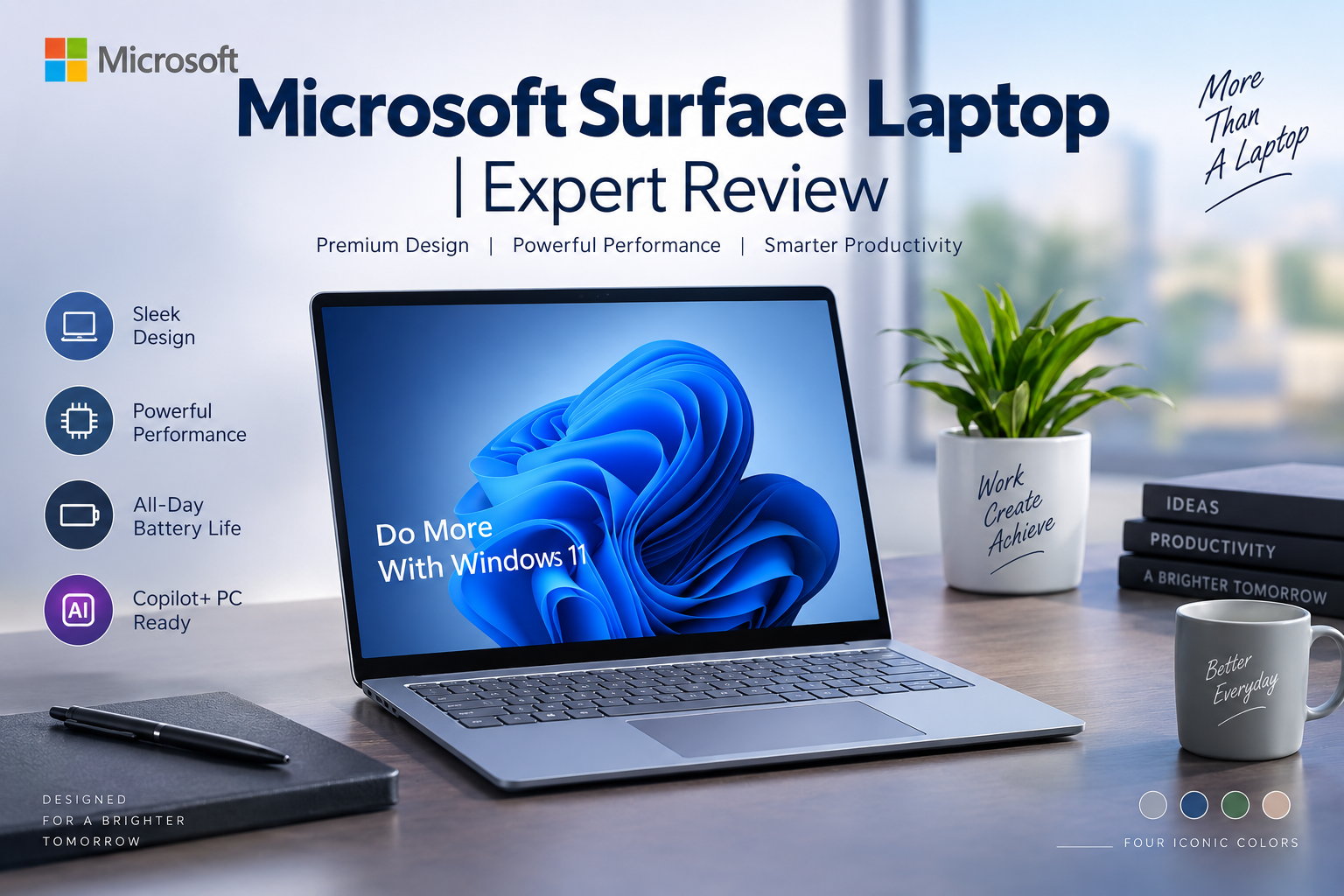
Microsoft Surface Laptop
The Microsoft Surface Laptop is designed for buyers who want a premium Windows notebook with strong portability, a high-quality touchscreen, modern AI features, and Microsoft’s clean approach to hardware and Windows. Current Surface Laptop models span Snapdragon and Intel platforms, so choosing the right configuration matters almost as much as choosing the Surface Laptop itself.
For students, executives, freelancers, and business users in Pakistan, the Surface Laptop can be an excellent premium productivity machine. However, buyers looking primarily for gaming performance, maximum upgradeability, or the lowest price-to-performance ratio should consider alternatives.
Microsoft Surface Laptop Design & Build Quality
Design remains one of the strongest reasons to consider a Surface Laptop. Microsoft uses an aluminum enclosure on current premium models, producing the minimalist appearance that has become characteristic of the Surface family.
The laptop is particularly attractive for users who regularly move between home, university, meetings, and the office. For example, Microsoft lists the 13.8-inch Intel Surface Laptop for Business at approximately 1.35 kg, while the larger 15-inch version is approximately 1.66 kg.
The keyboard and large precision touchpad also suit long writing, browsing, spreadsheet, email, and office sessions. Rather than trying to look like a gaming machine, the Surface Laptop prioritizes a clean professional design.
PixelSense Display: One of Its Biggest Advantages
Microsoft’s display is a major part of the Surface Laptop experience. Current 13.8-inch and 15-inch Surface Laptop for Business models use PixelSense Flow touchscreens with a productivity-friendly 3:2 aspect ratio and dynamic refresh rates of up to 120Hz.
The 13.8-inch version has a 2304 × 1536 resolution, while the 15-inch version uses 2496 × 1664. The taller 3:2 format provides more vertical workspace than the common 16:9 format, which is particularly useful for documents, websites, spreadsheets and programming.
The touchscreen is another advantage for navigation and casual touch interaction, although buyers specifically looking for a pen-first device should compare the Surface Laptop with Microsoft’s Surface Pro family.
Microsoft Surface Laptop Performance
Performance depends heavily on which generation and configuration you purchase. The Surface Laptop 7th Edition is available with Qualcomm Snapdragon X processors, including Snapdragon X Plus and Snapdragon X Elite configurations. Microsoft also offers Surface Laptop for Business configurations using Intel Core Ultra Series 2 processors.
The Snapdragon versions combine Qualcomm’s CPU, integrated graphics and a dedicated NPU for Copilot+ PC workloads. The Intel business versions use Core Ultra 5 or Core Ultra 7 processors with Intel Arc graphics and Intel AI Boost NPUs.
This makes the Surface Laptop particularly suitable for:
- Microsoft Office and Microsoft 365
- Web browsing and research
- Video conferencing
- Business applications
- Programming and development workflows
- University work
- Content writing and freelancing
- Light-to-moderate creative workloads
One consideration with Snapdragon-powered Windows PCs is software compatibility. Windows on Arm compatibility has improved substantially, but buyers who rely on specialist legacy software, drivers, peripherals or niche professional applications should verify compatibility before purchasing.
RAM and Storage Options
Configuration varies by model, but Microsoft’s 7th Edition 13.8-inch and 15-inch Snapdragon Surface Laptop for Business models are offered with 16GB or 32GB LPDDR5x memory and removable Gen 4 SSD options ranging from 256GB to 1TB.
Intel Surface Laptop for Business configurations similarly offer 16GB or 32GB LPDDR5x memory with 256GB, 512GB and 1TB removable Gen 4 SSD options.
For general office work, studying and browsing, 16GB is a sensible starting point. Users running larger creative projects, development environments or demanding multitasking workflows may benefit from 32GB.
Battery Life & Portability
Battery efficiency is another major strength of the current Surface Laptop family. Microsoft rates certain 13.8-inch 7th Edition models for up to 20 hours of local video playback, while some 15-inch configurations are rated for up to 22 hours.
Those figures are manufacturer test results rather than a guarantee of real-world runtime. Display brightness, applications, video calls, browser tabs, wireless activity, power settings and workload can significantly change actual battery life.
Even with that caveat, battery life and portability are two of the strongest reasons to choose a Surface Laptop over a heavier performance-focused notebook.
Copilot+ PC and AI Features
Current Surface Laptop models place a strong emphasis on Microsoft’s Copilot+ PC platform. Compatible configurations include dedicated NPUs capable of handling supported AI workloads locally instead of relying entirely on CPU or GPU processing.
For most buyers, the important point is not the AI branding itself but how these capabilities integrate with Windows features, video conferencing, productivity software and future applications optimized for NPUs.
Users buying a laptop for several years of professional use may therefore see the NPU as useful future-facing hardware, although it should not be the only reason to purchase the machine.
Is Microsoft Surface Laptop Good for Gaming?
The Microsoft Surface Laptop is not primarily a gaming laptop. Integrated Qualcomm or Intel graphics can handle everyday graphics workloads and some lighter games, but the Surface Laptop should not be confused with systems carrying dedicated NVIDIA GeForce RTX graphics.
Players targeting demanding AAA games, high frame rates, ray tracing or competitive gaming should consider dedicated gaming laptops in Pakistan instead.
The Surface makes more sense when portability, battery efficiency, display quality and professional use are higher priorities than gaming performance.
Microsoft Surface Laptop Price in Pakistan
The Microsoft Surface Laptop price in Pakistan can vary substantially according to generation, processor, screen size, RAM, storage, condition, import channel and warranty coverage. For that reason, buyers should avoid judging a Surface Laptop only by a generic model name.
Before purchasing, confirm the exact processor, RAM, SSD capacity, screen size, model generation and warranty terms. This is especially important because Snapdragon and Intel Surface Laptop configurations can look very similar while having meaningful platform differences.
Buyers comparing premium productivity machines can explore business laptops in Pakistan. Those working with a tighter budget can also compare budget laptop options.
Microsoft Surface Laptop Pros and Cons
Pros
- Premium construction: Clean aluminum design suited to professional environments.
- Excellent touchscreen: PixelSense displays and the taller 3:2 aspect ratio work particularly well for productivity.
- Strong portability: Smaller configurations are easy to carry between university, home and office.
- Good battery potential: Current models place a strong emphasis on efficiency and mobile use.
- Modern AI hardware: Copilot+ PC configurations include dedicated NPUs for supported AI workloads.
Cons
- Premium pricing: Surface devices can cost considerably more than conventional Windows laptops with similar basic memory and storage.
- Not designed for serious gaming: Buyers wanting high-end gaming performance should choose a laptop with a dedicated GPU.
- Configuration complexity: Snapdragon and Intel versions have different platform characteristics, so buyers need to check the exact model.
- Arm compatibility deserves checking: Snapdragon buyers using specialist legacy Windows software or hardware should confirm support before purchasing.
Why We Recommend It
We recommend the Microsoft Surface Laptop primarily for professionals, executives, students and freelancers who value portability, battery efficiency, touchscreen quality and a premium Windows experience. It is especially attractive for Microsoft 365, browsing, meetings, study and general productivity.
Buyers focused on AAA gaming, dedicated GPU performance or maximum performance per rupee should consider another laptop category instead.
Who Should Buy a Microsoft Surface Laptop?
Students: A strong option for users who need a portable computer for research, assignments, presentations, online classes and everyday productivity.
Professionals and executives: One of the more compelling use cases because of the understated design, portability, webcam features and Windows integration.
Freelancers: Writers, marketers, developers and other remote professionals can benefit from the portable design and battery-focused hardware.
Frequent travelers: The combination of compact dimensions and long manufacturer-rated battery life makes smaller Surface Laptop configurations particularly attractive for mobile work.
Gamers: Generally not the ideal audience. A dedicated gaming laptop offers much stronger graphics performance.
Surface Laptop vs MacBook Air
| Area | Microsoft Surface Laptop | MacBook Air |
|---|---|---|
| Operating System | Windows 11 | macOS |
| Touchscreen | Yes | No |
| Best Fit | Windows and Microsoft ecosystem users | Apple ecosystem users |
| Processor Platform | Snapdragon / Intel depending on model | Apple Silicon |
| Gaming | Limited compared with gaming laptops | Also not primarily designed as a gaming laptop |
There is no universal winner. Choose the Microsoft Surface Laptop if Windows compatibility, touchscreen input and the Microsoft ecosystem matter more. Consider a MacBook Air if you prefer macOS and are already invested in Apple’s ecosystem.
Frequently Asked Questions
Is the Microsoft Surface Laptop worth buying?
Yes, for users who prioritize premium construction, portability, display quality, battery efficiency and Windows productivity. It offers less value for buyers whose main priority is gaming performance or maximum hardware for the lowest price.
Is Microsoft Surface Laptop good for students?
Yes. Its portability, touchscreen, keyboard and productivity focus make it well suited to assignments, research, presentations, browsing and online classes.
Can Microsoft Surface Laptop run games?
It can run compatible lighter games, but it is not designed as a high-performance gaming system. Serious gamers should consider a laptop with dedicated NVIDIA or AMD graphics.
Should I buy Snapdragon or Intel Surface Laptop?
Snapdragon models are attractive for efficiency and Copilot+ PC use, while Intel configurations can be preferable for organizations or users concerned about compatibility with traditional x86 Windows workflows. Always check the applications and peripherals you depend on before choosing.
Does Microsoft Surface Laptop have a touchscreen?
Yes. Current Surface Laptop models use Microsoft’s PixelSense touchscreen technology, with specific display specifications varying by model and generation.
Is Surface Laptop better than MacBook Air?
It depends on your ecosystem. Surface Laptop is more attractive for buyers wanting Windows and touchscreen functionality, while MacBook Air is better suited to users committed to macOS and Apple’s ecosystem.
Final Verdict: Should You Buy the Microsoft Surface Laptop?
The Microsoft Surface Laptop remains one of the most attractive premium Windows options for buyers who care about design, portability, touchscreen productivity and battery efficiency. Current Snapdragon and Intel configurations also make the lineup more flexible than older Surface generations.
Its main compromises are equally clear: it is not intended to replace a dedicated gaming laptop, premium configurations can be expensive, and Snapdragon buyers should verify compatibility with specialist software.
For professionals, students and freelancers looking for a polished Windows laptop, it deserves serious consideration. Before buying in Pakistan, compare the exact model number, processor, RAM, SSD, warranty and current price rather than relying only on the Surface Laptop name.
You can explore more computers and laptops at Victory Computer or read additional laptop buying guides before choosing your next system.

About Victory Computer Editorial Team
Victory Computer Editorial Team The Victory Computer Editorial Team publishes informative, research-based content about laptops, computers, monitors, printers, hardware, and technology trends in Pakistan. Our goal is to help readers understand product specifications, compare available options, and make informed purchasing decisions.
View all posts by Victory Computer Editorial Team
2 thoughts on “Microsoft Surface Laptop | Expert Review”