
Asus ROG 2025 | Expert Review

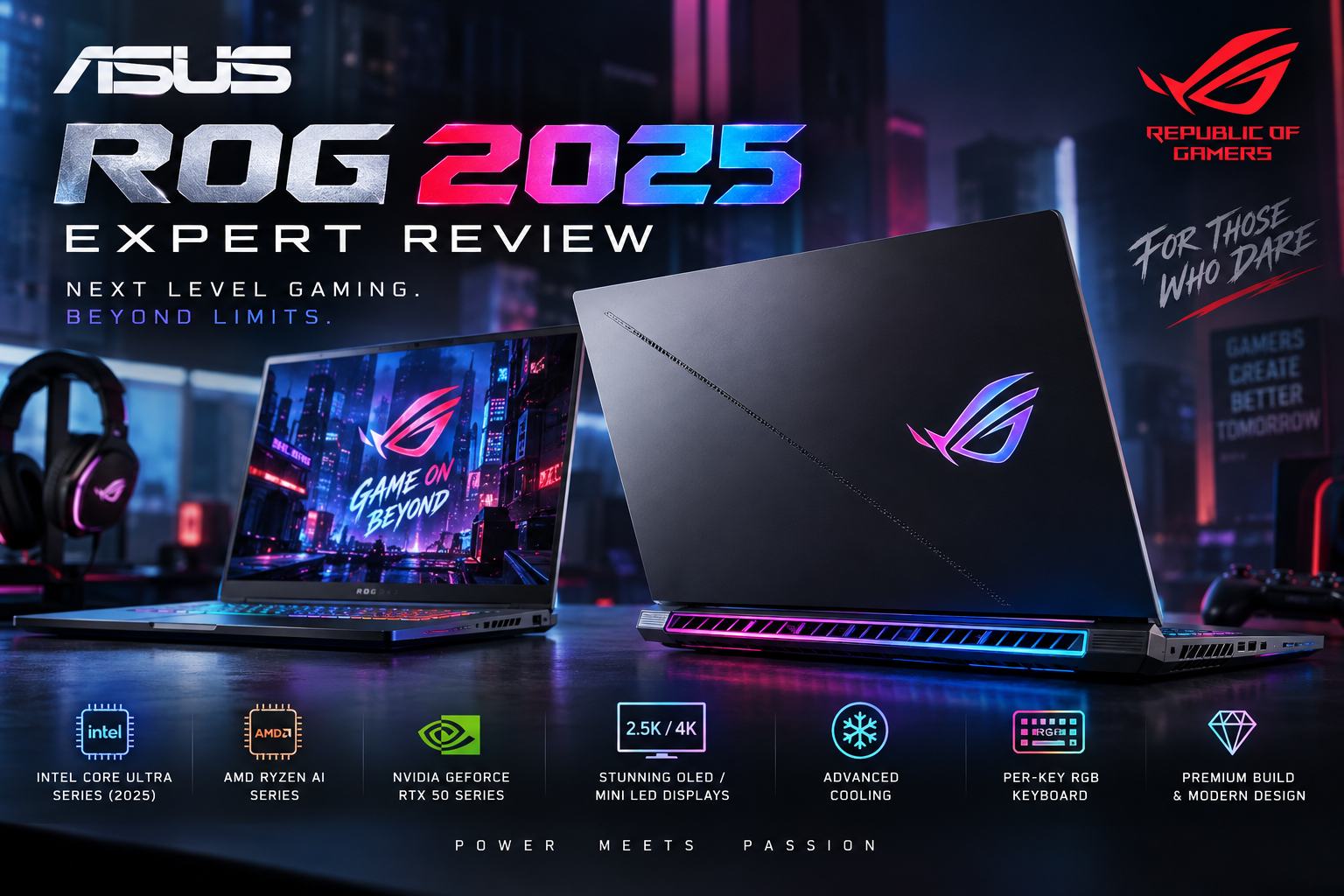
Asus ROG 2025
Asus ROG 2025 represents a major update to ASUS Republic of Gamers laptops, with newer Intel Core Ultra and AMD Ryzen AI processors, NVIDIA GeForce RTX 50-series Laptop GPUs on selected models, high-refresh OLED and Mini LED display options, and designs ranging from thin premium machines to high-wattage desktop-replacement gaming laptops.
But there is an important point for buyers: ROG 2025 is not one laptop. The family includes models such as the portable ROG Zephyrus G16 and much more performance-focused ROG Strix and Strix SCAR machines. That means the best choice depends heavily on whether you value portability, maximum gaming performance, display quality, or upgradeability.
Asus ROG 2025: What Changed?
The biggest change is the hardware generation. Higher-end 2025 ROG configurations moved into NVIDIA’s GeForce RTX 50-series Laptop GPU family, while ASUS also adopted newer Intel Core Ultra and AMD Ryzen AI processors across different models.
This matters because buyers should not judge an Asus ROG 2025 gaming laptop simply by the ROG logo. GPU model, GPU power limit, processor, cooling system, display and chassis size can substantially change real-world performance.
For example, a thin Zephyrus G16 and a thicker Strix SCAR 16 can both carry high-end RTX graphics, but they are designed around different priorities. The Zephyrus emphasizes portability and premium construction, while the SCAR provides considerably more thermal and power headroom.
Asus ROG 2025 Performance
For serious gaming, the 2025 ROG lineup extends from more accessible RTX 50-series configurations to extremely high-end RTX 5080 and RTX 5090 options. That gives buyers room to choose according to resolution, games, professional workloads and budget instead of paying for performance they may never use.
The ROG Strix SCAR 16 is particularly performance-focused. Selected 2025 configurations pair an Intel Core Ultra 9 275HX processor with an RTX 5080 or RTX 5090 Laptop GPU. ASUS specifies up to 175W for these GPU configurations, giving the SCAR substantially more graphics power headroom than thinner ROG designs.
The Zephyrus G16 takes a different approach. Selected configurations combine an Intel Core Ultra 9 285H with graphics reaching the RTX 5090 Laptop GPU, but ASUS specifies up to 120W for that GPU. This illustrates why shoppers should compare GPU wattage as well as the GPU name.
If you are still deciding how much graphics performance you actually need, our RTX 4060 vs RTX 4070 laptop comparison explains how GPU tiers affect gaming decisions.
Display Quality: One of ROG’s Strongest Areas
Display quality is one of the strongest reasons to consider selected ROG models. The 2025 Zephyrus G16 can be configured with a 16-inch 2.5K 2560 × 1600 OLED ROG Nebula Display running at 240Hz. ASUS also lists 100% DCI-P3 coverage, G-SYNC and Pantone validation on relevant configurations.
That combination makes the Zephyrus especially attractive for gamers who also work with video, photography, graphics or other color-sensitive creative applications.
A high refresh rate is valuable for competitive gaming, while the higher resolution and wide color gamut improve everyday image quality and creative work. However, buyers focused entirely on maximum FPS should still prioritize the GPU and its available power rather than choosing a laptop based on the display alone.
Design and Portability
ROG machines no longer follow one design philosophy. The Zephyrus line is aimed at buyers who want gaming capability without carrying a very thick desktop replacement. ASUS lists the 2025 Zephyrus G16 at around 1.85 kg with a premium aluminum chassis, making it unusually portable considering the hardware available in higher configurations.
The Strix SCAR family prioritizes sustained performance instead. A larger cooling system and higher GPU power limits make more sense for someone who normally games at a desk and wants maximum performance from the hardware.
So the practical choice is straightforward: Zephyrus makes more sense for portability; Strix and Strix SCAR make more sense when sustained gaming performance has higher priority.
Cooling and Sustained Gaming
Cooling becomes increasingly important as CPU and GPU power rises. ASUS uses different ROG Intelligent Cooling configurations depending on the model, including technologies such as liquid metal, multiple fans, heatpipes and vapor chambers on applicable configurations.
However, no high-performance gaming laptop should be described as incapable of overheating. Temperatures depend on the exact model, performance mode, ambient temperature, workload and maintenance. Buyers should therefore look at the cooling design of the specific ROG model rather than assuming every ROG laptop behaves identically.
RAM and Storage Upgradeability
Upgradeability also varies significantly across the lineup. This is especially important for buyers planning to keep the laptop for several years.
For example, selected Zephyrus G16 configurations use onboard LPDDR5X memory, so RAM expansion is not available after purchase. ASUS does, however, provide two M.2 PCIe positions on relevant configurations, making storage expansion more flexible.
This means buyers considering a Zephyrus should choose the required memory capacity at purchase rather than assuming RAM can be upgraded later.
Asus ROG 2025 Pros and Cons
Pros
- Excellent gaming hardware: Selected configurations reach RTX 5080 and RTX 5090 Laptop GPUs.
- Premium display options: High-refresh OLED and ROG Nebula panels are available on models such as the Zephyrus G16.
- Choice of form factors: Buyers can choose between portable Zephyrus models and performance-focused Strix/SCAR designs.
- Strong creator potential: Powerful CPUs, discrete NVIDIA graphics and wide-gamut displays make suitable configurations useful for editing, rendering and other GPU-intensive workloads.
- High-end connectivity: Premium configurations offer modern display, USB-C and other high-speed connectivity options.
Cons
- Premium pricing: Higher-end ROG configurations can be extremely expensive, especially with RTX 5080 or RTX 5090 graphics.
- GPU name does not tell the full story: The same GPU can operate at different power limits depending on the ROG chassis.
- Some RAM is soldered: Thin Zephyrus configurations may not allow memory upgrades.
- Performance models are less portable: Strix and SCAR laptops trade portability for stronger cooling and higher power limits.
Why We Recommend It
Asus ROG 2025 is worth considering for gamers, creators and professionals who want premium gaming hardware and are willing to pay for better displays, cooling and construction. Buyers mainly doing office work, browsing or light gaming can usually get better value from a less expensive laptop.
Asus ROG Zephyrus vs ROG Strix: Which Should You Buy?
| ROG Series | Best For | Main Advantage | Main Trade-off |
|---|---|---|---|
| ROG Zephyrus | Gaming + portability + creative work | Thin premium design and excellent display options | Lower GPU power on some configurations and limited RAM upgradeability |
| ROG Strix | High-performance gaming | Stronger cooling and performance-focused design | Larger and heavier |
| ROG Strix SCAR | Enthusiast gaming and heavy workloads | Very high GPU power and flagship hardware options | High cost and reduced portability |
For a closer look at the thinner premium option, read our Asus ROG Zephyrus G16 review. Buyers comparing the wider market can also see our gaming laptop buying guide.
Asus ROG 2025 Price in Pakistan
There is no single Asus ROG 2025 price in Pakistan because ROG covers multiple models and configurations. Prices can change significantly according to processor, GPU, RAM, storage, display, warranty type, import source and exchange-rate conditions.
Instead of relying on a fixed price range that may quickly become outdated, Pakistani buyers should compare the exact model number and configuration. This is especially important with ROG laptops because two visually similar models can have different processors, GPU wattages, displays and memory configurations.
You can browse available gaming laptops in Pakistan at Victory Computer and compare the configuration that matches your budget.
Who Should Buy an Asus ROG 2025?
Competitive gamers should consider configurations with high-refresh displays and sufficiently powerful GPUs for their target resolution and frame rate.
AAA gamers should pay close attention to the exact RTX GPU and its power limit. Higher-end Strix or SCAR models make more sense when maximum sustained graphics performance is the priority.
Content creators may prefer a Zephyrus G16 configuration with an OLED display because its combination of portability, discrete graphics and wide color coverage suits both gaming and creative workloads.
Students and professionals who occasionally game should think carefully before buying a flagship configuration. The extra cost, weight and graphics performance may provide little benefit for everyday productivity.
Is Asus ROG 2025 Worth Buying?
Yes, but only if you choose the right ROG model. The 2025 lineup offers excellent hardware, but buying solely because a laptop carries the ROG badge is not enough.
For portability and display quality, the Zephyrus G16 is particularly attractive. For maximum sustained gaming performance, higher-powered Strix and Strix SCAR configurations are more appropriate. Buyers should compare GPU wattage, RAM upgradeability, display type, storage expansion and warranty alongside the headline CPU and GPU specifications.
If portability is not essential, it is also worth comparing a laptop against a desktop before spending heavily. Our gaming laptop vs gaming desktop comparison explains the major trade-offs.
Frequently Asked Questions
Is Asus ROG 2025 good for gaming?
Yes. The 2025 ROG family includes configurations ranging through powerful RTX 50-series Laptop GPUs, but actual performance depends on the exact GPU, its power limit, cooling and processor.
Does Asus ROG 2025 have an RTX 5090?
Selected 2025 models do. ASUS offers RTX 5090 Laptop GPU configurations in machines including the Zephyrus G16 and Strix SCAR 16.
Which is better: ROG Zephyrus or ROG Strix?
Choose Zephyrus if portability, premium construction and display quality matter more. Choose Strix or Strix SCAR if sustained gaming performance and higher GPU power are your priorities.
Can Asus ROG RAM be upgraded?
It depends on the exact model. Some Zephyrus G16 configurations use onboard memory that cannot be expanded, while other ROG designs have different upgrade options. Check the exact model before buying.
Is Asus ROG good for video editing and 3D rendering?
Yes, appropriately configured ROG laptops can handle demanding video editing, GPU rendering and creative applications. Higher-end NVIDIA GPUs and wide-gamut displays can be particularly useful for these workloads.
Where can I buy an Asus ROG gaming laptop in Pakistan?
Check current ROG and other gaming laptop availability through Victory Computer. Always confirm the exact model number, GPU, display, RAM, storage, warranty and current price before purchasing.
Final Verdict
The Asus ROG 2025 lineup offers some compelling gaming laptops, but there is no single ROG configuration that is best for everyone. The Zephyrus G16 stands out for buyers balancing gaming performance with portability and OLED display quality, while Strix and Strix SCAR models are better suited to gamers who prioritize higher sustained performance.
For buyers in Pakistan, the most important step is to compare exact configurations rather than relying on broad labels such as “ROG 2025” or “RTX 5090 laptop.” GPU wattage, cooling, display technology, memory configuration and warranty can materially change the value of a laptop.
For current gaming laptop options and buying assistance, visit Victory Computer and compare models according to your gaming requirements and budget.

About Victory Computer Editorial Team
Victory Computer Editorial Team The Victory Computer Editorial Team publishes informative, research-based content about laptops, computers, monitors, printers, hardware, and technology trends in Pakistan. Our goal is to help readers understand product specifications, compare available options, and make informed purchasing decisions.
View all posts by Victory Computer Editorial Team
One thought on “Asus ROG 2025 | Expert Review”