
Best Laptops for Gaming Streamers in Pakistan

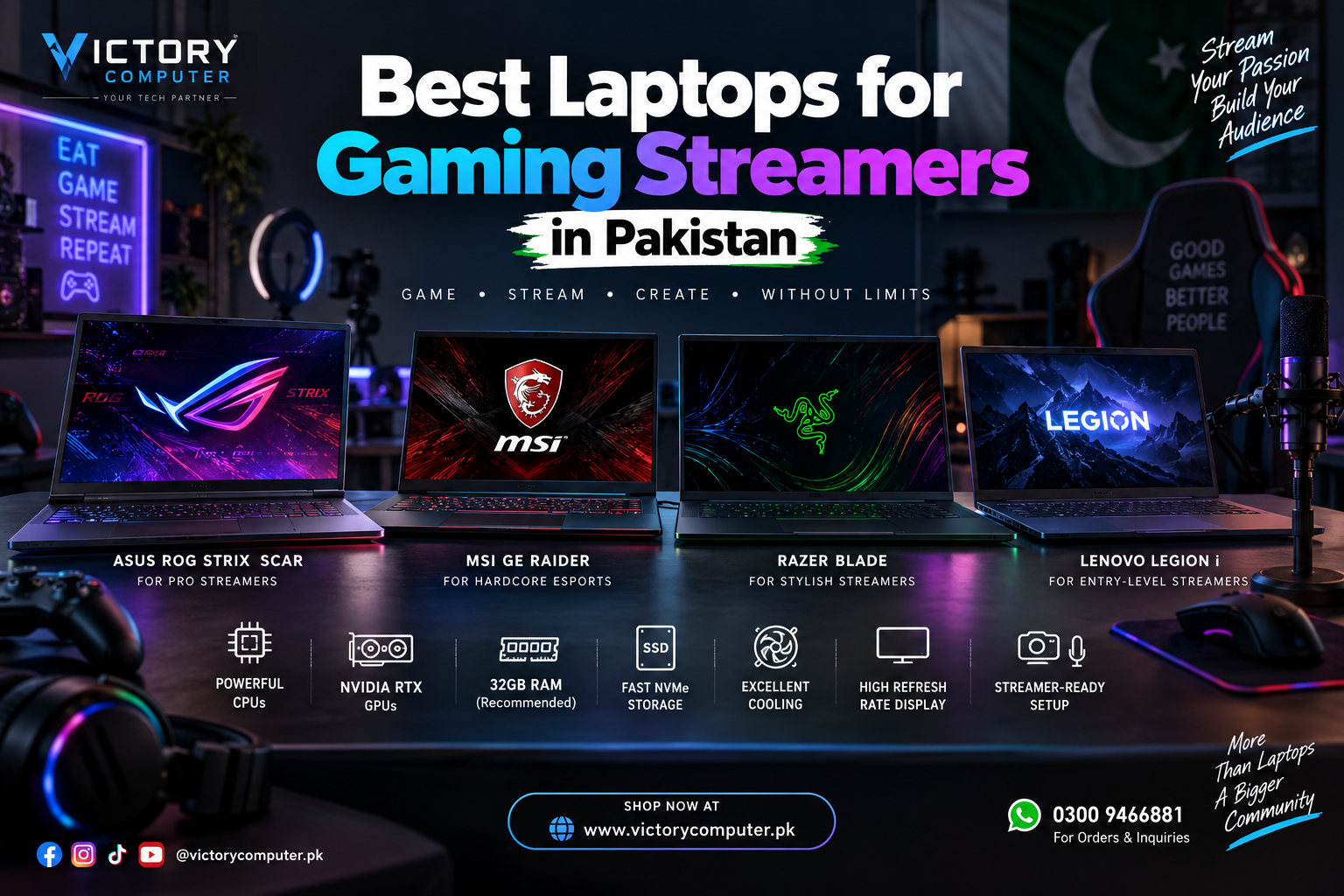
Best Laptops for Gaming Streamers in Pakistan
The best laptops for gaming streamers in Pakistan need to handle two demanding workloads at once: running modern games at high frame rates and encoding a stable livestream. For 2026, a strong dedicated GPU, fast multi-core processor, sufficient RAM, SSD storage, reliable cooling and good connectivity are the main features to prioritize.
NVIDIA GeForce RTX laptops are particularly useful for single-PC streaming because the dedicated NVIDIA Encoder (NVENC) can handle video encoding separately from the main CPU workload. This leaves more CPU resources available for the game, OBS, Discord, browser sources and other applications.
Best Laptops for Gaming Streamers in Pakistan – Quick Comparison
| Laptop | Best For | Graphics Options | Main Advantage |
|---|---|---|---|
| ASUS ROG Strix SCAR 18 (2026) | High-end streaming | Up to RTX 5090 24GB | High GPU power and strong cooling |
| MSI Raider 18 HX AI | Gaming + streaming + editing | Up to RTX 5090 24GB | High combined CPU/GPU performance |
| Lenovo Legion Pro 7i Gen 10 | Serious 16-inch setups | RTX 5070 to RTX 5090 | Strong performance with OLED display |
| Razer Blade 18 (2026) | Desktop-replacement streaming | Up to RTX 5090 24GB | Large display and excellent connectivity |
| HP HyperX OMEN MAX 16 (2026) | High-performance 16-inch streaming | Up to RTX 5090 24GB | Powerful hardware in a smaller form factor |
What Should a Gaming Streaming Laptop Have?
Gaming alone can put heavy load on the CPU and GPU. Streaming adds video encoding, browser sources, alerts, Discord, chat monitoring and sometimes local recording. That is why the best laptops for gaming streamers in Pakistan need more headroom than an ordinary gaming laptop.
Dedicated NVIDIA RTX Graphics
A modern NVIDIA RTX GPU is highly useful for streaming. NVIDIA’s NVENC technology uses a dedicated part of the GPU for video encoding, reducing the amount of CPU performance required for the stream.
RTX 50-series laptops also support ninth-generation NVIDIA Encoder technology and AV1 encoding, making them particularly relevant for current gaming and creator workloads.
16GB RAM Minimum, 32GB Preferred
For gaming plus OBS, Discord and browser applications, 16GB RAM should be treated as a practical minimum. A 32GB configuration provides more breathing room for demanding games, local recordings and video editing. Heavy creators may benefit from even more memory.
Fast SSD Storage
A 1TB NVMe SSD is a sensible starting point for a gaming streamer. Modern games can consume large amounts of storage, while locally recorded streams and edited video files can quickly fill a smaller drive.
Good Cooling
Streaming sessions can keep both the CPU and GPU under load for hours. Cooling therefore matters just as much as headline specifications. A laptop that controls temperatures effectively is better suited to sustained gaming and streaming workloads.
Top 5 Best Laptops for Gaming Streamers in Pakistan
1. ASUS ROG Strix SCAR 18 (2026)
The ASUS ROG Strix SCAR 18 is designed for buyers who prioritize maximum gaming performance over portability. The 2026 model can be configured with an Intel Core Ultra 9 290HX Plus processor and NVIDIA GeForce RTX 5090 Laptop GPU with 24GB GDDR7 memory and a maximum GPU power of 175W.
ASUS also offers an 18-inch 4K Mini LED display with a refresh rate of up to 240Hz. Its cooling system uses a vapor chamber, multiple fans and a large heatsink arrangement designed for sustained high-power workloads.
The SCAR 18 is therefore a strong option among the best laptops for gaming streamers in Pakistan for streamers who play demanding AAA games, record footage and edit content on the same computer.
Pros
- Up to RTX 5090 Laptop GPU with 24GB GDDR7.
- 175W maximum GPU power on supported configurations.
- Excellent 18-inch 4K 240Hz Mini LED display.
- Strong cooling system for extended gaming sessions.
- Upgradeable RAM and storage.
Cons
- Large 18-inch chassis is difficult to carry every day.
- High-end configurations require a substantial budget.
- Powerful hardware requires a large power adapter.
Why We Recommend It
The ROG Strix SCAR 18 makes sense for serious streamers who want desktop-replacement performance and rarely need to carry their laptop. Buyers who value portability should consider a smaller 16-inch system instead.
2. MSI Raider 18 HX AI
The MSI Raider 18 HX AI is another performance-focused option. Current configurations support Intel Core Ultra 200HX-series processors and NVIDIA graphics up to the RTX 5090 Laptop GPU with 24GB GDDR7 memory.
MSI lists up to 175W maximum graphics power for its RTX 5090 configuration and up to 260W combined CPU-GPU power using MSI OverBoost Ultra. Available display options include QHD+ 240Hz and UHD+ Mini LED panels depending on the exact configuration.
The Raider’s combination of CPU performance, high-end graphics, large displays and upgradeable storage makes it suitable for gaming, livestreaming and post-stream video editing.
Pros
- Up to RTX 5090 24GB Laptop GPU.
- High CPU and GPU power limits.
- Strong cooling for sustained workloads.
- Multiple display options including high-refresh QHD+.
- Good connectivity for streamer accessories.
Cons
- Large and heavy compared with normal laptops.
- Battery life is not the main priority of this design.
- Exact specifications vary considerably between Raider SKUs.
Why We Recommend It
Choose the Raider 18 HX AI when gaming performance, OBS streaming and video production are more important than portability. Always confirm the exact processor, GPU and display configuration before purchasing.
3. Lenovo Legion Pro 7i Gen 10
The Lenovo Legion Pro 7i Gen 10 offers a more compact 16-inch alternative without dropping into entry-level hardware. Lenovo Pakistan lists configurations ranging from RTX 5070 through RTX 5070 Ti and RTX 5080 up to the RTX 5090 Laptop GPU.
The RTX 5080 and RTX 5090 configurations can operate at up to 175W including Dynamic Boost. The laptop can also be configured with a 16-inch 2560 × 1600 OLED display running at 240Hz.
This flexibility makes the Legion Pro 7i one of the more practical best laptops for gaming streamers in Pakistan because buyers can select a GPU tier according to their gaming resolution and budget instead of immediately moving to an RTX 5090.
Pros
- Wide choice of RTX 50-series GPU configurations.
- High-power RTX 5080 and RTX 5090 options.
- 16-inch 240Hz OLED display.
- Upgradeable DDR5 memory.
- More manageable size than most 18-inch models.
Cons
- Still relatively heavy for a 16-inch laptop.
- Highest-performance models use a large charger.
- RTX 5090 configurations may be unnecessary for mainstream streaming.
Why We Recommend It
The Legion Pro 7i suits streamers who want high-end performance but do not want an 18-inch laptop. RTX 5070 Ti or RTX 5080 configurations can also provide a better balance for users who do not require the top GPU tier.
4. Razer Blade 18 (2026)
The 2026 Razer Blade 18 combines an Intel Core Ultra 9 290HX Plus processor with graphics configurations reaching the NVIDIA GeForce RTX 5090 Laptop GPU. Razer specifies up to 175W GPU power and 24GB VRAM on its highest configuration.
The 18-inch dual-mode display supports UHD+ at 240Hz or FHD+ at up to 440Hz. It also includes useful streamer connectivity such as Thunderbolt 5, Wi-Fi 7 and 2.5Gb Ethernet.
For a streamer using external storage, capture hardware, microphones and other peripherals, the Blade 18’s connectivity is one of its strongest practical advantages.
Pros
- Up to RTX 5090 with 175W TGP.
- Large dual-mode 18-inch display.
- Thunderbolt 5 connectivity.
- 2.5Gb Ethernet for wired networking.
- Vapor chamber cooling for sustained workloads.
Cons
- Large size reduces portability.
- High-end Blade models occupy the premium segment.
- Performance level is excessive for basic 1080p streaming.
Why We Recommend It
The Blade 18 is most suitable for streamers who want their laptop to function like a portable desktop setup. If your laptop travels between home, university or office every day, a lighter 16-inch system is easier to manage.
5. HP HyperX OMEN MAX 16 (2026)
The 2026 HyperX OMEN MAX 16 is an interesting choice for users who want flagship-class specifications in a 16-inch format. HP lists configurations up to the Intel Core Ultra 9 290HX Plus processor and NVIDIA GeForce RTX 5090 Laptop GPU with 24GB GDDR7 memory.
It supports up to 64GB DDR5 memory and up to a 2TB PCIe Gen5 NVMe SSD. HP also offers an optional 16-inch 2.5K OLED display running at up to 240Hz.
For streamers who want high-end gaming, recording and content-creation performance without moving to an 18-inch laptop, the OMEN MAX 16 deserves consideration.
Pros
- Up to RTX 5090 24GB graphics.
- Core Ultra 9 290HX Plus option.
- Up to 64GB upgradeable DDR5 RAM.
- High-refresh 2.5K OLED display option.
- 16-inch chassis is easier to accommodate than an 18-inch laptop.
Cons
- High-performance configurations still require substantial cooling and power.
- Exact display, RAM and storage specifications depend on the SKU.
- RTX 5090 is unnecessary for many beginner streaming setups.
Why We Recommend It
The OMEN MAX 16 works well for buyers who want a serious gaming and streaming machine in a more manageable 16-inch chassis. Compare its exact configuration against similarly priced Legion, ROG and MSI alternatives before making a final decision.
How to Choose a Gaming Streaming Laptop in Pakistan
Do not choose a laptop based only on the GPU model printed in the product title. Two laptops containing the same RTX GPU can have different power limits, cooling systems and overall performance.
Before buying one of the best laptops for gaming streamers in Pakistan, check the following:
- Exact GPU: RTX 5070, RTX 5070 Ti, RTX 5080 or RTX 5090.
- GPU power: Higher-power implementations can sustain more performance.
- Processor: Prefer a modern high-performance Core Ultra 7/9 or Ryzen 7/9-class processor.
- RAM: 16GB minimum, with 32GB preferred for serious streaming.
- Storage: Start with at least 1TB if you record streams locally.
- Cooling: Important for maintaining performance during long sessions.
- Ethernet: Wired networking is useful for stable livestreaming.
- USB ports: Consider microphones, webcams, capture cards and external drives.
- Upgradeability: Replaceable RAM and SSDs can increase useful lifespan.
You can compare current options in the gaming laptops in Pakistan category at Victory Computer.
Gaming Laptop or Desktop for Streaming?
A gaming laptop makes sense if you need to stream from different locations or use one computer for gaming, university, office work and content creation. A desktop normally provides easier upgrades, more cooling flexibility and simpler component replacement.
If portability is not essential, read the gaming laptop vs gaming desktop comparison before choosing. Streamers considering a dedicated desktop can also read the streaming PC building guide.
Do You Need a Webcam, Microphone and Cooling Pad?
A better laptop does not automatically create a better stream. Audio quality, lighting, camera quality and internet stability strongly affect what viewers actually experience.
A USB microphone can provide clearer voice quality than most built-in laptop microphones. An external webcam can improve camera quality and positioning, while wired Ethernet can provide a more predictable network connection.
For extended gaming sessions, keep the laptop’s air intakes unobstructed. A stand or suitable cooling pad can improve airflow on some setups. See our guide to laptop cooling pads in Pakistan for additional options.
Content creators who also publish recorded videos may find the best laptops for YouTubers in Pakistan guide useful as well.
Recommended Specifications for a Streaming Laptop in 2026
| Component | Recommended Starting Point |
|---|---|
| Processor | Modern Core Ultra 7/9 or Ryzen 7/9 performance-class CPU |
| Graphics | NVIDIA GeForce RTX dedicated GPU |
| RAM | 16GB minimum, 32GB preferred |
| Storage | 1TB NVMe SSD or more |
| Display | 144Hz or faster |
| Networking | Gigabit Ethernet or faster where possible |
| Ports | Enough USB/USB-C ports for streaming equipment |
Frequently Asked Questions
Do I need a dedicated GPU for gaming and streaming?
Yes, for modern gaming a dedicated GPU is strongly recommended. NVIDIA RTX GPUs can use NVENC hardware encoding to handle the livestream without placing the entire encoding workload on the CPU.
How much RAM do I need for a gaming streaming laptop?
16GB RAM is a practical minimum for gaming and streaming. 32GB is preferable if you use OBS, Discord, multiple browser sources, local recording or video-editing applications at the same time.
Is an RTX 5070 enough for streaming?
An RTX 5070 Laptop GPU can be suitable for many gaming and streaming setups. RTX 5080 and RTX 5090 configurations provide more graphics performance and VRAM for demanding games, higher resolutions and heavier creator workloads.
Is RTX 5090 necessary for a gaming streamer?
No. An RTX 5090 is mainly relevant to buyers who also want maximum gaming settings, demanding high-resolution workloads, large amounts of VRAM or intensive content creation. Many streamers can use a lower GPU tier effectively.
Should I buy a gaming laptop or gaming desktop for streaming?
Choose a laptop if portability matters. Choose a desktop if maximum upgradeability, cooling flexibility and easy component replacement are more important.
Which laptop size is better for streamers: 16-inch or 18-inch?
A 16-inch laptop is easier to carry and usually fits smaller desks. An 18-inch laptop gives more screen space for gaming and monitoring applications but is heavier and less convenient for frequent travel.
Where can I buy gaming streaming laptops in Pakistan?
You can browse current gaming laptops at Victory Computer. Always confirm the exact model number, GPU, RAM, storage, warranty, current price and availability before purchasing.
Final Buying Advice
The best laptops for gaming streamers in Pakistan depend on how demanding your games are, where you stream and how much portability you need. The ASUS ROG Strix SCAR 18 and MSI Raider 18 HX AI focus on maximum sustained performance, while the Razer Blade 18 works well as a desktop replacement. The Lenovo Legion Pro 7i provides several GPU tiers in a more manageable 16-inch format, while the HP HyperX OMEN MAX 16 combines high-end hardware with a smaller chassis.
For most buyers, spending everything on the highest GPU is not necessary. A balanced laptop with a strong RTX GPU, 32GB RAM, sufficient SSD storage, reliable cooling and good networking can make more sense than an expensive flagship configuration paired with weak streaming accessories.
Visit Victory Computer or browse gaming laptops in Pakistan to compare current options. For product availability and current pricing, contact Victory Computer on WhatsApp at 0300 9466881.

About Victory Computer Editorial Team
Victory Computer Editorial Team The Victory Computer Editorial Team publishes informative, research-based content about laptops, computers, monitors, printers, hardware, and technology trends in Pakistan. Our goal is to help readers understand product specifications, compare available options, and make informed purchasing decisions.
View all posts by Victory Computer Editorial Team