
Best Budget Gaming Laptops in Pakistan | Expert review

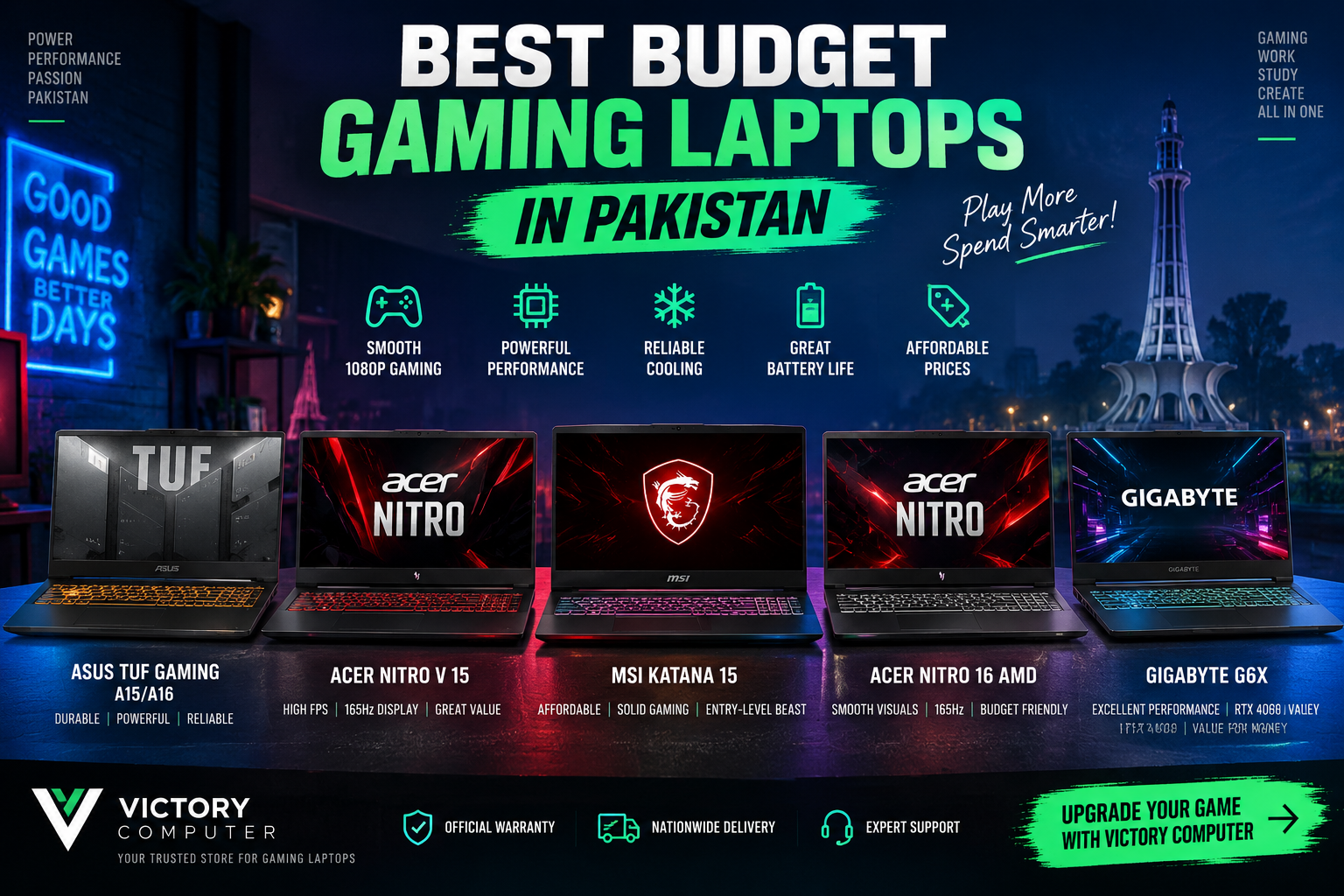
Best Budget Gaming Laptops in Pakistan
The best budget gaming laptops in Pakistan should give you a dedicated NVIDIA GPU, at least 16GB RAM, upgradeable storage and a high-refresh display without forcing you into premium gaming-laptop pricing. For most buyers in 2026, RTX 4050, RTX 5050 and RTX 5060 laptops provide the most practical balance between gaming performance, features and long-term usability.
Our current shortlist includes the ASUS TUF Gaming A16, Lenovo LOQ 15IRX10, Acer Nitro V 15, HP Victus 15 and MSI Katana 15 HX. Each targets a slightly different buyer, so the right choice depends on GPU performance, display quality, upgradeability, portability and current Pakistani market pricing.
Quick Comparison: Best Budget Gaming Laptops in Pakistan
| Laptop | Typical GPU Class | Best For | Main Advantage | Main Trade-off |
|---|---|---|---|---|
| ASUS TUF Gaming A16 | RTX 4050 | Value-conscious gamers | Strong GPU power and upgradeability | Display colour coverage varies by model |
| Lenovo LOQ 15IRX10 | RTX 5050 / RTX 5060 | Best balanced choice | Strong performance and upgrade options | Heavier than ordinary productivity laptops |
| Acer Nitro V 15 | RTX 5050 | 1080p competitive gaming | High-refresh display and modern GPU | Build is more functional than premium |
| HP Victus 15 | RTX 5050 / RTX 5060 | Gaming plus everyday use | Cleaner design than many gaming laptops | Configuration differences can be significant |
| MSI Katana 15 HX | RTX 5060 | Maximum performance buyers | Powerful CPU/GPU combination | Heavier and less focused on battery life |
Before buying, compare the exact CPU, GPU, RAM, SSD and display configuration. A gaming-laptop family can contain several very different specifications under nearly identical model names.
What Should You Look for in a Budget Gaming Laptop?
A good budget gaming laptop should prioritize the GPU first. The processor matters, but spending more on a stronger graphics processor usually makes a bigger difference in modern games than moving from one already-capable CPU to a much more expensive one.
- GPU: RTX 4050 is still useful for 1080p gaming, while RTX 5050 and RTX 5060 models offer newer NVIDIA features and 8GB graphics-memory configurations.
- RAM: Aim for at least 16GB. Two upgradeable SO-DIMM slots are preferable for longer-term ownership.
- Storage: 512GB is workable, but modern game libraries can fill it quickly. A second M.2 slot is valuable.
- Display: 144Hz or 165Hz is ideal for gaming. Also check brightness, colour coverage and resolution instead of judging a screen by refresh rate alone.
- GPU power: Two laptops using the same NVIDIA GPU can perform differently because laptop GPU power limits and cooling systems vary.
NVIDIA’s current RTX 50-series laptop platform includes RTX 5050 and RTX 5060 GPUs with technologies such as DLSS and newer AI-assisted graphics features. Buyers comparing GPU generations can also read our budget graphics cards for 1080p gaming guide.
1. ASUS TUF Gaming A16 – Strong Entry-Level Gaming Value
The ASUS TUF Gaming A16 remains a sensible option for buyers who find an RTX 4050 configuration at an attractive price. One current FA607NUG configuration combines an AMD Ryzen 7 7445HS processor, RTX 4050 6GB graphics, DDR5 memory and a 16-inch 144Hz WUXGA display.
The TUF series focuses more heavily on gaming fundamentals than thinness. Features such as upgradeable memory, storage expansion, a MUX switch on applicable configurations and a high-refresh screen make the A16 especially relevant to gamers who expect to keep their laptop for several years.
Pros
- Capable RTX 4050 graphics for 1080p gaming.
- 16-inch 16:10 display gives more usable vertical screen space.
- Upgradeable RAM and storage on relevant configurations.
- Gaming-focused cooling and graphics controls.
Cons
- RTX 4050 has less graphics memory than current RTX 5050/5060 options.
- Some A16 panels prioritize refresh rate over wide colour coverage.
- Not the lightest choice for daily travelling.
Why We Recommend It
Choose the ASUS TUF Gaming A16 if you want dependable 1080p gaming and find the RTX 4050 version meaningfully cheaper than current RTX 5050 laptops. Buyers planning to keep the machine for several years should compare the price difference with newer RTX 50-series models before ordering.
2. Lenovo LOQ 15IRX10 – Best Balanced Budget Gaming Choice
The Lenovo LOQ 15IRX10 is one of the strongest all-round options among the best budget gaming laptops in Pakistan. Current configurations can combine Intel HX-series processors with RTX 5050 or RTX 5060 graphics, DDR5 memory and high-refresh Full HD displays.
An RTX 5050 configuration can provide 8GB GDDR7 graphics memory, while Lenovo also offers RTX 5060 variants in the same platform. Many LOQ configurations provide two memory slots and two M.2 storage positions, giving the series an advantage for buyers planning RAM or SSD upgrades later.
You can view the current Lenovo LOQ 15IRX10 RTX 5050 configuration or browse the broader gaming laptops in Pakistan collection.
Pros
- RTX 5050 and RTX 5060 configurations are available within the platform.
- Strong HX-series processor options.
- Good RAM and SSD upgrade potential.
- 144Hz display options are well suited to competitive gaming.
- Balanced gaming and productivity capabilities.
Cons
- LOQ laptops are relatively heavy for students who commute daily.
- Battery life is not the main strength of an HX-series gaming system.
- Exact displays, batteries and memory configurations differ by SKU.
Why We Recommend It
For most buyers, Lenovo LOQ is the safest place to start. It balances GPU performance, cooling, upgradeability and practical display options without moving immediately into premium Legion pricing.
3. Acer Nitro V 15 – Great Choice for High-Refresh 1080p Gaming
The Acer Nitro V 15 is aimed directly at value-focused gamers. Current ANV15-52 configurations include RTX 5050 graphics and high-refresh 15.6-inch displays, giving the Nitro V series a clear position between basic multimedia laptops and more expensive enthusiast gaming machines.
The Nitro V makes the most sense for players of competitive games such as Counter-Strike 2, Valorant, Fortnite and similar titles where a 144Hz or 165Hz display can be more useful than paying extra for a higher-resolution premium panel.
A current Acer Nitro V 15 ANV15-52 configuration can be checked at Victory Computer before purchase.
Pros
- Modern RTX 5050 options are available.
- High-refresh Full HD displays fit competitive gaming well.
- Usually positioned below more premium gaming families.
- Practical choice for gaming, university work and content creation.
Cons
- Exterior materials and design are more functional than premium.
- Display quality varies between individual Nitro V configurations.
- Fan noise under heavy gaming loads is a normal consideration for this performance class.
Why We Recommend It
Choose the Acer Nitro V 15 when gaming performance and refresh rate matter more than luxury materials. Always compare the exact GPU and display specification because Nitro V models can look similar while using different hardware.
4. HP Victus 15 – Best for Gaming Without an Aggressive Gaming Design
The HP Victus 15 works well for users who need one laptop for gaming, university, office work and everyday use. Current Victus configurations include RTX 50-series options, and an available FA2787NR configuration combines an Intel Core i7 processor with RTX 5060 graphics and a 144Hz Full HD display.
Its understated appearance is an advantage for buyers who do not want the sharp styling or heavy RGB branding common on dedicated gaming notebooks.
Pros
- Clean design works well in both gaming and professional environments.
- RTX 5050/5060-class configurations provide strong graphics options.
- 144Hz displays are available on relevant models.
- Useful balance of gaming and general productivity.
Cons
- Victus specifications differ substantially across model numbers.
- Some lower-priced configurations can use weaker displays or GPUs.
- Buyers must verify the exact model instead of relying only on the Victus name.
Why We Recommend It
The Victus 15 is suited to students, freelancers and professionals who want dedicated gaming performance without carrying a laptop that looks exclusively designed for gaming.
5. MSI Katana 15 HX – Best for Maximum Performance on a Controlled Budget
The MSI Katana 15 HX B14W moves closer to performance-focused gaming territory. Current configurations support RTX 5050 and RTX 5060 Laptop GPUs, while RTX 5060 versions can pair the GPU with powerful Intel HX-series processors and high-refresh displays.
The MSI Katana 15 HX RTX 5060 is particularly interesting for buyers who also perform CPU-heavy work such as video editing, 3D applications, development or large multitasking workloads.
Pros
- RTX 5060 configurations provide strong gaming capability.
- High-performance Intel HX processor options.
- DDR5 memory with upgradeable configurations.
- QHD high-refresh display options are available.
Cons
- More performance usually means more heat, fan activity and power consumption.
- Approximately 2.4kg configurations are less convenient for frequent travel.
- Some versions have more limited internal SSD expansion than competitors.
Why We Recommend It
Choose the MSI Katana 15 HX when raw CPU and GPU capability is more important than portability or battery endurance. Gamers mainly playing lighter esports titles may save money with an RTX 4050 or RTX 5050 machine instead.
RTX 4050 vs RTX 5050 vs RTX 5060: Which Should You Buy?
| GPU Class | Best For | Main Benefit | Who Should Upgrade |
|---|---|---|---|
| RTX 4050 | Affordable 1080p gaming | Lower entry cost | Buy when significantly cheaper |
| RTX 5050 | Balanced modern gaming | 8GB memory on current laptop GPU specification | Good default for new budget buyers |
| RTX 5060 | Higher settings and heavier workloads | More graphics performance headroom | Worth considering for demanding games and creation |
The GPU name alone does not determine gaming speed. Laptop cooling, GPU power limits, CPU selection, RAM configuration and game settings also matter. This is why two RTX 5060 laptops can deliver different results.
How Much RAM and Storage Should a Gaming Laptop Have?
16GB RAM should be the starting point for a new gaming laptop. It provides enough capacity for modern games, Windows, browsers, launchers, Discord and normal background applications. If you edit large videos, run virtual machines or work with demanding creative applications, 32GB may be worthwhile.
For storage, 512GB is acceptable but 1TB is more comfortable. Large AAA games can consume a significant portion of a 512GB SSD, so buyers should check whether the laptop has a second M.2 slot before purchase.
Should You Buy a Gaming Laptop or Desktop?
A gaming laptop is better when portability and an all-in-one setup matter. A desktop generally gives you easier upgrades and more flexibility in cooling and component selection. If you are unsure, read our gaming laptop vs gaming desktop comparison before deciding.
Which Budget Gaming Laptop Should You Buy?
For most buyers searching for the best budget gaming laptops in Pakistan, the Lenovo LOQ 15IRX10 is the strongest balanced starting point because of its current RTX 5050/5060 options and upgrade-friendly design.
Choose the ASUS TUF A16 when an RTX 4050 configuration is available at a clearly lower price. Choose the Acer Nitro V 15 for high-refresh 1080p gaming, the HP Victus 15 for a more understated multipurpose design, and the MSI Katana 15 HX when CPU and GPU performance matter more than portability.
For a wider comparison across premium and budget models, see our Best Gaming Laptops Pakistan 2026 guide. Buyers who do not require dedicated gaming graphics can also compare budget laptops in Pakistan.
Where to Buy Budget Gaming Laptops in Pakistan
You can browse current gaming laptop options through Victory Computer in Lahore. Because imported laptop configurations, availability and pricing can change, verify the exact model number, GPU, warranty, condition and current price before ordering.
WhatsApp: 0300 9466881
Frequently Asked Questions
What is the best budget gaming laptop in Pakistan?
There is no universal winner, but Lenovo LOQ, Acer Nitro V, ASUS TUF, HP Victus and MSI Katana are strong families to compare. The best choice depends on the exact GPU, display, upgradeability and current price.
Is an RTX 4050 laptop still worth buying?
Yes, especially for 1080p gaming if the price is substantially lower than an RTX 5050 or RTX 5060 model. Buyers paying close to RTX 50-series pricing should compare the newer options first.
Is RTX 5050 good for gaming?
RTX 5050 Laptop GPUs target mainstream gaming and use 8GB GDDR7 in NVIDIA’s current specification. Actual game performance varies with laptop GPU power, cooling and system configuration.
Should I buy an RTX 5050 or RTX 5060 gaming laptop?
Choose RTX 5050 when budget matters most. RTX 5060 is more suitable if you want additional performance headroom for demanding games, higher settings or GPU-accelerated creative work.
Is 16GB RAM enough for gaming in 2026?
Yes. 16GB remains a sensible starting point for gaming and everyday multitasking. Buyers doing heavy editing, development or professional workloads may benefit from 32GB.
Should I buy a 512GB or 1TB SSD for gaming?
1TB is preferable if your budget allows because modern game installations can be large. A 512GB model is still practical when the laptop includes an additional M.2 slot for future storage expansion.

About Victory Computer Editorial Team
Victory Computer Editorial Team The Victory Computer Editorial Team publishes informative, research-based content about laptops, computers, monitors, printers, hardware, and technology trends in Pakistan. Our goal is to help readers understand product specifications, compare available options, and make informed purchasing decisions.
View all posts by Victory Computer Editorial Team
2 thoughts on “Best Budget Gaming Laptops in Pakistan | Expert review”