
Why You Can’t Run Nox Player on MacBooks Anymore (And Alternatives That Work) | Expert Review

Why You Can’t Run Nox Player on MacBooks Anymore
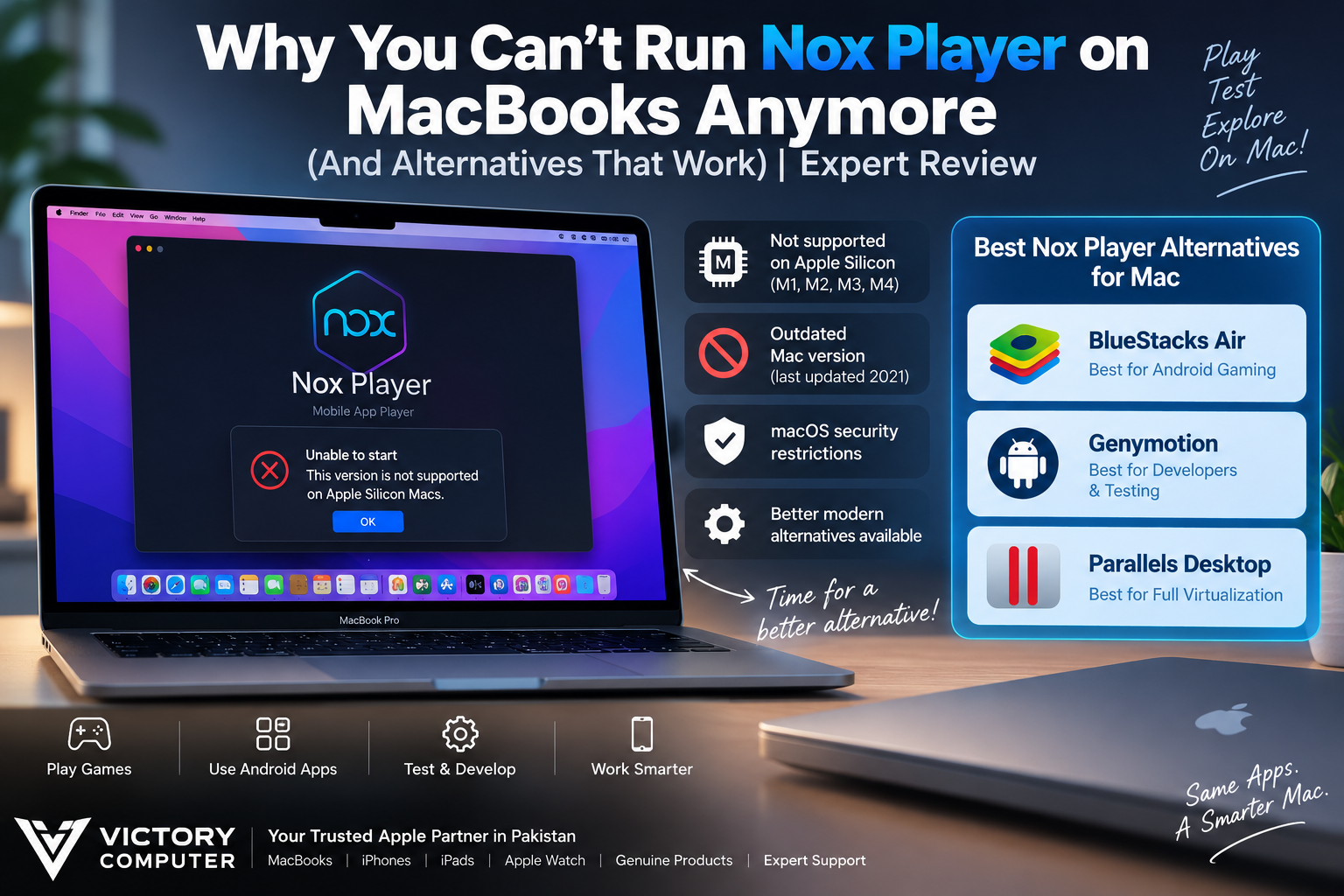
Nox Player on Mac is a poor choice for modern Apple Silicon MacBooks because NoxPlayer’s current Mac download remains an older 2021 release, while Nox’s own support documentation states that its Mac version does not support Apple’s M1 chip. MacBook users with Apple Silicon should therefore consider a current ARM-compatible Android emulator instead.
Why Nox Player on Mac Struggles on Modern MacBooks
The main problem is processor architecture and outdated Mac support, not simply macOS blocking Android emulators. Modern MacBook Air and MacBook Pro models use Apple’s ARM-based Apple Silicon architecture, while older virtualization software was designed around Intel x86 systems.
NoxPlayer still lists a Mac download on its official website, but the listed Mac version is 3.8.5.7 from December 16, 2021. NoxPlayer’s own Mac troubleshooting documentation also states that the software does not support the Apple M1 chip. That makes Nox a risky choice for today’s M-series MacBook owner even though an old Mac installer remains available.
This architecture change is one reason older virtualization software cannot simply be carried over to Apple Silicon. If you want a deeper explanation, read our guide to Apple Silicon and why the architecture change matters.
Compatibility can also change as macOS evolves. Our guide covering macOS compatibility problems explains why older applications can become unreliable when operating systems, security requirements and processor architectures change.
Nox Player Pros and Cons
Pros
- Free to use: NoxPlayer remains accessible without requiring a paid virtualization subscription.
- Gaming-focused controls: Nox includes keyboard mapping, gamepad support, script recording and multi-instance features.
- Established emulator: NoxPlayer has a long history as an Android gaming emulator, particularly on Windows.
- Mac installer still available: Nox continues to host its older Mac version for compatible systems.
Cons
- No official Apple Silicon support in Nox’s Mac documentation: This is the biggest issue for modern M-series MacBook owners.
- Old Mac release: The Mac download currently advertised by Nox is version 3.8.5.7 from 2021.
- Poor choice for a new Mac: Buying a modern Apple Silicon Mac specifically to use NoxPlayer does not make sense when actively supported alternatives exist.
- Compatibility uncertainty: An older emulator build may encounter problems as macOS and Apple’s security architecture continue to change.
Why We Recommend an Alternative
If you already own an older Intel Mac that runs NoxPlayer reliably, there may be little reason to change immediately. For an M-series MacBook, however, choose an emulator that explicitly documents Apple Silicon support rather than trying to force an outdated Nox installation to work.
3 Best Nox Player Alternatives for Mac
| Option | Best For | Main Advantage | Main Trade-off |
|---|---|---|---|
| BlueStacks Air | Android gaming | Built specifically for Apple Silicon Macs | Apple Silicon only; game compatibility can vary |
| Genymotion Desktop | Developers and testing | Supports Apple Silicon and Intel Macs | More developer-focused than gaming-focused |
| Parallels Desktop | Broader virtualization | Runs supported ARM operating systems on Apple Silicon | Not a direct Nox-style Android gaming emulator |
1. BlueStacks Air — Best for Android Gaming
BlueStacks Air is the closest practical Nox Player alternative for many Apple Silicon gamers. BlueStacks officially lists support for Apple Silicon M1 through M4 systems with macOS 11 Big Sur or later. The minimum RAM requirement is 8GB, while 16GB is recommended.
That explicit Apple Silicon support makes BlueStacks Air substantially more appropriate for a modern MacBook than the old Nox Mac build. If you encounter installation or launch problems, see our BlueStacks not working on macOS guide.
2. Genymotion Desktop — Best for Developers
Genymotion Desktop is better suited to Android development, app testing and virtual-device workflows. Current Genymotion documentation supports both Intel and Apple Silicon Macs, with QEMU used as the default hypervisor on macOS.
Genymotion recommends considerably more memory than BlueStacks Air, listing 16GB RAM or more in its current desktop requirements. For developers who need configurable Android virtual devices rather than primarily gaming features, Genymotion is the more technical option.
3. Parallels Desktop — Best for Broader Virtualization
Parallels Desktop should be considered when Android emulation is only one part of a larger virtualization requirement. On Apple Silicon, Parallels supports ARM-based guest operating systems and is particularly useful for users who also need Windows 11 ARM or Linux.
Parallels is therefore not a simple one-for-one replacement for Nox Player. Choose it when you need a complete virtual-machine environment rather than only an Android gaming emulator.
Which Nox Player Alternative Should You Choose?
Choose BlueStacks Air primarily for Android gaming on a supported Apple Silicon Mac. Choose Genymotion if your priority is Android development, testing or configurable virtual devices. Consider Parallels when you need broader Windows or Linux virtualization in addition to Android-related development workflows.
No emulator guarantees that every Android application will work. Game architecture, Google Play requirements, anti-cheat systems, graphics APIs and emulator detection can affect individual applications, so check compatibility for the specific app or game you need.
Does Nox Player Still Work on Intel MacBooks?
Intel Mac owners are in a different situation. NoxPlayer’s old Mac build was designed for the Intel-era Mac environment, and Nox previously released fixes for macOS Big Sur and Monterey. Therefore, saying that Nox Player cannot run on any Mac would be inaccurate.
The problem is that the Mac version has not received the same visible development momentum as modern Apple Silicon alternatives. An older Intel Mac may still run Nox, but compatibility depends on the specific macOS version and configuration.
Choosing a MacBook for Android Apps in Pakistan
If Android emulation is important to your workflow, check software compatibility before selecting a MacBook. A modern M-series Mac offers strong performance and efficiency, but an application designed around older Intel virtualization may not automatically work on Apple Silicon.
For buyers deciding between platforms, our MacBook vs Windows laptop comparison can help determine which platform better fits your software requirements.
You can also browse Victory Computer for current computer options in Pakistan or explore our technology guides before deciding which platform best fits your apps, games and professional software.
Victory Computer WhatsApp: 0300 9466881
Location: Lahore, Pakistan
Frequently Asked Questions
Why doesn’t Nox Player work on an M-series MacBook?
NoxPlayer’s official Mac support material states that its Mac version does not support Apple’s M1 chip, while its currently advertised Mac release dates back to 2021. Modern M-series MacBooks therefore need a more current Apple Silicon-compatible solution.
Is Nox Player completely discontinued for Mac?
No. NoxPlayer still lists a Mac download on its official website. The problem is that the listed Mac version is an old 2021 build and Nox’s support documentation does not provide official Apple Silicon support.
What is the best Nox Player alternative for Mac?
BlueStacks Air is a strong choice for gaming because it explicitly supports Apple Silicon Macs. Genymotion is more appropriate for developers and Android testing.
Does BlueStacks work on Apple Silicon?
Yes. BlueStacks officially lists BlueStacks Air support for Apple Silicon M1 through M4 Macs, requiring at least 8GB RAM and macOS 11 Big Sur or newer.
Does Genymotion support Apple Silicon Macs?
Yes. Genymotion’s current Desktop requirements list Apple Silicon SoCs as supported Mac hardware and provide an ARM64 macOS version.
Can every Android game run on a Mac emulator?
No. Compatibility varies by emulator and app. Architecture, graphics requirements, Google Play certification, anti-cheat technology and emulator detection can prevent individual Android games or apps from working.
Final Recommendation
Nox Player on Mac is no longer the sensible emulator choice for a modern Apple Silicon MacBook. The old Mac release and lack of documented M1 support make newer alternatives easier to recommend. BlueStacks Air is the first option to consider for gaming, while Genymotion is better suited to development and testing.
If NoxPlayer is essential to your workflow, verify compatibility before replacing an older Intel computer with an Apple Silicon Mac. Software requirements should influence the buying decision just as much as processor performance, memory and storage.

About Victory Computer Editorial Team
Victory Computer Editorial Team The Victory Computer Editorial Team publishes informative, research-based content about laptops, computers, monitors, printers, hardware, and technology trends in Pakistan. Our goal is to help readers understand product specifications, compare available options, and make informed purchasing decisions.
View all posts by Victory Computer Editorial Team